
1. Tatūnga
Follow these steps to prepare your Gevi Professional Barista Coffee Machine for first use.
1.1 Te Wetewete me te Tirotiro
Carefully remove all components from the packaging. Inspect the machine for any signs of damage during transit. Retain packaging for future transport or service needs. Ensure all accessories listed in the packing list are present.
1.2 Whakanoho
Place the coffee machine on a stable, level, and heat-resistant surface. Ensure there is adequate space around the machine for ventilation, especially at the back and sides. Keep it away from direct sunlight, heat sources, and areas with high humidity. The power outlet should be easily accessible.
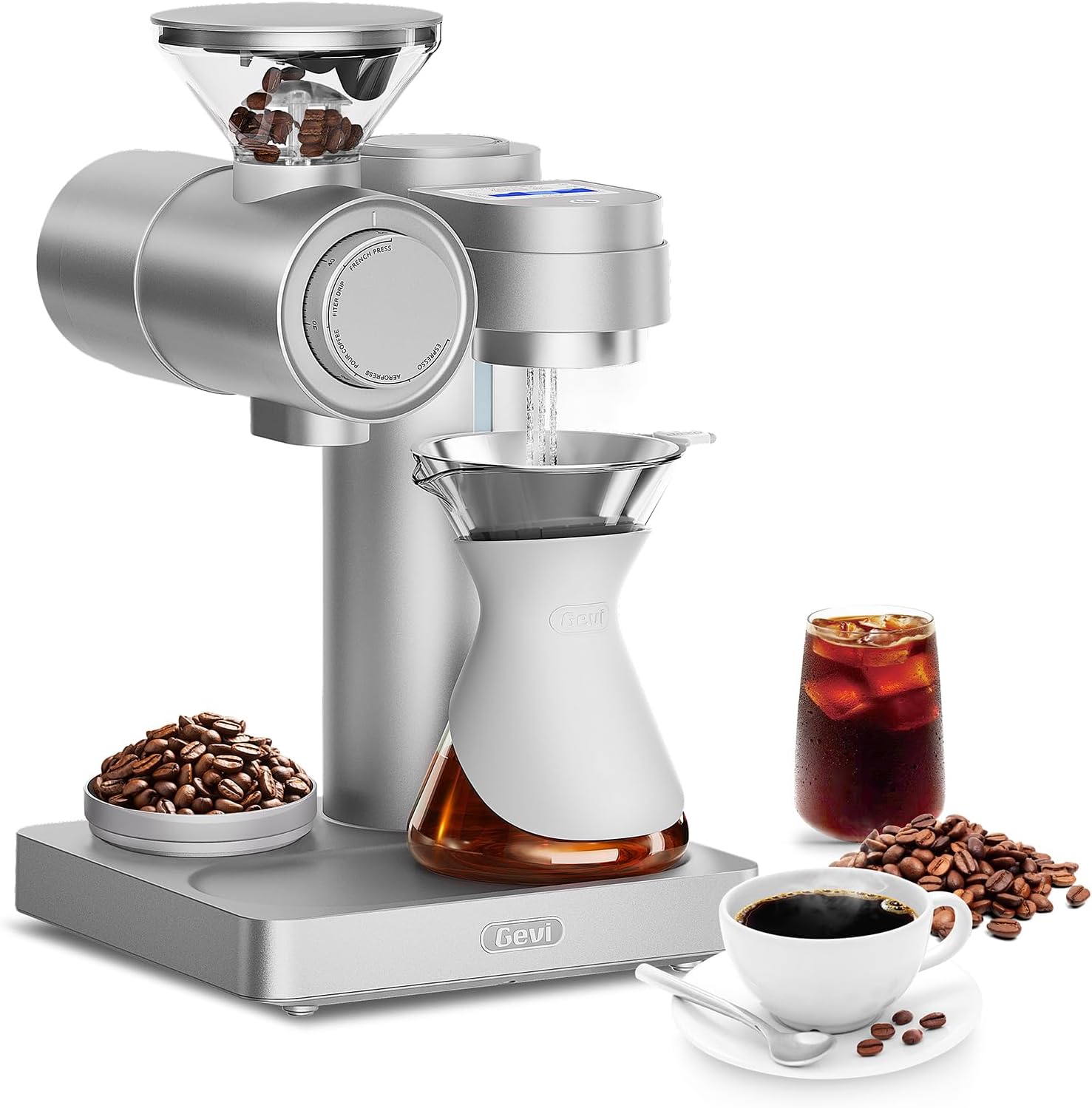
Whakaahua 1: The Gevi Professional Barista Coffee Machine. This image displays the front view of the machine, highlighting the control panel, portafilter, and steam wand. The water tank is typically located at the back or side.
1.3 Te Whakarite Taaka Wai
- Tangohia te tank wai mai i muri o te miihini.
- Horoihia te taika wai ki te wai ma.
- Fill the water tank with fresh, cold, filtered water up to the MAX line indicated. Do not overfill.
- Securely place the water tank back into its position on the machine.
1.4 Te Huringa Horoi Tuatahi
Before brewing coffee, perform an initial cleaning cycle to flush out any manufacturing residues.
- Me whakarite kia whakakiia te puna wai.
- Whakatakotoria he ipu nui ki raro i te rōpū pia me te tokotoko mamaoa.
- Power on the machine. Allow it to heat up until the indicator light signals readiness.
- Run a cycle of hot water through the brew group without coffee.
- Open the steam valve to dispense hot water through the steam wand for 30-60 seconds.
- Whakahokia tenei tukanga 2-3 wa.
2. Nga Tohutohu Whakahaere
This section details the steps for brewing espresso and steaming milk with your Gevi coffee machine.
2.1 Kei te Hiko / Weto
Pehia te Mana button located on the front panel. The machine will begin to heat up. Wait for the indicator light to turn solid, signifying it has reached the optimal brewing temperature.
2.2 Coffee Preparation (Espresso)
- Miro: Whakamahia ngā pīni kawhe hou kua tunua, ka huri kia matotoru e tika ana mō te hanga kawhe espresso.
- Te horopeta: Fill the portafilter basket with the appropriate amount of ground coffee (e.g., 7-8g for a single shot, 14-16g for a double shot).
- Tampkei: Whakamahia iamper to press the coffee grounds firmly and evenly into the portafilter basket. Ensure the surface is level.
- Te Maukati i te Tātari Pouaka: Insert the portafilter into the brew group and turn it firmly to the right until it is securely locked.
2.3 Tipu Espresso
- Whakanohoia to (ng) kapu espresso ki runga i te paepae whakamakuku i raro tonu i nga kohao o te tauranga.
- Pehia te Matā Kotahi or Matā Ruarua button. The machine will begin pre-infusion, followed by brewing.
- The brewing process will stop automatically. For manual control, press the button again to stop.
- Remove the portafilter, discard the spent coffee grounds (puck), and rinse the portafilter.
2.4 Miraka Kohuatia
- Ensure the machine is at steaming temperature (steam indicator light solid).
- Whakakīia he ipu miraka kowiri tira ki te miraka matao, i raro noa iho i te waha o te ipu.
- Tōia te pito o te tokotoko mamaoa ki raro noa iho i te mata o te miraka.
- Hurihia te Kopa Mana Steam to activate steam.
- Lower the pitcher slightly to introduce air for frothing, then submerge the tip deeper to heat the milk.
- Continue until the milk reaches the desired temperature (around 140-150°F / 60-65°C) and texture.
- Turn off the steam control knob. Immediately wipe the steam wand with a damp he kakahu kia kore e maroke te toenga miraka.
2.5 Te Toha Wai wera
To dispense hot water for tea or Americanos:
- Whakanohoia he kapu ki raro i te toka mamaoa.
- Hurihia te Kopa Mana Steam to the hot water position (if available, otherwise use the steam function briefly).
- Horoihia te nui o te wai wera e hiahiatia ana.
- Close the knob.
3. Tiaki
Regular cleaning and maintenance ensure optimal performance and longevity of your Gevi coffee machine.
3.1 Whakapai ia ra
- Tātari Porta me ngā Kete Tātari: I muri i ia whakamahinga, tangohia te tātari kawhe, maka atu ngā paura kawhe, ka horoi i te tātari kawhe me te kete tātari ki te wai wera.
- Toka Mamao: I muri tonu mai i te koromamao miraka, horoia te toka mamaoa ki te panuiamp kakahu. Purua he iti o te mamaoa hei horoi i nga toenga miraka o roto.
- Pata Taka: Empty and rinse the drip tray daily or when the indicator floats.
- Waho: Horoia te taha o waho o te miihini ki te ngohengohe, damp kakahu. Kaua e whakamahi i nga horoi horoi.
3.2 Whakapai ia wiki
- Tāke Wai: Remove, wash with mild detergent, rinse thoroughly, and refill with fresh water.
- Rōpū Brew: Use a brew group brush to clean any coffee grounds from the shower screen and gasket. Perform a backflush if your machine supports it (refer to specific instructions for backflushing).
3.3 Whakaheke
Descaling removes mineral buildup from the machine's internal components, which can affect performance and taste. The frequency depends on water hardness and usage, typically every 2-3 months.
- Empty the water tank and fill it with a descaling solution mixed according to the descaler manufacturer's instructions.
- Whakatakotoria he ipu nui ki raro i te rōpū pia me te tokotoko mamaoa.
- Run the descaling solution through the brew group and steam wand until the tank is empty.
- Horoia rawatia te tāke wai ka whakakī anō ki te wai hou.
- Whakahaerehia te wai māori mā roto i te mīhini kia maha ngā huringa hei tango i te toenga o te otinga tango paru.
Tupato: Only use descaling solutions specifically designed for coffee machines. Do not use vinegar, as it can damage internal components.
4. Te Raru
Tirohia tenei waahanga mo nga otinga mo nga take noa ka pa ki a koe.
| Raruraru | Take pea | Rongoā |
|---|---|---|
| Karekau te miihini e kaha ana. | Kāore anō kia monohia; he raruraru te putanga hiko; kua whakaweto te pana hiko matua. | Check power cord connection; test outlet with another appliance; ensure main power switch is on. |
| No water dispensing from brew group. | Water tank empty or not seated correctly; pump airlock; machine not primed. | Fill water tank and ensure it's seated; run hot water through steam wand to prime pump; descale if necessary. |
| He puhoi rawa te hanga o te espresso, kāore rānei e hanga. | He pai rawa te whenua kawhe; he pai rawa te kawheamped too hard; brew group clogged; machine needs descaling. | Use a coarser grind; reduce tamping pressure; clean brew group; descale the machine. |
| Espresso brews too quickly, weak coffee. | Coffee ground too coarse; not enough coffee; coffee tamped ngawari rawa. | Use a finer grind; increase coffee dose; tamp kia kaha ake. |
| Kāore he mamaoa mai i te tokotoko mamaoa. | Machine not at steaming temperature; steam wand clogged; water tank empty. | Wait for steam indicator light; clean steam wand tip with a pin; fill water tank. |
If the problem persists after attempting these solutions, please contact Gevi Customer Support.
5. Whakatakotoranga
Key technical specifications for the Gevi Professional Barista Coffee Machine Model GESCMA705-U.
- Tau tauira: GESCMA705-U
- Rahi Hua: 10 x 10.3 x 17 inihi (Roa x Whanui x Teitei)
- Taumaha Tūemi: 23 pauna
- UPC: 767791888858
- Mana / Voltage: Refer to the product label on the machine for specific electrical requirements.
6. Raihana me te Tautoko
Gevi provides a limited warranty for this product. Please register your product to activate your warranty and receive important updates.
6.1 Rarangi Whaiti
This Gevi Professional Barista Coffee Machine (Model GESCMA705-U) is covered by a manufacturer's limited warranty against defects in materials and workmanship for a period of one (1) year from the original date of purchase. This warranty does not cover damage caused by misuse, neglect, accident, alteration, or unauthorized repair. Proof of purchase is required for warranty claims.
6.2 Tautoko Kiritaki
For technical assistance, warranty claims, or general inquiries, please contact Gevi Customer Support:
- Webpae: www.gevi.com (Please visit our website for FAQs, product registration, and support resources.)
- Īmēra: support@gevi.com
- Waea: 1-800-XXX-XXXX (Availability may vary by region. Please check the website for local contact numbers.)
When contacting support, please have your product model number (GESCMA705-U) and proof of purchase readily available.