
Kupu Whakataki
This manual provides detailed instructions for the safe and effective use of your WUBEN G5 Rechargeable EDC Flashlight and WUBEN F5 Rechargeable Camping Lantern. Please read this manual thoroughly before operating the devices and retain it for future reference.
The WUBEN G5 is a compact Everyday Carry (EDC) flashlight featuring dual light sources and a rotatable head. The WUBEN F5 is a versatile camping lantern with multiple lighting modes, color temperatures, and a power bank function.
WUBEN G5 EDC Flashlight
Āwhina Neke Atuview
- Maximum output of 400 lumens with a beam distance of up to 82 meters.
- Dual light sources: Main cold white light and auxiliary RGB light.
- Main light with 3 adjustable modes (Low, Medium, High).
- Auxiliary RGB light with 7 colors (red, orange, yellow, green, cyan, blue, purple).
- 180-degree rotatable lamp head and integrated clip for flexible lighting angles.
- Compact and lightweight design (approximately 52g).

Whakaahua: Ka mutuview of WUBEN G5 features, highlighting its 400 lumen output, compact size, 180-degree rotating head, RGB light, and simple mode switching.
Tatūnga
Charging the G5 Flashlight
The WUBEN G5 is equipped with a rechargeable battery. Connect the flashlight to a standard USB power source using a compatible USB-C cable. The charging indicator will show the charging status. Ensure the device is fully charged before first use for optimal performance.
Mahi
Main Light Operation (Cold White)
To activate the main cold white light, locate the pulley switch. Slide the pulley switch to cycle through the available modes: Low, Medium, and High. Release the switch at the desired brightness level. The G5 offers a practical output range from 2 to 400 lumens.

Image: A person using the WUBEN G5 flashlight to illuminate shelves, illustrating its adjustable brightness from 2 to 400 lumens and effective beam distance.
Auxiliary RGB Light Operation
The G5 features an auxiliary RGB light with 7 distinct colors. To activate and cycle through the RGB colors (red, orange, yellow, green, cyan, blue, purple), use the designated control, typically a button or a specific action with the pulley switch (refer to quick start guide if provided with product). This light is suitable for signaling or creating ambient lighting.

Image: Diagram illustrating the WUBEN G5's RGB light source and the spectrum of 7 colors it can produce, useful for signaling or ambiance.
Te Whakatikatika i te Aronga Maama
The G5 is designed with a 180-degree rotatable lamp head and an adjustable clip. This allows for flexible adjustment of the lighting direction to meet various scenario needs, providing multi-angle illumination. Simply rotate the lamp upoko ki te waahi e hiahiatia ana.

Image: Illustrations showing the WUBEN G5's 180-degree rotating head and adjustable clip, allowing for adaptable lighting in various working angles.
Te tiaki
- Keep the flashlight clean and free from dust and debris.
- A ape i te tuku i te taputapu, te tuku ranei ki nga paanga kaha.
- Whakaorangia ki te waahi makariri, maroke ka kore e whakamahia.
- Recharge the battery periodically if stored for extended periods to maintain battery health.
WUBEN F5 Camping Rama
Āwhina Neke Atuview
- Putanga teitei o te 500 lumens.
- 3 lighting modes: High (500LM), Medium (140LM), Low (10LM).
- 3 color temperatures: 5700K (Cool White), 4500K (Natural White), 3000K (Warm White), offering 9 unique lighting combinations.
- Te whakaitiiti kore-taahiraa mai i te 1% ki te 100%.
- Hanga-i roto i te 5200mAh pākahiko rechargeable.
- TYPE-C fast charging with a maximum runtime of up to 500 hours on low settings.
- Dual-way charging function, allowing use as a power bank to charge other devices.
- Integrated strong magnets for versatile mounting options.

Image: The WUBEN F5 Camping Lantern positioned on a table, effectively illuminating an outdoor campsite, demonstrating its portability and brightness.
Tatūnga
Charging the F5 Camping Rama
The WUBEN F5 features a 5200mAh rechargeable battery. Connect the lantern to a USB-C power source using the provided cable for fast charging. The charging indicator will display the battery status. Fully charge the lantern before its first use to ensure maximum battery life and performance.
Mahi
Lighting Modes and Color Temperatures
The F5 offers 3 main lighting modes (High, Medium, Low) and 3 color temperatures (Cool White 5700K, Natural White 4500K, Warm White 3000K). Use the control buttons to cycle through these options. This allows for 9 unique lighting combinations to suit various environments and preferences.
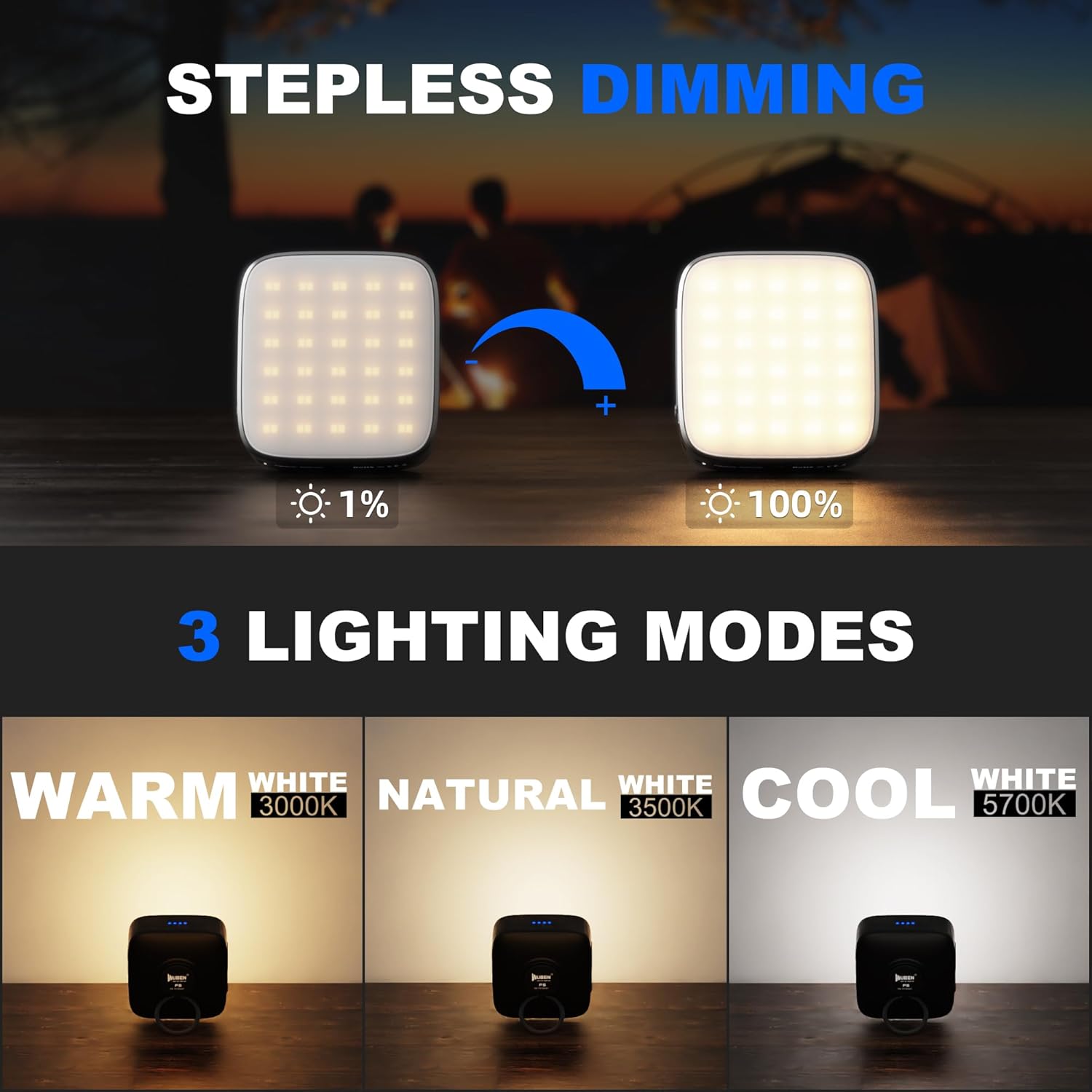
Image: Visual representation of the WUBEN F5's stepless dimming capability from 1% to 100%, alongside its three distinct color temperature settings: Warm White (3000K), Natural White (3500K), and Cool White (5700K).
Whakamaramatanga kore
To adjust the brightness continuously, use the stepless dimming function. Typically, this involves pressing and holding a specific button to gradually increase or decrease the light output from 1% to 100%. Release the button at the desired brightness level.
Power Bank Function (Dual-way Charging)
The WUBEN F5 can serve as a mobile power source. Connect your external devices (e.g., smartphones) to the lantern's USB output port using a compatible cable. This feature is useful for emergency charging during outdoor activities.

Image: The WUBEN F5 Camping Lantern connected via USB to a smartphone, demonstrating its capability to function as a portable power bank with its 5200mAh built-in battery.
Te Whakanoho me te Whakaeke
The F5 is equipped with strong magnets on its base, allowing it to be securely attached to metallic surfaces. This provides versatile placement options for hands-free illumination in various settings, such as under a car hood or on a metal shelf.

Image: The WUBEN F5 Camping Lantern magnetically attached to a kitchen range hood and a metal pole, illustrating the utility of its strong magnets for hands-free lighting.
Te tiaki
- Clean the lantern's surface with a soft, damp kakahu.
- A ape i te tuku i te taputapu ki nga wera nui, ki te ra tika ranei mo nga wa roa.
- Ensure the charging port cover is properly sealed when not in use to maintain water resistance.
- For long-term storage, charge the battery to approximately 50% every 3-6 months.
Whakatakotoranga
| Āhuahira | WUBEN G5 Flashlight | WUBEN F5 Camping Rama |
|---|---|---|
| Max Lumens | 400 Lumens | 500 Lumens |
| Momo Puna Maama | LED (Cold White, RGB) | LED (Cool, Natural, Warm White) |
| Pūhiko Raukaha | Ka taea te utu o roto | 5200mAh Ka taea te utu |
| Tauranga Whakatau | USB-C | USB-C (Tauru/Putanga) |
| Rauemi | Te whakarewa, te Kirihou | Te whakarewa, te Kirihou |
| Ātete wai | Wai Atete | Wai Atete |
| Nga waahanga motuhake | 180° Rotatable Head, Adjustable Clip | Stepless Dimming, Power Bank Function, Strong Magnets |
Raparongoā
WUBEN G5 Flashlight
- Kare te rama rama e ka ana: Ensure the battery is charged. Check if the pulley switch is fully engaged.
- He atarua te putanga marama: Recharge the battery. Clean the lens if it appears dirty.
- RGB light not working: Ensure the main light is off or in a compatible mode for RGB activation (refer to specific product instructions if a dedicated RGB button exists).
WUBEN F5 Camping Rama
- Kare te rama e ka ana: Verify the battery is charged. Press the power button firmly.
- Cannot change modes/color temperature: Ensure the lantern is on. Try pressing the mode/color button repeatedly or holding it down as per operating instructions.
- External device not charging (Power Bank function): Ensure the F5 has sufficient battery charge. Check the connection cable and the external device's charging port.
- Kare e mahi te whakamarumaru: Ensure you are pressing and holding the dimming button correctly.
If issues persist after attempting these troubleshooting steps, please contact WUBEN customer support.
Pūtāhui me te Tautoko
WUBEN products typically come with a manufacturer's warranty. Please refer to the warranty card included with your product or visit the official WUBEN webpae mo nga tikanga me nga tikanga whakamana.
For technical support, product inquiries, or warranty claims, please contact WUBEN customer service through their official webte pae, te korero whakapā ranei kei roto i to kete hua.
WUBEN Official Webpae: www.wubenlight.com