
1. Kupu Whakataki me Nekeview
The SONICAKE Pocket Master is a portable multi-effects pedal designed for guitar, bass, and acoustic instruments. It integrates a wide range of effects, amp modeling, IR cabinet simulations, and a USB audio interface into a compact, rechargeable unit. This manual provides essential information for setting up, operating, and maintaining your device.

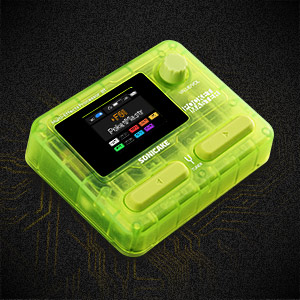
Figure 1: SONICAKE Pocket Master Multi-Effects Pedal (Transparent Green)
2. Nga waahanga matua
- White-Box Digital Modeling Technology: Delivers organic, living tone with support for 3rd party IRs (5 user slots) for custom sound creation.
- Whare Pukapuka Pānga Whānui: Over 100 built-in guitar, bass, and acoustic effects, including 20 legendary amp tauira.
- High-Quality Signal Processing: 24-bit 44.1kHz signal processing ensures clear audio.
- Rhythm and Looper Functions: Features 99 built-in drum rhythms and a looper function.
- Tatūkē: 100 customizable presets with an adjustable signal chain, allowing up to 9 simultaneous effect blocks.
- Atanga Ororongo USB: Stereo audio streaming with OTG function for direct connection to iOS/Android mobile devices.
- Hononga Nihokikorangi: For audio connection and control.
- Whakaaturanga ratarata-kaiwhakamahi: Clear LCD color screen for easy navigation through effects and settings.
- Hoahoa Kawe: Compact, pocket-sized, and features a built-in rechargeable battery for on-the-go use.
- Tautoko Pūmanawa: Free Mac/Windows/iOS/Android software for sound editing and preset management.
3. Tahora Hua me nga Mana Whakahaere
Familiarize yourself with the physical layout and controls of your Pocket Master unit.

Whakaahua 2: Mana Paewhiri Runga
- 1. Mata LCD: Displays current preset, effects chain, and settings.
- 2. VALUE/VOL Knob: Adjusts volume and navigates menu options.
- 3. Whakawhiti Waewae: Used for preset changes, tuner activation, and looper control.
Pikitia 3: Ngā Tauranga o te Paewhiri Taha
- 4. IN Jack: 1/4" te tāuru mō tō taputapu.
- 5. OUT/PHONES Jack: 1/4" output for ampwhakakoi, taringa ranei.
- 6. USB-C (OTG) Port: For connecting to mobile devices.
- 7. USB-C (Charging/Data) Port: Mō te utu me te hono atu ki ngā rorohiko.
4. Tatūnga
4.1 Whakataki Tuatahi
Before first use, fully charge the Pocket Master using the provided USB-C cable and a compatible 5V USB power adapter (not included). The battery indicator on the LCD screen will show charging status.
4.2 Hononga Taketake
- Connect your instrument (guitar, bass, or acoustic) to the IN jack (4) using a 1/4" instrument cable.
- Honoa te WAIHO/WAea jack (5) to your amplifier, audio interface, or headphones.
- Press and hold the power button (usually integrated with a footswitch or knob, refer to the quick start guide for exact location) to turn on the device.
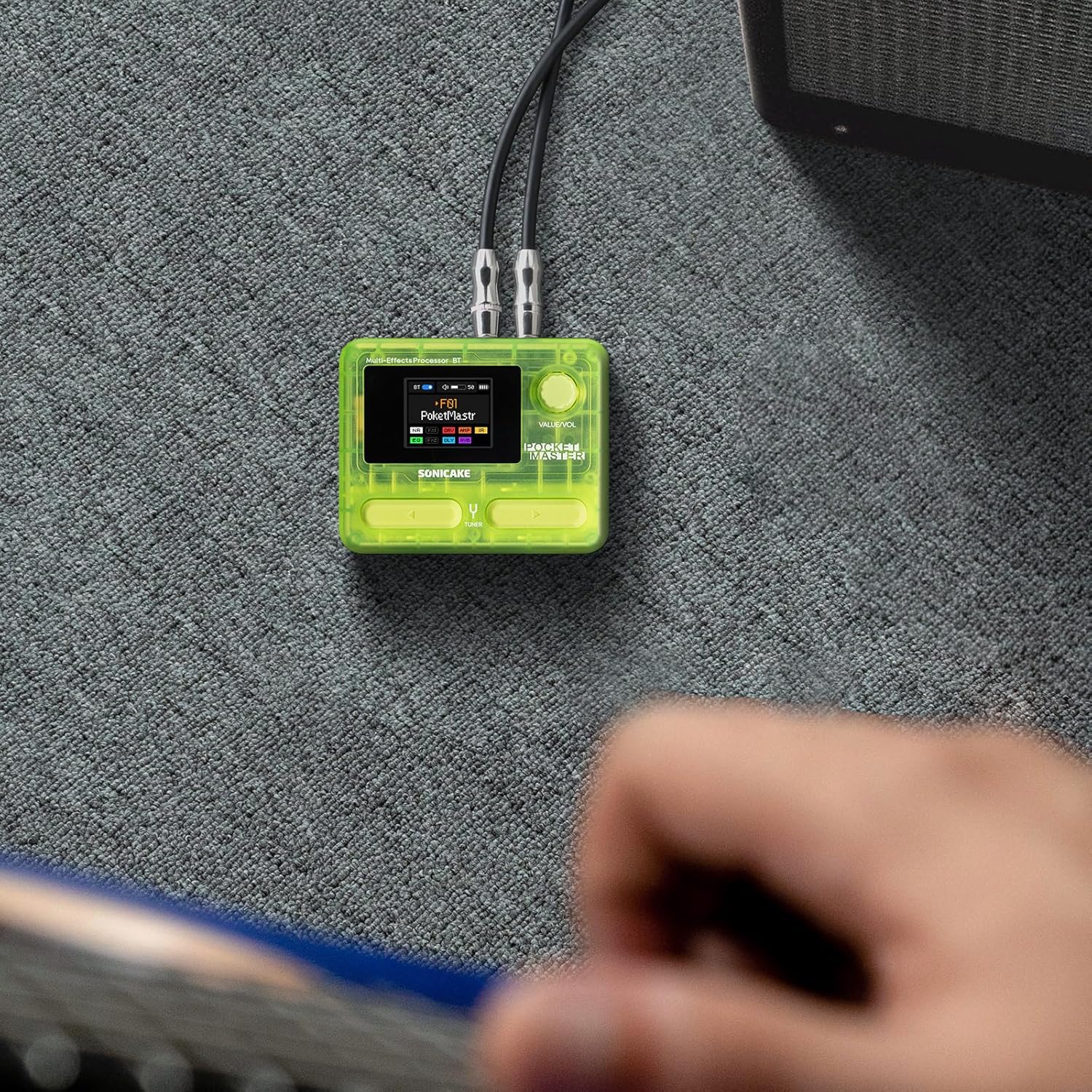
Figure 4: Connecting the Pocket Master to an instrument and ampkaikawe
4.3 Tatūnga Atanga Ororongo USB
To use the Pocket Master as a USB audio interface for recording or playback:
- Connect the Pocket Master to your computer or mobile device using a USB-C cable via the dedicated USB-C (Charging/Data) port (7) or USB-C (OTG) port (6) for mobile devices.
- Install the necessary drivers and software from the official SONICAKE website for your operating system (Mac/Windows). For iOS/Android, download the companion app.
- Select the Pocket Master as your audio input/output device in your DAW or system settings.
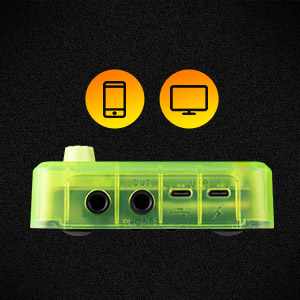
Figure 5: USB connection for audio interface functionality.
5. Nga Tohutohu Whakahaere
5.1 Te Whakatere i ngā Tautuhinga Tatūkē
Use the footswitches (3) to cycle through the 100 available presets. The LCD screen (1) will display the current preset number and name.
5.2 Adjusting Volume and Parameters
The VALUE/VOL knob (2) controls the overall output volume. When editing effects, this knob is used to adjust specific parameters. Pressing the knob may confirm selections or enter sub-menus.
5.3 Tuner Function
Hold down a specific footswitch (refer to the quick start guide for exact assignment) to activate the built-in tuner. The LCD screen will display tuning information.
5.4 Miihini Looper me te Pahu
The Pocket Master includes a looper and drum machine. Specific footswitch combinations or menu navigation are used to activate and control these features. The LCD screen provides visual feedback for recording, playback, and drum rhythm selection.
5.5 Bluetooth Audio and App Control
Pair your mobile device with the Pocket Master via Bluetooth to stream audio or use the dedicated app for deeper editing and preset management.
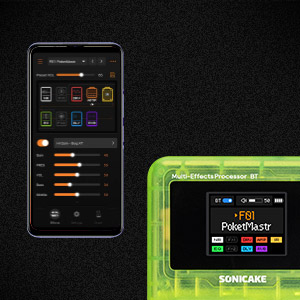
Figure 6: App control interface for the Pocket Master.
6. Effects and Amp Tauira
The Pocket Master features a versatile effects matrix with up to 9 simultaneous effect blocks and over 100 high-quality effects. These include Noise Reduction (NR), two FX modules (FX1, FX2), Drive (DRV), Amp Modeling (AMP), Impulse Response (IR) cabinets, Equalizer (EQ), Delay (DLY), and Reverb (RVB).
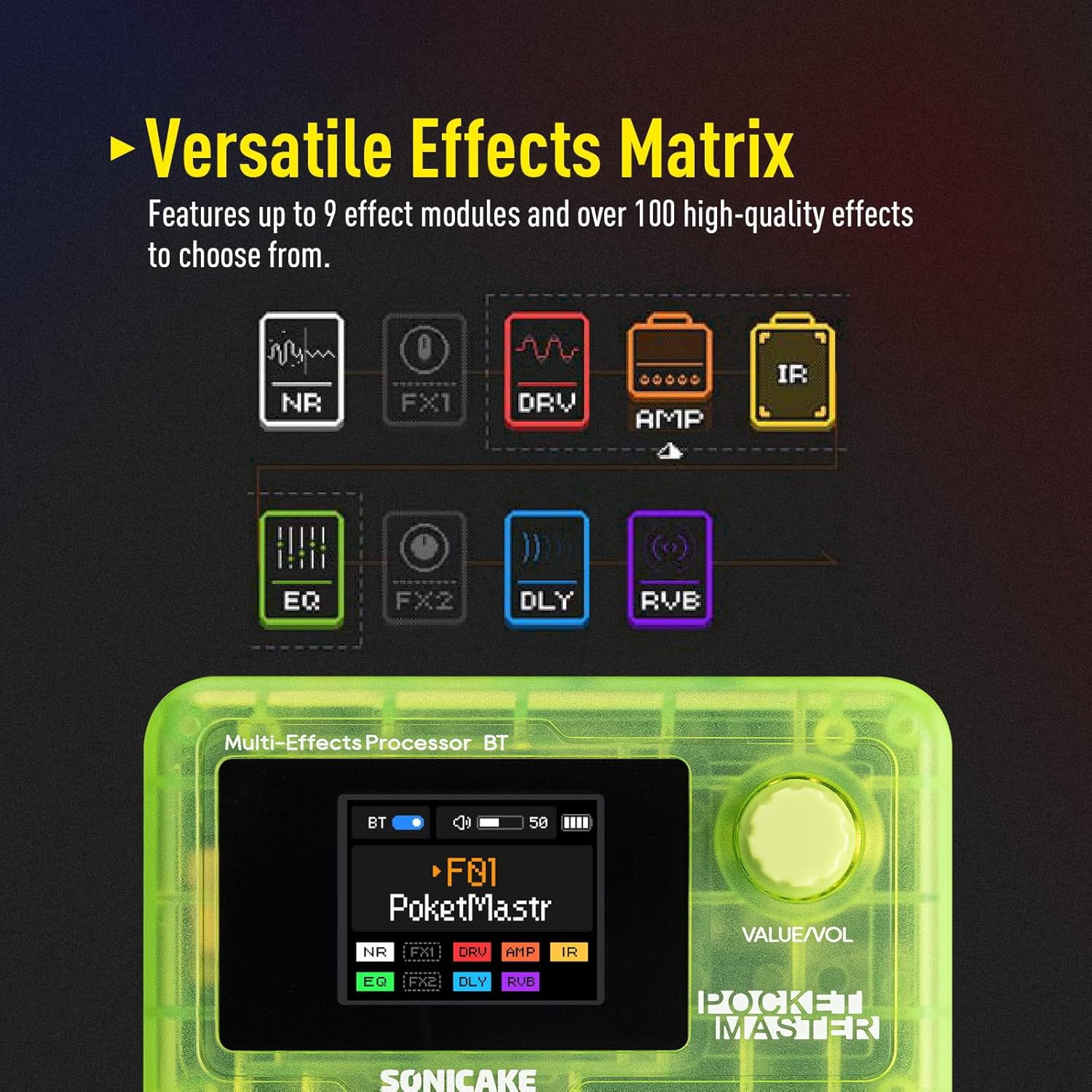
Figure 7: Visual representation of the effects chain.
You can customize the order and parameters of these effects within each preset using the device's controls or the companion software.
7. Tiaki
- Te horoi: Whakamahia he kakahu ngohengohe, maroke hei horoi i te waahanga. A ape i te kai horoi, te whakarewa ranei.
- Rokiroki: Whakaorangia te taputapu ki te waahi makariri, maroke atu i te ra tika me te wera nui.
- Tiaki Pūhiko: To prolong battery life, avoid fully discharging the unit frequently. Charge regularly, even if not in use for extended periods.
- Whakahōu Firmware: Periodically check the official SONICAKE webpae tukutuku mō ngā whakahōu pūmanawa hei whakarite i te mahi tino pai me te uru atu ki ngā āhuatanga hou.
8. Te Raru
| Raruraru | Take pea | Rongoā |
|---|---|---|
| Kaore he putanga oro | Incorrect cable connections, low volume, dead battery, incorrect preset. | Check all cable connections. Ensure volume is up on both Pocket Master and amplifier/headphones. Charge the unit. Select a different preset. |
| Karekau te waeine i te hiko | Dead battery, faulty power button. | Charge the unit for at least 30 minutes. If still unresponsive, contact support. |
| Effects not working as expected | Incorrect effect parameters, outdated firmware. | Adjust effect parameters via the knob or app. Check for and install any available firmware updates. |
| Nga take hononga Nihokikorangi | Device not in pairing mode, interference, outdated app. | Ensure Pocket Master Bluetooth is enabled and in pairing mode. Move closer to the device. Update the companion app. |
9. Whakatakotoranga
- Taumaha Tūemi: 7.3 hekere (208 Karamu)
- Rahi Hua: 2.44 x 4.13 x 2.44 inihi
- Tauira Tūemi: QME-10TGN
- Pūhiko: 1 Pūhiko Kore Paerewa (ka taea te whakahou)
- Ingoa Tae: Kakariki Puataata
- Momo Tuhono: USB
- Atanga Pūmārō: USB
- Hōputu Tohu: Mamati
- Momo Rauemi: Kirihou
- Puna Hiko: Battery Powered, DC Powered
- Voltage: 5 Volts
- Kāhua: Multi-effects, Acoustic, Bass
10. He aha kei roto i te Pouaka
- SONICAKE Pocket Master Multi-Effects Pedal
- USB-C Uira Whakatau
- Pukapuka Kaiwhakamahi (tenei tuhinga)
- Footswitch, 1/4" stereo/headphone outputs (implied by product description, often integrated or part of the unit)
11. Pūtāhui me te Tautoko
For warranty information, technical support, and further assistance, please visit the official SONICAKE webpaetukutuku, whakapā atu ranei ki ta raatau ratonga kaihoko. Puritia to riirii hoko hei tohu mo te hoko mo nga kereme whakamana.
Whaimana Webpae: SONICAKE Store on Amazon