
1. Kupu Whakataki
Welcome to your new Geevon Small Travel Alarm Clock. This compact and versatile digital alarm clock is designed to provide accurate timekeeping, dual alarms, indoor temperature display, and a convenient backlight function. Its portable design makes it ideal for various settings, including bedrooms, home offices, and travel.

Whakaahua 1.1: Ka mutuview of the Geevon Small Travel Alarm Clock, highlighting its compact size and key features such as dual alarm, locking function, snooze, backlight, battery power, 12/24 hour display, temperature, and calendar.
2. Tatūnga
2.1 Tāuta Pūhiko
The Geevon Small Travel Alarm Clock requires two (2) AAA batteries for operation. Batteries are not included with the product.
- Kimihia te wahanga pākahiko kei muri o te karaka.
- Open the battery cover by sliding it down or lifting the latch.
- Insert two (2) AAA batteries, ensuring correct polarity (+ and - terminals align with the markings inside the compartment).
- Katia kia mau te taupoki pākahiko.

Image 2.1: The back of the alarm clock with the battery compartment open, illustrating where to insert the two AAA batteries.
2.2 Tautuhinga Wā tuatahi me te Rā
After installing batteries, set the current time and date.
- Patohia me te pupuri i te SET button (located on the top of the clock) for approximately 3 seconds to enter time setting mode. The hour digit will begin to flash.
- Whakamahia te UP (^) or RARO (v) buttons (on the back) to adjust the hour.
- Patohia poto SET again to confirm the hour and move to minute setting. Adjust minutes using UP (^) or RARO (v).
- Continue briefly pressing SET to cycle through and set the year, month, and day, adjusting each value with the UP (^) or RARO (v) buttons.
- Perehi SET one last time to exit the setting mode and save your changes.
Video 2.1: Demonstration of setting the time and alarm on the Geevon Small Travel Alarm Clock. This video shows the button locations and the step-by-step process for adjusting time, minutes, and alarm settings.
3. Nga Tohutohu Whakahaere
3.1 12/24 Hōputu Hāora
To switch between 12-hour (AM/PM) and 24-hour formats:
- I te aratau whakaatu wā noa, pēhi poto i te UP (^) button. The display will toggle between the two formats.

Image 3.1: The clock display showing both 12-hour (AM/PM) and 24-hour time formats, illustrating the clear digital readout.
3.2 Whakaaturanga Pawera
The clock displays the indoor temperature. To switch between Celsius (°C) and Fahrenheit (°F):
- I te aratau whakaatu wā noa, pēhi poto i te ° C / ° F. button (located on the back of the clock).

Image 3.2: The clock display showing the indoor temperature in both Fahrenheit and Celsius, demonstrating the temperature conversion feature.
3.3 Te Tautuhi i ngā Pūoho (Pūoho 1 me te Pūoho 2)
The clock features two independent alarms (Alarm 1 and Alarm 2) that can be set for different times or days.
- Hei whakatakoto i te Whakaoho 1: Pēhia, ka pupuri i te Whakaoho 1 button (bell icon) on the back for approximately 3 seconds. The hour digit for Alarm 1 will flash.
- Whakamahia te UP (^) or RARO (v) buttons to adjust the desired alarm hour.
- Patohia poto Whakaoho 1 again to confirm the hour and move to minute setting. Adjust minutes using UP (^) or RARO (v).
- Patohia poto Whakaoho 1 again to select the alarm repetition mode:
- 1-5: Alarm sounds Monday to Friday.
- 6-7: Alarm sounds Saturday and Sunday.
- 1-7: Alarm sounds every day.
- Patohia poto Whakaoho 1 one last time to confirm your settings and exit.
- Repeat the entire process for Alarm 2 using the Whakaoho 2 pātene.
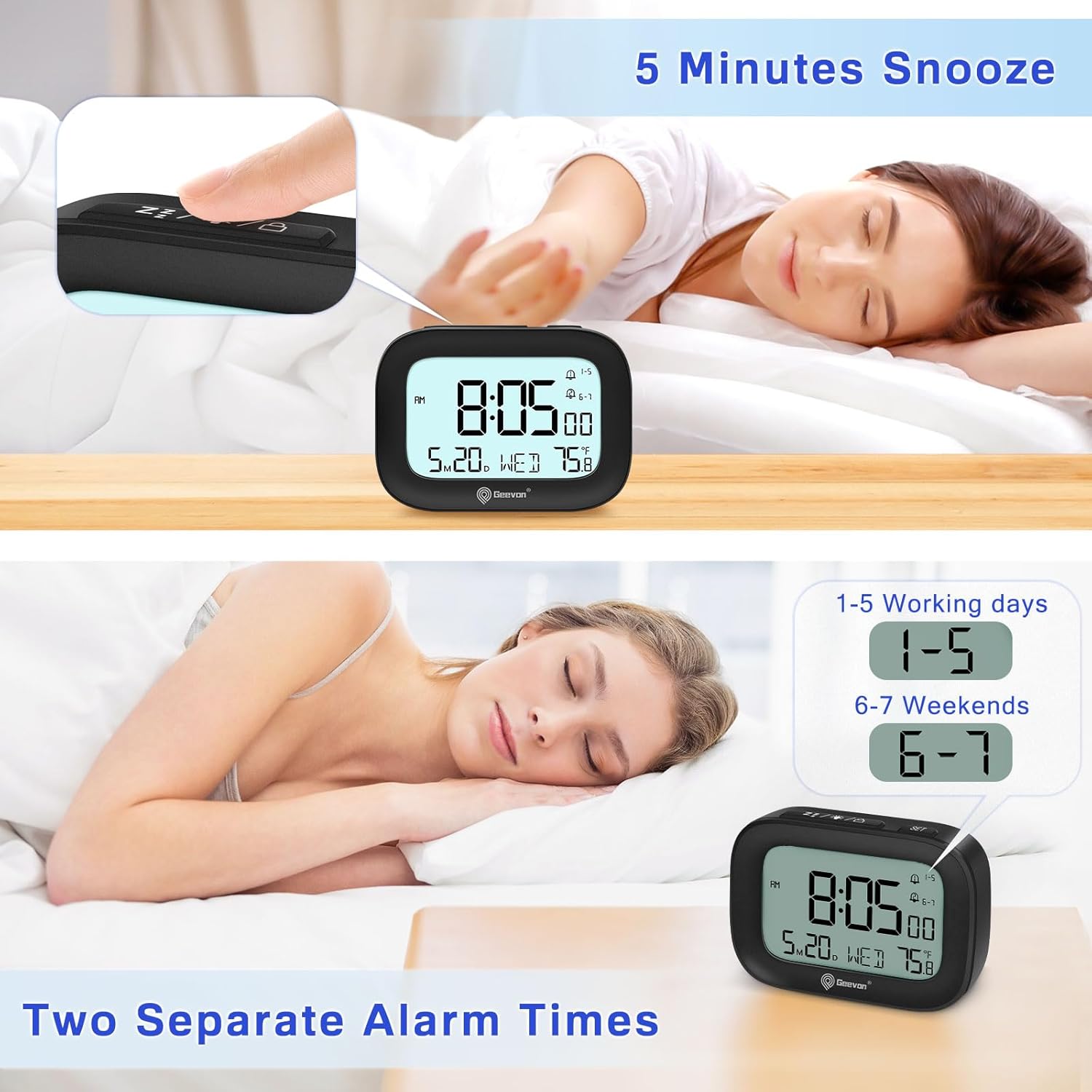
Image 3.3: The clock display illustrating the setup for two separate alarm times, indicating the flexibility for weekday and weekend alarms.
3.4 Activating/Deactivating Alarms
To turn an alarm ON or OFF:
- I te aratau whakaatu wā noa, pēhi poto i te Whakaoho 1 or Whakaoho 2 pātene.
- An alarm icon will appear on the display when the respective alarm is active. The icon will disappear when the alarm is deactivated.
3.5 Mahi Koura
Ina tangi te whakaoho:
- Pehia te MARAMA / PUKA button (top of the clock) to activate the snooze function. The alarm will pause for 5 minutes and then sound again.
- The alarm sound is designed to gradually increase in volume over 2 minutes to ensure a gentle waking experience.
3.6 Mahi Whakamarama
Hei whakamarama i te whakaaturanga:
- Pehia te MARAMA / PUKA button. The backlight will illuminate for 5 seconds.
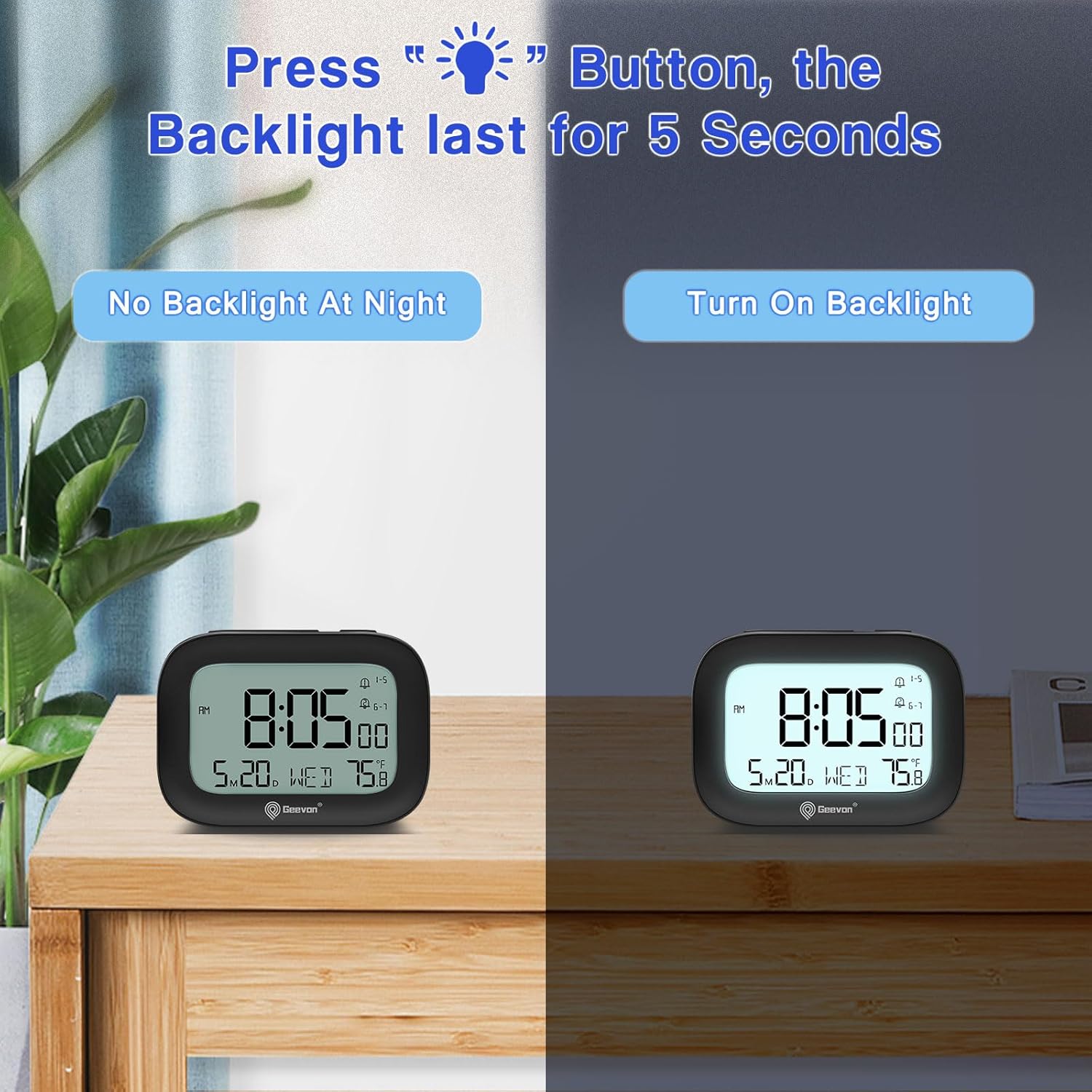
Image 3.4: The clock display with and without the 5-second backlight activated, demonstrating its visibility in low-light conditions.
3.7 Mahinga Maukati
To prevent accidental changes to settings or alarms, use the lock function:
- Hei raka: Pēhia, ka pupuri i te LIGHT/SNOOZE/LOCK button for approximately 3 seconds until a lock icon appears on the display.
- To unlock: Press and hold the same button for approximately 3 seconds until the lock icon disappears.

Image 3.5: The clock being placed into a bag, illustrating the convenience of the lock function to prevent accidental button presses during travel.
4. Tiaki
4.1 Te horoi
To clean your Geevon Small Travel Alarm Clock:
- Horoia te karaka ki te kakahu ngohengohe, maroke.
- Do not use abrasive cleaners, chemical solvents, or spray directly onto the clock, as these may damage the surface or internal components.
4.2 Whakakapinga Pūhiko
Replace batteries when the display dims, becomes erratic, or functions become unreliable.
- Follow the steps in Section 2.1 Battery Installation.
- Always replace both AAA batteries simultaneously to ensure optimal performance.
5. Te Raru
| Raruraru | Take pea | Rongoā |
|---|---|---|
| Ko te whakaaturanga he putea, he atarua ranei. | Kua mate nga pākahiko, kua he ranei te whakaurunga. | Check battery installation and replace with fresh AAA batteries. |
| Kare e tangi te whakaoho. | Alarm is not set or activated; low battery. | Verify the alarm is set correctly and activated (alarm icon visible on display). Replace batteries if low. |
| Kei te he te wa. | Time was not set properly or batteries were removed. | Tautuhi anō i te wā me te rā mā te whai i ngā tohutohu kei te Wāhanga 2.2. |
| Kare e aro mai nga paatene. | Kei te whakahohehia te mahi raka. | Deactivate the lock function by pressing and holding the LIGHT/SNOOZE/LOCK button for 3 seconds. |
6. Whakatakotoranga
- Tauira: 250509-B
- Ahu: 3.5" (Wh) x 2.36" (H)
- Taumaha: 0.26 Pauna
- Puna Hiko: 2 x AAA Battery (kaore i uru)
- Whakaatu: 3-inch LCD Digital Display
- Āhuatanga: Dual Alarms, Snooze, 5-second Backlight, Indoor Temperature Display, 12/24 Hour Format, Date, Day of Week, Lock Function, Silent Operation
- Rauemi: Acrylonitrile Butadiene Styrene (ABS), LCD, Plastic

Whakaahua 6.1: Nga momo views of the Geevon Small Travel Alarm Clock, including front, top, side, and back, showcasintōna hoahoa kiato me te tahora pātene.
7. Pūtāhui me te Tautoko
7.1 Pūtāhui
This Geevon Small Travel Alarm Clock comes with a 12-month warranty from the date of purchase, covering manufacturing defects and malfunctions under normal use.
7.2 Tautoko
For technical assistance, troubleshooting, or warranty claims, please contact Geevon customer support through the retailer's platform where you purchased the product or visit the official Geevon webpae mo nga korero whakapā.