
Kupu Whakataki
Thank you for choosing the SWOFY D26 MP3 Player. This device combines advanced audio and video playback capabilities with the versatility of the Android 13 operating system, offering a comprehensive portable entertainment experience. This manual provides essential information for setting up, operating, and maintaining your device.
Ka mutu te huaview
Nga waahanga matua
- Android 13 OS: Powered by an MTK 8-core chip for fast and smooth operation.
- Taupānga kua tāuta-mua: Includes Spotify, Deezer, Amazon Music, and access to the Play Store.
- Ororongo Pono-Teitei: Powerful audio decoding chip for original sound quality, supporting MP3, WAV, FLAC, APE, OGG, M4A, AAC, WMA, and more.
- Mata Pa HD 4.7-inihi: Full touch display with HiFi sound module for clear visuals, supporting RM, RMVB, FLV, MP4, DAT, MKV, MPG, MOV, TS video formats without conversion.
- Bluetooth 5.0 & Wi-Fi: Stable and fast two-way Bluetooth connection for headphones/speakers, and Wi-Fi for online streaming and app downloads.
- Rokiroki Nui: 160GB (32GB ROM + 128GB TF card) internal storage, expandable up to 1TB via external storage.
- Roa te Ora o te Pūhiko: 2500 mAh battery providing up to 50 hours of music playback or 8 hours of video playback.
Ihirangi mokete
The SWOFY D26 MP3 Player package typically includes the following items:
- SWOFY D26 MP3 Player (160GB)
- Tauira Whakatau USB
- Waeaorooro Waea
- Take Tiaki
- Kaitiaki Mata
- Pukapuka Kaiwhakamahi (tenei tuhinga)

Image: Contents of the SWOFY D26 MP3 Player package.
Tatūnga
1. Ka tohatohahia te Pūrere
Before first use, fully charge your SWOFY D26 MP3 Player. Connect the provided USB cable to the device's charging port and the other end to a USB power adapter (not included) or a computer's USB port. The battery indicator on the screen will show charging status. A full charge provides approximately 50 hours of music playback or 8 hours of video playback.
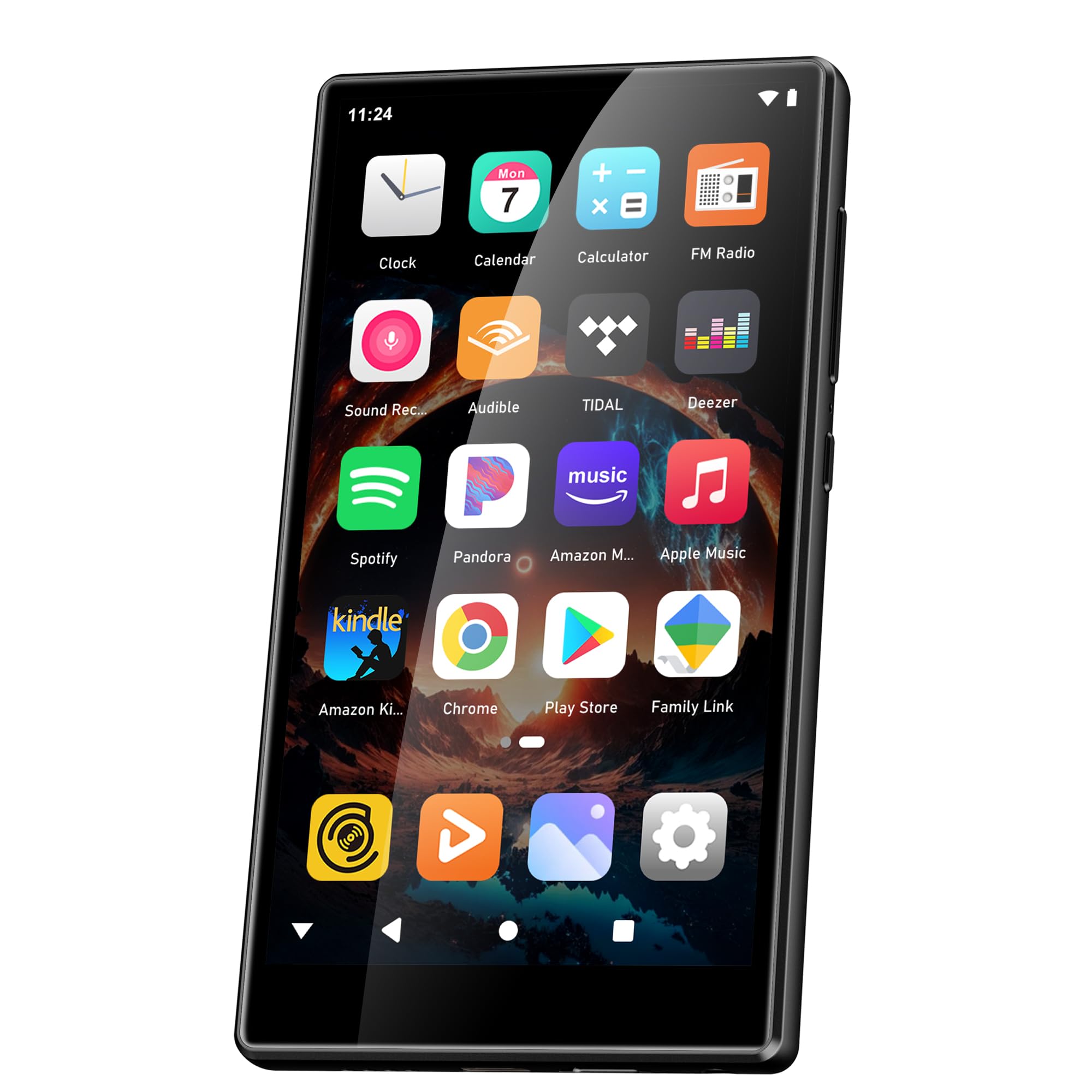
Image: Battery capacity and estimated usage times.
2. Te Hiko / Whakaweto
- Hei Whakahiko: Pēhia, pupuritia te pātene Mana (kei te taha te nuinga) kia mārama rā anō te mata.
- Hei Whakaweto: Press and hold the Power button, then select "Power Off" from the options that appear on the screen.
- Hei Tīmata anō: Patohia me te pupuri i te paatene Power, ka tohua "Tikimata" mai i nga whiringa.
3. Whirihoranga Tuatahi
I te wa tuatahi o te hiko, whai i nga tohu o runga-mata hei whakarite i to taputapu:
- Tīpakonga Reo: Whiriwhiria to reo pai.
- Hononga Wi-Fi: Connect to a Wi-Fi network to enable internet access for app downloads and streaming.
- Pūkete Google: Waitohu mai ki tō pūkete Google hei uru atu ki te Toa Play Google me te tukutahi i ngā raraunga.
4. Te Rorohanga Mahara
The device comes with 160GB of storage (32GB ROM + 128GB TF card). You can expand the storage further by inserting a microSD card (up to 1TB) into the designated slot.

Image: Device screen showing app icons and storage capacity details.
Nga Tohutohu Whakahaere
1. Te whakatere i te Mata Paa
The SWOFY D26 features a responsive 4.7-inch HD touchscreen.
- Tap: To open an app, select an item, or confirm an action.
- Swipe: To scroll through lists, switch between home screens, or navigate within apps.
- Tiki: Hei whakanui, hei whakaiti rānei i ngā whakaahua, web wharangi.

Image: The 4.7-inch HD touchscreen in operation.
2. Purei Waiata
The device supports various music formats including MP3, WAV, FLAC, APE, OGG, M4A, AAC, WMA.
- Waiata Paetata: Whakawhiti waiata files to the device's internal storage or microSD card via USB. Use the pre-installed music player app to browse and play your library.
- Ratonga Rere: Open pre-installed apps like Spotify, Deezer, or Amazon Music. Log in to your accounts to stream music.
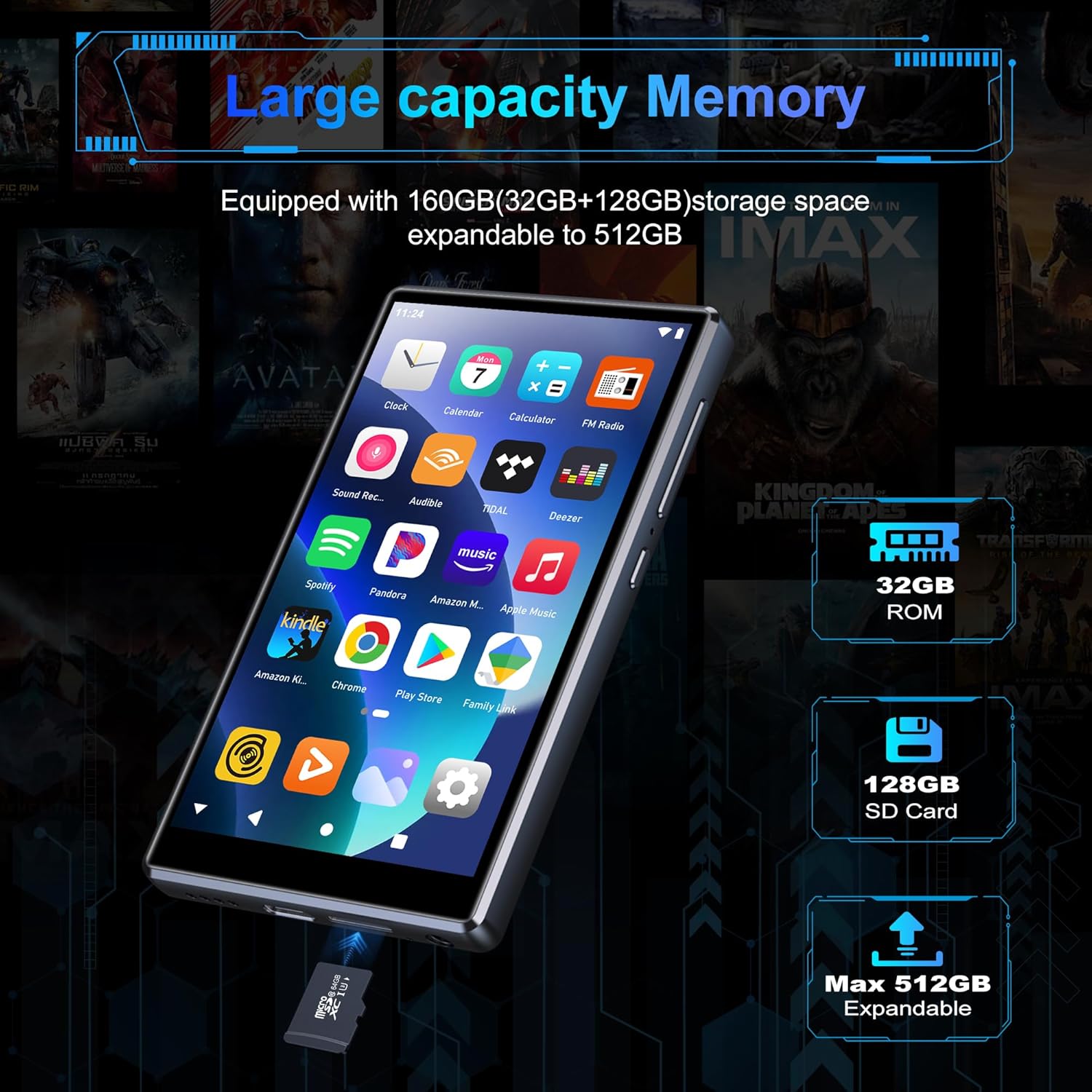
Image: Pre-installed popular applications on the device.
3. Whakahoki Ataata
The SWOFY D26 supports video formats such as RM, RMVB, FLV, MP4, DAT, MKV, MPG, MOV, TS directly, without requiring conversion. Use the default video player app to watch your videos.
4. Hononga Nihokikorangi
Connect your device to Bluetooth headphones, speakers, or other compatible devices using Bluetooth 5.0.
- Haere ki Tautuhinga > Nga taputapu hono > Nihokikorangi.
- Takahuri Nihokikorangi On.
- Me whakarite kei roto tō taputapu Nihokikorangi i te aratau takirua.
- Tīpakohia tō taputapu mai i te rārangi o ngā pūrere e wātea ana hei hono atu.
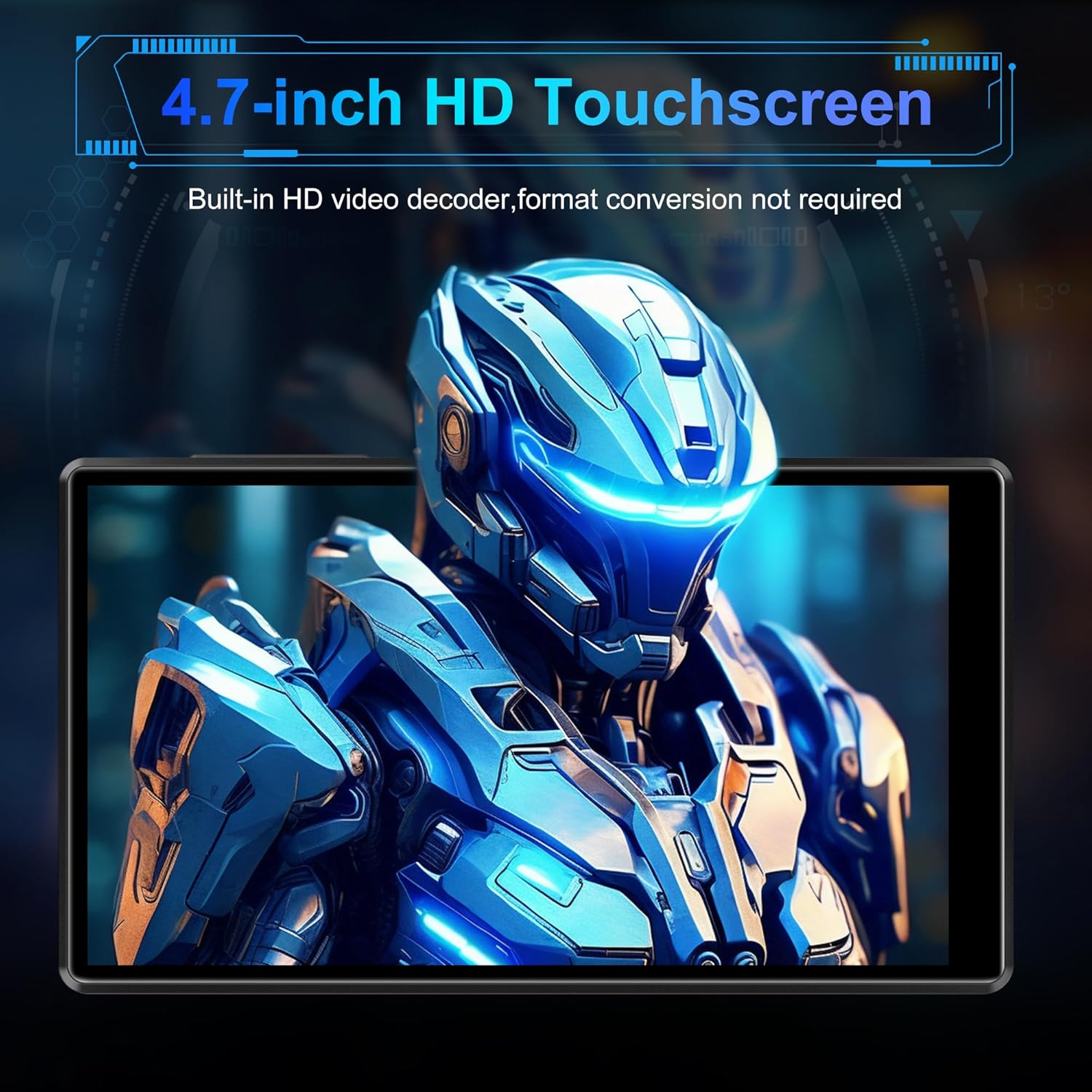
Image: Bluetooth connectivity with wireless earbuds.
5. Hononga Wi-Fi
Connect to a Wi-Fi network to access the internet for streaming, app downloads, and web tirotiro
- Haere ki Tautuhinga > Whatunga me te ipurangi > Wi-Fi.
- Takahuri Wi-Fi On.
- Tīpakohia te whatunga Wi-Fi e hiahiatia ana e koe mai i te rārangi, ā, whakauruhia te kupuhipa mēnā ka akiakihia.
6. Taupānga Tāuta
Utilize the Google Play Store to download and install additional applications.
- Ensure you are connected to Wi-Fi and logged into your Google account.
- Whakatuwheratia te Toa Play taupānga.
- Rapua the desired app and follow the on-screen instructions to install it.
7. File Whakawhiti
Connect the SWOFY D26 to a computer using the provided USB cable to transfer music, videos, and other files.
- Honoa te taputapu ki to rorohiko.
- On the device, swipe down from the top of the screen to open the notification panel.
- Tap the "USB charging this device" notification, then select "File transfer" or "MTP".
- Your device will appear as a removable drive on your computer, allowing you to drag and drop files.
Te tiaki
Te horoi
Whakamahia he kakahu ngohengohe, kore-raro hei horoi i te mata me te tinana o te taputapu. A ape i te whakamahi i nga matū kino, i nga taonga abrasive ranei.
Whakahōu Pūmanawa
Periodically check for software updates to ensure optimal performance and access to the latest features.
- Me whakarite kei te hono te pūrere ki te Wi-Fi.
- Haere ki Tautuhinga > Pūnaha > Whakahoutanga o te punaha.
- Whaia nga tohutohu i runga-mata ki te tango me te whakauru i nga whakahou e waatea ana.
Tiaki Pūhiko
Hei whakaroa i te ora o te papahiko:
- A ape i te wera nui.
- Kaua e tukua te pākahiko kia mimiti i nga wa katoa.
- Unplug the charger once the device is fully charged.
Raparongoā
Kāore te Pūrere i te Whakakā
- Kia tino utua te pākahiko. Honoa te taputapu ki te rihi mō te iti rawa 30 meneti.
- Pēhia me te pupuri i te paatene Hiko mo te 10-15 hēkona kia kaha te whakaara ano.
Cannot Connect to Wi-Fi/Bluetooth
- Ensure Wi-Fi/Bluetooth is enabled in Settings.
- Tīmataria anō te pūrere ka ngana ki te tūhono anō.
- For Wi-Fi, verify the password and ensure the router is working correctly.
- For Bluetooth, ensure the accessory is in pairing mode and within range.
Taupānga Ka pakaru, Whakatio ranei
- Katia ka whakatuwheratia ano te taupānga.
- Clear the app's cache: Go to Tautuhinga > Taupānga > [Ingoa Taupānga] > Rokiroki me te keteroki > Ūkui keteroki.
- Tīmataria anō te pūrere.
- Mena kei te haere tonu te take, whakaarohia te tango me te whakauru ano i te taupānga.
Kounga Ororongo Kino
- Check the volume settings on the device and any connected audio accessories.
- Me whakarite te ororongo files e kore e pirau.
- Try different headphones or speakers.
Whakatakotoranga
| Ingoa Tauira | D26 |
| Pūnaha Mahi | Android 13 |
| Tukatuka | MTK 8-core |
| Whakaatu | 4.7-inch HD Touchscreen (LCD) |
| Rokiroki Roto | 160GB (32GB ROM + 128GB TF Card) |
| Rokiroki Whakawhanui | Tae atu ki te 1TB (Micro SD) |
| RAM | 4GB |
| Pūhiko Raukaha | 2500 mah |
| Wā Purei Waiata | Tae atu ki te 50 haora |
| Wā Whakahoki Ataata | Tae atu ki te 8 haora |
| Hononga | Nihokikorangi 5.0, Ipurangi Ahokore, USB |
| Ngā Hōputu Ororongo Tautokohia | MP3, WAV, FLAC, APE, OGG, M4A, AAC, WMA |
| Whakahōputu Ataata Tautokohia | RM, RMVB, FLV, MP4, DAT, MKV, MPG, MOV, TS |
| Nga waahanga motuhake | Built-in speaker, Equalizer, FM Radio, Voice Recorder |
| Pūrere Hototahi | Bluetooth headphones, Personal computer, Bluetooth speakers |
Nga korero Whakaputanga
Specific warranty details for the SWOFY D26 MP3 Player may vary by region and retailer. Please refer to the warranty card included with your purchase or visit the official SWOFY website for comprehensive warranty terms and conditions. Information regarding spare parts availability and software update guarantees is not provided in the product specifications.
Tautoko
For further assistance, technical support, or inquiries regarding your SWOFY D26 MP3 Player, please visit the official SWOFY webpaetukutuku, whakapā atu ranei ki ta raatau tari ratonga kaihoko.
Kaihanga: SWOFY