
Kupu Whakataki
Thank you for choosing the LIORQUE SM-01 White Noise Machine with Alarm Clock. This device is designed to enhance your sleep, relaxation, and wake-up experience with a variety of soothing sounds, an adjustable night light, and a customizable alarm clock. Please read this manual carefully to ensure proper use and to fully enjoy all its features.
Nga korero haumaru
- Tupato: Use only with the provided power cable.
- Kaua e whakamahia i roto i nga taiao makuku.
- Kaua e pa ki te wera nui.
- Ehara tenei taputapu i te mea taakaro.
- Risk of sunburn or electric shock if mishandled.
- Avoid prolonged exposure to high sound levels.
- Kaua e taea e nga tamariki.
Ihirangi mokete

The image displays the LIORQUE SM-01 White Noise Machine, a charging cable, a power adapter, and the user manual, all neatly arranged with the product packaging.
I te wa e wetewete ana, tirohia nga mea katoa e whai ake nei:
- LIORQUE SM-01 White Noise Machine with Alarm Clock (x1)
- Ka utua te Waea (x1)
- Pūurutau Hiko (x1)
- Pukapuka Kaiwhakamahi (x1)
Ka mutu te huaview me nga Mana Whakahaere

This image illustrates the top panel of the device, highlighting the various buttons and their corresponding functions for easy identification and operation.
Familiarize yourself with the control buttons located on the top of the device:
- Whakawhiti Whakaoho: Whakahohe, wetewete ranei te whakaoho.
- Time Set / Dimmer: Long press to set the time; short press to adjust display brightness.
- Rōrahi -: Ka whakaheke i te rōrahi.
- Snooze / Light Button: Activates snooze during an alarm; short press to turn on/off or adjust the night light.
- Rōrahi +: Whakanuia te rōrahi.
- Patene Oro: Selects soothing sounds.
- Pātene Matawā: Sets the sleep timer duration.
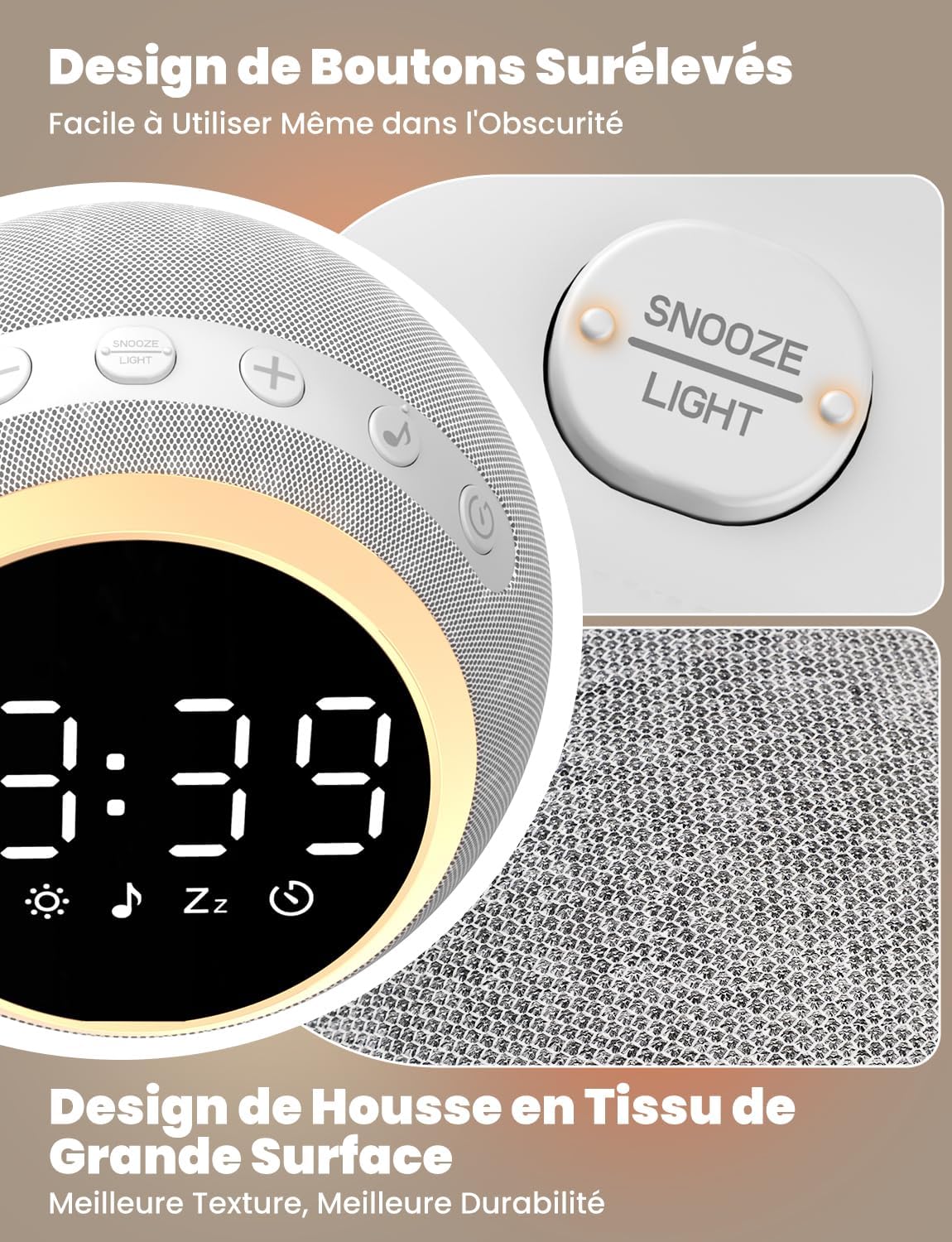
The device features raised buttons for intuitive operation, even in low light conditions, and a durable fabric-wrapped casing.
Tatūnga
- Hononga Hiko: Connect the provided power cable to the device and plug the adapter into a standard electrical outlet. The device will power on automatically.
- Tautuhinga Wā Tuatahi: Pehia roa te Wā Tautuhi button. Use the Volume +/- buttons to adjust the hour and minute. Press the Time Set button again to confirm each setting.
Nga Tohutohu Whakahaere
1. White Noise and Soothing Sounds

The device offers 25 natural sounds, including various nature sounds and lullabies, to promote relaxation and sleep.
- Te whiriwhiri oro: Pehia te Patene Oro to cycle through the 25 available natural sounds (e.g., thunderstorms, rain, lullabies).
- Whakatika Rōrahi: Whakamahia te Rōrahi + a Rōrahi - buttons to set your desired sound level. The device offers 16 levels of volume adjustment.
2. Mahi Karaka Whakaoho
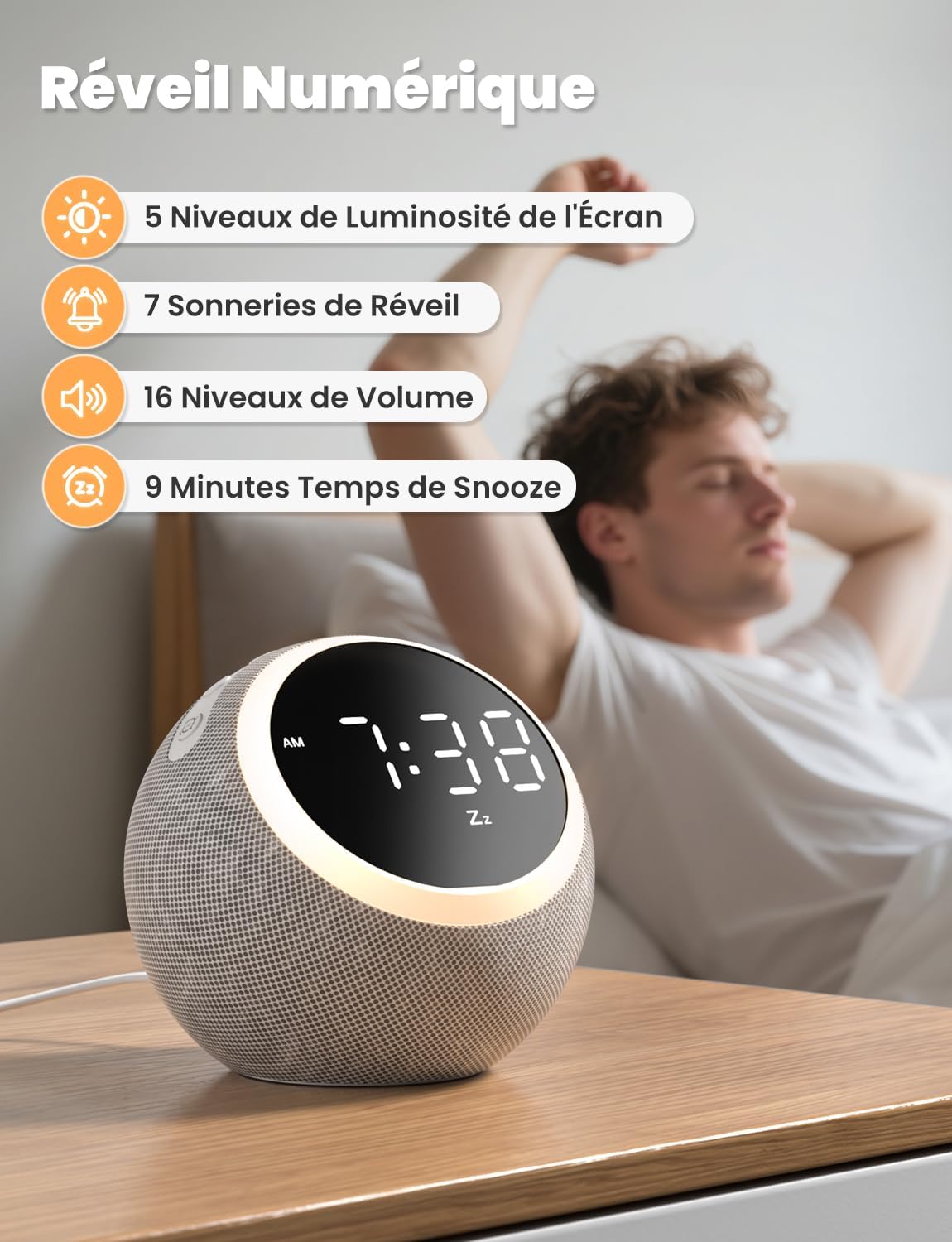
The digital alarm clock features 5 display brightness levels, 7 alarm tones, 16 volume levels, and a 9-minute snooze function.
- Tautuhinga oho: Pehia roa te Whakawhiti Whakaoho button. Use the Volume +/- buttons to set the alarm time. Press the Alarm Switch again to confirm.
- Choosing Alarm Tone: While setting the alarm, you can select from 7 pleasant alarm tones.
- Mahinga Tohu: Ka tangi ana te whakaoho, paatohia te Snooze / Light Button to get an additional 9 minutes of sleep.
- Disabling Alarm: Pehia te Whakawhiti Whakaoho button to turn off the alarm for the day.
3. Marama Po

The night light offers 10 adjustable levels of brightness and color temperature from 1500K to 6500K, allowing for personalized ambiance.
- Activating/Adjusting Light: Perehi poto te Snooze / Light Button to turn on the night light. Continue pressing to cycle through 10 levels of brightness and color temperature (1500K to 6500K).
- Turning Off Light: Pehia te Snooze / Light Button kia mate ra ano te rama.
4. Whakaaturanga wherikotanga

The display brightness can be adjusted across 5 levels, including a completely dark mode, suitable for light-sensitive sleepers.
- Te Whakatikatika i te Whakaaturanga: Perehi poto te Time Set / Dimmer button to cycle through 5 levels of display brightness, including a complete blackout mode.
5. Taima moe

The sleep timer allows you to set the device to automatically turn off sounds and lights after a duration between 5 and 480 minutes.
- Tautuhi Waka: Pehia te Pātene Matawā to select a desired sleep timer duration (e.g., 5, 15, 30, 60, 90, 120, 180, 240, 300, 360, 420, 480 minutes). The sound and light will automatically turn off after the set time.
- Disabling Timer: Continue pressing the Timer Button until the timer indicator disappears from the display.
Te tiaki
- Te horoi: Disconnect the power before cleaning. Wipe the device with a soft, dry cloth. Do not use liquid cleaners or abrasive materials.
- Rokiroki: Whakaorangia te taputapu ki te waahi makariri, maroke ki te kore e whakamahia mo te wa roa.
Raparongoā
- Kaore te taputapu i te hiko: Ensure the power cable is securely connected to both the device and the power outlet. Verify the outlet is functional.
- Karekau he tangi: Check the volume level using the Volume +/- buttons. Ensure a sound is selected.
- Karekau te oro oro: Verify the alarm is set and activated (check the alarm icon on the display). Ensure the alarm volume is not set to zero.
- Display too bright/dark: Adjust the display brightness using the Time Set / Dimmer button.
Whakatakotoranga
| Āhuahira | Whakatakotoranga |
|---|---|
| Tau tauira | SM-01 |
| Waitohu | LIORQUE |
| Ahu | 14.7 x 13.6 x 13.5 cm |
| Taumaha | 480 karamu |
| Puna Mana | Tauera Hiko |
| Number of Soothing Sounds | 25 |
| Display Brightness Levels | 5 (including off) |
| Ngā Taumata Mārama Pō | 10 |
| Night Light Color Temperature | 1500K - 6500K |
| Tono Whakaoho | 7 |
| Roa whakamoe | meneti 9 |
| Sleep Timer Duration | 5 ki te 480 meneti |
Pūtāhui me te Tautoko
LIORQUE products are designed and manufactured to the highest quality standards. For any questions, technical support, or warranty claims, please refer to the contact information provided on the product packaging or visit the official LIORQUE webpae.
Tena koa pupurihia to tohu hoko mo nga kaupapa whakamana.