
ACwO DWOTS111
Pukapuka Kaiwhakamahi mō ngā Taringa Ahokore ACwO Dwots 111
Model: DWOTS111
1. Kupu Whakataki
Welcome to the ACwO Dwots 111 Wireless In-Ear Earbuds user manual. This guide provides essential information for setting up, operating, maintaining, and troubleshooting your new earbuds. Please read this manual thoroughly to ensure optimal performance and longevity of your device.
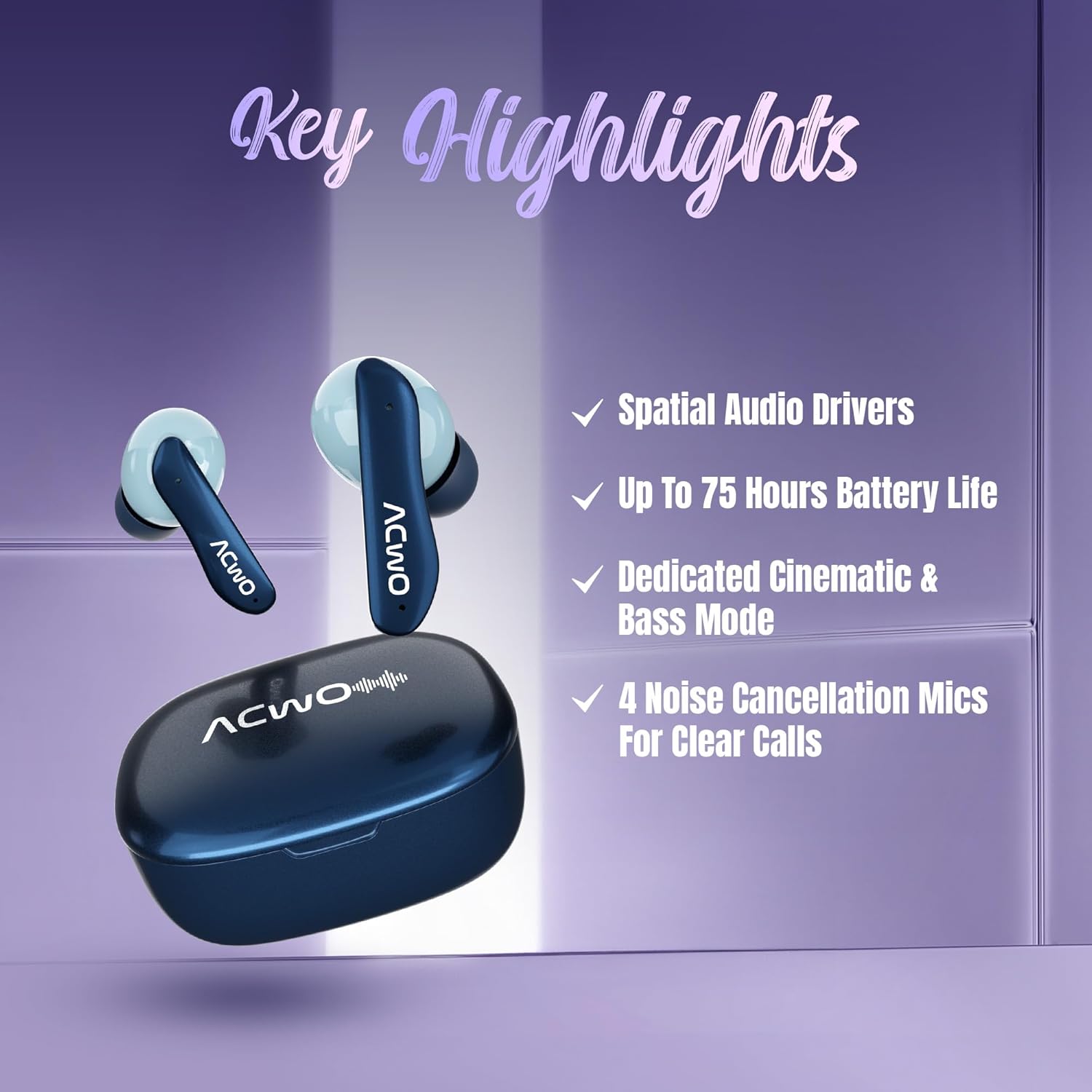
The ACwO Dwots 111 earbuds are designed for a superior audio experience, featuring 10mm Spatial Drivers, up to 75 hours of battery life, and 4 noise-cancellation microphones for clear calls. They also include dedicated Cinematic and Bass modes for versatile listening.
2. He aha kei roto i te Pouaka
Upon unboxing your ACwO Dwots 111, please verify that all the following components are included:
- ACwO Dwots 111 Wireless Earbuds (Left and Right)
- Puhi utu
- Tauira Whakatau USB
- Eartips (nga momo rahi)
- Pukapuka Kaiwhakamahi
- Kaari Raati
3. Hua Neke Atuview
The ACwO Dwots 111 earbuds are engineered for comfort and high-fidelity sound. Below is an image of the product:

The charging case protects your earbuds and provides additional battery life, while the earbuds themselves feature touch controls and integrated microphones.
4. Tatūnga
4.1 Whakataki Tuatahi
Before first use, fully charge your ACwO Dwots 111 earbuds and charging case. Connect the provided USB charging cable to the charging port on the case and a power source. The charging indicators on the case will show the charging status.

4.2 Paihere ki te Pūrere
- Me whakarite kua utuhia nga purongo ka tuu ki roto i te pukoro utu.
- Whakatuwheratia te taupoki o te kete utu. Ka uru aunoa nga taringa ki te aratau takirua.
- I runga i to taputapu (waea atamai, papa, pona), whakaahei i te Nihokikorangi.
- Rapua available Bluetooth devices and select "ACwO Dwots 111" from the list.
- Once connected, the earbuds will provide an audio confirmation.
The earbuds feature Bluetooth V5.4 for stable and efficient connections, along with instant auto-connect for subsequent uses.
4.3 Te Whakamaunga i nga Paoro
Select the eartips that provide the most comfortable and secure fit for your ears. Insert the earbuds gently into your ear canals and rotate them slightly until they feel snug and stable. A proper fit is crucial for optimal sound quality and noise isolation.

5. Te whakahaere i nga Puka-taringa
5.1 Mana Pa
The ACwO Dwots 111 earbuds feature intuitive touch controls on each earbud. Specific functions may vary, but common controls include:
- Paato Kotahi: Purei/Tatari waiata, Whakautu/Whakamutua te waea.
- Patohia rua (Mauī/Matau): Riu o mua/Riu o muri.
- Patohia kia Toru (Mauī/Matau): Whakaitihia/Whakanuia te Rōrahi.
- Panui Roa: Activate Voice Assistant (Google Assistant, Siri).
5.2 Aratau Ororongo
The earbuds offer dedicated audio modes to enhance your listening experience:
- Aratau Kiriata: Provides an immersive surround sound experience for movies and games. Activate by long-pressing the multi-function touch area for 2 seconds.
- Aratau Pango: Enhances low frequencies for a powerful bass response. Activate by long-pressing the multi-function touch area for 2 seconds.


5.3 Waeatanga
The ACwO Dwots 111 features 4 noise-cancellation microphones with AI-ENC and SONIC SHIELD technology for clear voice quality during calls, even in noisy environments. Use the single tap control to answer or end calls.
6. Tiaki
6.1 Te horoi
Regularly clean your earbuds and charging case to maintain optimal performance and hygiene. Use a soft, dry, lint-free cloth. For stubborn dirt, slightly dampen te kakahu ki te wai. A ape i te whakamahi i nga matū kino, i nga taonga abrasive ranei.
6.2 Atete Wai
The ACwO Dwots 111 earbuds are rated IPX5 water resistant, meaning they can withstand splashes and sweat. They are not designed for submersion in water. Avoid exposing them to heavy rain or swimming.

6.3 Rokiroki
Mena karekau e whakamahia, penapenahia nga purongo ki roto i te pukoro utu kia tiakina mai i te puehu, te kino, me te pupuri i te utu. Whakaorangia te pouaka ki te waahi makariri, maroke atu i te ra tika me te wera nui.
7. Te Raru
If you encounter issues with your ACwO Dwots 111 earbuds, try the following solutions:
| Raruraru | Rongoa pea |
|---|---|
| Karekau nga taringa e hono ana | Kia tino utua ngā pane taringa. Whakawetohia, kātahi ka whakakāhia te Nihokikorangi i tō pūrere. Warewaretia te pūrere i ngā tautuhinga Nihokikorangi, ka hono anō. |
| Karekau he oro mai i tetahi pukoro | Place both earbuds back in the case, close the lid, then open and try again. Check device audio balance settings. |
| Raro iti | Adjust volume on both your device and the earbuds. Ensure eartips provide a good seal. |
| Nga take utu | Check charging cable and power source. Ensure charging contacts on earbuds and case are clean. |
| Ko nga mana pa kaore e aro | Me whakarite kia ma, kia maroke o maihao. Tīmataria anō ngā pūoro mā te kuhu ki roto i te take ka tango ki waho. |
8. Whakatakotoranga
Detailed technical specifications for the ACwO Dwots 111 Wireless In-Ear Earbuds:
| Āhuahira | Taipitopito |
|---|---|
| Ingoa Tauira | DWOTS111 |
| Hangarau Hononga | Ahokore (Nihokikorangi) |
| Hangarau Whakawhitiwhiti Ahokore | Nihokikorangi V5.4 |
| Awhe Nihokikorangi | 10 Mita |
| Te Whakanoho Taringa | I te Taringa |
| Tauwehe Puka | In Ear (Bud) |
| Momo Atekōkiri Ororongo | Atekōkiri Hihiko |
| Rahi Atekōkiri Ororongo | 10 Milimetera |
| Awhe Auautanga | 20 Hz - 20,000 Hz |
| Te aukati | 32 Aue |
| Mana Haruru | Passive Noise Cancellation (4 Noise Cancellation Mics with AI-ENC and SONIC SHIELD) |
| Ora Pūhiko | Tae atu ki te 75 Haora (me te putea utu) |
| Momo Mana | Mana Pa |
| Tikanga Mana | Voice (Google Assistant, Siri) |
| Taumata Atete Wai | IPX5 (Atete Wai) |
| Rauemi | Kirihou |
| Taumaha Tūemi | 35 Karamu |
| Hunga Hua | 3.8 x 5.3 x 1.8 cm |
| Pūrere Hototahi | Cellphones, Desktops, Laptops, Tablets |
9. Pūtāhui me te Tautoko
9.1 Nga Korero Whakaputanga
Your ACwO Dwots 111 earbuds come with a warranty. Please refer to the included Warranty Card for specific terms, conditions, and duration of the warranty period. Keep your proof of purchase for warranty claims.
9.2 Tautoko Kiritaki
For any product-related inquiries, technical assistance, or warranty support, please contact ACwO customer service:
- Īmēra: help@acwo.com
- Tau Tautoko Kiritaki: +91 9320420001
- Kaihanga: ACwO Lifestyle Pvt Ltd, Plot No. 58-60, 1st Floor, Apple Industrial Hub, Pelhar, Dist. Palghar, Maharashtra - 401208
Ask a question about this manual
Ask about setup, troubleshooting, compatibility, parts, safety, or missing instructions. Manuals+ will review the question and use this page’s manual context to help answer it.