
1. Kupu Whakataki
The Audizio Avola is a comprehensive audio system designed to provide a wide range of listening options. It integrates Internet Radio, DAB+, FM radio, a CD player, and Bluetooth connectivity into a single, elegant unit. This manual will guide you through the setup, operation, and maintenance of your Avola system, ensuring you can fully utilize its features for an optimal audio experience.
2. Nga Tohutohu Haumaru
- Tuku Hiko: Whakamahia anake te urutau hiko kua whakaratohia. Me whakarite te voltage rite ana ki nga whakaritenga o to rohe.
- Te wai me te makuku: Do not expose the unit to rain, moisture, or liquids. Avoid placing objects filled with liquids, such as vases, on the unit.
- Whakahau: Me whakarite kia pai te hau huri noa i te waahanga. Kaua e araia nga whakatuwheratanga hau.
- Pūtake wera: Tiakina te waeine mai i nga puna wera penei i nga radiators, nga rehita wera, nga umu, me etahi atu taputapu e whakaputa wera ana.
- Te horoi: Disconnect the unit from the power supply before cleaning. Use a soft, dry cloth. Do not use liquid cleaners or aerosol cleaners.
- Ratonga: Kaua e ngana ki te mahi i a koe ake. Tukuna nga ratonga katoa ki nga kaimahi ratonga whai tohu.
- Pūpāpāho CD: Do not insert foreign objects into the CD tray. Handle CDs by their edges to avoid scratches.
3. Ihirangi mokete
Manatokona kei roto katoa nga taonga kei roto i te kete:
- 1x Audizio Avola Internet Radio
- 1x Mana Mamao
- 1x Pūurutau Hiko
- 1x User Manual (Quick Start Guide)

Image: Audizio Avola unit shown with its remote control and power adapter.
4. Hua Neke Atuview
4.1 Paewhiri Mua

Whakaahua: Mua view of the Audizio Avola with the CD tray closed.
The front panel features the main display, control buttons, a CD tray, and input ports.
- Whakaatu: Color display for navigation and information.
- Patene Mana: MENU, INFO, REC/DEL, PRESET/REPEAT, STANDBY, I/R, Play/Pause, Stop, Skip/Fast Forward/Rewind.
- Paepae CD: Hei whakauru i ngā CD ororongo.
- TUNE/SELECT Knob: Rotate to navigate menus, press to select.
- PUKA PUKA: Whakaritea te taumata whakaputa ororongo.
- Tauranga USB: Mo te hono i nga taputapu rokiroki USB.
- Mokamoka Kaari SD: Mo te whakauru i nga kaari mahara SD.
- Tāuru AUX: 3.5mm jack for external audio sources.
- Tihakihihi He hononga 3.5mm mō te whakarongo tūmataiti.

Image: Close-up of the Audizio Avola front panel showing USB, SD, AUX, and headphone ports.
4.2 Paewhiri Whakamuri
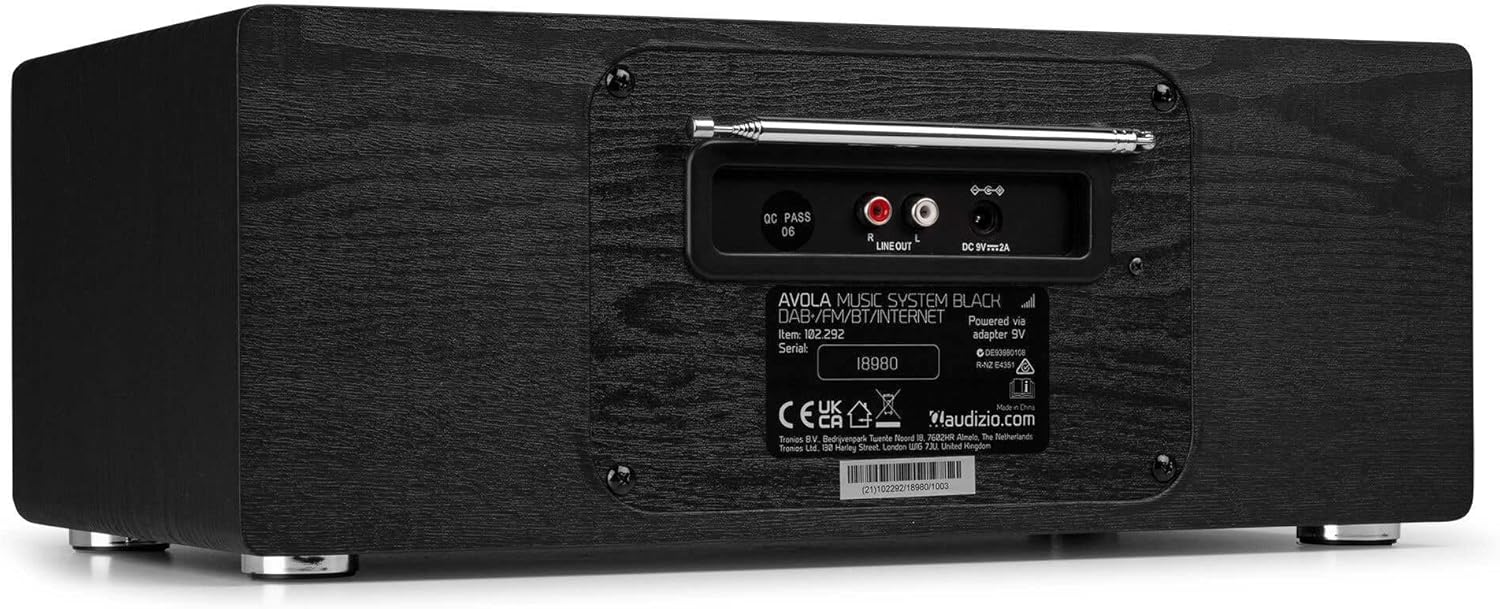
Whakaahua: Rear view of the Audizio Avola, highlighting the antenna and connection ports.
The rear panel houses essential connections:
- Antenna Telescopic: For DAB+ and FM radio reception. Extend fully for best signal.
- LINE OUT (RCA): Mo te hono ki waho ampkaiwhakaora, kai korero ranei.
- DC 9V 2A Whakauru Hiko: Mo te hono i te urutau hiko.
5. Tatūnga
5.1 Hononga Hiko
- Connect the power adapter to the DC 9V 2A input on the rear of the Avola unit.
- Monohia te urutau hiko ki tetahi putanga pakitara e tika ana.
- The unit will enter standby mode. Press the STANDBY button on the unit or remote control to power on.
5.2 Tatūnga Antenna
For optimal DAB+ and FM radio reception, fully extend the telescopic antenna located on the rear panel. Adjust its position for the best signal quality.
5.3 Initial Setup (WLAN Connection)
To access Internet Radio features, the Avola must be connected to a Wi-Fi network.
- Upon first power-on, the unit may prompt you to set up the network connection. If not, press MENU, navigate to 'System Settings' and then 'Network'.
- Select 'Wi-Fi Network' and choose 'Scan' to find available networks.
- Tohua to whatunga Wi-Fi mai i te raarangi.
- Enter your Wi-Fi password using the TUNE/SELECT knob to navigate characters and press to confirm each character.
- Once connected, the display will show a Wi-Fi icon.
6. Aratau Mahi
6.1 Irirangi Ipurangi
Access thousands of radio stations worldwide via your Wi-Fi connection.
- Press the MENU button and select 'Internet Radio'.
- Ka taea e koe te tirotiro i nga teihana ma te waahi, te momo, te rapu ranei mo nga teihana motuhake.
- Use the TUNE/SELECT knob to navigate and select.
- To save a station as a preset, press and hold the PRESET/REPEAT button until the preset menu appears, then select a preset number.

Image: The Audizio Avola display showing the Internet Radio interface.
6.2 DAB+ Reo Irirangi
Digital Audio Broadcasting Plus offers high-quality digital radio.
- Press the MENU button and select 'DAB Radio'.
- Ka matawai aunoa te waeine mō ngā teihana DAB+ e wātea ana.
- Use the TUNE/SELECT knob to browse and select stations.
- Save presets as described for Internet Radio.
6.3 FM Radio
Listen to traditional analog FM radio broadcasts.
- Press the MENU button and select 'FM Radio'.
- Use the TUNE/SELECT knob to manually tune or press and hold to auto-scan for stations.
- Save presets as described for Internet Radio.
6.4 Pūoro CD
Play your favorite audio CDs.
- Press the MENU button and select 'CD Player'.
- Press the 'Open' button next to the CD tray to open it.
- Carefully place an audio CD onto the tray with the label side facing up.
- Press the 'Open' button again to close the tray. The unit will begin playing the CD automatically.
- Use the Play/Pause, Stop, and Skip buttons for playback control.
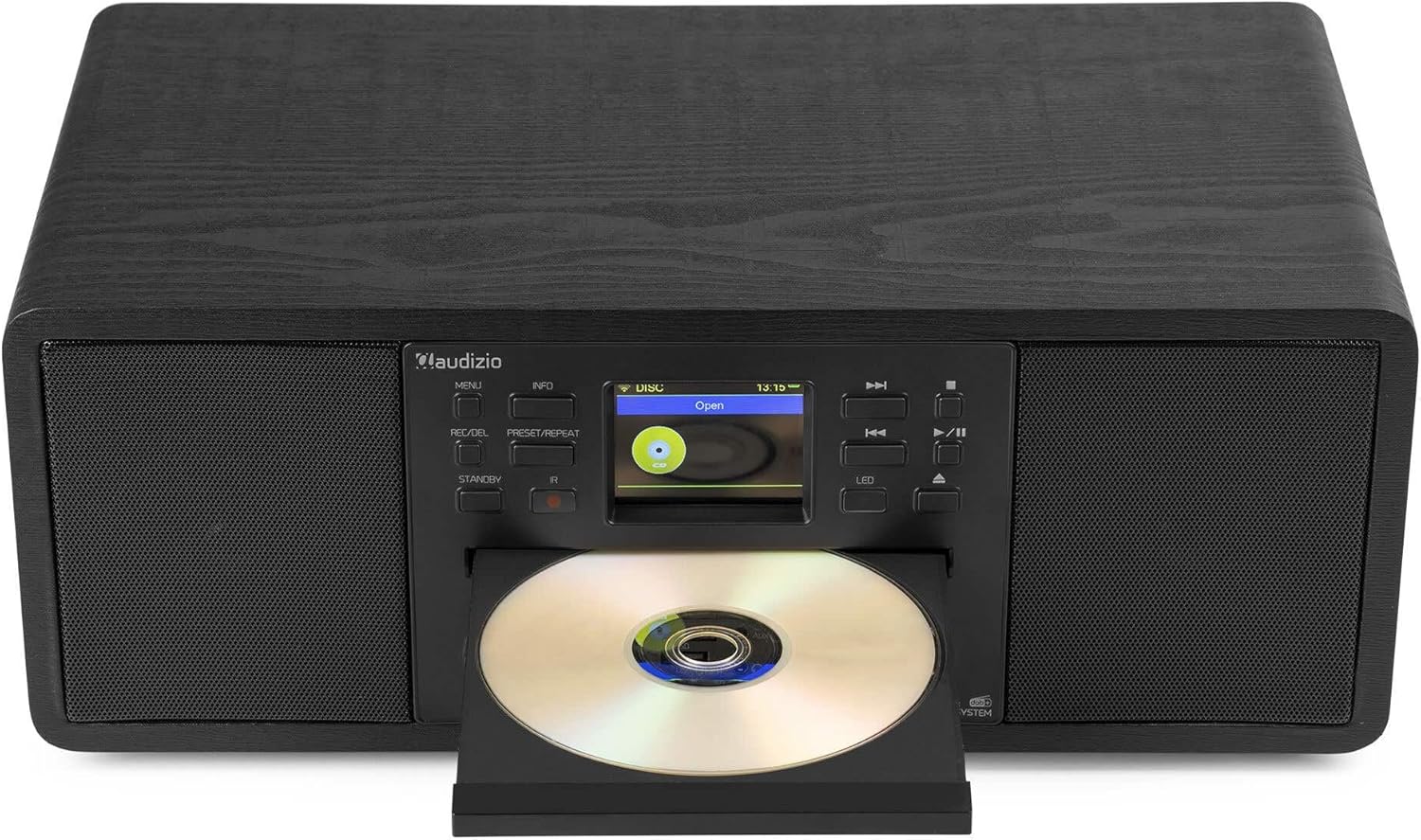
Image: The Audizio Avola with its CD tray open, ready for disc insertion.
6.5 Hononga Nihokikorangi
Rere ahokore te oro mai i tō waea atamai, papa, i ētahi atu taputapu Bluetooth rānei.
- Press the MENU button and select 'Bluetooth'.
- The Avola will enter pairing mode and become discoverable.
- On your Bluetooth device, search for 'Audizio Avola' in the Bluetooth settings and select it to pair.
- Once connected, the display will show 'BT Connected'. You can now play audio from your device through the Avola.

Image: The Audizio Avola display indicating a successful Bluetooth connection.
6.6 USB/SD Purei
Purei ororongo files from USB drives or SD cards.
- Insert a USB drive into the USB port or an SD card into the SD card slot on the front panel.
- Press the MENU button and select 'USB' or 'SD' (the unit may automatically switch to the correct mode).
- Whakatere i roto i to files and folders using the TUNE/SELECT knob.
- Press the TUNE/SELECT knob to play a selected track.
7. Tiaki
- Te horoi i te Waehe: Whakamahia he kakahu ngohengohe, maroke, kore-raro hei horoi i waho o te waahanga. Kaua e whakamahia nga kai horoi, te wax, te whakarewa ranei.
- Whakapai Arotahi CD: If CD playback becomes erratic, use a commercially available CD lens cleaner disc to clean the laser lens.
- Rokiroki: Mēnā he roa te wā e penapena ana i te kōwae, momotuhia mai i te puna hiko ka penapena ki te waahi matao, maroke.
8. Te Raru
| Raruraru | Take pea | Rongoā |
|---|---|---|
| Karekau he kaha | Ko te urutau hiko kaore i te hono, kei te he te putanga. | Tirohia ngā hononga hiko. Whakamātauria tētahi atu putanga hiko. |
| Karekau he tangi | He iti rawa te oro, kua whakahohea te whakangā, kua hē rānei te pūtake kua tīpakohia. | Whakanuia te oro. Tirohia mēnā kei te whakahohehia te whakangū. Me whakarite kua tīpakohia te pūtake tāuru tika. |
| Kāore te reo irirangi ipurangi e hono ana | Incorrect Wi-Fi password, weak signal, or network issue. | Re-enter Wi-Fi password. Move unit closer to router. Check router status. |
| DAB+/FM reception poor | Ko te Antenna kaore i roa, he ngoikore ranei te waahi tohu. | Whakatōroahia te pūihi karu, ā, whakatikatikahia. Ngāna kia nekehia te tūnga o te waeine. |
| CD kaore i te purei | CD inserted incorrectly, dirty/scratched CD, or unsupported format. | Ensure CD is inserted label-side up. Clean or replace CD. Verify CD format (supports CD-DA, MP3). |
| Ko te Nihokikorangi kaore i te takirua | Device not in pairing mode, or Avola not discoverable. | Ensure both devices are in pairing mode. Check Bluetooth settings on your device. |
9. Whakatakotoranga
| Āhuahira | Whakatakotoranga |
|---|---|
| Ingoa Tauira | Avola |
| Tau Tuemi | 102.292 |
| Ahu (LxWxH) | 45.8 x 25.8 x 19.7 cm |
| Taumaha | 4 kg |
| Whakauru Mana | 220 Volt (via power adapter) |
| Speaker Output Power (Max) | 60 Waata |
| Aratau Putanga Ororongo | Tirooro |
| Ngā Hōputu Ororongo Tautokohia | CD-DA, MP3 |
| Hangarau Hononga | WLAN, Bluetooth, AUX, RCA |
| Pūrere Hototahi | MP3 Player, PC, Smartphone, Tablet |
| Tae | Pango |
10. Pūtāhui me te Tautoko
Audizio products are designed and manufactured to the highest standards. In the unlikely event of a problem with your product, please contact your retailer for assistance. Keep your proof of purchase for warranty claims. For further support or inquiries, please refer to the official Audizio webpaetukutuku, whakapā atu ranei ki ta raatau ratonga kaihoko.