
Kupu Whakataki
This manual provides detailed instructions for the assembly, operation, maintenance, and troubleshooting of your GTRACING Gaming Recliner Chair (Model GT208M). Please read this manual thoroughly before use to ensure proper function and safety.
Nga korero haumaru
Always follow assembly instructions carefully. This chair has a maximum weight recommendation of 300 pauna. Exceeding this limit may cause damage or injury. Keep children and pets away from moving parts during operation. Ensure all connections are secure before use.
Ihirangi mokete
Manatokohia kei te noho nga waahanga katoa i mua i te tiimata o te huihuinga. Mena kei te ngaro, kua pakaru ranei etahi waahanga, tena koa whakapiri atu ki te tautoko a nga kaihoko.
- Tuuru turanga
- Pūkana
- Tauranga ringa (Mauī me Matau)
- Huihuinga waewae
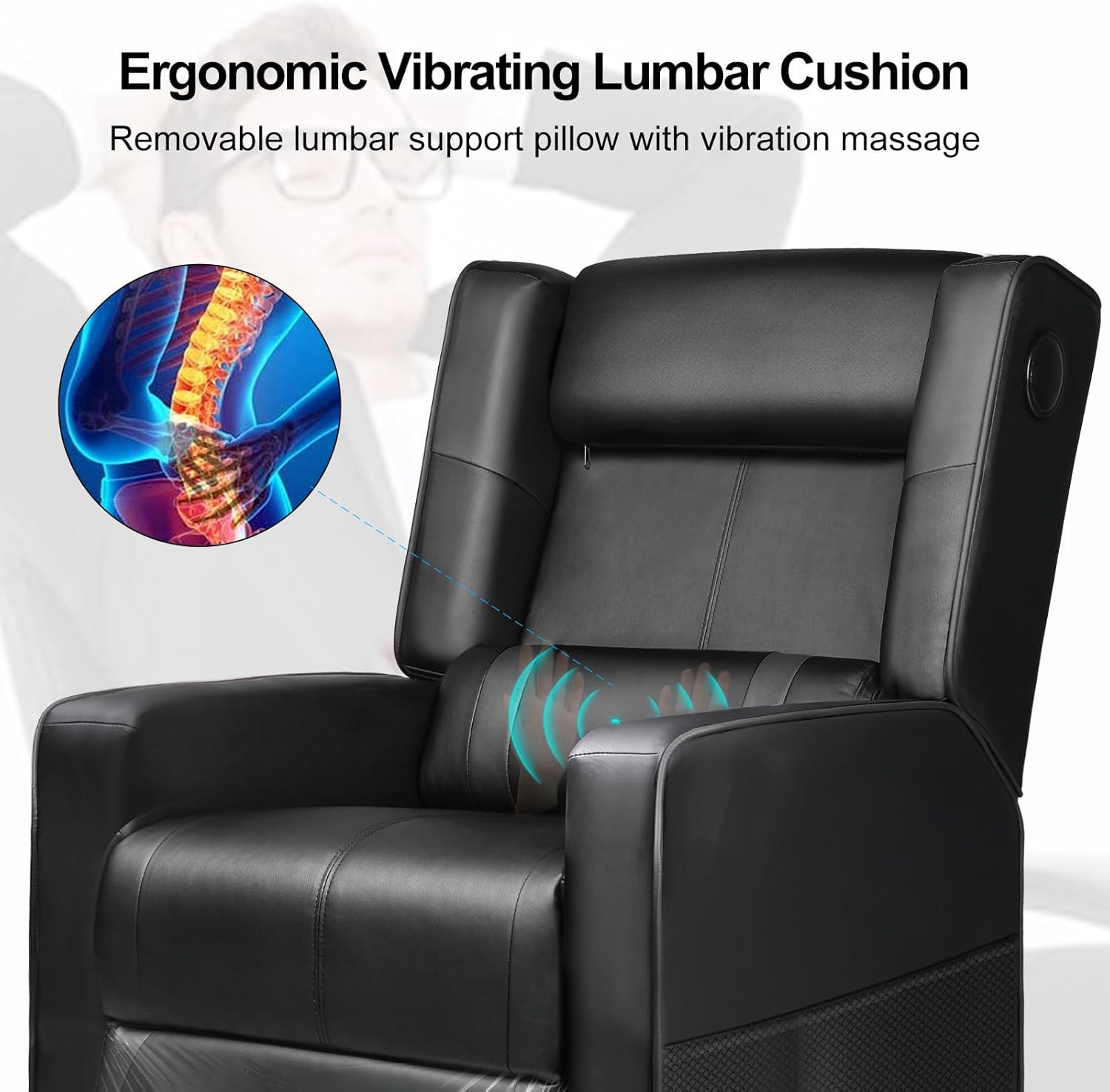
- Lumbar Cushion (with USB cable)
- Kete Taputapu (ngā tīwiri, ngā mōwhiti, te kī Allen)
- Power Adapter (for massage function)
- Pukapuka Tohutohu
Nga Tohutohu Huihuinga
Assembly typically takes 1-2 hours. It is recommended to have a second person assist with certain steps.
- Wewete Waenga: Me ata tango nga waahanga katoa mai i te kete ka whakatakoto ki runga i te mata ma, ngawari kia kore e pakaru.
- Whakapirihia nga Tauranga ringa: Secure the left and right armrests to the chair base using the provided screws. Ensure they are firmly attached.
- Tūhono Tautoko: Slide the backrest onto the chair base, aligning the metal brackets. Secure with screws.
- Tāutahia te turanga waewae: Attach the footrest assembly to the designated points on the chair base.
- Position Lumbar Cushion: Place the lumbar cushion on the backrest. The USB cable for the massage function should be accessible.
- Taki Whakamutunga: Me whakarite kia titi katoa nga tira me te noho pumau i mua i te whakamahi.

Nga Tohutohu Whakahaere
Mahi Whakanoho
The chair features a push-back reclining mechanism, allowing you to adjust the backrest and footrest to your desired position. Simply lean back to recline and push forward to return to an upright position. The reclining angle can reach up to 155 degrees.

Nga Kaikorero Nihokikorangi
Your GTRACING recliner is equipped with built-in Bluetooth speakers for an immersive audio experience.
- Whakahiko: Locate the power button on the side of the chair (usually near the speaker). Press and hold to power on the speakers.
- Aratau takirua: Ka uru aunoa ngā kaikōrero ki te aratau takirua, e tohuhia ana e te rama LED e mura ana.
- Hono Pūrere: On your mobile device or computer, enable Bluetooth and search for "GTRACING Speaker" (or similar name). Select it to pair.
- Whakahoki Ororongo: Once paired, audio from your device will play through the chair's speakers. Adjust volume via your device.

Lumbar Massage Function
The integrated lumbar cushion provides a vibrating massage function for added comfort. It is powered via a USB connection.
- Hono Hono: Plug the USB cable from the lumbar cushion into a compatible USB power source (e.g., computer USB port, power bank, USB wall adapter).
- Whakahohehia te Mirimiri: The massage function will typically activate upon connection. Some models may have an inline switch on the USB cable.
- Deactivate Massage: To turn off the massage, disconnect the USB power source.
Te Tiaki me te Tiaki
- Te horoi: Horoia ma te panuiamp cloth. Avoid harsh chemicals or abrasive cleaners, as these can damage the faux leather material.
- Tirotiro auau: Takitaki ia ia nga wa katoa nga wiri me nga hononga kia mau tonu. Whakapaia ano mehemea e tika ana.
- Aukati i te Maramatanga o te ra: Ka memeha, ka ngatata rānei te hiako rūpahu mēnā ka roa te pānga ki te rā tika.
- Tepe Taumaha: Kaua e neke ake i te tohu taumaha morahi o te 300 pauna.
Raparongoā
| Raruraru | Take pea | Rongoā |
|---|---|---|
| Kāore te tūru e takoto maeneene ana. | Obstruction in mechanism; insufficient space behind chair. | Check for obstructions. Ensure chair is 18-20 inches from a wall. |
| Bluetooth speakers not pairing. | Speakers not in pairing mode; device Bluetooth off; too far from device. | Ensure speakers are powered on and in pairing mode. Turn on device Bluetooth. Move device closer to chair. |
| Ko te mahi mirimiri kaore e mahi. | USB cable not connected; power source issue. | Verify USB cable is securely connected to a working power source. Try a different USB port or power bank. |
| Ka rere te noho, ka wiri ranei. | Nga wiri huihui wetewete. | Tirohia me te whakakorikori i nga tira hui katoa. |
Whakatakotoranga Hua
- Tauira: GT208M
- Waitohu: TE WHAKAMAHI
- Tae: Pango
- Rauemi: Hiako rūpahu, Whakakī Pahuka
- Rahi Hua (D x W x H): 35.03"D x 26.77"W x 38.97"H (Upright)
- Taumaha Tūemi: 52.9 pauna
- Kaupapa Poari Taurahi: 300 Pauna
- Koki Whakapapa: Tae atu ki te 155 nga nekehanga
- Nga waahanga motuhake: Bluetooth Speakers, Lumbar Massage, Push-back Reclining, Side Pockets
- UPC: 810170303272
Pūtāhui me te Tautoko
For warranty information, technical support, or assistance with missing/damaged parts, please contact GTRACING customer service. Refer to your purchase documentation for specific warranty terms and contact details.
You can often find support contact information on the official GTRACING webpae, ma te kaihokohoko ranei i hokona ai te hua.