
Kupu Whakataki
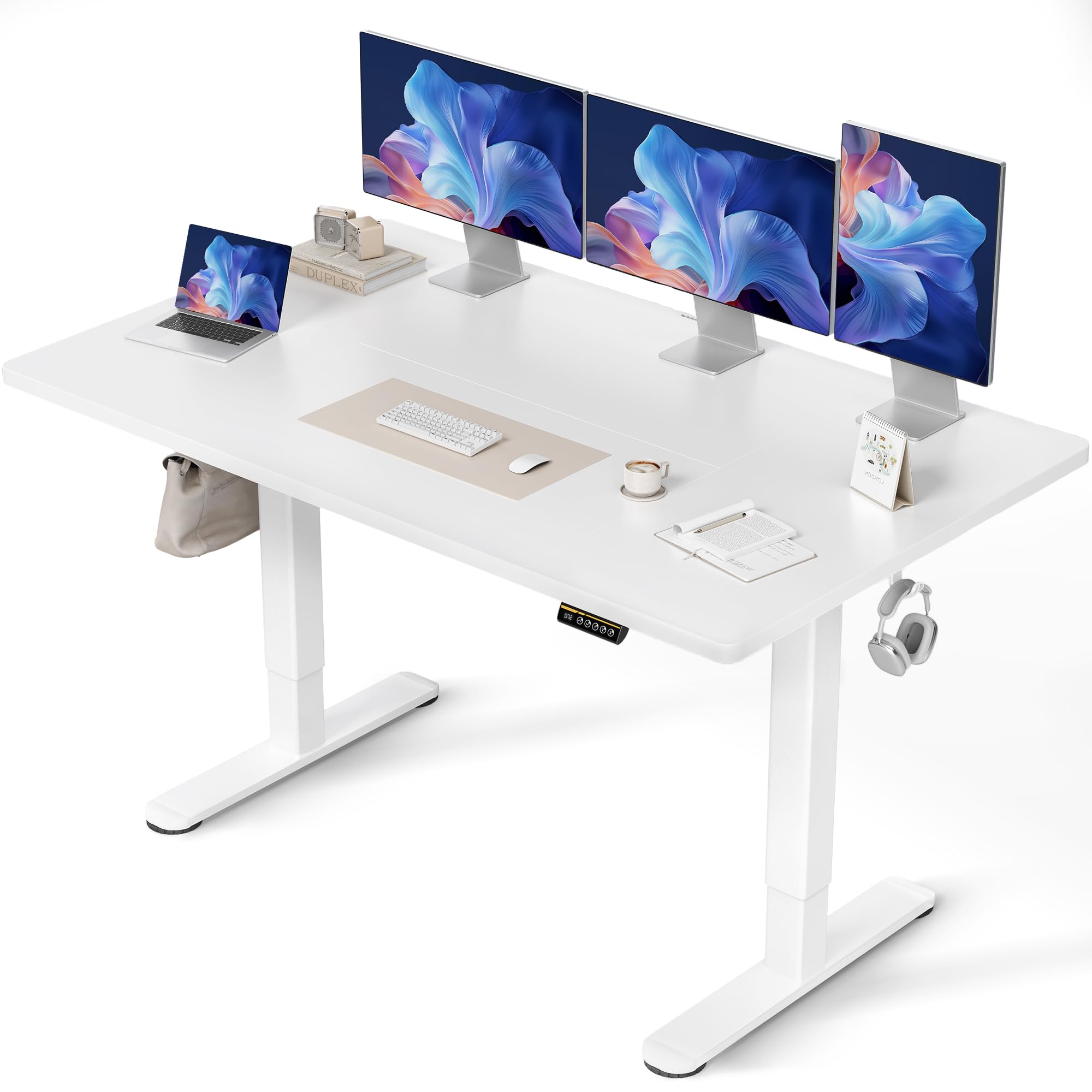
Thank you for choosing the Claiks Electric Height Adjustable Desk. This manual provides essential information for the safe and efficient assembly, operation, and maintenance of your new desk. Please read these instructions carefully before use and retain them for future reference.
Nga korero haumaru
Whakatupato:
Please use the desk with caution, especially during height adjustment and assembly. Ensure the desk is properly anchored before use. Observe weight restrictions and use the desk only for its intended purpose. Keep children and pets away from the desk during operation to prevent injury. Do not place hands or objects near moving parts during height adjustment.
Ihirangi mokete
I mua i te huihuinga, tirohia kei te noho nga waahanga katoa me te kore e pakaru. Mena kei te ngaro, kua pakaru ranei etahi waahanga, tena koa whakapiri atu ki te tautoko a nga kaihoko.
- Anga Papamahi (Waewae me te Pae Whakawhiti)
- Tabletop (Multi-part)
- Paewhiri Mana me nga Tatūkē Mahara
- Pūurutau Hiko me te taura
- Assembly Hardware (Screws, Allen Keys)
- Cable Management Tray and Hooks
- Pukapuka Kaiwhakamahi
Nga Tohutohu Huihuinga
Assembly typically takes approximately 15 minutes. A screwdriver is required (not included). Follow these steps carefully:
- Wewete Waenga: Me ata tango nga waahanga katoa mai i te kete ka whakatakoto ki runga i te mata ma, ngawari kia kore e pakaru.
- Huihuia te Tāpare Papamahi: Attach the desk legs to the crossbar using the provided screws. Ensure all connections are secure.
- Whakapirihia te Ripanga: Place the tabletop sections onto the assembled frame. Align the pre-drilled holes and secure the tabletop to the frame using the designated screws. Note that the tabletop may consist of multiple sections.
- Tāuta Paewhiri Mana: Mount the control panel to the underside of the tabletop in the desired position.
- Tūhono Waea: Connect the motor cables from the legs to the control box, and then connect the control panel cable to the control box. Finally, connect the power adapter to the control box and plug it into a power outlet.
- Tāuta Apatoko: Attach the cable management tray and hooks to the underside of the desk as desired.

Nga Tohutohu Whakahaere
Whakatikatika Teitei
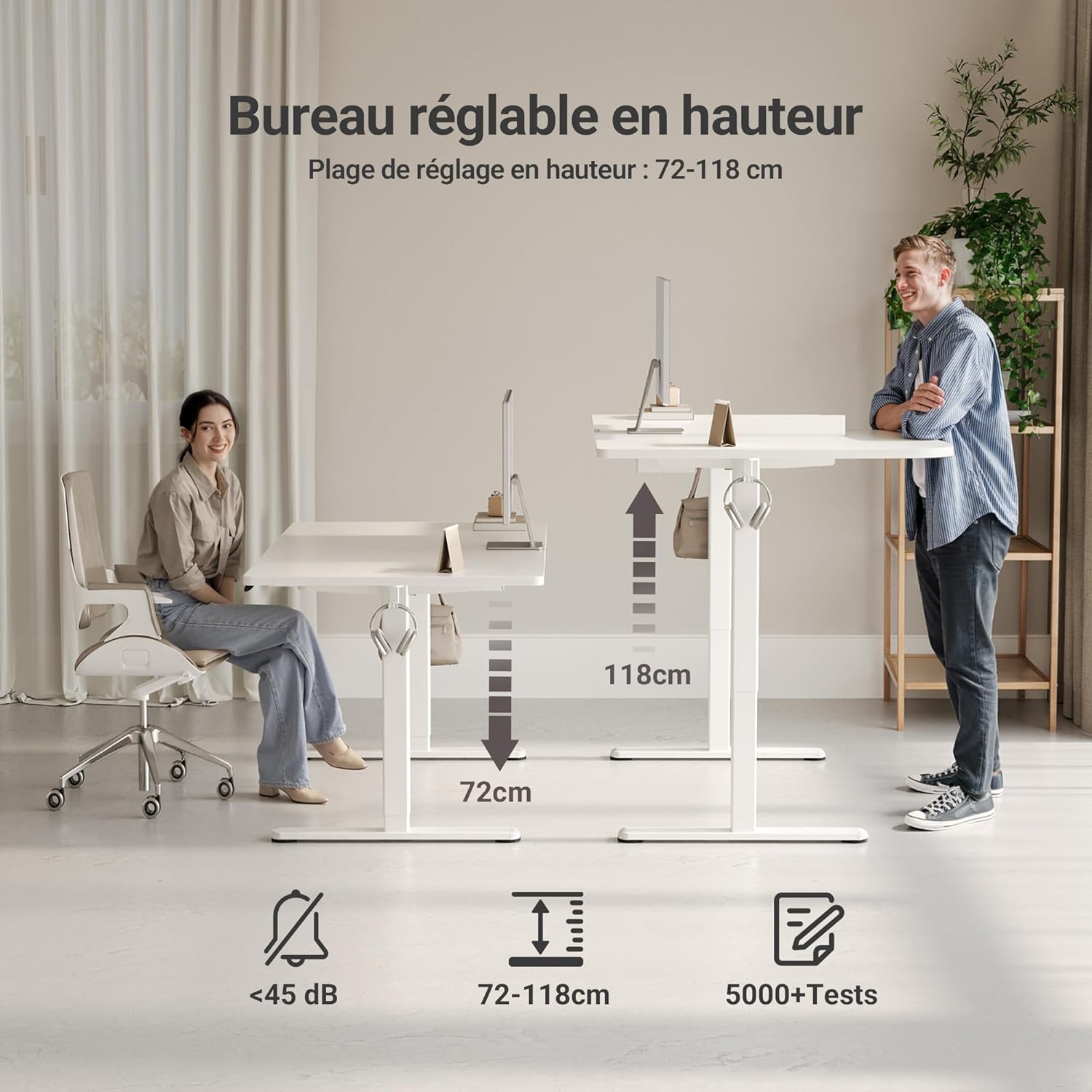
The desk features an electric motor for smooth height adjustment between 72 cm and 118 cm. Use the up and down arrow buttons on the control panel to adjust the desk to your desired height.
Mahara Tatūkē
The control panel includes three memory preset buttons (1, 2, 3) to save your preferred sitting and standing heights.
- To Set a Memory Preset: Adjust the desk to your desired height using the up/down arrows. Press the 'M' or 'Set' button (if available, otherwise hold the number button) followed by the desired number button (1, 2, or 3). The display will show 'S-' or a beep will confirm the setting.
- To Use a Memory Preset: Pēhi noa i te pātene tau e hāngai ana (1, 2, 3 rānei) hei neke aunoa i te tēpu ki te teitei kua tiakina.


Nga waahanga matua
- FSC Certified Tabletop: The desk features an FSC-certified engineered wood tabletop, promoting responsible forest management.
- Mata Mahi Wātea: Ka whakarato ample space for multiple monitors and office supplies.
- Silent Motor: Operates quietly (under 45 dB) for minimal disruption in any environment.
- Hanganga pakari: Stable steel frame supports up to 120 kg, ensuring stability even at maximum height.
- Whakahaere Taura Whakakotahi: Includes cable pass-throughs and hooks to keep your workspace organized.
- Mata Roa: The tabletop is resistant to dirt and water, and features rounded, scratch-resistant edges.

Te tiaki
To ensure the longevity and optimal performance of your Claiks desk, follow these maintenance guidelines:
- Te horoi: Horoia te mata o te teepu ki te ngohengohe, damp kakahu. A ape i nga kaihoroi awhiowhio me nga matū kino ka taea te pakaru i te otinga.
- Whakaha Uepu: Tirotirohia me te whakarite i nga taura kia kore ai e pakaru me te whakarite kia maeneene te mahi i nga wa whakatikatika teitei.
- Tiaki motuka: The motor is designed for durability. Avoid overloading the desk beyond its maximum weight capacity (120 kg) to prevent strain on the motor.
- Takitaki auau: Periodically inspect all screws and connections to ensure they remain tight and secure.
Raparongoā
Mena ka raru koe ki to papapu, tirohia nga raru me nga otinga e whai ake nei:
| Raruraru | Take pea | Rongoā |
|---|---|---|
| Kaore te tepu e neke | Power cable disconnected, motor error, overload | Check power connections. Unplug and replug the power cable. Reduce weight on the desk. Perform a reset (refer to control panel instructions). |
| Kore orite te whakatikatika teitei | Obstruction, uneven load | Ensure no objects are obstructing the desk legs. Distribute weight evenly on the tabletop. |
| Paewhiri mana kaore e whakautu | Loose connection, power issue | Check the control panel cable connection to the control box. Verify power supply. |
| Desk stops mid-adjustment | Overheat protection, obstruction | Allow the motor to cool down for 20 minutes. Remove any obstructions. |
Mena ka mau tonu te raruraru i muri i te whakamātau i ēnei otinga, whakapā atu ki te ratonga kiritaki a Claiks.
Whakatakotoranga
| Huanga | Taipitopito |
|---|---|
| Waitohu | Claiks |
| Tau tauira | P1.01.016 |
| Tae | Mā |
| Rahi Hua (L x W x H) | 70 x 140 x 75 cm |
| Taumaha Tūemi | 25 Kirokaramu |
| Rauemi | Engineered Wood (Tabletop), Metal (Base) |
| Awhe Whakatikatika Teitei | 72 cm - 118 cm |
| Te Kaha Uta Max | 120 kg |
| Ngā āhuatanga | Ergonomic, Adjustable, Scratch-resistant, Silent Motor, Memory Presets, Cable Management |
| Momo Whakaoti | Kua whakakakahu |
Pūtāhui me te Tautoko
The Claiks Electric Height Adjustable Desk comes with a 5-tau pūtāhui on the motor and frame, covering manufacturing defects and malfunctions under normal use. Please retain your proof of purchase for warranty claims.
For technical assistance, troubleshooting not covered in this manual, or warranty inquiries, please contact Claiks customer support through the retailer where you purchased the product or visit the official Claiks webpae mo nga korero whakapā.