
Kupu Whakataki
Thank you for choosing the Vieta Pro Way 4 Headband Headphones. These headphones are designed to provide a superior audio experience with advanced features such as Bluetooth 5.4 connectivity, an integrated microphone, a dedicated gaming mode, and dual pairing capabilities. This manual will guide you through the setup, operation, and maintenance of your new headphones.
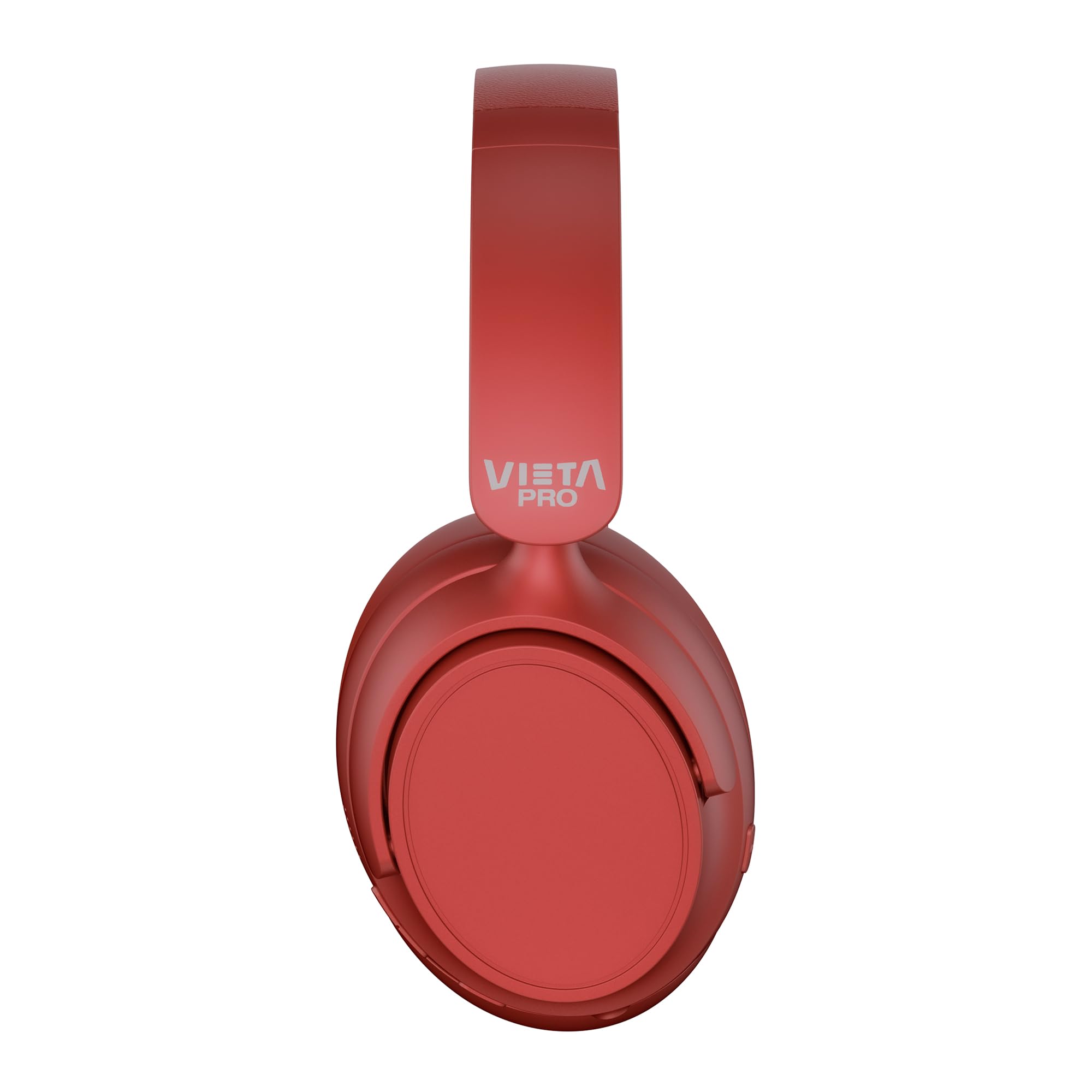
Whakaahua: Mua view of the Vieta Pro Way 4 Headband Headphones in red.
Ihirangi mokete
Tena koa tirohia nga mea katoa kei roto i te kete:
- Vieta Pro Way 4 Headband Headphones
- Tauira Whakatau USB
- 3.5mm Audio Cable with integrated microphone
- Pukapuka Kaiwhakamahi (tenei tuhinga)
Ka mutu te huaview
Kia mohio koe ki nga momo waahanga me nga mana whakahaere o o taringa.

Image: Right earcup with power button, volume controls, USB-C charging port, and 3.5mm audio jack.
- Pātene Hiko: Used to power on/off and initiate Bluetooth pairing.
- Rōrahi Whakarunga/Pātene Riu Panuku: Press briefly to increase volume, press and hold for next track.
- Rōrahi Whakararo/Pātene Riro o mua: Press briefly to decrease volume, press and hold for previous track.
- Pātene Mahi-maha: For play/pause, answer/end calls, activate voice assistant.
- Tauranga Whakatau USB-C: Mo te utu i nga taringa.
- 3.5mm Jack Ororongo: Mo te hononga waea ma te whakamahi i te taura ororongo whakauru.
- Pukuoro Whakauru: For calls and voice assistant commands.

Image: Left earcup and adjustable headband of the Vieta Pro Way 4 headphones.
Tatūnga
1. Te Whakataki i nga Paneoro
I mua i te whakamahinga tuatahi, kia whakakiia katoatia o taringa.
- Honoa te taura utu USB ki te tauranga USB-C i runga i nga taringa.
- Honoa te tahi pito o te taura ki te urutau hiko USB (kaore i whakauruhia), ki te tauranga USB rorohiko ranei.
- The LED indicator will show charging status (e.g., red for charging, blue/off for fully charged).
- Ma te utu katoa ka tae ki te 50 haora te purei.
2. Te Whakakaha/Weto
- Hei Whakahiko: Pēhia me te pupuri i te pātene Mana mō te 3 hēkona pea kia mura te tohu LED.
- Hei Whakaweto: Pēhia me te pupuri i te pātene Mana mō te 3 hēkona pea tae noa ki te whakaweto o te tohu LED.
3. Takirua Nihokikorangi
Tāruatia ō pane whakarongo ki tō pūrere mō te oro ahokore.
- Me mohio kua weto nga taringa.
- Pēhia, pupuritia hoki te pātene Mana mō te 5-7 hēkona pea kia mura te tohu LED i te whero me te kikorangi, e tohu ana i te aratau takirua.
- I runga i to taputapu (papa atamai, papa, rorohiko), whakaahei i te Nihokikorangi me te rapu mo nga taputapu e waatea ana.
- Select "Vieta Pro Way 4" from the list of found devices.
- Kia honoa, ka mura āta te tohu LED ki te kikorangi, ka huri rānei ki te kikorangi mātotoru.
4. Te Hononga Takirua
The Vieta Pro Way 4 headphones support dual pairing, allowing simultaneous connection to two devices (e.g., phone and computer).
- Pair the headphones with the first device as described in "Bluetooth Pairing".
- Monokia te Nihokikorangi i runga i te taputapu tuatahi. Ka uru ano nga taringa ki te aratau takirua.
- Tauhoatia nga taringa ki te taputapu tuarua.
- Whakahohehia ano te Nihokikorangi i runga i te taputapu tuatahi. Me hono aunoa nga taringa ki nga taputapu e rua.
- Ka purei te oro mai i te pūrere e tuku kōrero ana.
5. Wired Connection (Aux-in)
Use the included 3.5mm audio cable for a wired connection. This is useful when the battery is low or for devices without Bluetooth.
- Connect one end of the 3.5mm audio cable to the Aux-in port on the headphones.
- Honoa tetahi pito ki te hononga oro 3.5mm o tō pūrere.
- The headphones will automatically switch to wired mode. The integrated microphone on the cable can be used for calls in this mode.
Nga Tohutohu Whakahaere
Purei Waiata
- Purei/Tatari: Patohia te paatene Maha-mahi kotahi.
- Runga Runga: Pēhia te pātene Rōrahi Kia kotahi.
- Raro Raro: Pēhia te pātene Rōrahi Raro kotahi.
- Riu Panuku: Patohia me te pupuri i te paatene Volume Up.
- Riu o mua: Pēhia me te pupuri i te pātene Volume Raro.
Whakahaa Piiraa
- Whakautu/Whakamutu Waea: Patohia te paatene Maha-mahi kotahi.
- Whakakore Waea: Patohia me te pupuri i te paatene Maha-mahi mo te 2 hēkona.
- Waea Anō te Tau Whakamutunga: Patohia-taarua te paatene Mahi-maha.
Kaiāwhina reo
- Whakahohehia te Kaiāwhina Reo (Siri, Kaiāwhina Google, me ētahi atu): Tatoru-panui i te paatene Maha-mahinga.
Aratau petipeti
Activate Gaming Mode to reduce Bluetooth latency for an optimized gaming experience.
- Whakahohe/Whakakore i te Aratau Kēmu: Press the Power button twice quickly. The headphones will provide an audio cue.
Te tiaki
- Te horoi: Horoia ngā paneoro ki te kakahu ngohengohe, maroke. Kaua e whakamahi i ngā mea horoi whakakoi, i ngā mea whakarewa rānei.
- Rokiroki: Store the headphones in a cool, dry place. The foldable design allows for compact storage.
- Tiaki Pūhiko: Hei whakaroa i te ora o te pākahiko, kaua e tukua kia pau katoa te kaha o ngā pane whakarongo. Utuhia i ia wā, i ia wā.
- Ātete wai: Kāore ēnei paneorooro e ārai i te wai. Āta karohia te pānga o te wai, te makuku nui rānei.

Image: The Vieta Pro Way 4 headphones in their foldable configuration, demonstrating portability.
Raparongoā
| Raruraru | Take pea | Rongoā |
|---|---|---|
| Karekau e kaha ana nga waea. | He iti te pākahiko. | Me utu katoa nga taringa. |
| Kaore e taea te hono ma te Nihokikorangi. | Kāore ngā pane whakarongo i te aratau takirua; kua monokia te Nihokikorangi i runga i te pūrere; he tawhiti rawa atu i te pūrere. | Ensure headphones are in pairing mode (flashing red/blue). Enable Bluetooth on your device. Move headphones closer to the device (within 10 meters). |
| Karekau he oro, he iti te reo. | Volume too low on headphones or device; incorrect audio source selected; headphones not connected. | Increase volume on both headphones and device. Check Bluetooth connection or 3.5mm cable connection. Ensure the correct audio output is selected on your device. |
| Kaore e mahi ana te hopuoro. | Microphone muted on device; incorrect input device selected; issue with 3.5mm cable microphone. | Check device settings to ensure microphone is not muted and "Vieta Pro Way 4" is selected as input. If using wired connection, ensure the cable's microphone is enabled/functional. |
| Audio delay in games. | Gaming Mode is not activated. | Activate Gaming Mode by double-pressing the Power button. |
Whakatakotoranga
| Ingoa Tauira | Vieta Pro Way 4 |
| Tau tauira | Wahangu 3 |
| Hononga | Bluetooth 5.4, 3.5mm Aux-in |
| Ora Pūhiko | Tae atu ki te 50 haora |
| hopuoro | Integrated (for Bluetooth), In-line (for 3.5mm cable) |
| Nga waahanga motuhake | Gaming Mode, Dual Pairing, Foldable Design, Passive Noise Reduction |
| Te aukati | 32 Ohm |
| Te Whakanoho Taringa | Taringa runga (Circumaural) |
| Rauemi | Kirihou |
| Ātete wai | Ehara i te parewai |
| Pūrere Hototahi | Mobile devices, computers, game consoles |
Pūtāhui me te Tautoko
For warranty information and technical support, please refer to the warranty card included in your product packaging or visit the official Vieta Pro webpae.
Tena koa pupurihia to tohu mo te hoko mo etahi kereme whakamana.