
Kupu Whakataki
This manual provides detailed instructions for the safe and efficient operation of your Longer Ray5 20000mW Laser Engraver with Air Assist Kit. Please read this manual thoroughly before using the device to ensure proper setup, operation, and maintenance. Retain this manual for future reference.
Nga korero haumaru
WHAKATŪPATO: Laser engravers are powerful tools that can cause serious injury if not used correctly. Always follow these safety guidelines:
- Always wear appropriate laser safety goggles when operating the machine.
- Kaua rawa e titiro tika ki te hihi laser, ki tōna whakaata rānei.
- Me whakarite kia pai te hau o te waahi mahi ki te whakakore i te kohu me te auahi.
- Puritia atu nga mea mura mai i te ara o te laser.
- Kaua e waiho te miihini kia kore e tiakina i te wa e mahi ana.
- Me whakarite kia whakanohoia te miihini ki runga i te mata o te papa.
- Tiakina nga tamariki me nga kararehe mai i te waahi whakahaere.
- Momotuhia te hiko i mua i te mahi tiaki, whakatikatika ranei.
- Kia mohio koe ki nga tikanga whakaweto ohorere.
Ihirangi mokete
Manatokohia kei te noho nga waahanga katoa i roto i te kete:
- Longer Ray5 20000mW Laser Engraver Unit
- Puma awhina hau
- Air Assist Nozzle and Tubing
- Pūurutau Hiko
- Tauira USB
- Matapihi Haumaru
- Pukapuka Kaiwhakamahi (tenei tuhinga)
- Rauemi Samples (may vary)

Image: Air assist kit components including the pump, nozzle, and tubing.
Tatūnga
- Wewete ana: Kia ata tangohia nga waahanga katoa mai i te kete.
- Huihuinga: Follow the included quick start guide for assembling the main laser engraver frame and attaching the laser module.
- Air Assist Installation:
- Connect the air assist pump to the designated port on the laser module using the provided tubing.
- Ensure the air assist nozzle is securely attached to direct airflow to the engraving/cutting point.
- Hononga Hiko: Honoa te urutau hiko ki te mīhini whakairo, kātahi ki tētahi putanga hiko e tika ana.
- Hononga Rorohiko: Connect the engraver to your computer via USB, or prepare for Wi-Fi/TF card connection.

Image: The Longer Ray5 laser engraver with the air assist pump connected and ready for operation.
Nga Tohutohu Whakahaere
1. Pūmanawa me te Hononga
The Longer Ray5 supports various software and connection methods:
- Pūmanawa Hototahi: LaserGRBL and LightBurn.
- Pūnaha Whakahaere: Supports Windows 7+, MacOS, and Linux.
- Tikanga Hononga: Wi-Fi, USB, App, and TF card.
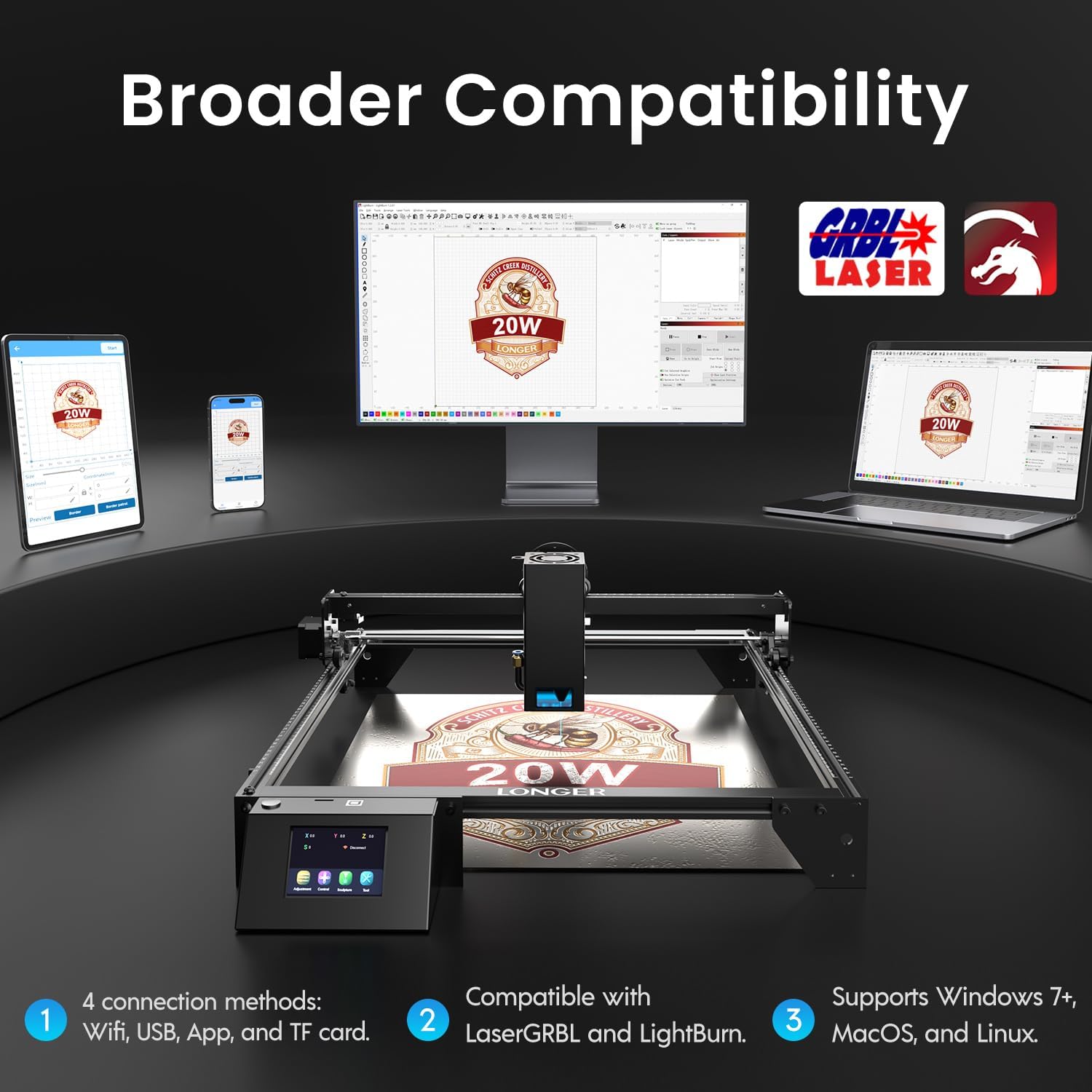
Image: Display showing the Longer Ray5's compatibility with LaserGRBL and LightBurn software, and various connection options including Wi-Fi, USB, App, and TF card across Windows, MacOS, and Linux operating systems.
2. Engraving and Cutting Capabilities
The 20W diode laser offers high-efficiency performance for various materials.
- Tapahi: Capable of cutting up to 25mm of wood and 35mm of acrylic. It can also cut 0.05mm metal.
- Whakairo: Engrave hundreds of colors on metallic steel and a wide range of other materials.
- Rauemi: Acrylic, metal, wood, stainless steel, and more.
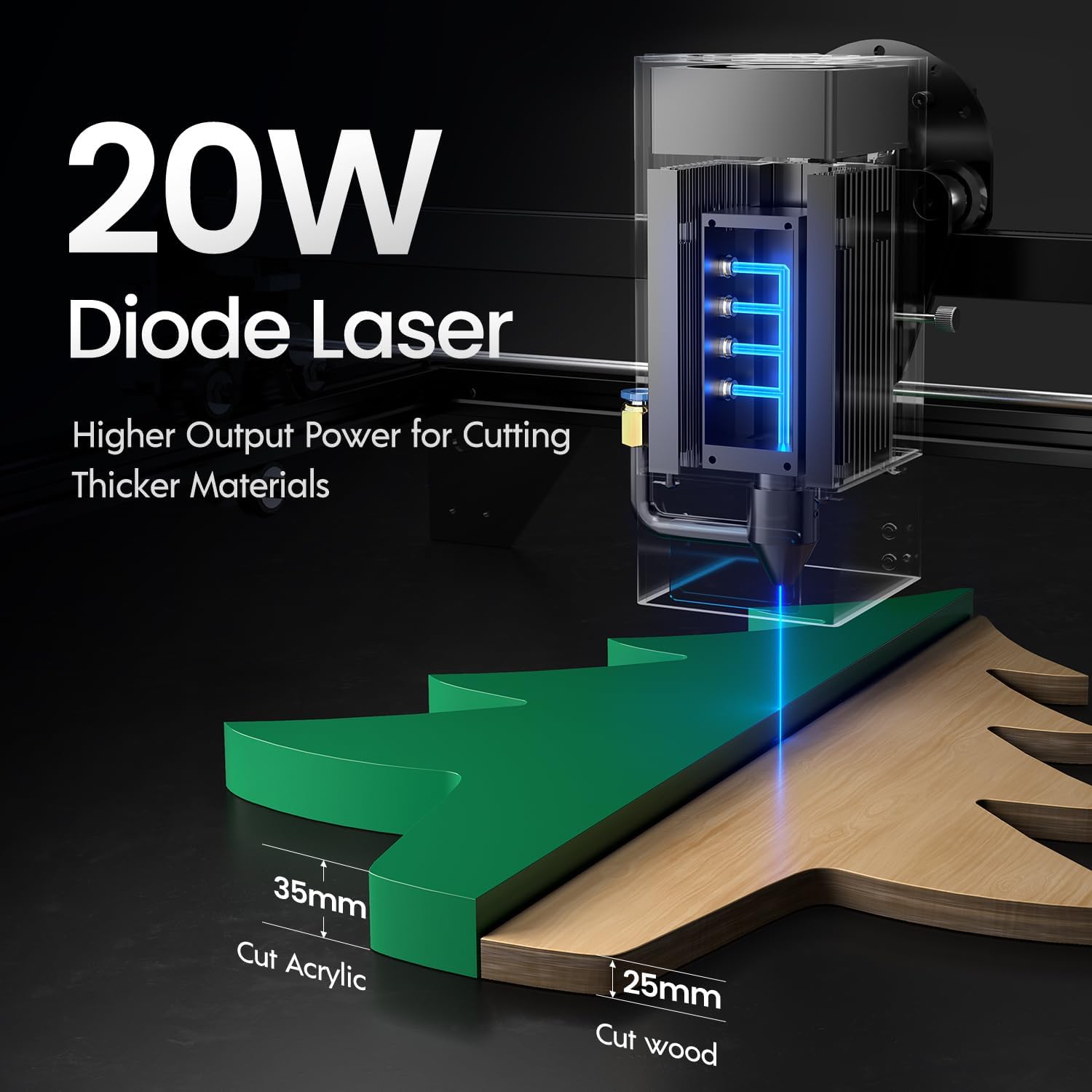
Image: Illustration demonstrating the 20W diode laser's capability to cut 25mm wood and 35mm acrylic.

Whakaahua: Examples of engraving capabilities, showcasing over 380 colors on metallic surfaces and other DIY artworks.

Image: A collection of various items demonstrating the versatile material selection for engraving and cutting, including wood, metal, and acrylic.
3. Mahi Āwhina Hau
The integrated air assist kit significantly improves cutting and engraving quality.
- Enhanced Cutting: The adjustable airflow (10-30L/min) suppresses smoke and dust, preventing laser energy attenuation and ensuring cleaner, smoother edges.
- Reduced Yellowing: Air assist helps prevent charring and yellowing on materials during laser processing, especially for wood and acrylic.

Image: A visual comparison showing the benefits of air assist, resulting in cleaner cuts and reduced processing time (e.g., 12 minutes with air assist vs. 20 minutes without).
4. Te Mahi Tonu
The Longer Ray5 is designed for powerful continuous working capacity, supporting 24/7 continuous engraving. A single computer can control multiple machines.

Image: Depiction of multiple Longer Ray5 machines working simultaneously, illustrating continuous operation and the ability for one computer to control several units.
Te tiaki
Ko te tiaki i nga wa katoa ka tino pai te mahi me te whakaroa i te roanga o to whakairo laser.
- Horoia te Arotahi Taiaho: Horoia te karāhe taiaho i ia wā me te kakahu ngohengohe, kore-miro me te wai horoi karāhe hei pupuri i te kounga o te hihi.
- Maamaa te parapara: Remove any accumulated dust or debris from the work area and machine components.
- Tirohia ngā Whitiki me ngā Rerewē: Inspect drive belts for tension and wear. Keep linear rails clean and lubricated as per manufacturer recommendations.
- Air Assist Filter: If your air assist pump has a filter, clean or replace it regularly to ensure efficient airflow.
- Whakahōu Firmware: Tirohia te kaihanga webpaetukutuku mō ngā whakahōu pūmanawa e wātea ana hei whakapai ake i te mahi, hei tāpiri atu rānei i ngā āhuatanga.
Raparongoā
Ko tenei waahanga e aro ana ki nga take noa ka pa ki a koe.
| Raruraru | Take pea | Rongoā |
|---|---|---|
| Ko te laser kaore e pupuhi | Power not connected, software error, laser module fault. | Check power connections. Verify software settings. Contact support if laser module is suspected faulty. |
| Kounga whakairo/tapahi ngoikore | Incorrect focus, dirty lens, wrong power/speed settings, material issues, no air assist. | Adjust laser focus. Clean the laser lens. Optimize power/speed settings for the material. Ensure air assist is active. |
| Kaore te miihini e hono ki te rorohiko | USB cable issue, driver not installed, Wi-Fi configuration error. | Try a different USB port/cable. Install necessary drivers. Reconfigure Wi-Fi connection. |
| Te nui rawa o te paowa/ngā kohu | Insufficient ventilation, air assist not active or weak. | Ensure proper ventilation. Check air assist pump and tubing for blockages. Increase air assist flow. |
Whakatakotoranga
| Āhuahira | Taipitopito |
|---|---|
| Tau tauira | RAY5 |
| Te Mana Putanga Taiaho | 20000mW (20W) |
| Momo Taiaho | Haumaru Laser |
| Te Hōhonutanga o te Tapahi (Rākau) | Tae atu ki te 25mm |
| Cutting Depth (Acrylic) | Tae atu ki te 35mm |
| Metal Cutting Capability | 0.05mm |
| Air Assist Flow | 10-30 L/min (Adjustable) |
| Mata pa | 3.5 inihi |
| Hononga | Wi-Fi, USB, App, TF Card |
| Pūmanawa Hototahi | LaserGRBL, Tahu Maama |
| OS tautokona | Windows 7+, MacOS, Linux |
| Kaihanga | Ka roa ake |
| Te Ra Tuatahi Wātea | Akuhata 1, 2024 |
Pūtāhui me te Tautoko
For warranty information and technical support, please refer to the official Longer webpaetukutuku, whakapā atu ranei ki ta raatau ratonga kaihoko. Puritia to riirii hoko hei tohu mo te hoko mo nga kereme whakamana.
Rauemi ipurangi: Tirohia te Longer Store on Amazon mo etahi atu korero hua me te tautoko.