
Kupu Whakataki
Ko te Rampage Crack H11 is a versatile wireless gaming headset designed for an immersive audio experience across multiple platforms. It features dual connectivity options (2.4GHz wireless and Bluetooth 5.2), 7.1 virtual surround sound, a detachable microphone, and a lightweight design for extended comfort during long gaming sessions. This manual provides essential information for setting up, operating, maintaining, and troubleshooting your headset.
Ihirangi mokete
I mua i to tiimata, me whakarite kei roto katoa nga mea kei roto i te kete:
- Rampage Crack H11 Wireless Gaming Headset
- USB 2.4GHz Kaiwhiwhi Ahokore
- Ka taea te tango hopuoro
- Type-C Charging Cable (1.8 meters, braided)
- User Manual / Warranty Certificate
Tatūnga
1. Te Whakataki i te Paneoro
Before first use, fully charge the headset. Connect the supplied Type-C charging cable to the headset's charging port and the other end to a USB power source (e.g., computer USB port, USB wall adapter). The charging time is approximately 2.5 hours for a full charge.
2. Connecting via 2.4GHz Wireless (USB Receiver)
- Insert the USB 2.4GHz wireless receiver into an available USB port on your PC, PlayStation 4, or PlayStation 5.
- Tahurihia te pane ma te pehi me te pupuri i te paatene mana.
- The headset should automatically connect to the receiver. If there is no sound or the microphone is not working, double-press the power button rapidly to switch between 2.4GHz and Bluetooth modes until the correct mode is selected.
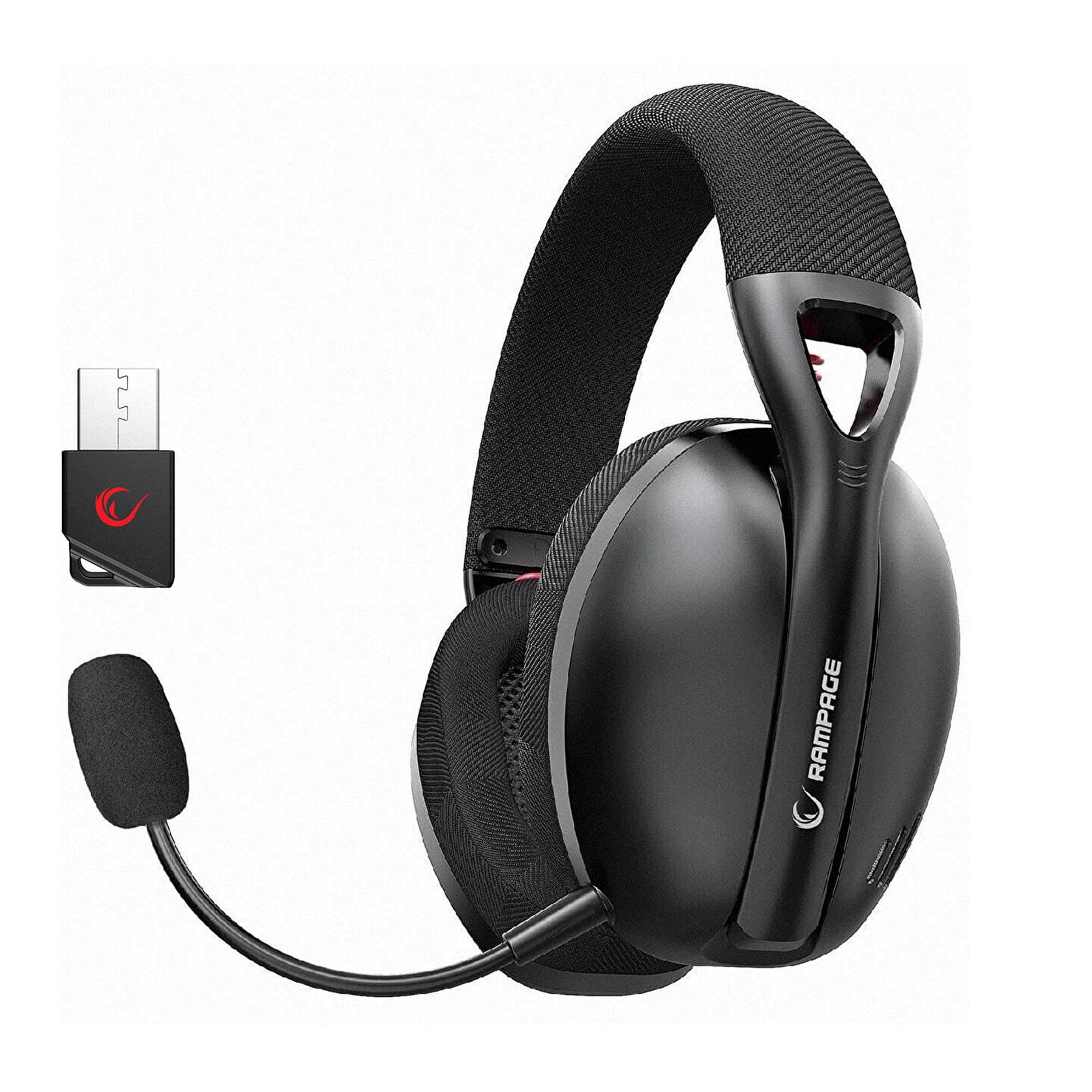
Image: Rampage Crack H11 headset highlighting 2.4GHz wireless and Bluetooth connectivity. It also shows the instruction to double-press the power button if sound or microphone issues arise when connected via USB.
3. Te hono atu mā te Nihokikorangi 5.2
- Whakakāhia te pane.
- If the headset is not in Bluetooth mode, double-press the power button to switch to Bluetooth mode. The indicator light will typically flash to indicate pairing mode.
- I runga i to waea atamai, i tetahi atu taputapu Bluetooth-whakahohea, haere ki nga tautuhinga Nihokikorangi ka rapu mo nga taputapu e waatea ana.
- Select "Rampage Crack H11" from the list to pair.
4. Te Whakapiri i te Hopuoro
The microphone is detachable. Insert the microphone into the designated port on the left earcup. Adjust its position for optimal voice pickup. The flexible design allows you to find the most suitable position.

Image: The Rampage Crack H11 headset featuring its detachable and adjustable microphone, emphasizing user flexibility.
Nga Tohutohu Whakahaere
Te Hiko / Whakaweto
Pēhia me te pupuri i te paatene hiko mo etahi hēkona hei whakakā, whakaweto rānei i te pane.
Whakawhiti Aratau
To switch between 2.4GHz wireless mode and Bluetooth mode, double-press the power button rapidly. An audible cue or indicator light change will confirm the mode switch.
Mana Rōrahi
Use the volume control wheel or buttons located on the earcup to adjust the audio output level.
Wahangu hopuoro
Locate the microphone mute button on the headset to quickly mute or unmute your microphone.
7.1 Te Waaora Tuarua Virtual
The headset features 7.1 virtual surround sound for an immersive gaming experience. This technology enhances directional audio, allowing you to perceive in-game sounds more accurately and gain a competitive edge.

Image: The Rampage Crack H11 headset showcasing its Virtual 7.1 Surround 360° Sound System, designed for an immersive audio experience.
Te tiaki
Te horoi
- Horoia te pane ki te kakahu ngohengohe, maroke.
- Kaua e whakamahi i nga matū kino, i nga whakarewa horoi, i nga horoi kaha ranei.
- Ensure the headset is dry before storing or charging.
Rokiroki
Whakaorangia te pane ki te waahi makariri, maroke atu i te ra tika me te wera nui. A ape i te whakatakoto i nga mea taumaha ki runga i te pane.
Tiaki Pūhiko
- A ape i te tino tuku i te pākahiko i nga wa katoa.
- Charge the headset regularly, even if not in use, to maintain battery health.
- Kaua e tukuna te pākahiko ki nga wera teitei.

Image: The Rampage Crack H11 headset's fabric ear pads, designed for high comfort and effective sound isolation during extended use.
Raparongoā
No Sound or Microphone Not Working (2.4GHz Wireless)
- Ensure the USB receiver is properly inserted into the device.
- Double-press the power button on the headset rapidly to cycle through modes. Ensure the headset is in 2.4GHz wireless mode.
- Check your device's audio settings to ensure the headset is selected as the default input/output device.
Nga Take Hononga Nihokikorangi
- Ensure the headset is in Bluetooth pairing mode (indicator light flashing).
- Me mohio kei te whakahohea te Nihokikorangi i runga i to taputapu.
- Try unpairing and re-pairing the headset from your device's Bluetooth settings.
- Ensure the headset is within the effective range of your Bluetooth device.
Sound Quality Issues (e.g., Muffled Sound)
- Check the audio source and ensure the volume is not too high, causing distortion.
- Ensure the earcups are properly seated on your ears for optimal sound delivery.
- Test the headset with a different audio source or device to rule out source-related issues.
Intermittent Disconnections
- Ensure there are no obstructions or strong interference sources (e.g., Wi-Fi routers, other wireless devices) between the headset and the connected device.
- Keep the headset within the recommended operating range.
- Ensure the headset is fully charged. Low battery can sometimes affect connection stability.
Whakatakotoranga
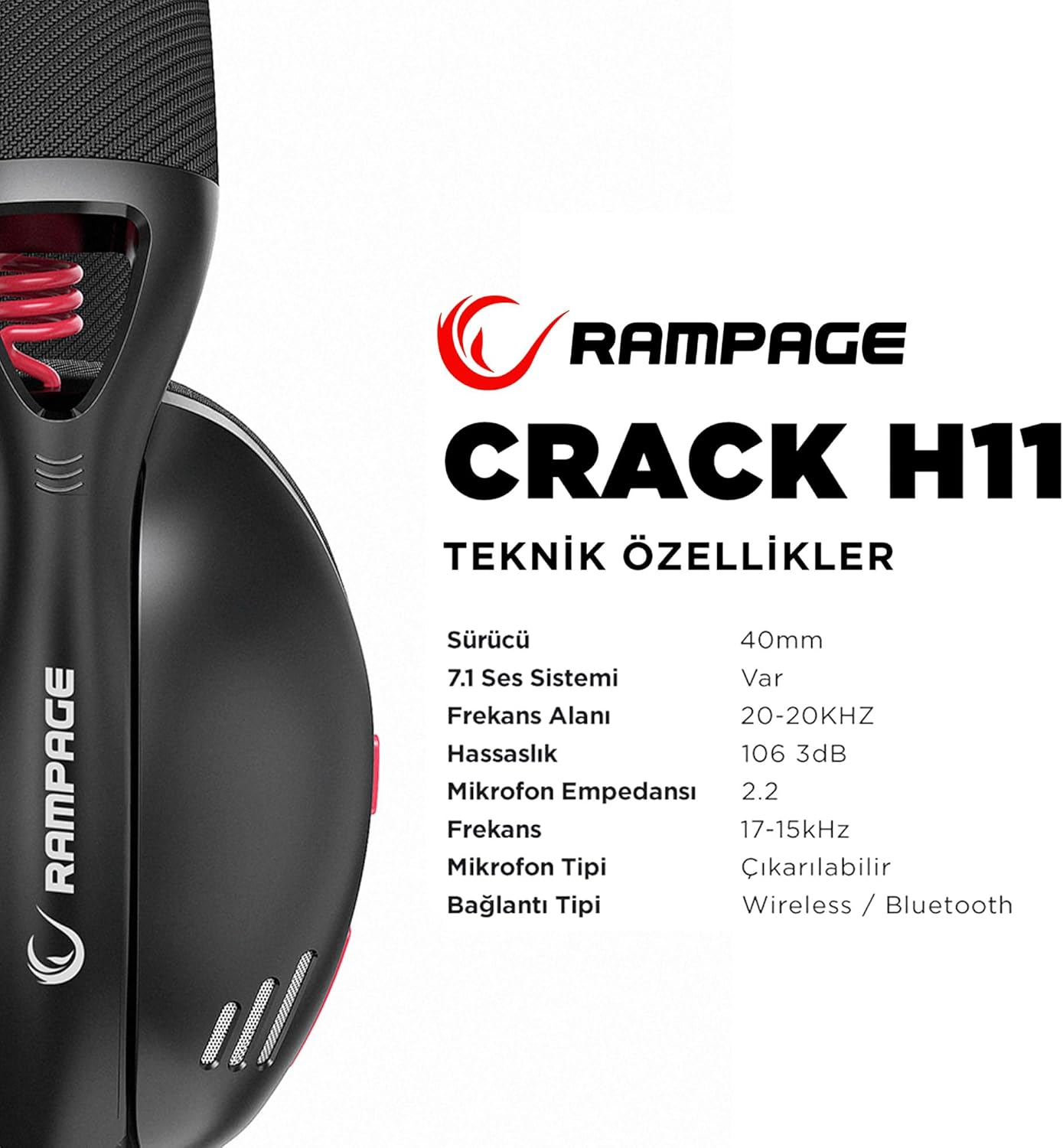
Image: Technical specifications for the Rampage Crack H11 headset, detailing audio and connectivity features.
| Āhuahira | Whakatakotoranga |
|---|---|
| Waitohu | Ramptau |
| Tauira | Crack H11 |
| Tae | Pango |
| Hononga | Ahokore 2.4GHz, Nihokikorangi 5.2 |
| Rahi taraiwa | 40mm |
| 7.1 Pūnaha Oro | Yes (Virtual Surround) |
| Te aukati | 17±15% Ohm |
| Te tairongo | 106±3dB |
| Whakautu auau | 20Hz - 20kHz |
| Te Maamaoroorooro | -42 + 2dB |
| Aronga hopuoro | Arahanga |
| Te Waea Whakaoho | 2.2k OHM |
| Pūhiko Raukaha | 400mAH 3.7V |
| Tauranga Whakatau | Momo-C |
| Waa Whakatau | 2.5 haora |
| Taumaha | 177 Karamu |
| Hototahi | PC, PS4, PS5, Smart Phones |

Whakaahua: Kua mutuview o te Rampage Crack H11 headset's main features, including immersive 7.1 sound, high-quality 40mm drivers, flexible dual connectivity, and efficient charging.
Pūtāhui me te Tautoko
Nga korero Whakaputanga
Ko te Rampage Crack H11 headset comes with a 24-marama whakamana from the date of purchase. Please retain your proof of purchase for warranty claims. The warranty covers manufacturing defects and malfunctions under normal use. It does not cover damage caused by misuse, accidents, unauthorized modifications, or normal wear and tear.
Tautoko Kiritaki
For technical assistance, troubleshooting, or warranty inquiries, please contact Rampage customer support through their official website or the retailer where the product was purchased. Please have your product model number (Crack H11) and proof of purchase ready when contacting support.