
1. Kupu Whakataki
Thank you for choosing LOBKIN S16 Kids Bluetooth Headphones. These headphones are designed with children's safety and comfort in mind, featuring a volume limit of 94dB to protect young ears. Enjoy vibrant colorful LED lights, a comfortable over-ear design, and versatile connectivity options including Bluetooth 5.4 and a detachable AUX cable. The foldable design and included carrying case make them ideal for travel, school, and everyday use.

Image: LOBKIN S16 Kids Bluetooth Headphones in Pink Purple, showcasinte hoahoa whānui.
2. He aha kei roto i te Pouaka
Tena koa tirohia nga ihirangi o te kete kia mohio kei te noho katoa nga taonga:
- 1 x LOBKIN S16 Kids Bluetooth Headphones
- 1 x 3.5mm Tauira Aux
- 1 x USB Utaura Whakatau
- 1 x Organiser with Cord (Cat-shaped carrying case)
- 1 x Instructions for Use (This manual)

Image: All items included in the LOBKIN S16 Kids Bluetooth Headphones package, including the headphones, cables, and carrying case.
3. Hua Neke Atuview
Familiarize yourself with the headphone's controls and features:

Whakaahua: Kati-ake view of the LOBKIN S16 Kids Bluetooth Headphones, highlighting the control buttons, charging port, and audio jack.
- Rōrahi + / Pātene Riu Panuku: Press to increase volume; long press for next track.
- Rōrahi - / Pātene Riu Mua: Press to decrease volume; long press for previous track.
- Pātene Mahi-maha (MFB): Whakakā/Whakaweto, Purei/Whakamutu, Whakautu/Whakamutu Waea.
- Pātene Mana Maama LED: Double-click to turn colorful LED lights on/off.
- Tauranga Whakatau Momo-C: Mo te utu i nga taringa.
- Tauranga Ororongo 3.5mm: Mō te hononga waea mā te whakamahi i te taura AUX.
- hopuoro: Built-in for calls and online communication.
- Maama Tohu: E whakaatu ana i te tūnga mana, te aratau takirua, me te tūnga utu.
- Cat Ears with LED Lights: Decorative and functional colorful LED lights.
4. Tatūnga
4.1 Te Whakataki i nga Waea
I mua i te whakamahinga tuatahi, whakakīia katoatia ngā paneoro. E 1.5 hāora te roa mō te whakakī katoa.
- Connect the USB charging cable to the Type-C charging port on the headphones.
- Honoa te pito o te taura USB ki tētahi pūtake hiko USB hototahi (hei tauira, te tauranga USB rorohiko, te urutau pakitara USB).
- The indicator light will show red during charging and turn off when fully charged.
4.2 Takirua Nihokikorangi
Follow these steps to pair your LOBKIN S16 headphones with a Bluetooth-enabled device:
- Me mohio kua weto nga taringa.
- Press and hold the Multi-function Button (MFB) for approximately 3-5 seconds until the indicator light flashes red and blue alternately. This indicates pairing mode.
- On your device (e.g., smartphone, tablet, laptop), enable Bluetooth and search for available devices.
- Select "S16" from the list of found devices.
- Once successfully paired, the indicator light will flash blue slowly.
- Ki te kore e pai te hono, whakawetohia ngā pane whakarongo ka whakahoki anō i ngā mahi.

Image: Visual guide demonstrating Bluetooth 5.4 pairing with a mobile device for the LOBKIN S16 Kids Bluetooth Headphones.
4.3 Hononga Waea (Aratau AUX)
You can use the headphones with the included 3.5mm AUX cable for a wired connection, which does not require battery power.
- Plug one end of the 3.5mm AUX cable into the audio port on the headphones.
- Plug the other end of the 3.5mm AUX cable into the audio jack of your device.
- Ka huri aunoa nga taringa ki te aratau waea.
5. Nga Tohutohu Whakahaere
5.1 Hiko / Whakaweto
- Whakahiko: Press and hold the Multi-function Button (MFB) for 3 seconds until the indicator light flashes blue.
- Weto Whakakore: Press and hold the Multi-function Button (MFB) for 3 seconds until the indicator light turns off.
5.2 Mana Rōrahi
- Whakanuia te Volume: Patohia te paatene Rahi +
- Whakaheke Rahi: Pēhia te Volume - pātene.
The LOBKIN S16 headphones feature a 94dB safe volume limit to protect children's hearing.
5.3 Whakahoki Whakahoki Media
- Purei/Tatari: Pēhia te Pātene Maha-mahi (MFB) kotahi.
- Riu Panuku: Paa roa te paatene Volume +.
- Riu o mua: Pēhia roa te Volume - pātene.
5.4 Whakahaere Waea
- Whakautu/Whakamutu Waea: Pēhia te Pātene Maha-mahi (MFB) kotahi.
- Whakakore Waea: Long press the Multi-function Button (MFB) for 2 seconds.
5.5 Mana Whakahaere Rama LED
- Whakawetohia nga Rama: Double-click the LED Light Control Button.
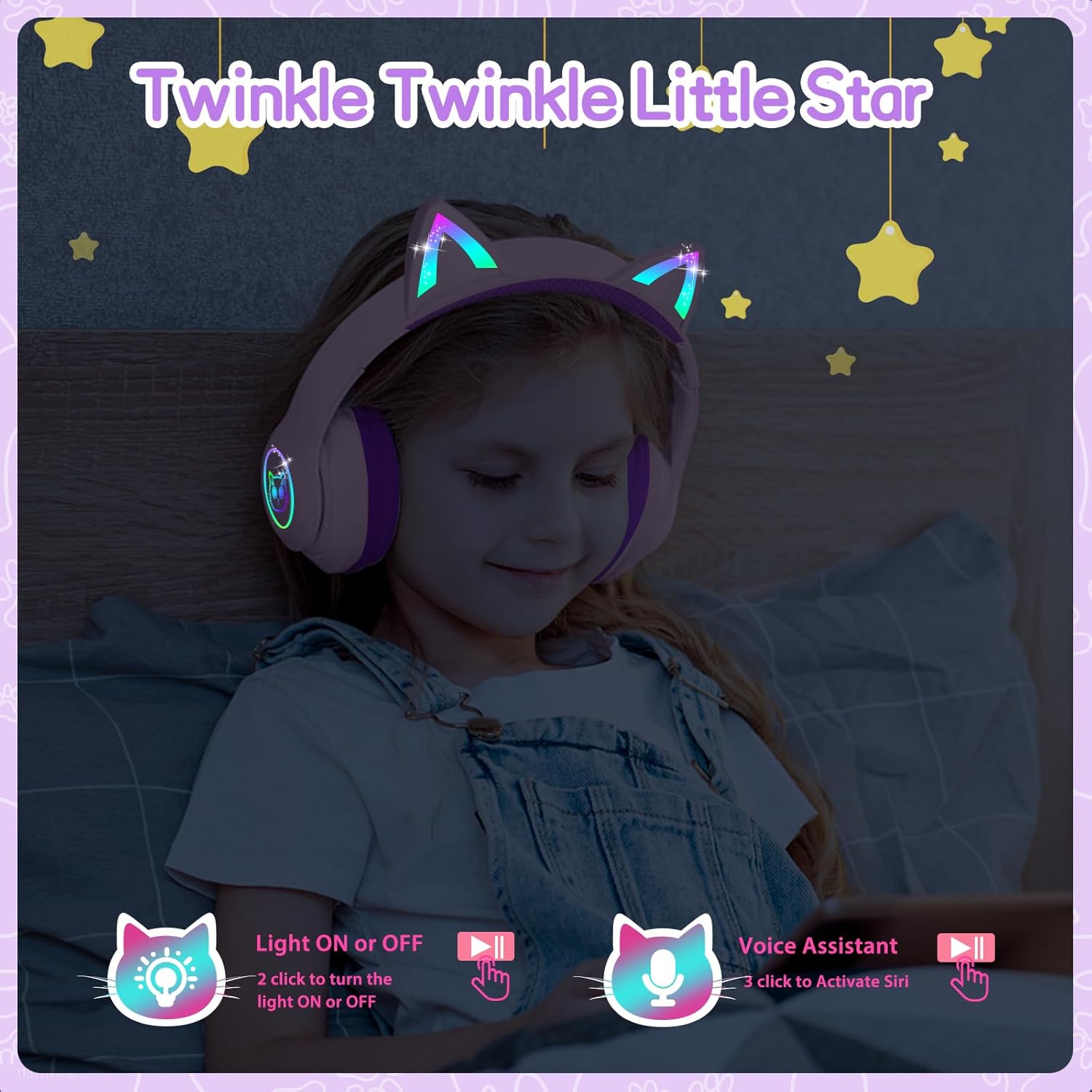
Image: A child wearing the LOBKIN S16 Kids Bluetooth Headphones, showcasing the colorful LED lights on the cat ears and earcups.
5.6 Kaiawhina Reo
- Whakahohehia te Kaiawhina Reo (Siri): Triple-click the LED Light Control Button.
6. Tiaki
To ensure the longevity and optimal performance of your LOBKIN S16 headphones, follow these maintenance guidelines:
- Te horoi: Whakamahia he kakahu ngohengohe, maroke hei muru i nga taringa. Kaua e whakamahi i nga kai horoi me nga whakarewa.
- Rokiroki: When not in use, store the headphones in the provided cat-shaped carrying case to protect them from dust, scratches, and accidental damage.
- Te pāmahana: Āta tirohia ngā paneoro ki ngā pāmahana tino wera (wera, makariri rānei) me te haumākū nui rānei.
- Ātete wai: These headphones are not water resistant. Avoid contact with liquids.
- Tiaki taura: Handle the charging and AUX cables gently to prevent damage.
7. Te Raru
If you encounter any issues with your headphones, refer to the following common problems and solutions:
| Raruraru | Rongoā |
|---|---|
| Kāore ngā pane whakarongo e tahuri | Ensure the headphones are fully charged. Press and hold the MFB for 3 seconds. |
| Kaore e taea te hono ma te Nihokikorangi | Ensure headphones are in pairing mode (red and blue flashing light). Turn off and restart both headphones and the device. Make sure the device is within 10 meters. |
| Kaore he tangi i te aratau Nihokikorangi | Check device volume and headphone volume. Ensure headphones are successfully paired. Try re-pairing. |
| No sound in wired (AUX) mode | Ensure the AUX cable is securely plugged into both the headphones and the device. Check device volume. |
| Ko nga rama LED e kore e mahi | Double-click the LED Light Control Button to toggle lights on/off. Ensure headphones are charged. |
| Kaore e mahi ana te hopuoro | Ensure headphones are connected via Bluetooth. Check device settings to ensure the headphone microphone is selected as the input device. |
8. Whakatakotoranga
| Āhuahira | Taipitopito |
|---|---|
| Ingoa Tauira | S16 |
| Hangarau Hononga | Waea, Ahokore (Nihokikorangi 5.4) |
| Awhe Nihokikorangi | Tae atu ki te 10 mita |
| Ora Pūhiko | 50 Hours (lights off) |
| Waa Whakatau | 1.5 haora |
| Tepe Rōrahi Haumaru | 94dB |
| Hanga Whakatangitangi | Ki runga Taringa |
| Rauemi | Acrylonitrile Butadiene Styrene (ABS) |
| Taumaha Tūemi | 240 Karamu (8.5 hekere) |
| Hunga Hua | 6.3 x 3.1 x 7.6 inihi |
| Nga waahanga motuhake | Colorful LED Lights, Microphone, Adjustable Headband, Detachable 3.5mm Audio Cable |
9. Raihana me te Tautoko
LOBKIN provides an 18-month product quality service for these headphones. If you encounter any issues with the product itself during this period, please contact LOBKIN customer support for free repair or replacement services.
For further assistance or inquiries, please visit the LOBKIN store on Amazon or contact their customer service directly.
LOBKIN-US Customer Service: Whakapa atu ki te Kaihoko
Video: Official LOBKIN S16 Cute Cat Ear Headphones product video, demonstrating features and design.
Video: Official LOBKIN video showcasing Kids Wireless Headphones with Bag, highlighting their suitability as gifts.