
Kupu Whakataki
This user manual provides essential information for the safe and effective use of your MAXLANDER 2.0Ah Lithium Replacement Battery (Model ML8M125). Please read these instructions carefully before initial use and retain them for future reference. This battery is designed to power compatible MAXLANDER cordless garden power tools.
Nga Korero Haumaru Nui
Always observe the following safety precautions to prevent injury or damage to the battery and tools:
- Kei te utu: Use only the charger specified by MAXLANDER for this battery model. Do not charge for more than 6 hours at a time. Fully charge the battery before its initial use. Never leave the battery charging overnight, as this can severely shorten its service life and pose a fire hazard.
- Hototahi: This battery is specifically designed for MAXLANDER brand cordless power tools. Do not attempt to use it with other brands or incompatible tools.
- Āhuatanga parenga: The battery includes integrated overload protection, overheat protection, and over-discharge protection. Do not attempt to bypass or modify these safety features.
- Rokiroki: Store the battery in a cool, dry place away from direct sunlight, heat sources, and moisture. Keep out of reach of children.
- Te whakahaere: Do not short-circuit the battery terminals. Do not disassemble, crush, or incinerate the battery. Avoid dropping the battery or subjecting it to strong impacts.
- Te tukunga: Whakakorea ngā pākahiko kia tika ai te whakamahi, kia rite ki ngā ture ā-rohe. Kaua e maka ki roto i ngā para o te whare.
- Tukino: If the battery shows signs of damage, leakage, or overheating, discontinue use immediately and contact MAXLANDER customer support.
Ka mutu te huaview
The MAXLANDER 2.0Ah Lithium Replacement Battery is a 20V rechargeable battery designed for consistent power delivery to your garden tools. It features a robust design with an LED indicator for charge status and a non-slip button for secure attachment and removal.

Image: MAXLANDER 2.0Ah Lithium Battery showing its precise interface, LED indicator, and non-slip button.
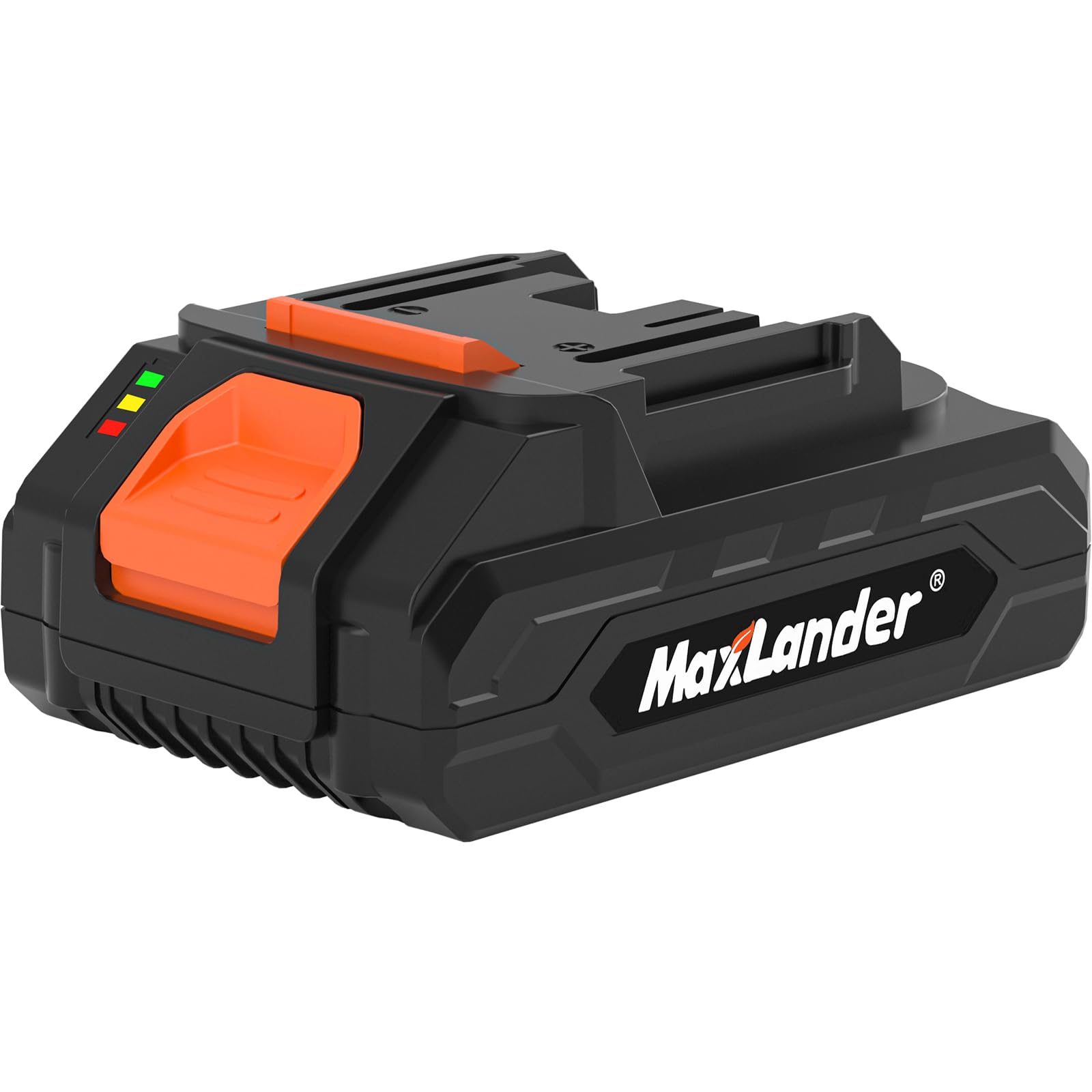
Image: Various angles of the MAXLANDER 2.0Ah Lithium Battery, highlighting its design and connection points.
Āhuatanga matua:
- 21V Lithium-Ion Technology: Constructed with 5 premium lithium-ion battery cells for consistent capacity and stable power output.
- Te kaha o te 2.0Ah: Provides sufficient power for various tasks.
- Tohu LED: Allows for quick checking of the battery's charge level.
- Non-Slip Button: Ensures secure attachment and easy removal from tools and chargers.
- Pūnaha Haumaru-Maama: Includes overload, overheat, and over-discharge protection.
- Hototahi Whānui: Fully compatible with MAXLANDER brand cordless power tools such as leaf blowers, tillers, lawn mowers, leaf vacuums, and weed wackers.

Image: Illustration showing the MAXLANDER battery's compatibility with a range of garden power tools including lawn mowers, pole saws, leaf blowers, and weed wackers.
Tatūnga me te Whakatau
Akona Tuatahi:
Before using the battery for the first time, it is essential to fully charge it. Connect the battery to a compatible MAXLANDER charger and plug the charger into a power outlet. The LED indicator on the battery or charger will typically show the charging status. Refer to your charger's manual for specific indicator meanings.
Te tāpiri ki tētahi taputapu:
- Ensure the tool is turned off and disconnected from any power source.
- Align the battery with the battery port on the tool.
- Pania te pākahiko kia mau ki tōna tūranga kia pāorooro rā anō, e tohu ana kei te haumaru te hononga.
- Gently pull on the battery to ensure it is locked and will not accidentally detach during operation.
Removing from a Tool:
- Me mohio kua weto te taputapu.
- Press and hold the non-slip release button on the battery.
- Tangohia te pākahiko i te putanga pākahiko o te taputapu.
Te whakahaere i te Pūhiko
Tirohanga Utu Pūhiko:
The battery is equipped with an LED indicator. Press the small button next to the LEDs to display the current charge level. Typically, multiple green lights indicate a full charge, while fewer lights or a red light indicate a low charge, signaling that recharging is needed.
Whakamahinga me nga Utauta:
Once securely attached to a compatible MAXLANDER cordless power tool, the battery will provide power for operation. Always refer to the specific tool's instruction manual for detailed operating procedures and safety guidelines.
Te tiaki
- Te horoi: Keep the battery and its terminals clean and free from dirt, dust, and debris. Use a dry, soft cloth to wipe the surfaces. Do not use liquids or solvents.
- Rokiroki: For long-term storage, ensure the battery is partially charged (around 50-70%). Store it in a cool, dry environment, away from extreme temperatures and direct sunlight. Avoid storing fully discharged or fully charged for extended periods.
- Whakamahi auau: If storing for a long time, it is recommended to charge and discharge the battery periodically (e.g., every 3-6 months) to maintain its health.
Raparongoā
| Raruraru | Take pea | Rongoā |
|---|---|---|
| Karekau te pākahiko e utu ana |
|
|
| Kaore he taputapu hiko o te pākahiko |
|
|
| Te wa mahi poto |
|
|
If you encounter issues not listed here or if solutions do not resolve the problem, please contact MAXLANDER customer support for assistance.
Whakatakotoranga
| Āhuahira | Taipitopito |
|---|---|
| Waitohu | MAXLANDER |
| Tau tauira | ML8M125 |
| Momo Pūhiko | Lithium Ion |
| Voltage | 20V (Nominal) / 21V (Max) |
| Te kaha | 2.0 Amp Nga haora |
| Taumaha Tūemi | 14.1 hekere |
| Hunga Hua | 5.12 x 3.15 x 1.97 inihi |
| Whakamahi Manakohia | Taputapu Rauemi |
Pūtāhui me te Tautoko
For information regarding the warranty period and terms for your MAXLANDER 2.0Ah Lithium Replacement Battery, please refer to the warranty card included with your purchase or visit the official MAXLANDER website. For technical support, troubleshooting assistance, or to inquire about replacement parts, please contact MAXLANDER customer service directly.
Kaihanga: MAXLANDER
Mōhiohio Whakapā: Please refer to the MAXLANDER official website or product packaging for the most current customer support contact details.