
1. Neke atu i teview
The Tork 562000 A1 Air Freshener Dispenser is designed to provide continuous fresh air and effective odor management in washrooms and other commercial environments. Its user-friendly design allows for simple programming and quick refills, ensuring a pleasant atmosphere 24 hours a day. This manual provides detailed instructions for proper installation, operation, and maintenance of your dispenser.

Figure 1: Tork 562000 A1 Air Freshener Dispenser (white model).
2. Nga korero haumaru
- Pānuihia nga tohutohu katoa i mua i te whakauru me te whakamahi.
- Keep the dispenser out of reach of children and unauthorized personnel.
- Use only Tork A1 system air freshener refills and specified batteries.
- Do not expose the dispenser to excessive moisture or direct water spray.
- Ensure proper ventilation when using air freshener aerosols.
- Dispose of used batteries and aerosol cans according to local regulations.
3. Ihirangi mokete
Manatokona kei roto katoa nga mea kei roto i te kete:
- 1 x Tork 562000 A1 Air Freshener Dispenser (white)
- Whakanuia nga tira me nga whakapiri pakitara
- He pukapuka tohutohu
Note: Batteries and air freshener refills are sold separately.
4. Tatūnga me te Tāuta
4.1 Whakapuru Taiepa
- Choose a suitable location for the dispenser, ensuring it is at an appropriate height and away from direct airflow or heat sources.
- Whakatuwheratia te uhi o te tuku.
- Mark the drilling points on the wall using the dispenser's mounting holes as a template.
- Keria ngā kōhao ka whakauru i ngā puru pakitara kua whakaratohia.
- Secure the dispenser to the wall using the mounting screws.

Whakaahua 2: Roto view of the Tork A1 dispenser, illustrating the refill and battery compartments.
4.2 Tāuta Pūhiko
- Whakatuwheratia te uhi o te tuku.
- Kimihia te wahanga pākahiko.
- Insert 1 Lithium-ion battery (not included) according to the polarity markings (+/-).
- Katia kia mau te wahanga pākahiko.
4.3 Air Freshener Refill Insertion
- Whakatuwheratia te uhi o te tuku.
- Insert a Tork A1 system aerosol air freshener refill into the designated slot. Ensure it is seated correctly.
- Katia te taupoki dispenser.
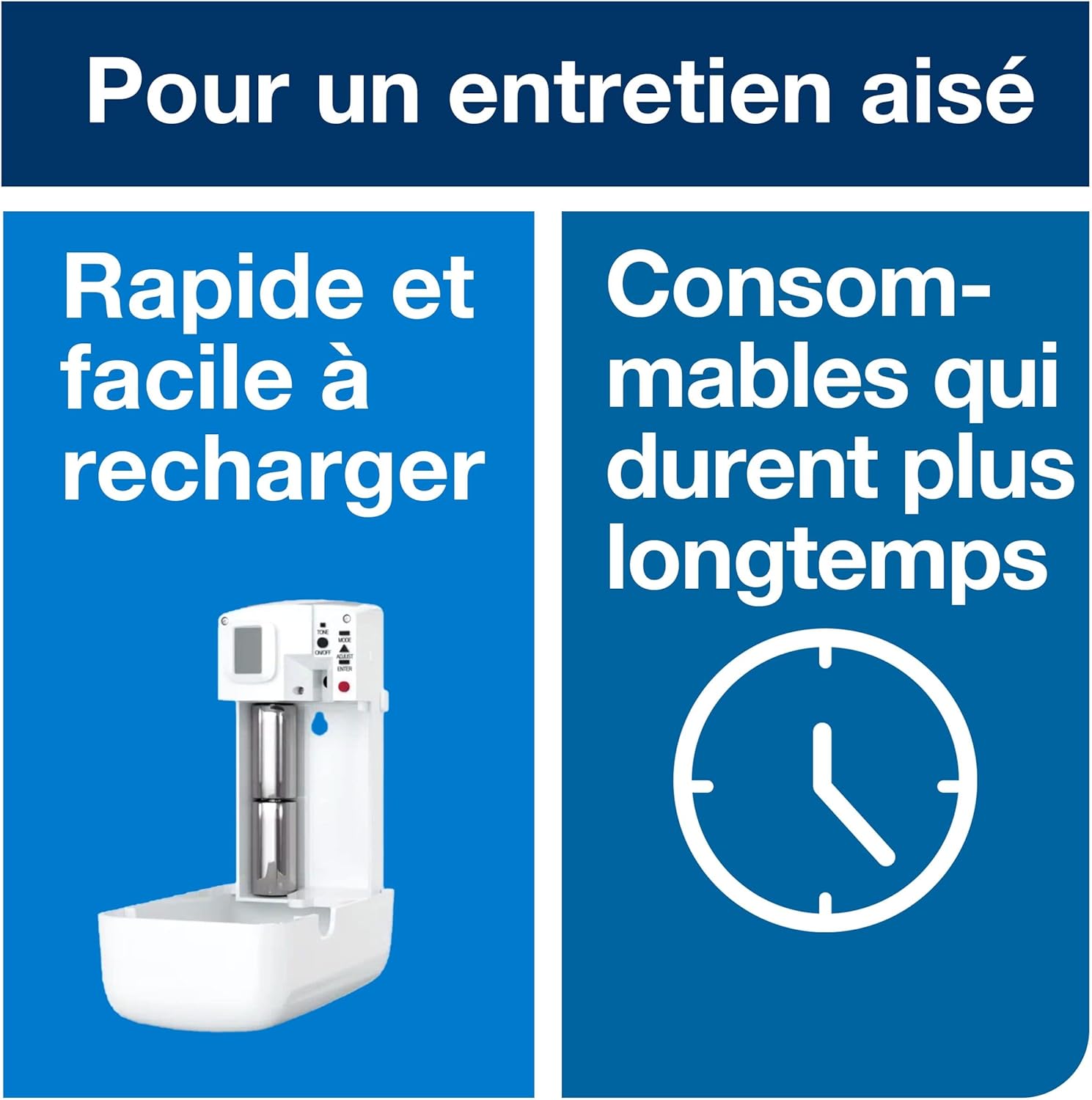
Figure 3: Dispenser with cover open, ready for refill and battery insertion.
For a visual guide on installation and setup, please refer to the video below:
Video 1: Tork A1/A2 Air Freshener Systems overview, demonstrating flexible settings, controlled dosage, and easy refilling. This video highlights the features and benefits of the Tork A1 and A2 systems, including how they adapt to different washroom environments and help reduce maintenance time.
5. Nga Tohutohu Whakahaere
5.1 Programming Spray Intervals
The Tork A1 dispenser features simple programming to set the desired spray intervals, ensuring continuous freshness. Refer to the internal controls for setting options (e.g., spray frequency, operating hours). Adjust settings based on the size of the area and desired intensity.

Figure 4: Key features of the Tork A1 dispenser, including the refill indicator and controlled dosage mechanism.
5.2 Odor Management and Dosage
The dispenser is designed for controlled dosage to effectively manage odors. The system adapts to various sanitary environments and traffic levels:
- He iti te waka: Minimal spray frequency.
- Waenga Waenga: Moderate spray frequency.
- Te Waka Nui: Increased spray frequency.
- High Traffic & Peak Hours: Maximum spray frequency for continuous freshness.

Figure 5: Guide for adjusting dosage based on washroom traffic levels.
6. Tiaki
6.1 Whakakapinga Whakakī Anō
The dispenser features a refill indicator to signal when the aerosol needs to be replaced. When the indicator shows low, open the dispenser cover, remove the empty aerosol can, and insert a new Tork A1 system refill. Close the cover securely.

Figure 6: Tork A1 system aerosol refills are available in various fragrances like Citrus, Floral, Fruity, and Odor Neutralizer.
6.2 Whakakapinga Pūhiko
When the dispenser stops spraying or the battery indicator (if present) signals low power, replace the battery. Open the dispenser, remove the old battery, and insert a new 1 Lithium-ion battery, observing correct polarity. Long-lasting batteries reduce maintenance frequency.
6.3 Te horoi
The plastic material of the dispenser is easy to clean. Use a soft, damp cloth and mild detergent to wipe down the exterior. Avoid abrasive cleaners or solvents that could damage the surface.
7. Te Raru
| Raruraru | Take pea | Rongoā |
|---|---|---|
| Dispenser not spraying |
|
|
| Weak or inconsistent spray |
|
|
| Dispenser cover not closing |
|
|
8. Whakatakotoranga
- Tau tauira: 562000 (7322540355116)
- Waitohu: Tork
- Tae: Mā
- Ahu (L x W x H): 21.2 x 21.2 x 19.2 cm (8.35 x 8.35 x 7.56 inihi)
- Taumaha: 280 karamu (0.62 lbs)
- Puna Hiko: Battery powered (1 Lithium-ion battery required)
- Pūnaha: A1 Air Freshener System
- Whakamahi Manakohia: Odor control in washrooms and commercial spaces
9. Pūtāhui me te Tautoko
This Tork dispenser comes with a 2 tau te whakamana a te kaiwhakanao. For warranty claims, technical support, or further assistance, please contact Tork customer service or visit the official Tork webpae.
For more information on Tork products and solutions, visit: Tork Brand Store