
1. Kupu Whakataki me te Hua Nekeview
The iPower 600W Digital Dimmable Electronic Horticulture Ballast is designed for use with Hydroponic High-Pressure Sodium (HPS) and Metal Halide (MH) grow light systems. This ballast features advanced technology for efficient and reliable operation in indoor gardening environments.

Whakaahua 1.1: Ka mutuview of the iPower 600W Digital Dimmable Electronic Horticulture Ballast.
Āhuatanga matua:
- Whakamaeke Ake: Built-in cooling fan and graduating fin design to minimize ballast temperature during operation.
- Āhuatanga parenga: Incorporates advanced protection against short circuits, power surges, ignition failure, and end-of-bulb-life technology.
- Hototahi whanui: Automatically converts between HPS and MH light bulbs through micro-chip programming.
- Wehi tere: Ensures rapid lamp ignition, typically within 1-2 minutes maximum.
- Putanga Pumau: Ka whakarato i te puopu pumautage output for flicker-free light.
- Kōwhiringa Kōmārama: Offers dimmable settings at 50%, 75%, and 100% power.
- Wattage Kōwhiringa: Supports 250W, 400W, and 600W lamps.
- Tino Tino: High frequency output reduces power loss, delivering up to 30% more lumens compared to magnetic ballasts.
2. Nga Tohutohu Haumaru
Read all safety instructions carefully before installing or operating the ballast. Failure to follow these instructions may result in electric shock, fire, or other hazards.
- Ensure the ballast is installed in a dry, well-ventilated area to prevent overheating and moisture exposure.
- Always disconnect power before making any connections, adjustments, or performing maintenance.
- Use only compatible HPS or MH lamps me te wat tikatage for this ballast (250W, 400W, 600W).
- Manatokohia ko te voltage (100V~265V, 120V working voltage) matches your power supply.
- Do not operate the ballast if it appears damaged or if any wires are frayed.
- Keep the ballast away from flammable materials.
- Me whakarite kia mau nga hononga katoa me te whakamaarama tika.
- I hangaia tenei hua mo te whakamahi o roto anake.
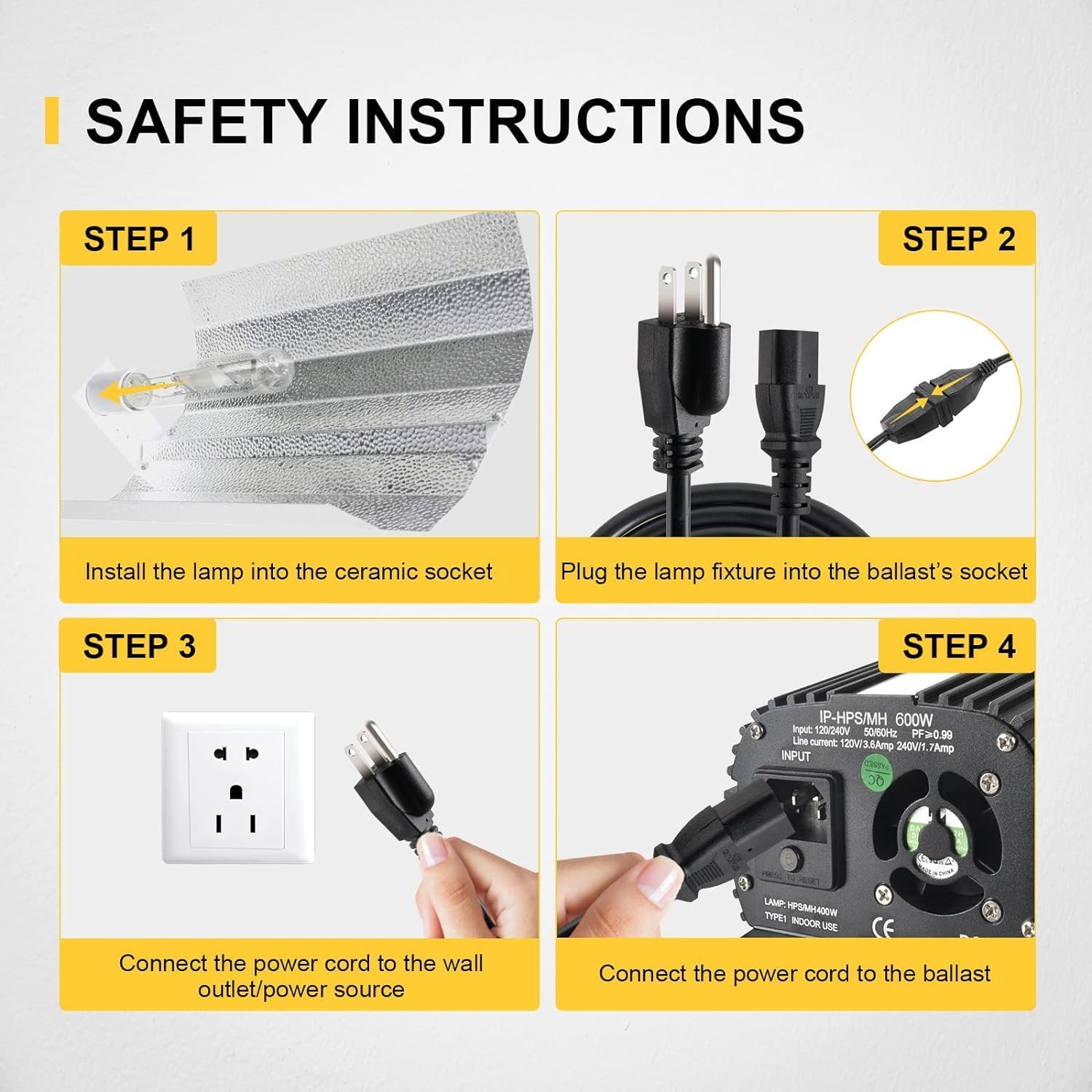
Image 2.1: Visual guide for safe connection steps.
3. Tatūnga me te Tāuta
Follow these steps for proper installation of your iPower 600W Digital Dimmable Electronic Horticulture Ballast.
- Mounting the Ballast: Securely mount the ballast in a stable, dry, and well-ventilated location. Ensure adequate airflow around the unit to facilitate cooling.
- Tāutahia te Lamp: Carefully install the appropriate HPS or MH lamp into the ceramic socket of your grow light fixture. Ensure the lamp is seated correctly and securely.
- Connect Fixture to Ballast: Plug the cord from the grow light fixture into the output socket of the ballast. Ensure a firm connection.
- Connect Power Cord to Ballast: Connect the heavy-duty power cord (included) to the input socket on the ballast.
- Connect Power Cord to Outlet: Plug the other end of the heavy-duty power cord into a grounded wall outlet or power source. Ensure the power source matches the ballast's voltage whakaritenga.

Image 3.1: Detail of the input and output connections, including the spare fuse and internal fan.
4. Nga Tohutohu Whakahaere
The iPower 600W Digital Dimmable Electronic Horticulture Ballast offers flexible operation for your grow light system.
Tautuhinga Moama:
Use the dimming knob on the ballast to select the desired power output. The available settings are:
- 50% Mana: For reduced light intensity, suitable for early growth stages or when less light is required.
- 75% Mana: A moderate light intensity setting.
- 100% Mana: Full light intensity for peak growth stages.
- Super Lumens (110%): Provides an additional boost in light output for maximum intensity, if supported by your lamp.
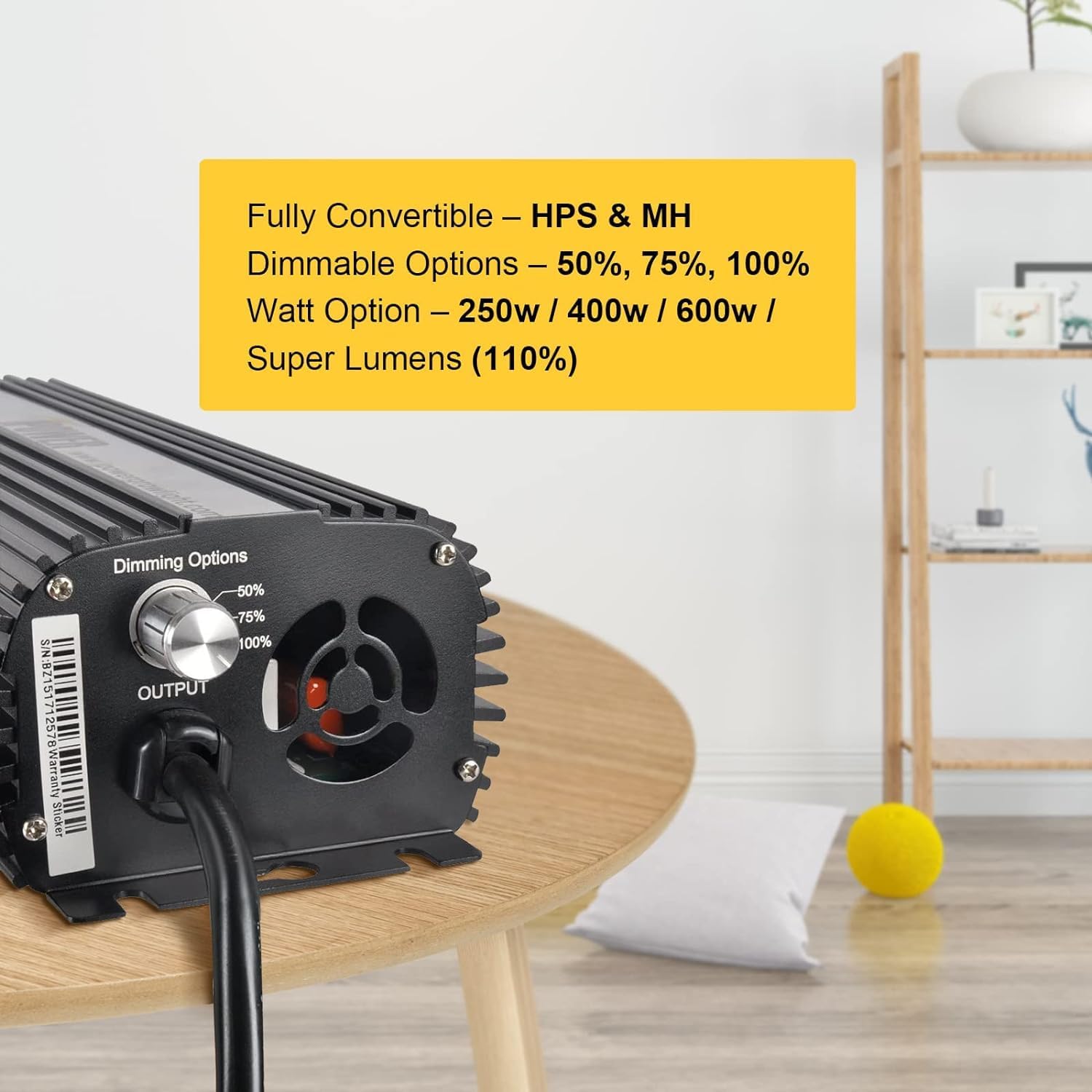
Whakaahua 4.1: Whakamuri view of the ballast showing the dimming options knob.
Lamp Hototahi:
The ballast automatically detects and adjusts for both HPS and MH lamps. Ensure you are using a lamp me te wat tikatage (250W, 400W, or 600W) for optimal performance.
5. Tiaki
Regular maintenance ensures the longevity and optimal performance of your iPower ballast.
- Te horoi: Periodically wipe the exterior of the ballast with a dry, soft cloth to remove dust and debris. Do not use liquid cleaners directly on the unit.
- Whakahau: Ensure the cooling fan and finned body remain clear of obstructions to allow for proper heat dissipation. Blocked vents can lead to overheating and reduced lifespan.
- Hononga: Regularly check all electrical connections to ensure they are secure and free from corrosion.
- Whakakapinga Fuse: The ballast includes a spare fuse. If the unit fails to power on, check and replace the fuse if necessary, ensuring to use a fuse of the same rating.
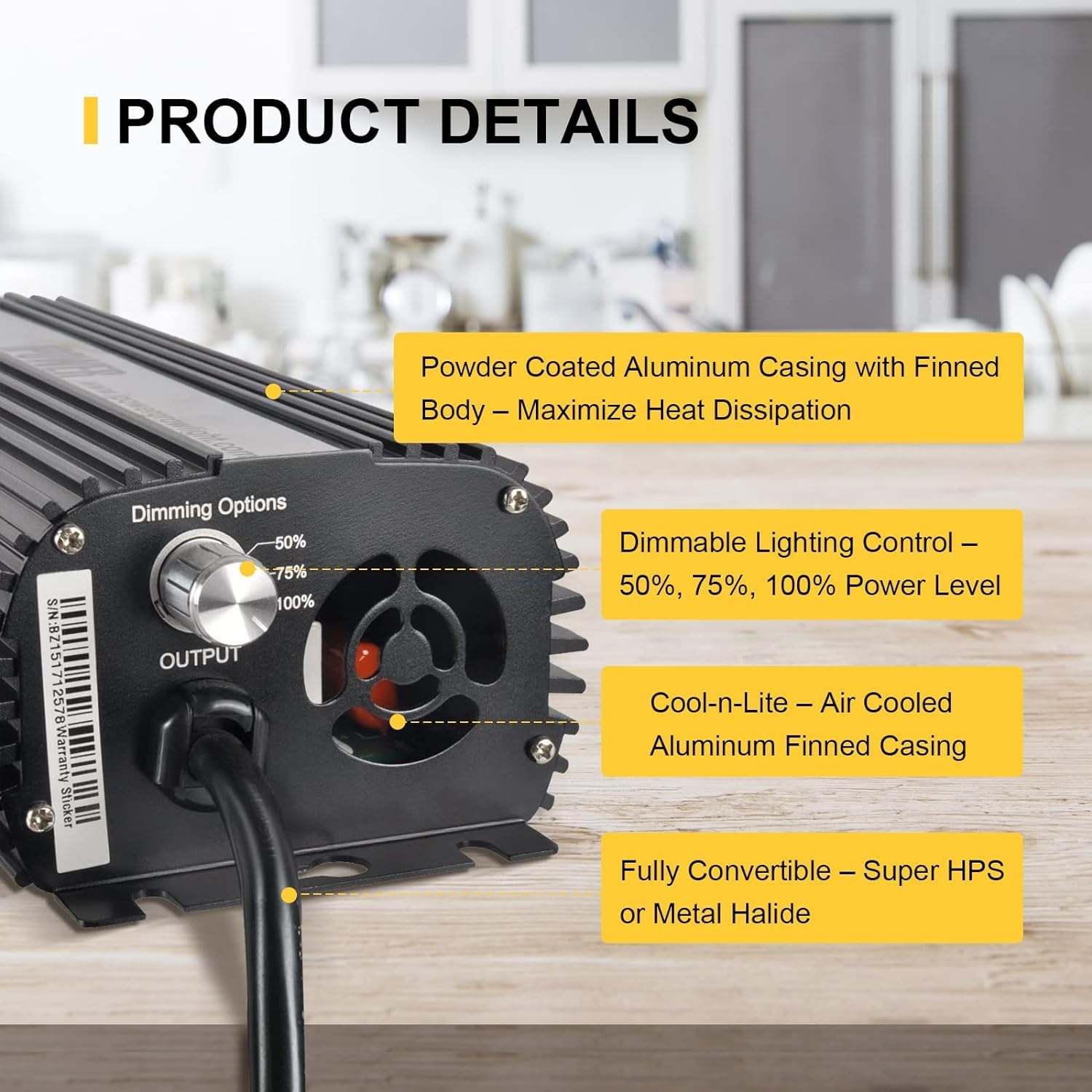
Whakaahua 5.1: Taipitopito view of the ballast's finned casing for heat dissipation and dimming control.
6. Te Raru
If you encounter issues with your iPower ballast, refer to the following troubleshooting guide:
Nga take me nga otinga noa:
- Ballast Does Not Power On:
- Check if the power cord is securely plugged into both the ballast and the wall outlet.
- Verify that the wall outlet has power by testing it with another device.
- Inspect the fuse. If blown, replace it with a fuse of the same rating.
- Lamp Flickers or Does Not Ignite:
- Me whakarite te lamp is correctly seated in the ceramic socket.
- Whakapumautia ko te lampte wattage matches the ballast's setting and capabilities.
- Tirohia te lamp for signs of damage or end-of-life. Replace if necessary.
- Verify all connections between the ballast and the fixture are secure.
- Te wera nui:
- Ensure the ballast is in a well-ventilated area.
- Clear any obstructions from the cooling fan and finned casing.
- Confirm the ambient temperature is within acceptable operating limits.
- Radio Frequency Interference (RFI):
- Ensure the ballast is properly grounded.
- Separate the ballast and its wiring from sensitive electronic equipment.
- Consider using shielded cables if interference persists.
7. Whakatakotoranga
| Āhuahira | Whakatakotoranga |
|---|---|
| Waitohu | iPower |
| Ingoa Tauira | 600W Ballast, Digital Dimmable |
| Wattage | 600 watts (supports 250W, 400W, 600W lamps) |
| Voltage Awhe | 100V~265V |
| Mahi Voltage | 120 Volts |
| Kōwhiringa Karekau | 50%, 75%, 100%, 110% (Super Lumens) |
| Momo Puna Maama | HPS, MH ranei |
| Rauemi | Konumohe |
| Hunga Hua | 12.44"L x 2.87"W x 4.33"H |
| Taumaha Tūemi | 4.41 Pauna |
| Mahinga o roto/waho | Roo-roto |
| Tikanga Mana | Remote (implied by product features, but physical knob is primary) |
| UPC | 840166287613 |
8. Whakaaturanga Ataata
The following videos provide additional visual guidance on the product's features and operation.
Ataata 8.1: Kua mutu te huaview and feature demonstration (0:51 duration). This video provides a general look at the ballast and its capabilities.
Video 8.2: Detailed product explanation and usage guide (2:29 duration). This video offers a more in-depth look at how to use the ballast effectively.
9. Pūtāhui me te Tautoko
For warranty information and customer support, please refer to the documentation included with your product or visit the official iPower webpae. Puritia to rihiti hoko mo nga kereme whakamana.
For further assistance, you may contact iPower customer service through their official channels. Details are typically provided in the product packaging or on the manufacturer's webpae.
Rauemi ipurangi: Visit the iPower Store on Amazon