
Kupu Whakataki
This manual provides detailed instructions for the AGPTEK A51PL 16GB Clip MP3 Player. Please read this manual thoroughly before using the device to ensure proper operation and to maximize its features. This portable music player is designed for ease of use, featuring Bluetooth connectivity, FM radio, and a convenient clip for active lifestyles.
Ka mutu te huaview
Familiarize yourself with the physical components and controls of your AGPTEK A51PL MP3 player.

Whakaahua: Ka mutuview of the AGPTEK A51PL MP3 Player's physical features, including the back clip, power/volume buttons, function buttons, headphone jack, and Type-C port.
Āhuatanga matua:
- Hoahoa Topenga: Lightweight and portable, designed for secure attachment during sports or other activities.
- Hononga Nihokikorangi: Connects wirelessly to Bluetooth headphones or speakers.
- Radio Irirangi: He reo irirangi FM kua whakauruhia hei whakarongo ki ngā pāhotanga.
- 16GB Rokiroki ā-roto: Ample space for music files.
- Nga Mana Mana: Easy-to-use buttons for navigation and playback.
Tatūnga
1. Ka tohatohahia te Pūrere
Before first use, fully charge the MP3 player. Connect the device to a computer's USB port or a USB wall adapter (not included) using the provided Type-C USB cable. The battery indicator will show charging status.
2. Te Whakawhiti Puoro Files
Connect the MP3 player to your computer using the Type-C USB cable. The device will appear as a removable disk. Drag and drop your music files (MP3 format supported) into the device's storage folder. Ensure the device is safely ejected from your computer before disconnecting the cable.
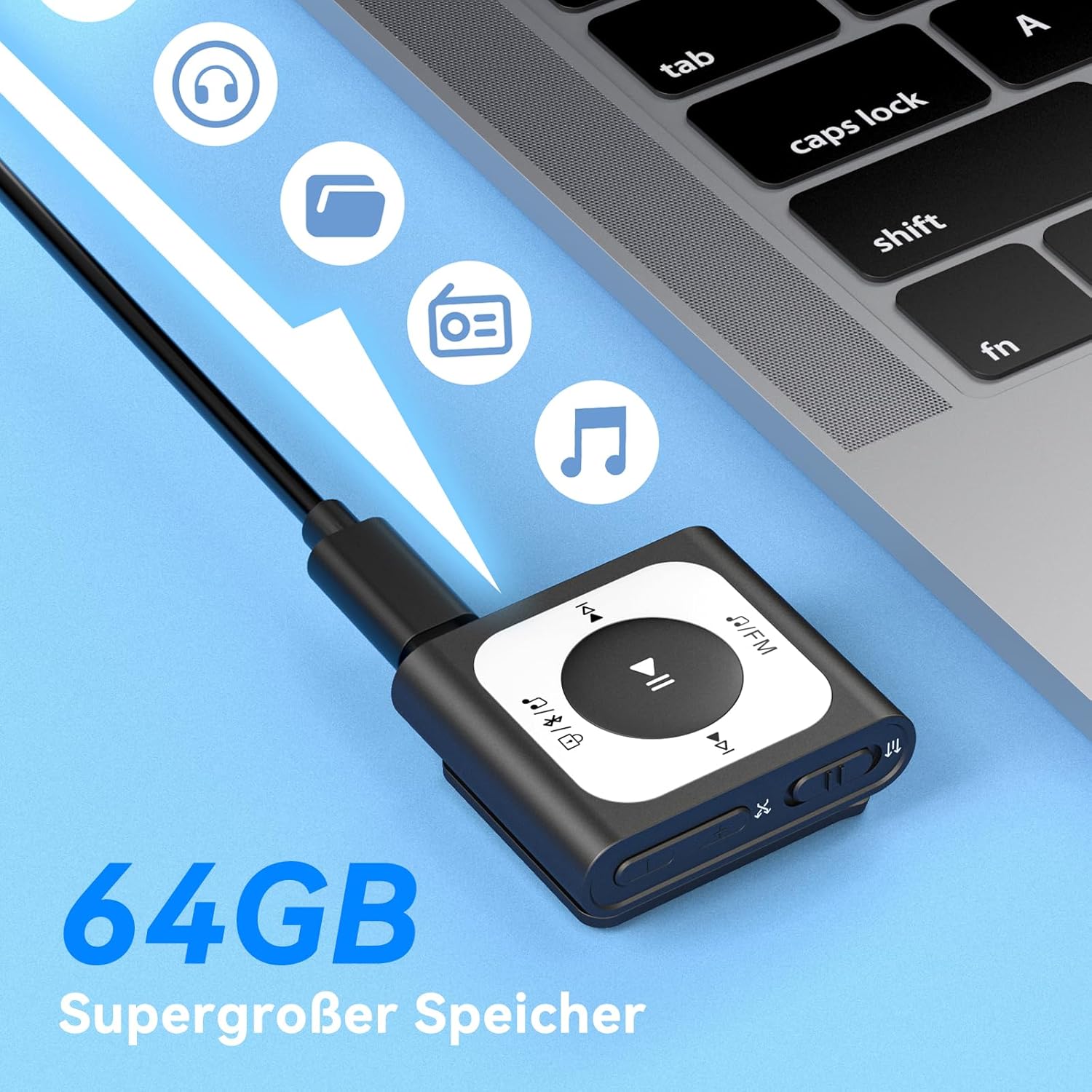
Image: The MP3 player connected to a laptop, illustrating the process of transferring music files to its internal storage. The device has 16GB of internal storage.
3. Te Whakakaha/Weto
- Hei Whakahiko: Press and hold the Power/Volume button (located on the side) for a few seconds until the screen illuminates.
- Hei Whakaweto: Press and hold the Power/Volume button until the device shuts down.
Nga Tohutohu Whakahaere
1. Te Whakatangitangi Puoro Taketake
- Navigate to the 'Music' menu.
- Select a song or playlist using the navigation buttons.
- Press the Play/Pause button (center button) to start or pause playback.
- Use the 'Previous' and 'Next' buttons to skip tracks.
- Adjust volume using the Volume Up/Down buttons on the side.
2. Hononga Nihokikorangi
Hei hono atu ki nga pukoro Nihokikorangi me nga kaikorero:
- Me whakarite kei roto tō pūrere oro Nihokikorangi i te aratau takirua.
- On the MP3 player, go to the 'Bluetooth' menu.
- Tīpakohia 'Rapua Device' or similar option.
- Choose your Bluetooth device from the list and confirm pairing.

Image: The MP3 player demonstrating its Bluetooth 5.3 compatibility, capable of connecting to various audio devices such as Bluetooth earbuds, headphones, and speakers.
3. Mahi Irirangi FM
Hei whakamahi i te mahi reo irirangi FM:
- Plug in wired headphones; they act as the antenna for the FM radio.
- Navigate to the 'FM Radio' menu.
- Select 'Auto Search' to find available stations.
- Use the navigation buttons to switch between saved stations or manually tune.
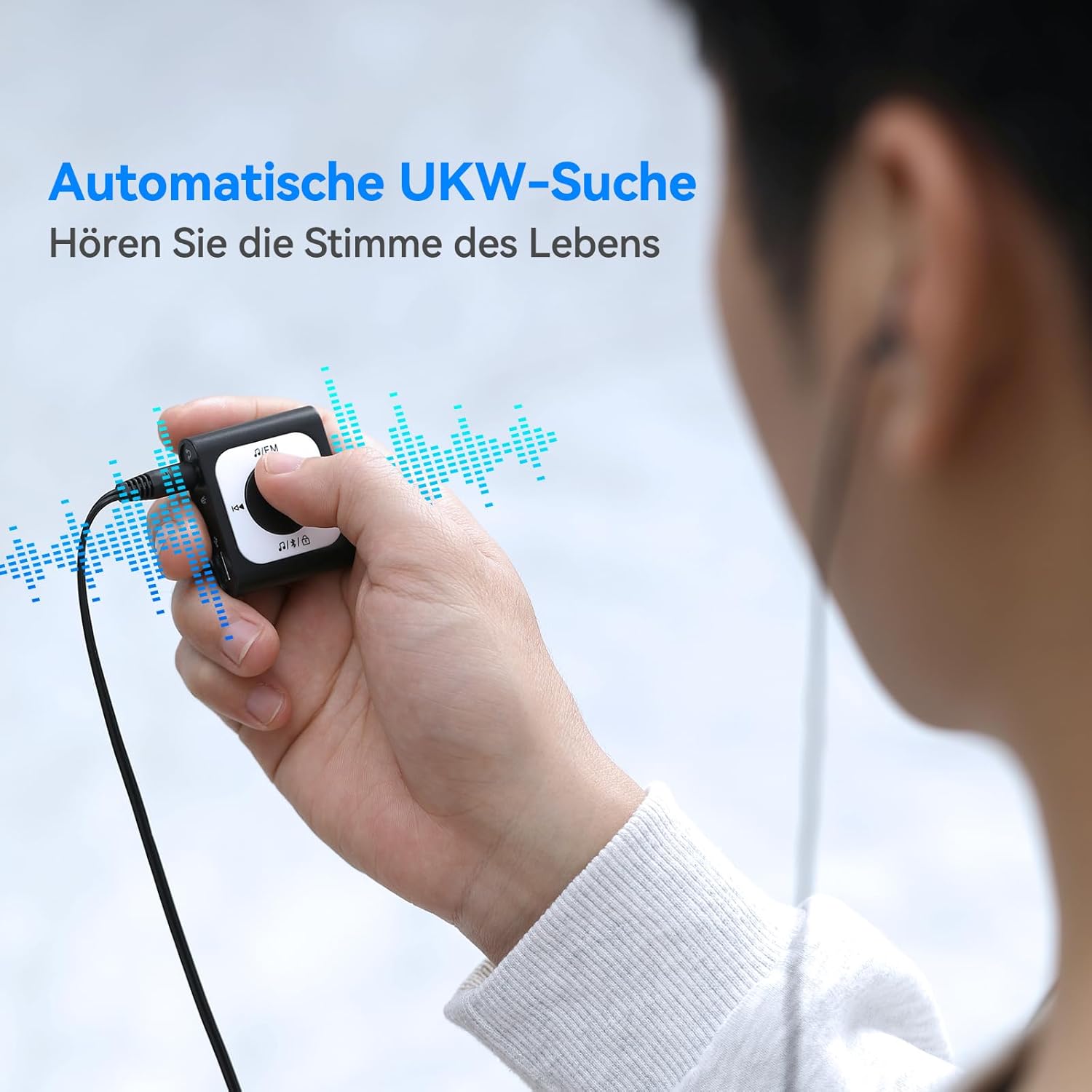
Image: A user operating the MP3 player's automatic FM search function while wearing wired headphones, which are essential for receiving radio signals.
4. Screen Lock Function
To prevent accidental button presses during activity, use the screen lock feature.
- Hei Maukati: Double-click the dedicated lock button (often indicated by a padlock icon).
- Hei Wewete: Double-click the lock button again.

Image: The MP3 player highlighting the lock/unlock function, activated by a double-click on the designated button to prevent unintended operations.
5. Using the Clip
The integrated clip allows you to securely attach the MP3 player to clothing, bags, or other items, making it ideal for sports and on-the-go use.

Image: Demonstrations of the MP3 player's portable clip design, showing it attached to a shirt collar, waistband, and backpack strap for convenient, hands-free use.
Te tiaki
Te horoi:
- Horoia te taputapu ki te kakahu maeneene, maroke.
- Kaua e whakamahia ngā kaihoroi whakakoi, te waipiro, ngā whakarewa rānei, nā te mea ka kino pea te mata.
Rokiroki:
- Whakaorangia te taputapu ki te waahi makariri, maroke atu i te ra tika me te wera nui.
- A ape i te rongoa i roto i nga waahi puehu, makuku ranei.
Tiaki Pūhiko:
- Charge the battery regularly, even if the device is not used frequently, to maintain battery health.
- A ape i te tino whakamakuku i te pākahiko i mua i te whakakii.
Raparongoā
Kāore te Pūrere e Whakakā:
- Kia tino utua te pākahiko. Honoa te pūrere ki tētahi pūtake hiko ka ngana anō.
- Press and hold the Power button for an extended period (10-15 seconds) to perform a hard reset.
Cannot Connect to Bluetooth Device:
- Make sure both the MP3 player and the Bluetooth audio device are in pairing mode and within range.
- Ensure no other devices are actively connected to either the MP3 player or the Bluetooth audio device.
- Try restarting both devices and attempting to pair again.
Kore Oro:
- Check the volume level on both the MP3 player and your connected headphones/speakers.
- Ensure headphones are properly plugged into the jack (if using wired).
- If using Bluetooth, verify the connection is active and the correct output device is selected.
- Test with different headphones or speakers to rule out a faulty accessory.
Files Not Transferring:
- Ensure the USB cable is securely connected to both the MP3 player and the computer.
- Whakamātauria tētahi tauranga USB rerekē, taura rānei.
- Manatokohia ko te puoro filekei roto ngā kōnae i tētahi hōputu e tautokona ana (hei tauira, MP3).
- Check if the device's storage is full.
Whakatakotoranga
| Hunga Hua | 5.91 x 3.94 x 0.79 inihi |
| Taumaha Tūemi | 3.87 hekere |
| Waitohu | AGPTEK |
| Ingoa Tauira | A51PL (SMPA51PLBN-VAEU) |
| Āhuahira Motuhake | Irirangi FM |
| Hangarau Hononga | Nihokikorangi |
| Te Rokiroki Mahara | 16 GB |
| Tae | Pango |
| Pūrere Hototahi | Nga taputapu Nihokikorangi |
| Nga Waahanga kei roto | MP3 Player |
| Paerewa Tautoko | MP3 |
Pūtāhui me te Tautoko
Mōhiohio Pūtāhui:
For detailed warranty information, please refer to the warranty card included with your product or visit the official AGPTEK webpae. Puritia to riirii hoko hei tohu mo te hoko mo nga kereme whakamana.
Tautoko Kiritaki:
If you encounter any issues not covered in this manual or require further assistance, please contact AGPTEK customer support through their official webte pae, te korero whakapā ranei e whakaratohia ana me to putunga hua.