
Kupu Whakataki
The Vicks RapidRead Digital Thermometer VDT972US is designed to provide fast and accurate temperature readings. Utilizing Precision Insight technology, it delivers results in as little as 2 seconds, identifying fever based on the measurement site. Its flexible tip ensures comfort for oral, rectal, or underarm use, making it suitable for all ages.
Ka mutu te huaview

Image: The Vicks RapidRead Digital Thermometer, a white and grey device with a digital display showing '98.6°F' in green, indicating a normal temperature.
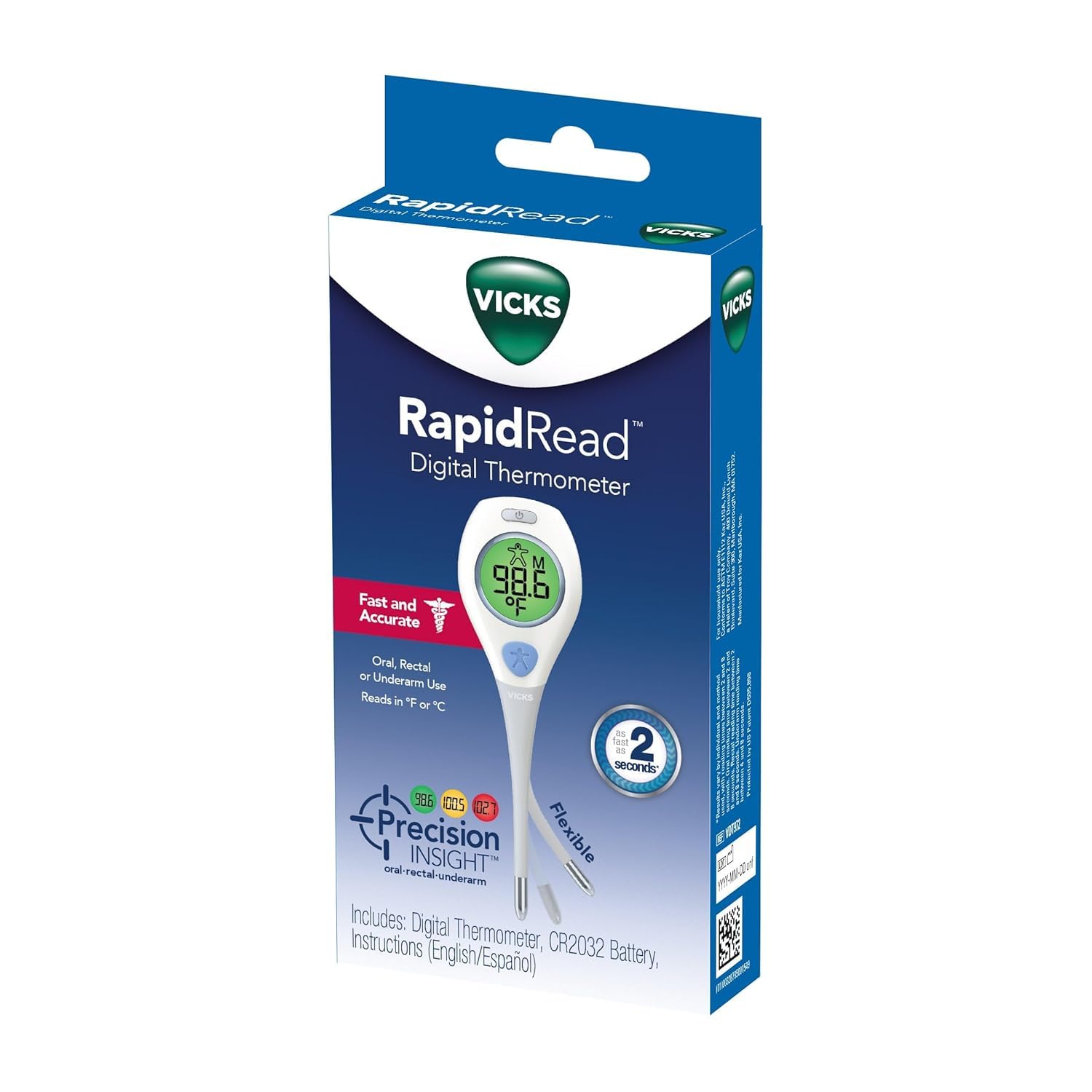
Image: The Vicks RapidRead Digital Thermometer shown in its retail packaging, highlighting its 'Fast and Accurate' features and '2 seconds' reading time.
Nga waahanga matua
- Quick, Accurate Results: Precision Insight technology provides temperature readings in as little as 2 seconds.
- Comfortable to Use: Features a flexible tip for oral, rectal, or underarm measurements.
- He maha: Ideal for infants, toddlers, and adults.
- Whakaaturanga ngawari ki te panui: Color-coded display indicates temperature status (green for no fever, yellow for slightly elevated, red for high fever).
- Nga waahanga motuhake: Water-resistant design, color-coded readings in Fahrenheit or Celsius, and a memory feature to recall the last reading.

Image: An infographic detailing the Vicks RapidRead Thermometer's features, including 2-second readings, °F or °C display, memory recall, water resistance, and ComfortFlex tip.

Image: A close-up of the Vicks RapidRead Thermometer's flexible tip, demonstrating its bendable design for comfortable use.
Tatūnga me te Tāuta Pūhiko
The Vicks RapidRead Digital Thermometer comes with a pre-installed CR2032 battery. If the battery symbol appears and flashes in the center of the display, the battery is depleted and needs to be replaced.
Te Whakakapi i te Pūhiko:
- Using a coin, unlock the battery cover located at the end of the thermometer.
- Ata tango i te pākahiko tawhito.
- Replace with a new 3V, CR2032 lithium battery. Insert the new battery with the positive (+) side facing the battery cover.
- Replace the battery cover and tighten it securely with the coin.
Video: Instructions on how to change the battery for the Vicks RapidRead Digital Thermometer. The video demonstrates using a coin to open the battery compartment, replacing the CR2032 battery, and securing the cover.
Nga Tohutohu Whakahaere
Taking a Temperature:
- Press the power button to turn on the thermometer. The display will show the last reading, then 'Lo' with a flashing '°F' or '°C' indicating it's ready for use.
- Position the thermometer according to the desired measurement site:
- Whakamahinga-a-waha: Place the flexible tip under the tongue, ensuring good contact. Keep mouth closed.
- Whakamahinga Whakatika: Lubricate the tip with a water-soluble jelly. Gently insert the tip into the rectum.
- Whakamahinga Raro (Axillary): Place the tip in the armpit, ensuring it touches the skin directly. Hold the arm firmly against the body.
- Hold the thermometer in place until it beeps, indicating the reading is complete (approximately 2 seconds).
- Read the temperature displayed on the screen. The screen color will indicate the temperature status.
- Press the power button to turn off the thermometer, or it will automatically shut off after approximately 10 minutes of inactivity.

Image: A Vicks RapidRead Digital Thermometer being used to take a child's temperature, demonstrating ease of use for quick readings.
Te Maramatanga ki o Panui
The Vicks RapidRead Digital Thermometer features a color-coded display to help interpret temperature readings quickly:
- Kākāriki: E tohu ana i te pāmahana noa.
- Kowhai: Indicates a slightly elevated temperature.
- Whero: Indicates a high fever.
The Precision Insight technology provides specific temperature ranges for each measurement site:

Image: A chart illustrating Vicks Precision Insight temperature ranges for oral, rectal, and underarm measurements, categorized by normal (green), elevated (yellow), and high (red) fever.
Te Tiaki me te Tiaki
- Te horoi: The thermometer is water-resistant. After each use, wipe the tip and shaft with an alcohol swab or a cloth dampened with antiseptic solution. Do not immerse the entire thermometer in water or harsh cleaning agents.
- Rokiroki: Store the thermometer in a dry, cool place, away from direct sunlight and extreme temperatures. Keep it in its protective case if provided.
- Whakakorenga mate: For thorough disinfection, follow standard medical guidelines for digital thermometers.
Raparongoā
- Thermometer Does Not Turn On: Check the battery. If the battery symbol is flashing or the display is blank, replace the battery as described in the 'Setup and Battery Installation' section. Ensure the battery is inserted correctly with the positive (+) side facing the cover.
- Nga Panui Heke: Ensure the thermometer tip is properly positioned for the chosen measurement site. Avoid taking a temperature immediately after eating, drinking, or exercising, as this can affect oral and underarm readings. If readings consistently seem incorrect, replace the battery or contact customer support.
- 'Err' Message on Display: This usually indicates a measurement error. Ensure the thermometer is used correctly and try again. If the error persists, the device may require service.
Whakatakotoranga
| Āhuahira | Taipitopito |
|---|---|
| Waitohu | Vicks |
| Tauira | VDT972US |
| Wā Whakautu | 2 hēkona |
| Nga Pae Ine | Oral, Rectal, Underarm |
| Momo Whakaatu | Digital, Color-Coded |
| Puna Mana | Battery Powered (1 x CR2032) |
| Nga waahanga motuhake | Water Resistant, Flexible Tip, Memory Recall |
| Awhe Tau | Nga Reanga Katoa |
| Tiaki Hua | Horoia ma |
Pūtāhui me te Tautoko
For warranty information, technical support, or service inquiries, please refer to the warranty card included with your product or visit the official Vicks Thermometers webpae. Puritia to riirii hoko hei tohu mo te hoko mo nga kereme whakamana.