
1. Kupu Whakataki
This manual provides essential information for the safe installation, operation, and maintenance of your CREATE WIND CLEAR Ceiling Fan. Please read these instructions thoroughly before installation and retain them for future reference.
The CREATE WIND CLEAR Ceiling Fan is a quiet ceiling fan featuring a 40W DC brushless motor and a winter-summer reversal function. Its compact and versatile design includes retractable blades. It is suitable for small to medium-sized rooms and bedrooms, offering a built-in LED light with three adjustable color temperatures. The fan body is constructed from steel, and the blades are made of ABS. It provides 6 speed settings and a programmable timer up to 8 hours, all controllable via the included remote control and WiFi connectivity.
2. Nga Tohutohu Haumaru
- Me momotu te hiko i te whati ara iahiko matua i mua i te tāutanga, te tiaki, te horoi rānei.
- Ko te whakaurunga me mahi e tetahi tohunga hiko i runga i nga tikanga katoa o te rohe me te motu.
- Me whakarite ka taea e te hanganga whakairi te tautoko i te taumaha o te powhiriwhiri (tirohia nga whakaritenga mo te taumaha).
- Kaua e whakauru i ētahi mea ki te ara o ngā mata o te pā.
- Me whakarite kia mau nga hononga katoa me te whakamaarama tika.
- Ko tenei taputapu ehara i te mea mo te whakamahi ma te hunga (tae atu ki nga tamariki) he iti te kaha o te tinana, te tairongo, te hinengaro, te kore wheako me te mohiotanga, mena ka tukuna atu ki a raatau te tirotiro, te tohutohu ranei mo te whakamahi i te taputapu e te tangata whai mana mo to raatau haumaru.
3. Nga Waahanga kei roto
Manatokona kei te noho nga waahanga katoa i mua i te tiimata o te whakaurunga:
- CREATE WIND CLEAR Ceiling Fan Unit
- Mana Mamao
- Pūhiko mo te Mana Mamao
- Mounting Hardware (screws, brackets, etc. - specific items may vary)
- Pukapuka Tohutohu
For a visual reference of the product and its components, please see the image below:

4. Tatūnga me te Tāuta
Professional installation is highly recommended for this ceiling fan. Ensure the power supply is disconnected before starting any installation work.
4.1 Tāutanga Tinana
- Taiapa Whakapiki: Securely attach the mounting bracket to a ceiling joist or a suitable electrical junction box rated for fan support.
- Waea waea: Connect the fan's electrical wires to the household wiring according to the wiring diagram provided in the full installation guide (not included in this summary). Ensure proper grounding.
- Huinga Kaiwhaiwhai: Carefully lift and attach the fan motor assembly to the mounting bracket.
- Tāuta Mata: The fan features retractable blades that deploy automatically when the fan operates. No manual blade installation is typically required after the main unit is mounted.
- Tāuta Kete Maama: Attach the LED light kit to the fan housing as per the detailed instructions.
Refer to the following images for visual guidance on the fan's appearance and dimensions:


4.2 Tatūnga WiFi
The fan supports WiFi connectivity for control via a smartphone application. Refer to the specific instructions provided with the fan for pairing the device with your home WiFi network and the CREATE smart home app.
5. Nga Tohutohu Whakahaere
Your CREATE WIND CLEAR Ceiling Fan can be operated using the included remote control or via the dedicated smartphone application.
5.1 Nga Mahi Mana Mamao
- Hiko Whakaka/Weto: Pēhia te pātene hiko hei whakakā i te powhiriwhiri me te rama ki runga, whakaweto ranei.
- Tere Kiri: Adjust between 6 fan speeds using the designated speed buttons.
- Mana Maama: Turn the LED light on/off and cycle through three adjustable color temperatures (warm, neutral, cold).
- Matawā: Set the fan to turn off automatically after 1, 2, 4, or 8 hours.
- Aratau Hotoke/Raumati: Switch between forward (summer) and reverse (winter) rotation modes.

5.2 Winter and Summer Modes
The fan features a reversible motor to optimize air circulation for different seasons:
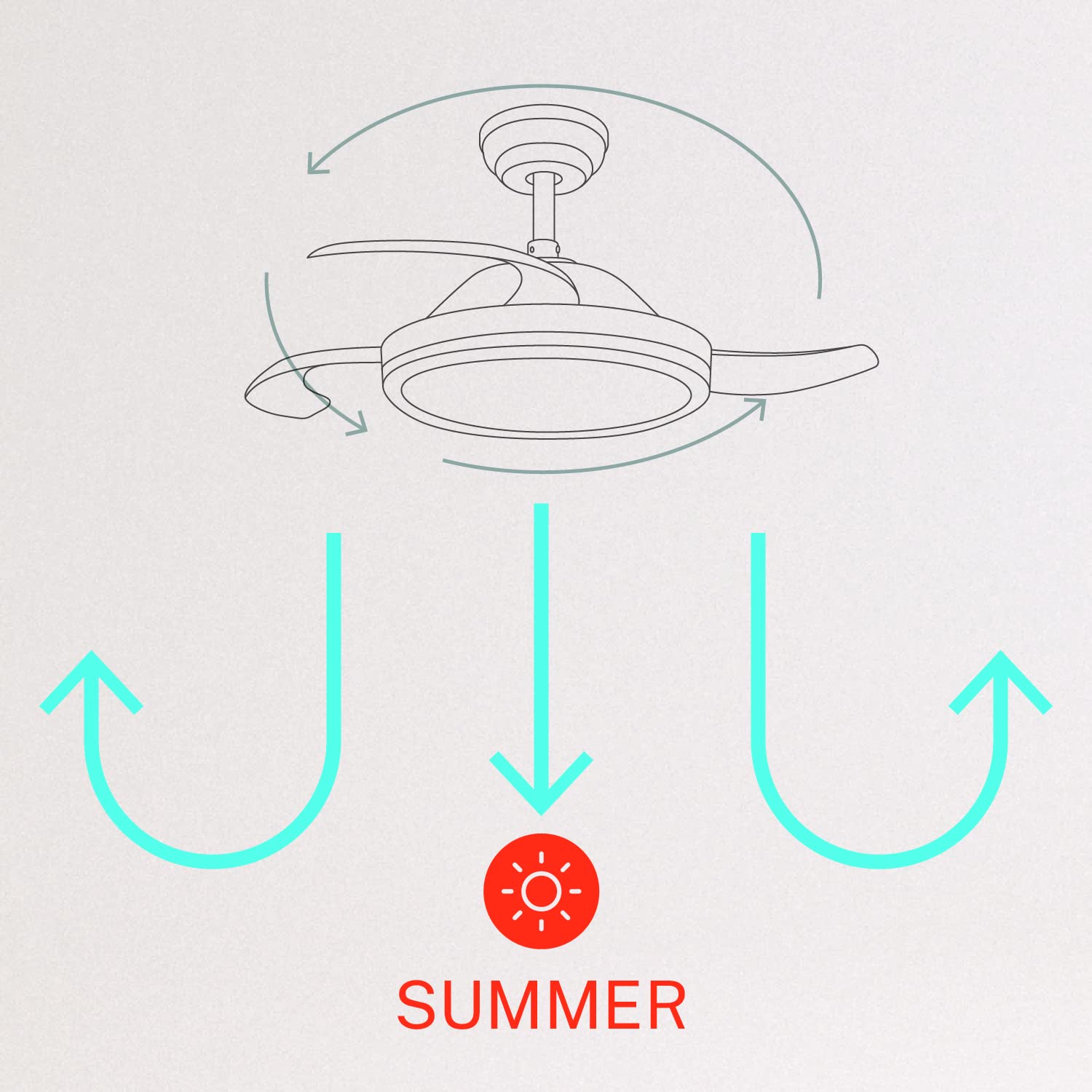
- Aratau Raumati (Hurihanga ki te taha maui): The fan blades rotate counter-clockwise, pushing air downwards to create a cooling breeze.
- Aratau Hotoke (Hurihanga karaka): The fan blades rotate clockwise, drawing air upwards to circulate warm air trapped near the ceiling, helping to distribute heat more evenly.

6. Tiaki
Ko te tiaki i nga wa katoa ka whakarite i te mahi tino pai me te roa o to powhiri tuanui.
- Te horoi: Me horoi i ia wa nga matatahi me te whare motopaika ki te ngohengohe, damp kakahu. Kaua e whakamahia he kaihoroi whakakoi, he wai whakarewa rānei. Me whakaweto te hau, me momotu hoki te hiko i mua i te horoinga.
- Tiu Tiu: Check all mounting screws and blade attachment screws annually to ensure they are properly tightened.
- Puna Maama: The LED light source is integrated. If it requires service, contact qualified personnel.
7. Te Raru
Mena ka pa ki a koe nga raru me to kaiwhaiwhai, tirohia nga raru me nga otinga e whai ake nei:
| Raruraru | Take pea | Rongoā |
|---|---|---|
| Kaore e timata te Fan | No power supply; Loose wiring; Remote control battery depleted | Check circuit breaker; Verify all wiring connections; Replace remote control battery. |
| Ka wiri te Fan | Loose mounting screws; Unbalanced blades | Ensure mounting bracket and fan assembly screws are tight; Check for any obstructions to blade movement. |
| Kaore te marama e mahi | Loose wiring; LED module fault | Check light kit wiring connections; Contact customer support if LED module is faulty. |
| Ko te mana mamao kaore e mahi | Depleted battery; Remote not paired | Replace remote control battery; Refer to pairing instructions in the full manual. |
| WiFi control issues | Poor WiFi signal; Incorrect app setup | Ensure strong WiFi signal; Reconfigure WiFi connection in the app. |
8. Whakatakotoranga
| Āhuahira | Taipitopito |
|---|---|
| Waitohu | HANGA |
| Tau tauira | 120760_254772 |
| Tae | Mā |
| Hiko Hiko Hoahoa | Te Peera Taapiri |
| Puna Mana | Hiko Hiko |
| Kāhua | With WiFi |
| Hunga Hua | 107D x 107W x 39H Henemita |
| Momo Rūma | Whare moenga |
| Āhuahira Motuhake | Matawā |
| Nga Whakamahinga Manakohia | Whakahau |
| Wattage | 40 Watts |
| Nga Waahanga kei roto | Remote, Battery |
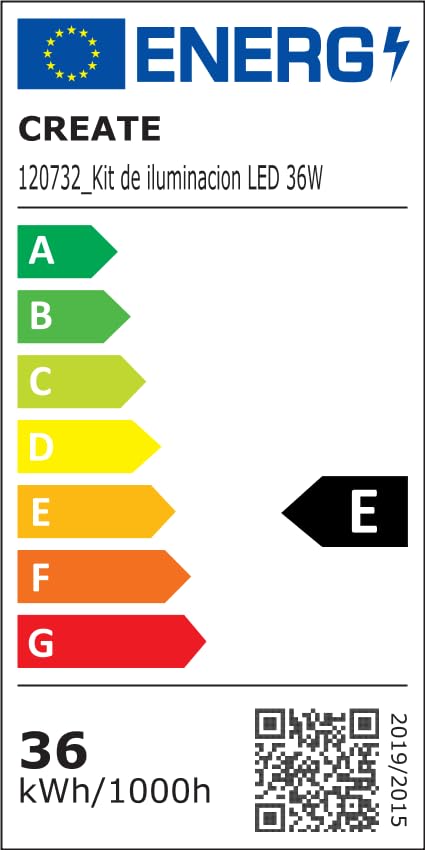
For detailed product data and energy efficiency information, please refer to the following documents:

9. Pūtāhui me te Tautoko
For warranty information, technical support, or service inquiries, please contact CREATE customer service or refer to the official CREATE webpae. Puritia to riiki hoko hei tohu mo te hoko.