
1. Kupu Whakataki
This manual provides detailed instructions for the installation, operation, and maintenance of your Carro Twister 52-Inch 5-Blade Smart Ceiling Fan. Please read this manual thoroughly before installation and use to ensure safe and efficient operation. Retain this manual for future reference.
2. Nga korero haumaru
Nga Tohutohu Haumaru Nui:
- Momotuhia i nga wa katoa te hiko i te waahi iahiko i mua i te whakaurunga, te mahi ranei.
- Me rite ngā waea katoa ki ngā ture hiko ā-motu me ā-rohe.
- Mena kāore koe i te tino mōhio ki ngā tikanga waea, whakapā atu ki tētahi tohunga hiko whai tohu.
- Ensure the installation location can support the fan's weight.
- Kaua e whakahaeretia te powhiriwhiri me nga matatahi kua pakaru, he whare ranei.
- Puritia ngā ringaringa, ngā kākahu me ētahi atu mea kia ma i ngā mata o te pā i te wā e whakamahia ana.
- Kua hoahoatia tenei powhiri mo te whakamahi o roto anake.
Whakatupato Kaupapa 65: Tērā pea ka pāngia koe e tēnei hua e ngā matū e mōhiotia ana e te Kāwanatanga o California hei take mō te mate pukupuku me ngā whānautanga hapa, ētahi atu kino rānei ki te whānau uri. Mō ētahi atu kōrero, haere ki www.P65Warnings.ca.gov.
3. Ihirangi mokete
Manatokona kei te noho nga waahanga katoa i mua i te tiimata o te whakaurunga:
- Huihuinga Motika Kiriata Pouaka
- Matatahi Kiritaki (5)
- Pihi Rama
- Mana Mamao
- Maunga Paetahi
- Matemate
- Pūkete Pūmārō (nga tīwiri, horoi, nati waea)
- Pukapuka Kaiwhakamahi

Image 3.1: Carro Twister 52-Inch 5-Blade Smart Ceiling Fan with included remote control. The fan features a black finish with gold accents and an integrated LED light.
4. Tatūnga me te Tāuta
Utauta e hiahiatia ana: Phillips screwdriver, flathead screwdriver, adjustable wrench, wire strippers, electrical tape, step ladder.
- Whakaweto Hiko: Before starting, ensure the power is turned off at the circuit breaker to prevent electrical shock.
- Tāutatanga Taiapa Whakapuru: Whakamaua te whāriki whakairi ki te pouaka hononga tuanui. Me whakarite kei te mau te pouaka hononga ki te hanganga o te whare, ā, ka taea te tautoko i te taumaha o te pā hau.
- Huihuia Downrod: Insert the downrod through the canopy and connect it to the fan motor assembly. Secure with the provided pin and clip.
- Iri Fan: Āta hiki ake te huihuinga pā hau ka whakairi ki runga i te whāriki whakairi.
- Waea waea: Connect the fan's electrical wires to the household wiring according to the wiring diagram provided in the separate wiring guide (if applicable) or standard electrical practices (Black to Black, White to White, Green/Bare to Ground). Use the provided wire nuts.
- Pounamu Haumaru: Kiriatahia te tuanui ki runga ki te tuanui, ka mau ki te taiapa whakapuru me nga wiri kua whakaratohia.
- Āpiti Matatahi: Attach the five fan blades to the motor housing using the blade screws. Ensure all screws are tightened securely.
- Tāuta Kete Maama: Connect the light kit wires to the fan motor assembly wires. Secure the light kit to the fan housing.
- Whakaora i te Mana: Kia oti te whakaurunga, whakahokia te hiko ki te arai iahiko.

Image 4.1: Diagram illustrating the dimensions of the Carro Twister 52-Inch Ceiling Fan, including blade span, downrod length, and overall height.
5. Nga Tohutohu Whakahaere
The Carro Twister Smart Ceiling Fan can be controlled via the included remote, a smartphone app, or voice commands.
5.1 Mahi Mana Mamao
The remote control allows for direct control of fan speed, light on/off, light dimming, and light color temperature.
- Fan I / Weto: Pēhia te pātene pā hei whakakā, hei whakaweto rānei i te pā.
- Tere Kiri: Use the speed buttons to adjust fan speed (typically multiple settings).
- Rama / Weto: Press the light button to toggle the light.
- Te Moama Maama: Use the dimming buttons to adjust light brightness (10%-100% dimmable).
- Paemahana Tae: Cycle through cool light (4000K), neutral light (3000K), and warm light (2700K) settings.
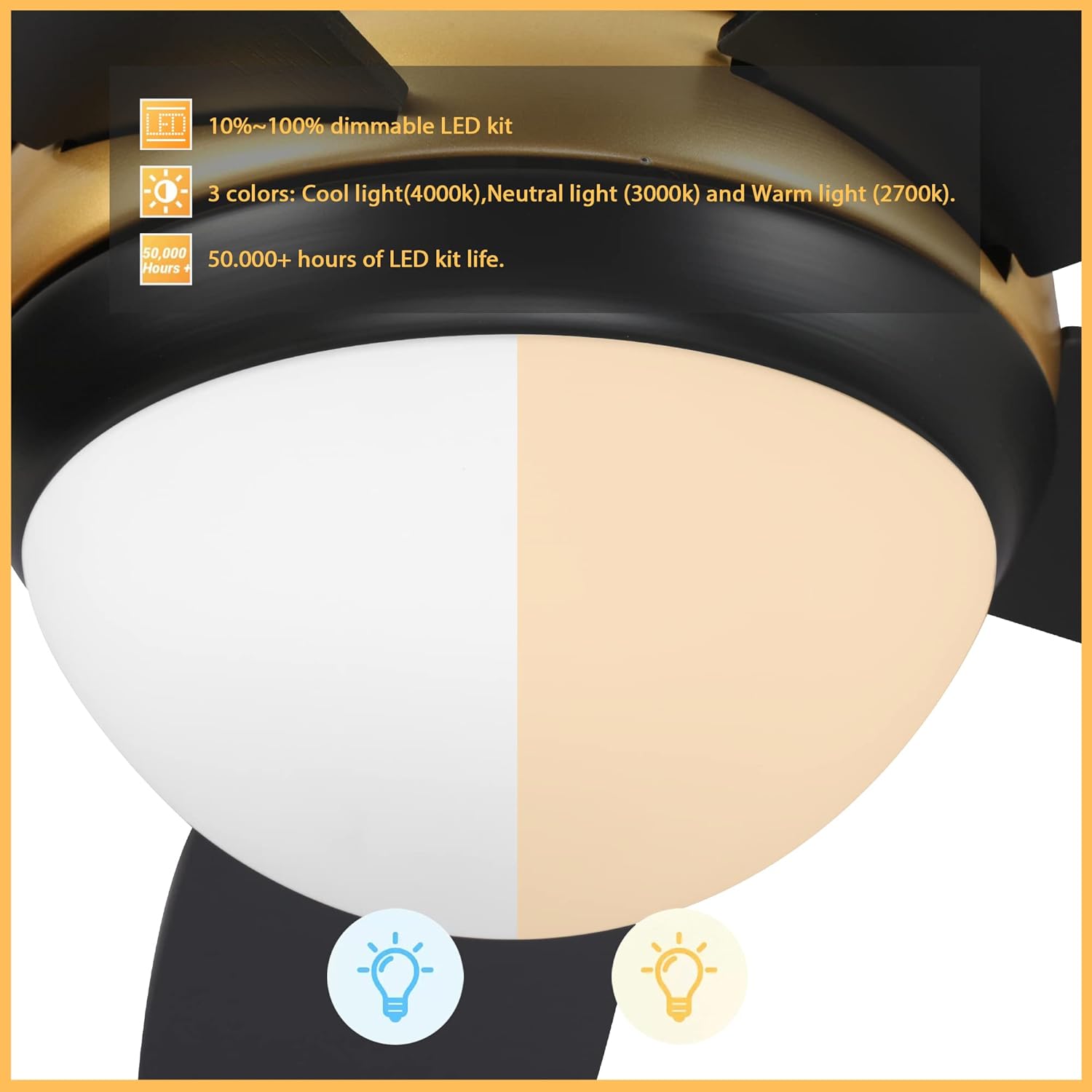
Image 5.1: Close-up of the integrated LED light kit, highlighting its 10%-100% dimmable range and three color temperature options: Cool (4000K), Neutral (3000K), and Warm (2700K).
5.2 Mana Atamai (Taupānga me te Reo)
This fan supports smart control via a dedicated app and voice assistants like Google Assistant, Alexa, and Siri.
- Tauhoatanga Taupānga: Download the Carro Home app (or specified app) from your device's app store. Follow the in-app instructions to pair your fan. This typically involves putting the fan into pairing mode and connecting it to your home Wi-Fi network.
- Te Whakakotahitanga Kaiawhina Reo: Once paired with the app, link the Carro Home app to your Google Assistant, Alexa, or Siri account through their respective applications.
- Tono Reo: Use commands such as "Hey Google, turn on the living room fan," "Alexa, set the fan speed to medium," or "Hey Siri, turn off the fan light."

Image 5.2: The Carro Twister Ceiling Fan shown with logos indicating compatibility with Google Assistant, Alexa, and Siri, demonstrating its smart home integration capabilities.
6. Tiaki
Mā te tiaki auau ka tino pai te mahi, ā, ka roa ake te ora o tō pā hau tuanui.
- Te horoi: Horoia ngā mata o te pā me te whare o te motuka ki te puehu ngohengohe i ia wā, i ia wā.amp kakahu. Kaua e whakamahi i nga kai horoi me nga whakarewa.
- Maama Mata: Check all blade screws at least twice a year. Due to natural movement, some connections may become loose. Ensure they are tightened securely.
- Kete Maama: The integrated LED light kit has a lifespan of over 50,000 hours and does not require bulb replacement.
- Whakahinuhinu: Ka whakahinuhinuhia te motuka powhiriwhiri, kaore e hiahiatia he hinu taapiri.
7. Te Raru
Mena ka pāngia koe e ngā raruraru me tō pā hau, tirohia ngā raruraru me ngā otinga e whai ake nei:
| Raruraru | Take pea | Rongoā |
|---|---|---|
| Kaore e timata te Fan | Kāore he hiko mō te pā hau; he korekore ngā hononga waea; kua mate te pākahiko o te mana mamao. | Check circuit breaker; ensure all wire connections are secure; replace remote control battery. |
| Ka wiri te Fan | Nga wiri o te mata; matatahi kore taurite; taiapa whakapuru wewete. | Tighten all blade screws; use a balancing kit (not included) to balance blades; ensure mounting bracket is secure. |
| Kaore te marama e mahi | Loose wire connection to light kit; light kit failure. | Check light kit wiring connections; contact customer support if light kit is faulty. |
| Ko te mana mamao kaore e mahi | Dead battery; remote not paired with fan. | Replace remote battery; refer to pairing instructions in the app or a separate remote guide. |
8. Whakatakotoranga
- Tauira: Twister 52 Inch 5-Blade Smart Ceiling Fan
- Waitohu: Carro (Generic)
- Whānuitanga o te Mata: 52 inihi
- Te maha o nga Poraka: 5
- Tikanga Mana: Remote, App, Voice (Google Assistant, Alexa, Siri)
- Kete Maama: Integrated LED, 10%-100% Dimmable, 3 Color Temperatures (2700K, 3000K, 4000K), 50,000+ hours lifespan
- Puna Hiko: Hiko Hiko
- Whakamahinga o roto/waho: Roo-roto
- Momo Mutu: Pango Mutu
- UPC: 732688853004
- ASIN: B0BPCDKDR8

Whakaahua 8.1: He taipitopito view of the Carro Twister Ceiling Fan's motor housing, showcasing its black finish and gold accent ring.
9. Pūtāhui me te Tautoko
Mō ngā mōhiohio pūtāhui, mō te tautoko hangarau rānei, tirohia te kāri pūtāhui kei roto i tō hua, tirohia rānei te tari mana o te kaihanga. webpae. Puritia to riirii hoko hei tohu mo te hoko mo nga kereme whakamana.
Kaihanga: Carro (as per product title, though listed as Generic in specifications)
Whakapā: Tirohia ki te kaihanga website or contact information provided in the product packaging for support.