
Kupu Whakataki
The Naxa NSH-3001 Wi-Fi Smart Camera provides reliable home security monitoring with 24/7 HD recording capabilities. This camera allows you to check in on your home remotely from anywhere using your smartphone. It features motion detection, two-way audio communication, night vision, and customizable activity alerts.
This manual provides detailed instructions for setting up, operating, and maintaining your Naxa NSH-3001 Wi-Fi Smart Camera to ensure optimal performance and security.
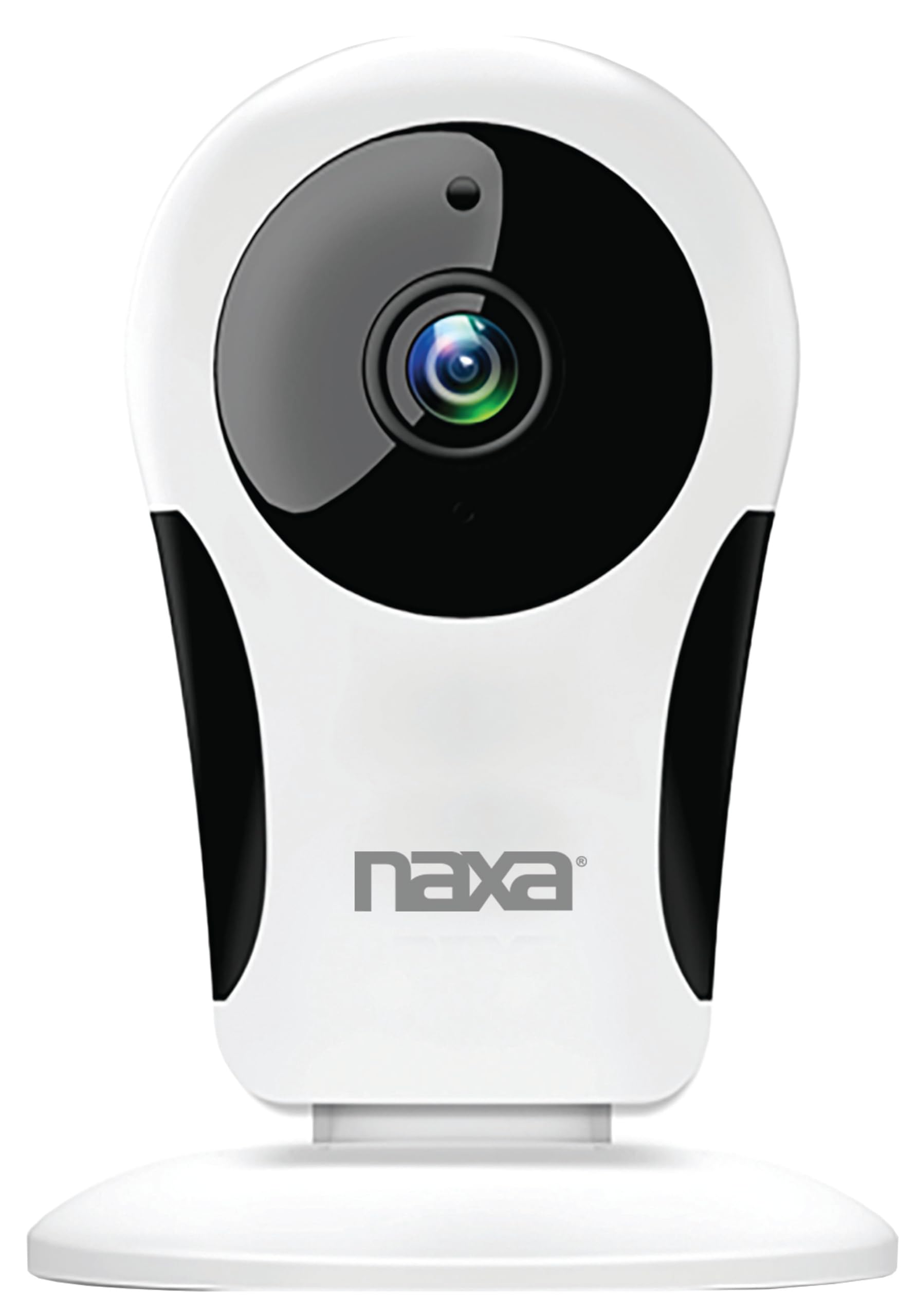
Whakaahua: Mua view of the Naxa NSH-3001 Wi-Fi Smart Camera, showing the lens and Naxa logo.
He aha kei roto i te Pouaka
Upon unpacking your Naxa NSH-3001 Wi-Fi Smart Camera, please ensure all the following components are present:
- Kāmera Smart Wi-Fi
- Pouaka AC
- Tauira USB
- Pukapuka Kaiwhakamahi (tenei tuhinga)
Ka mutu te huaview
Familiarize yourself with the main components of your Naxa NSH-3001 Wi-Fi Smart Camera.

Image: The Naxa NSH-3001 Wi-Fi Smart Camera displayed alongside icons representing its key features: HD Resolution, Encrypted ID, 2-Way Audio, Cloud Service, Motion Detection, IR Night Vision, Time Scheduling, and Hotspot capability.
- Arotahi kāmera: Ka hopu ataata footage.
- Ngā rama rama whero (IR): Provide night vision capabilities.
- hopuoro: Mo te whakauru ororongo me te whakawhitiwhiti korero-rua.
- Kaikōrero: Mo te whakaputa ororongo me te whakawhitiwhiti korero-rua.
- Tauranga USB Iti: Mo te hononga hiko.
- Patene Tautuhi Anō: Hei tautuhi anō i te kāmera ki ngā tautuhinga wheketere.
- Kāniwha SD Kāri SD: For local storage of recorded footage (Micro SD card not included).
Aratohu Tatūnga
1. Te Whakakaha i te Kaamera
- Connect the provided USB cable to the camera's Micro USB port.
- Tūhonohia te pito o te taura USB ki te pūurutau hiko AC.
- Monohia te urutau hiko AC ki tētahi putanga hiko paerewa.
- The camera will power on, and an indicator light will show its status (refer to the camera's LED indicator guide for specific light patterns).
2. Downloading the Smart Life App
The Naxa NSH-3001 camera is controlled via the Smart Life app. Download it to your smartphone:
- For iOS devices, search for "Smart Life" in the Apple App Store.
- For Android devices, search for "Smart Life" in the Google Play Store.
- Tāutahia te taupānga, ka waihangahia he pūkete mēnā kāore anō kia whai pūkete koe.

Image: The Naxa NSH-3001 Wi-Fi Smart Camera shown with the Smart Life app logo and icons for the Apple App Store and Google Play, indicating app compatibility.
3. Te hono ki Wi-Fi
Ensure your smartphone is connected to a 2.4 GHz Wi-Fi network. The NSH-3001 camera only supports 2.4 GHz Wi-Fi.
- Open the Smart Life app and tap "Add Device" or the "+" icon.
- Select "Security & Video Surveillance" and then "Smart Camera".
- Follow the on-screen instructions in the app to connect your camera to your Wi-Fi network. This typically involves scanning a QR code generated by the app with the camera's lens.
- Once connected, the camera's indicator light will change (refer to the LED indicator guide), and you will see the camera added to your app.
4. Whakapiki i te Kamera
The NSH-3001 camera is designed for wall mount installation, but can also be placed on a flat surface. Choose a location that provides the desired viewing angle (105 degrees) and is within range of your Wi-Fi signal.

Image: The Naxa NSH-3001 Wi-Fi Smart Camera positioned on a nightstand in a bedroom, demonstrating a typical indoor placement.
- For wall mounting, use appropriate screws and anchors (not included) to secure the camera's base to the wall.
- Whakatikatikahia te koki o te kāmera kia kapi i te wāhi e hiahiatia ana.
Nga Tohutohu Whakahaere
Ora View me te Uru Mamao
Once connected, you can access your camera's live feed from anywhere using the Smart Life app on your smartphone.
- Open the Smart Life app and select your NSH-3001 camera from the device list.
- Ka puta te roma ataata ora.
Rua-Wai Whakawhitiwhiti Ororongo
The camera supports two-way audio, allowing you to hear and speak through the camera.
- I roto i te ora view interface of the app, tap the microphone icon to speak.
- Patohia te ata korero hei whakarongo ki te ororongo mai i te waahi o te kamera.
Te Motini me nga Matohi
The camera can detect motion and send real-time push notifications to your phone.
- Navigate to the camera settings within the Smart Life app.
- Whakahohehia te "Motion Detection" ka whakatika i nga taumata tairongo ina hiahiatia.
- Configure alert schedules and notification preferences.
Matakitenga Po
The NSH-3001 features an IR-cut filter for clear night vision, automatically switching between day and night modes based on ambient light.
- Night mode activates automatically in low-light conditions.
- The IR-cut filter ensures optimal clarity in both day and night recordings.
Video Recording and Storage
The camera supports 24/7 HD recording. Footage can be stored locally or via cloud service (subscription may be required).
- Rokiroki Kari SD Micro: Insert a compatible Micro SD card (up to 128GB, not included) into the camera's SD card slot for continuous or event-based recording.
- Rokiroki Kapua: Check the Smart Life app for available cloud storage options and subscription details.
- Review tuhia footage directly through the Smart Life app.
Video Tuning
Adjust video parameters directly from your smartphone for optimal image quality.
- Within the Smart Life app, access video settings to adjust contrast, brightness, saturation, and sharpness.
Te Whakaritenga Wā
Set schedules for camera operation, recording, or alerts.
- Use the Smart Life app's scheduling feature to define specific times for motion detection, recording, or other functions.
Te tiaki
Proper maintenance ensures the longevity and optimal performance of your Naxa NSH-3001 Wi-Fi Smart Camera.
- Te horoi: Āta horoia te karāhe me te tinana o te kāmera ki te kakahu ngohengohe, maroke. Kaua e whakamahi i ngā matū kaha, i ngā kaihoroi whakakoi rānei.
- Whakahōu Pūmanawa: Regularly check the Smart Life app for firmware updates for your camera. Keeping the firmware updated ensures you have the latest features and security enhancements.
- Turanga: Ensure the camera is placed in a stable location and protected from extreme temperatures, direct sunlight, and moisture.
Raparongoā
If you encounter issues with your Naxa NSH-3001 Wi-Fi Smart Camera, refer to the following common solutions:
| Raruraru | Rongoa pea |
|---|---|
| Karekau te kamera e hono ana ki te Wi-Fi |
|
| No video feed in the app |
|
| Kāore i tae mai ngā whakatūpato nekehanga |
|
| Ko te ororongo rua-ara kaore e mahi |
|
If problems persist, please contact Naxa customer support.
Whakatakotoranga
| Āhuahira | Taipitopito |
|---|---|
| Ingoa Tauira | NSH-3001 |
| Waitohu | Naxa |
| Hangarau Hononga | Wi-Fi (2.4 GHz) |
| Whakataunga Hopu Ataata | 720p |
| Viewing Koki | 105 Waeine |
| Āhuahira Motuhake | Motion Sensor, Night Vision, Two-Way Audio |
| Mahinga o roto/waho | Indoor, Outdoor (Note: IP54 rating suggests splash resistance, not full outdoor weatherproofing) |
| Puna Mana | Hiko Hiko |
| Pūrere Hototahi | Smartphone (via Smart Life App) |
| Momo Whakaeke | Maunga Taiepa |
| Rokiroki | Kāri Micro SD (tae atu ki te 128GB, kāore i te whakaurua), Rokiroki Kapua (whiringa) |
| Ahu (L x W x H) | 3.2 x 3.2 x 4.3 inihi |
| Taumaha Tūemi | 3.2 hekere |
| Rauemi | Kirihou |
| Whakatauranga Tiaki o te Ao | IP54 |
Pūtāhui me te Tautoko
Naxa Electronics, Inc. manufactures the NSH-3001 Wi-Fi Smart Camera. For specific warranty information, please refer to the warranty card included with your product or visit the official Naxa webpae.
For technical support, troubleshooting assistance beyond this manual, or inquiries about your product, please contact Naxa customer service. Contact details can typically be found on the Naxa webte waahi kei runga ranei i te kohinga hua.
Naxa Official Webpae: www.naxa.com