
MARKLIFE P50
MARKLIFE Label Maker Machine User Manual
Model: P50 | Brand: MARKLIFE
Ka mutu te huaview
The MARKLIFE P50 Label Maker is a mini portable Bluetooth thermal label printer designed for various labeling needs in homes, offices, and small businesses. It utilizes thermal printing technology, eliminating the need for ink or toner, and supports black and white printing.
Ko nga ahuatanga matua ko:
- Taupānga Whānui: Supports label widths from 0.59'' to 2.24'', suitable for address, clothing, price, cable, jewelry, and ingredient labels.
- Ahokore & Kawe: Lightweight design with Bluetooth 4.0 connectivity for convenient, smooth, and fast printing from smartphones (Android & iOS) within 33 feet.
- Smart Printing Features: Offers voice and image recognition, barcode generation from scans, PDF batch printing, and the ability to print photos on labels. USB connection and online software are available for Windows PC.
- Tapanga Roa: Labels are designed to be tear-proof, watertight, and oil-proof, ensuring longevity.
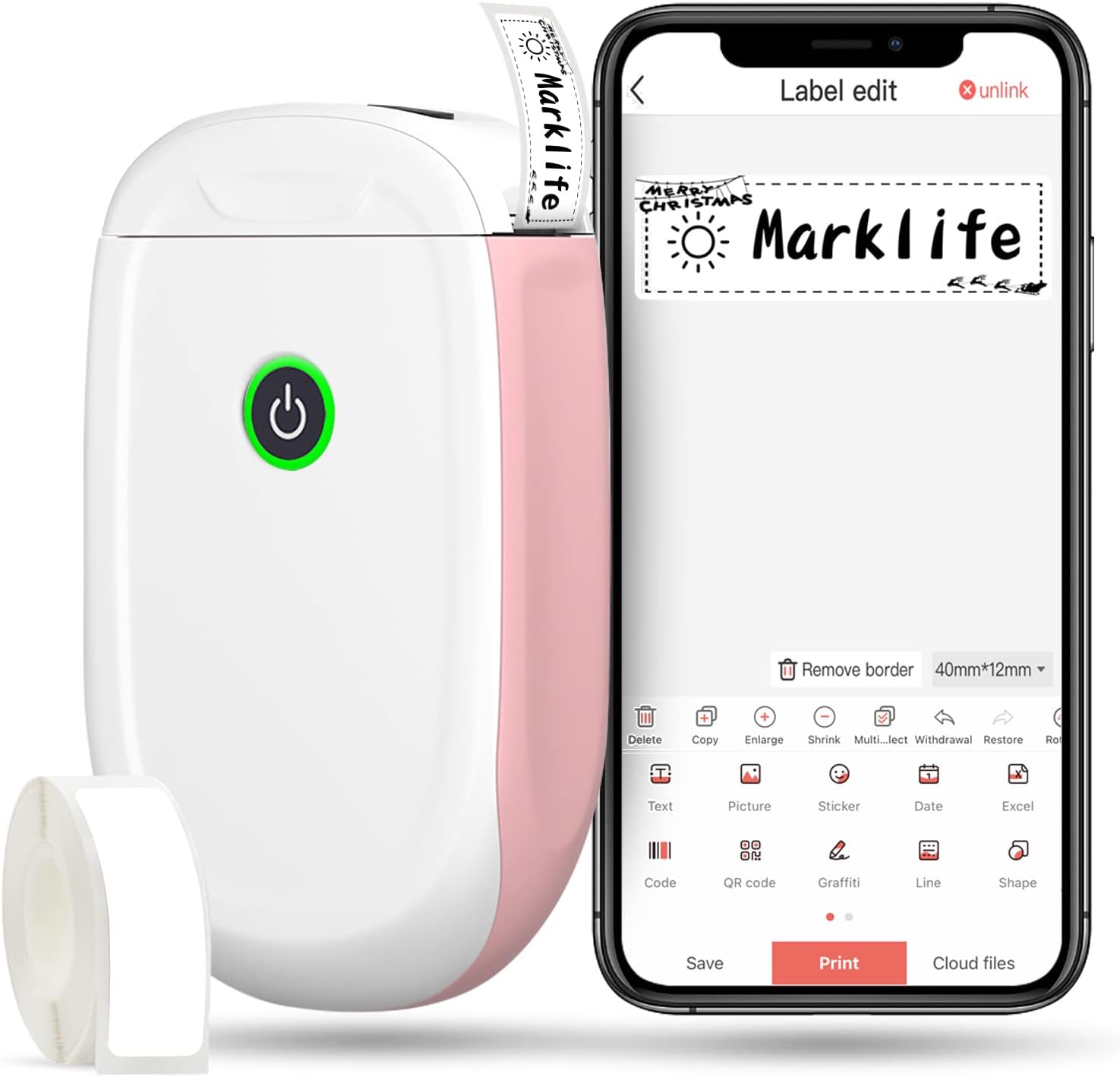
Figure 1: MARKLIFE P50 Label Maker and companion app.
Aratohu Tatūnga
Follow these steps to set up your MARKLIFE P50 Label Maker:
- Load Label Paper: Open the cover and insert the label roll with the printing side facing up. Close the cover securely.
- Tikiake i te Taupānga: Rapua "Marklife" in your smartphone's app store (available for Android and iOS) and install it.
- Whakakā Nihokikorangi: Whakahohehia te Nihokikorangi i runga i to waea atamai.
- Tūhono ki te Pūrere: Open the Marklife app, turn on the labeler, and connect to the device via Bluetooth. The device name will typically start with "P11" or "P50".

Figure 2: Quick setup guide for the Marklife P50.
Video 1: Demonstrates the setup and basic usage of the Marklife P11 (similar to P50) label maker, including loading paper, connecting via Bluetooth, and printing a label.
Nga Tohutohu Whakahaere
Once connected, you can begin creating and printing labels:
- Choose a Template: In the Marklife app, select from various pre-designed templates or start a new blank label.
- Edit Label Content: Double-click on the label area to input text. You can customize font, size, alignment, and add elements like images, icons, dates, or barcodes.
- Preview me te Tā: I mua i te ta, preview your label to ensure it looks as desired. Then, tap the "Print" button to send the design to the label maker.
- Ngā Āhuahira Arā Atu Anō:
- Waehere Pae/Waehere QR: Generate barcodes or QR codes directly from the app. Example barcode: 46745875478655
- Image Recognition (OCR): Use your phone's camera as an OCR scanner within the app to convert text from images into editable label content.
- Tānga Tānga: Print multiple labels from a PDF or a list for efficiency.
- Whakaritenga: Access over 600 combinations of templates, 9 languages, 600+ symbols, 27+ frames, and 15+ fonts.

Figure 3: Customize your own labels with various design elements.

Figure 4: Many designing items available in the app.
Te tiaki
To ensure the longevity and optimal performance of your MARKLIFE P50 Label Maker, follow these maintenance guidelines:
- Te horoi: Horoia te taha waho o te taputapu ki te kakahu ngohengohe, maroke. Mō te pane tā, whakamahia he miro miro kia mākū.ampened with rubbing alcohol, ensuring the device is off and disconnected from power. Allow it to dry completely before use.
- Rokiroki: Penapenahia te mīhini tapanga ki te wāhi hauhautanga, maroke, kia matara atu i te rā tika me ngā pāmahana tino kino.
- Label Roll Care: Puritia ngā roera tapanga kāore anō kia whakamahia i roto i ō rātou takai taketake hei tiaki i a rātou mai i te puehu me te makuku.
- Tiaki Pūhiko: For optimal battery life, charge the device regularly, even if not in frequent use. Avoid completely draining the battery for extended periods.

Figure 5: Thermal printing technology requires no ink, simplifying maintenance.

Figure 6: Labels are designed for durability and resistance to water and oil.
Raparongoā
If you encounter issues with your MARKLIFE P50 Label Maker, try the following solutions:
| Raruraru | Take pea | Rongoā |
|---|---|---|
| Kāore te pūrere e tahuri. | He iti te pākahiko. | Me utu te taputapu ma te whakamahi i te taura USB kua whakaratohia. |
| Kaore e taea te hono ma te Nihokikorangi. | Bluetooth is off on phone/device, or device is out of range. | Ensure Bluetooth is enabled on your phone and the label maker is within 33 feet. Restart both devices. |
| Poor print quality or blank labels. | Incorrect label paper loading, dirty print head, or low battery. | Re-load label paper correctly. Clean the print head. Charge the device. |
| Ka pakaru, ka whakatio ranei te taupānga. | Software glitch or outdated app version. | Restart the app. Check for app updates in your app store. Reinstall the app if necessary. |
| Kāore ngā tapanga e whāngai tika ana. | Paper jam or incorrect paper type. | Open the cover and clear any jammed paper. Ensure you are using compatible Marklife label rolls. |
Whakatakotoranga
| Āhuahira | Taipitopito |
|---|---|
| Ingoa Tauira | P50 |
| Waitohu | MARKLIFE |
| Hangarau Tā | Ngawha |
| Hangarau Hononga | Nihokikorangi |
| Putanga Pūreretā | Monochrome (Black ink) |
| Tere Tā Max (Monochrome) | 30 ppm |
| Te Rahi Media Max | 3 x 5 inihi |
| Label Width Range | 0.59'' - 2.24'' |
| Taumaha Tūemi | 9.6 hekere (272 Karamu) |
| Hunga Hua | 3.14 x 5.5 x 1.18 inihi (tata ki te 7.5 x 13.6 x 2.8 cm) |
| Pūrere Hototahi | Android & iOS mobile devices, Windows PC (via USB) |
| Nga Waahanga kei roto | Label Maker, Label Tape |
Nga tono
The MARKLIFE P50 Label Maker is versatile and can be used in various scenarios:
- Te Whakahaere Kāinga: Labeling spice jars, storage containers, baby items, and personal belongings.
- Whakamahinga Tari: Te whakarite files, marking cables, labeling office tools, and creating name tags. Example barcode: 6953124066961
- Pakihi Iti: Creating price tags, product labels, barcode labels, and shipping labels for retail, clothing, and jewelry.
- Whakamahi Whaiaro: Labeling gifts, creating custom stickers, and marking food expiration dates.
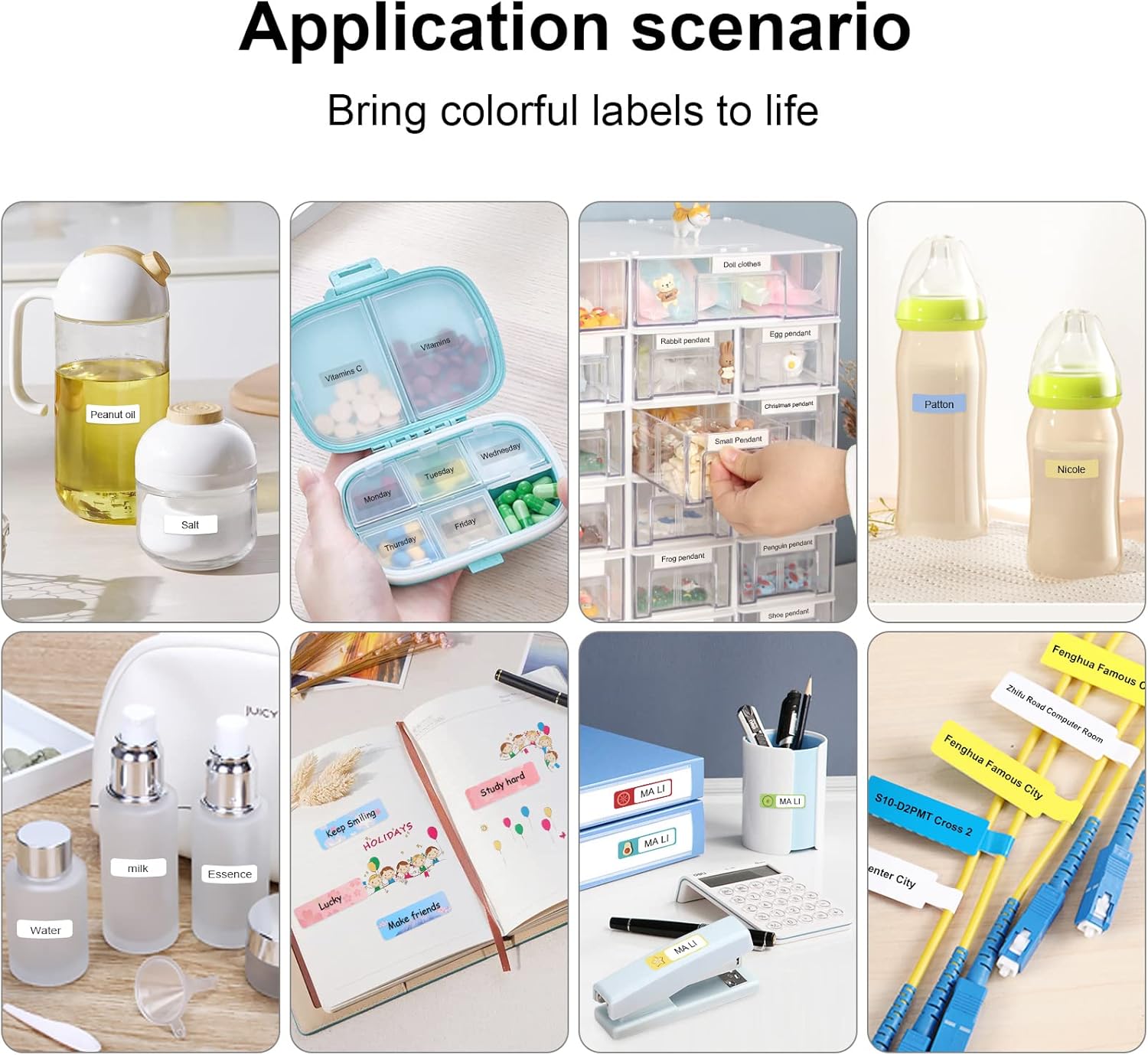
Figure 7: Diverse application scenarios for home and personal use.
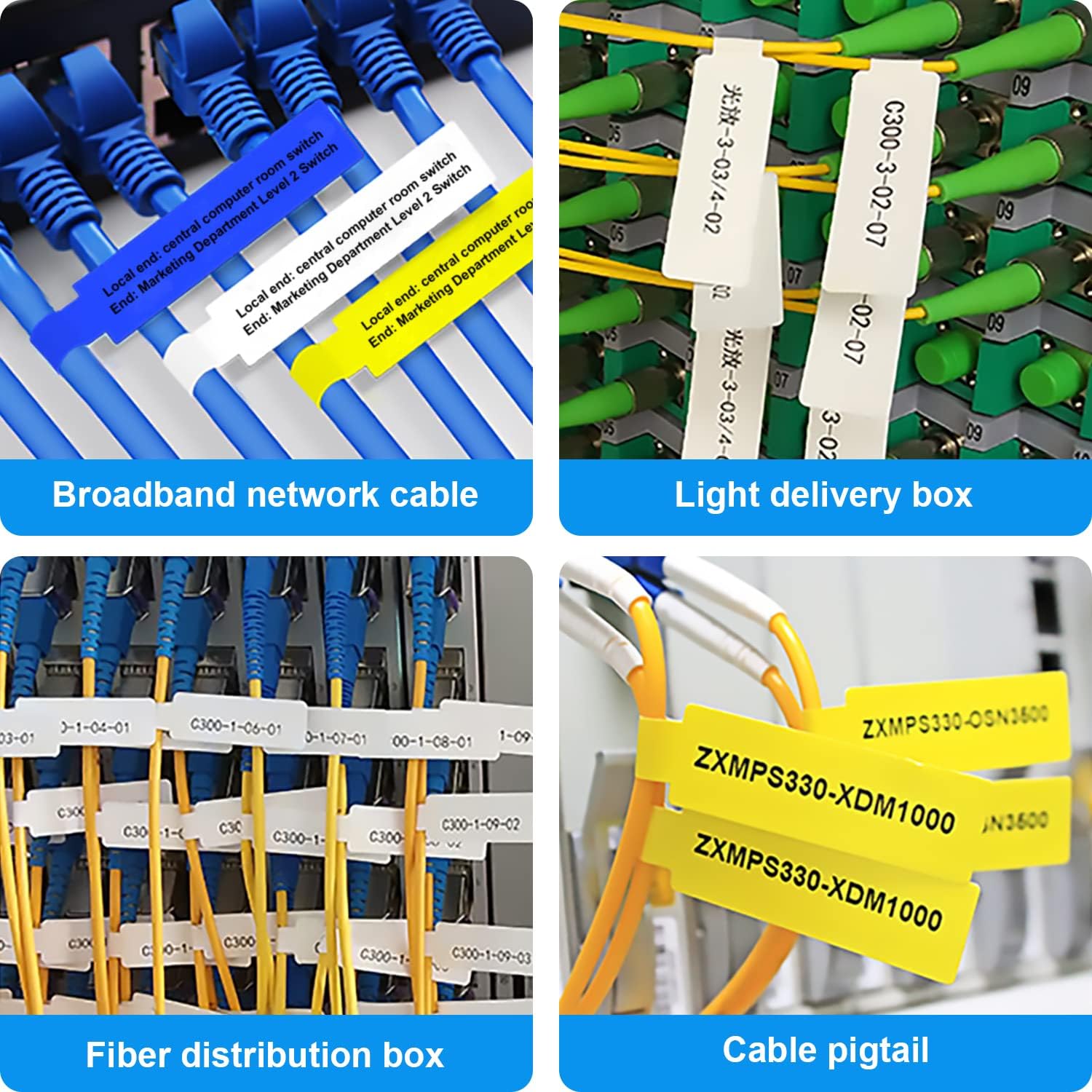
Figure 8: Labeling solutions for various types of cables and wiring.

Figure 9: Practical applications for office organization.

Figure 10: Creative uses for gift labeling.
Pūtāhui me te Tautoko
MARKLIFE products are designed for reliability and performance. For specific warranty information and support, please refer to the warranty card included with your product or visit the official MARKLIFE website. For common inquiries, please consult the troubleshooting section of this manual or the FAQ section within the Marklife app.
You can also visit the official MARKLIFE store on Amazon for more information and product updates: MARKLIFE Store.