
HOREVO B027-110V
HOREVO Retractable Ceiling Fan with Lights and Bluetooth Speaker Instruction Manual
Waitohu: HOREVO
Tauira: B027-110V
1. Kupu Whakataki me te Hua Nekeview
This manual provides detailed instructions for the installation, operation, and maintenance of your HOREVO Retractable Ceiling Fan with Lights and Bluetooth Speaker. This innovative product combines a ceiling fan, lighting, and an integrated Bluetooth speaker, offering convenience and ambiance for various rooms.
- Whakauru Whare Ataata: Seamlessly control the fan and lights with Alexa and Google App for hands-free convenience.
- Matatahi Ka taea te tango: Unique retractable design conceals the fan blades when not in use, providing a sleek and modern appearance.
- Tukuoro Nihokikorangi: Enjoy your favorite tunes directly from the built-in Bluetooth speaker, enhancing both function and ambiance.
- Kids Fan Light: 24W mini-size design, no noise, good choice for kid's room. Accompanied by starry lights, soft music and breeze, children will no longer be afraid of the dark night. Set a timer for the fan, so that no need to worry about catch cold.

Figure 1: HOREVO Retractable Ceiling Fan with Lights and Bluetooth Speaker. This image shows the fan with its blades extended and the light illuminated, with musical notes indicating the Bluetooth speaker function.
2. Tatūnga me te Tāuta
The HOREVO Retractable Ceiling Fan is designed for easy installation. It comes with all necessary installation materials and clear instructions. Ensure power is disconnected before beginning installation.
2.1 Ahu
The fan has a diameter of 36 inches when the fan blades are extended and 16 inches when the blades are retracted. Rods of 3.9 inches and 7.9 inches are included for adjustable hanging, allowing for flexible installation heights.

Figure 2: Detailed dimensions of the HOREVO Retractable Ceiling Fan, showing its height and width in both extended and retracted states.
2.2 Nga Waahi Whakataunga
- Momotu Mana: I mua i te tiimata, me whakawetohia te tuku hiko ki te waahi whakaurunga i te waahi ara iahiko.
- Maunga te Taiapa: Securely attach the mounting bracket to the ceiling junction box.
- Hononga Waea: Connect the fan's electrical wires to your home's power supply wires according to local electrical codes. The fan is designed with three parts in one piece, simplifying wiring.
- Tāpirihia te Tinana Pā: Carefully lift and attach the fan body to the mounted bracket.
- Tāuta Lampwhakamarumaru: Rotate and install the lampshade onto the fan body.
- Whakaora i te Mana: Once installation is complete, restore power and test the fan and light functions.
Note: Professional installation is recommended if you are unfamiliar with electrical wiring.
3. Nga Tohutohu Whakahaere
Your HOREVO ceiling fan offers multiple control options for convenience.
3.1 Mahi Mana Mamao
The fan comes with a dedicated remote control for easy access to all functions.
Figure 3: The remote control for the HOREVO ceiling fan, showing various buttons for fan speed, light control, and other functions.
- Tere Kiri: Select from 3 fan speeds (low, medium, high) using the designated buttons.
- Mana Maama: Turn the light on/off, adjust brightness, and change light color (white, warm, neutral, or RGB colors) using the light control buttons.
- Taumahi Matawā: Set a timer for the fan to automatically turn off after 1, 2, or 3 hours.
- Te Hokinga o te Mata: The blades automatically retract when the fan is turned off and extend when the fan is turned on.

Figure 4: Illustration of the fan's forward and reverse modes. Forward turn provides cool wind for summer, while reverse turn promotes warm air circulation for winter.
3.2 Whakaurunga Kāinga Atamai (Alexa/Kāinga Google)
Control your fan and lights using voice commands through Alexa or Google Home. Ensure your fan is connected to your home Wi-Fi network and linked to the respective smart home app.
- Tono Reo: Use commands like "Alexa, turn on the fan," "Google, set fan speed to 2," or "Alexa, change light color to blue."
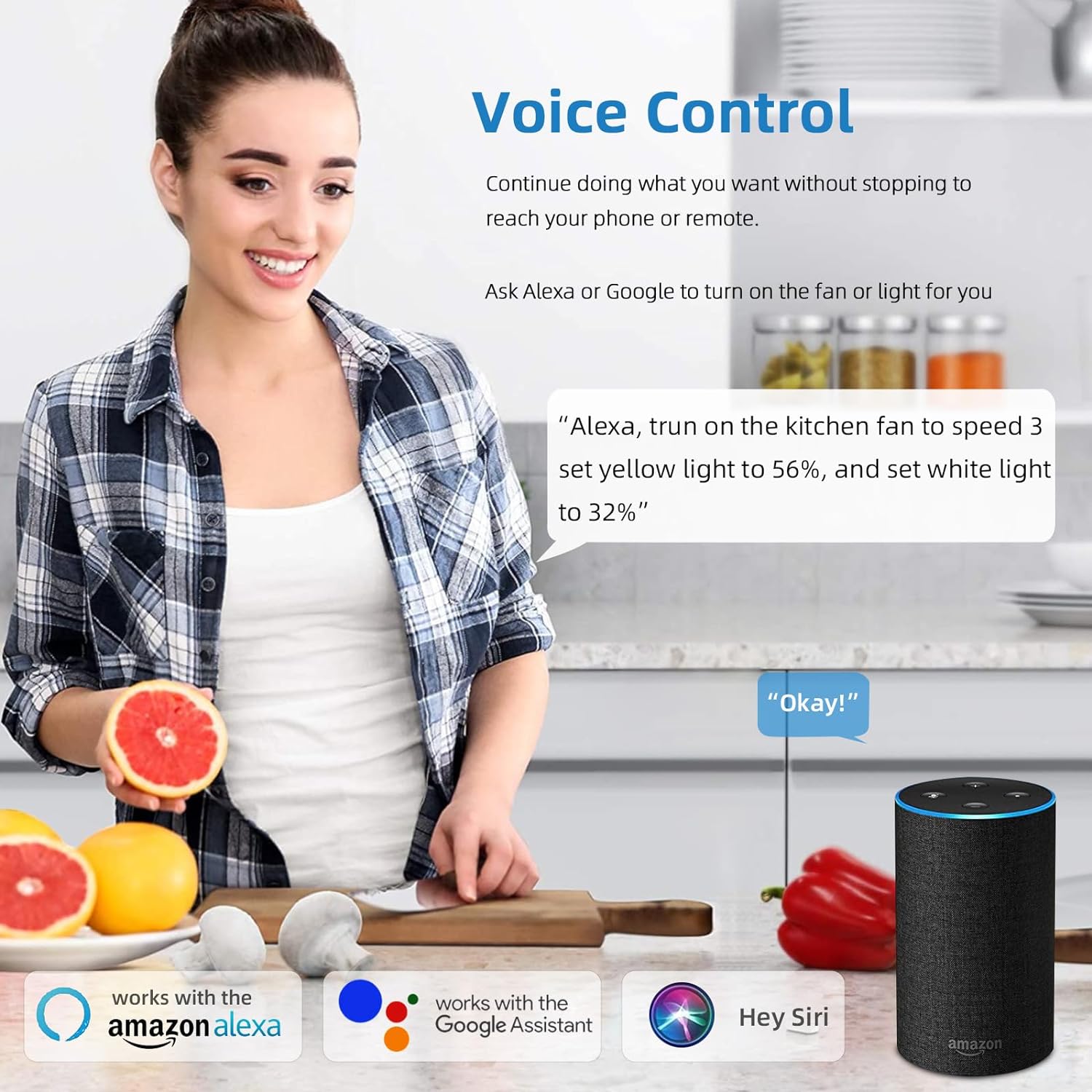
Figure 5: A user interacting with the HOREVO fan using voice commands via Alexa, demonstrating hands-free control.
3.3 Ngā Mahi a te Kaikōrero Nihokikorangi
The integrated Bluetooth speaker allows you to play music directly from your smartphone or other Bluetooth-enabled devices.
- Takirua: Enable Bluetooth on your device and search for the fan's Bluetooth name (usually "AnSLong" or similar). Select it to pair.
- Whakahoki Waiata: Once paired, play music through your device, and it will stream through the fan's speaker.
- Light Synchronization: The lights can dance to the beat of the music, enhancing the ambiance.
Figure 6: Visual representation of the fan's Bluetooth connectivity, three-color light effect, colorful light options, music playback, and rhythm synchronization.
4. Tiaki
Regular maintenance ensures the longevity and optimal performance of your HOREVO ceiling fan.
- Te horoi:
- Before cleaning, ensure the fan is turned off and the power supply is disconnected.
- Wipe the fan blades and light fixture with a soft, damp kakahu. A ape i te whakamahi i nga matū kino, i nga kai horoi, na te mea ka kino pea te otinga.
- For crystal components, use a soft, lint-free cloth to gently polish.
- Tirohanga Mata: Periodically check the retractable blades for any dust accumulation or obstructions. Ensure they move smoothly.
- Puna Maama: The LED light source is designed for long-term use and typically does not require replacement. If issues arise, consult the troubleshooting section or contact support.
5. Te Raru
If you encounter any issues with your HOREVO ceiling fan, refer to the following common troubleshooting steps:
| Raruraru | Take pea | Rongoā |
|---|---|---|
| Kare te Fan e huri. | No power supply; loose wiring; remote control battery dead. | Tirohia te pūwāhi ara iahiko; kia tino honoa ngā waea katoa; whakakapia ngā pākahiko mana mamao. |
| Kaore e marama te rama. | Loose wiring; LED driver issue; remote control battery dead. | Check wiring connections; contact support if LED driver is suspected; replace remote control batteries. |
| Kāore te kaikorero Nihokikorangi e hono ana. | Device not in pairing mode; fan not discoverable; interference. | Ensure Bluetooth is enabled on your device and the fan is in pairing mode; try restarting both devices. |
| Ka haruru rerekee te Fan. | Loose screws; unbalanced blades; motor issue. | Check and tighten all screws; ensure blades are properly balanced; contact support if motor issue is suspected. |
| Blades do not retract/extend properly. | Obstruction; mechanism fault. | Check for any physical obstructions; contact support for mechanism issues. |
6. Whakatakotoranga
Detailed technical specifications for the HOREVO Retractable Ceiling Fan:
- Waitohu: HOREVO
- Tau tauira: B027-110V
- Tae: 24w-crystal-36 inch
- Rauemi: kiriaku
- Kāhua: Hou
- Puka Maama: te tuanui
- Momo Rūma: Rūma Tamariki, Rūma moenga
- Rahi Hua: 15.7"L x 3.2"W x 15.7"H (retracted)
- Extended Diameter: 36 inihi
- Puna Hiko: Corded Electric, Battery Powered (for remote)
- Momo Tāuta: Maunga Huruhuru
- Āhuahira Motuhake: Mana Mamao
- Tikanga Mana: Remote, Alexa/Google App
- Momo Puna Maama: LED
- Momo Mutu: Kua orohia
- Rauemi whakamarumaru: kiriaku
- Te maha o nga puna marama: 1
- Voltage: 110 Volts
- Kaupapa: Tamariki
- Tae Maama: White, RGB
- Nga Waahanga Kei roto: Mana Mamao
- Whakapaipai: Kiriata
- Tikanga Rama: Mamao
- Te maha o nga mea: 1
- Wattage: 24 watts
- Momo Kaitatau: Mana Mamao
- Momo Whakawhiti: Mamao
- Tatau Waeine: 1 Tatau
- Taumata Atete Wai: Ehara i te wai ātete
- Kawa Hononga: Wi-Fi (for smart home integration)
- Tirohanga: 2160 Rumeni
- Te kaha: 90 lm/W
- Momo Whakapuru: Maunga Pouaka
- Tae Taumarumaru: Kiriata
- Momo Whakaritenga: Kaore e taea te tango
- Huihuinga e hiahiatia ana: Kao
- Taumaha Tūemi: 18.96 pauna
- UPC: 696629191115
7. Pūtāhui me te Tautoko
HOREVO is committed to providing high-quality products. For any product-related inquiries, technical assistance, or warranty claims, please contact HOREVO customer support.
- Mahere Tiaki: Extended protection plans are available for purchase separately to cover your product beyond the standard warranty period. Please refer to your purchase documentation for details on available plans and coverage.
- Mōhiohio Whakapā: For support, please visit the official HOREVO store on Amazon or refer to the contact details provided in your product packaging.
- Rauemi ipurangi: Additional support and FAQs may be available on the HOREVO brand website or Amazon product page.
Ask a question about this manual
Ask about setup, troubleshooting, compatibility, parts, safety, or missing instructions. Manuals+ will review the question and use this page’s manual context to help answer it.