
1. Kupu Whakataki
The TELLUR Dash Patrol DC2 is a Full HD 1080P car camera designed to record your driving journeys and provide enhanced security for your vehicle. This manual provides essential information for the proper installation, operation, and maintenance of your device. Please read it carefully before use.
2. Ihirangi mokete
Manatokona kei te noho nga taonga katoa, kei te pai te ahua ina wetewetehia.
- TELLUR Dash Patrol DC2 Car Camera
- Car Mount (Magnetic)
- Tauira USB
- Kaitohu Motoka

Whakaahua: Pahū view of the Dash Patrol DC2 showing the camera, magnetic mount, and key features like GPS, Magnetic Charging, Wi-Fi, and Full HD recording.
3. Hua Neke Atuview
Familiarize yourself with the components of your Dash Patrol DC2 camera.
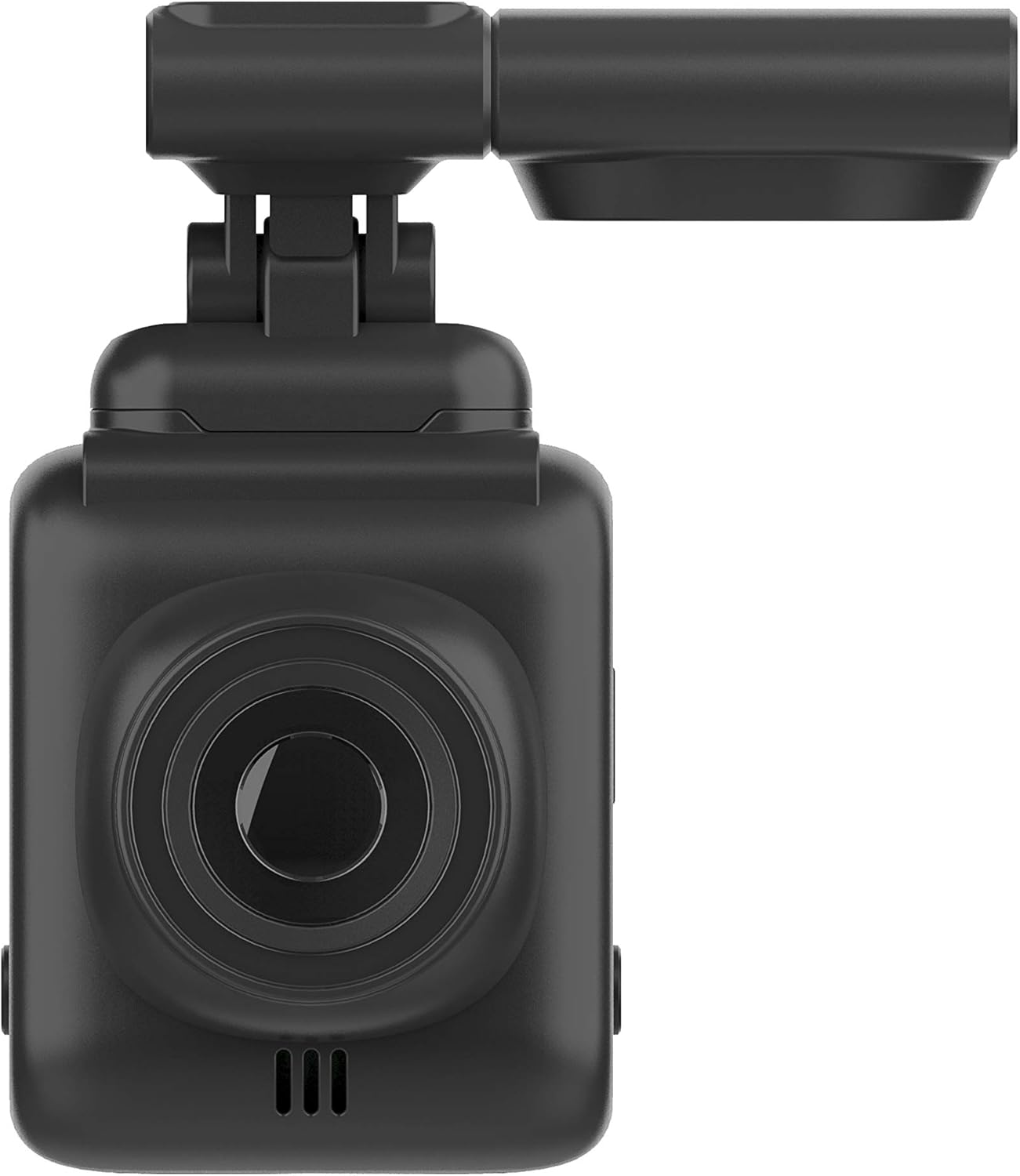
Whakaahua: Mua view of the Dash Patrol DC2, highlighting the camera lens.
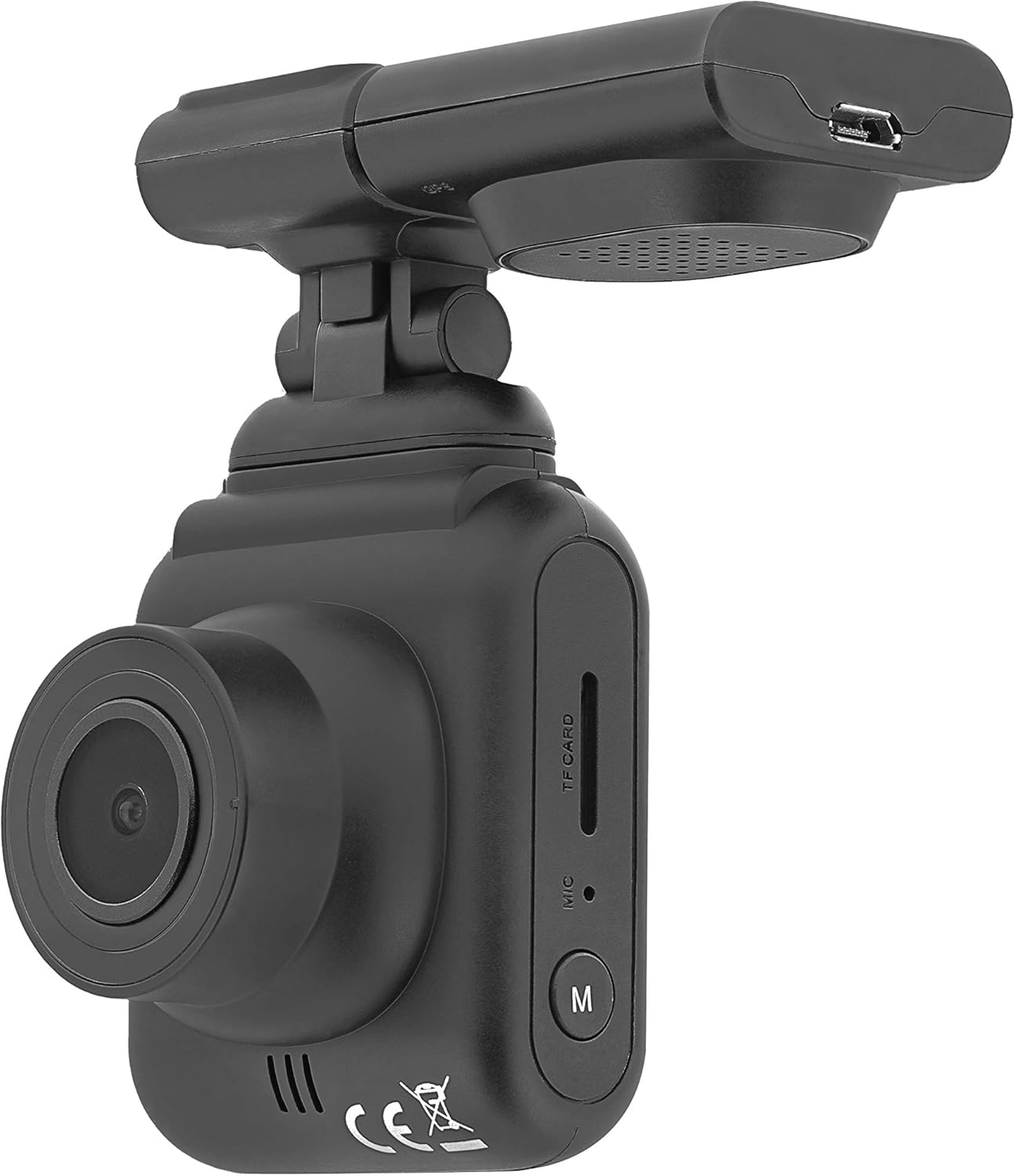
Whakaahua: Taha view of the Dash Patrol DC2, showing the TF card slot, microphone, and 'M' button.

Whakaahua: Rear view of the Dash Patrol DC2, displaying the screen, navigation buttons, USB port, Reset button, and Power button.
Wae matua:
- Arotahi kāmera: Ka hopu ataata footage.
- 2.7-inch Display Screen: Mo viewkei te ora footage, te purei anō, me te whakatere tahua.
- Kāniwha Kāri TF: Whakauruhia te kaari MicroSD mo te rokiroki.
- hopuoro: Records audio (can be disabled in settings).
- Pātene 'M': Mode button to switch between video, photo, and playback modes.
- Ngā Pātene Whakatere (Whakarunga/Whakararo): Mō te whakatere tahua me ngā mahi motuhake.
- Pene OK: Confirms selections and starts/stops recording.
- Pātene Hiko: Ka whakakā/whakaweto i te taputapu.
- Patene Tautuhi Anō: For factory reset (use a thin object to press).
- Tauranga USB: Mō te tuku hiko me te whakawhiti raraunga.
- Magnetic Mount Connector: For attaching the camera to the car mount.
4. Tatūnga
4.1 Installing the MicroSD Card
- Me mohio kua weto te kamera.
- Insert a Class 10 or higher MicroSD card (up to 64GB, not included) into the TF card slot until it clicks into place.
- Hei tango, pana atahia te kaari kia puta ra ano.
4.2 Whakauru i te Kamera
- Clean the area on your windshield where you intend to mount the camera.
- Attach the magnetic car mount to the windshield using its adhesive or suction cup. Ensure it does not obstruct your view.
- Align the camera with the magnetic connector on the mount until it securely attaches.
- Whakatikatikahia te koki o te kāmera kia mārama ai view o te huarahi kei mua.
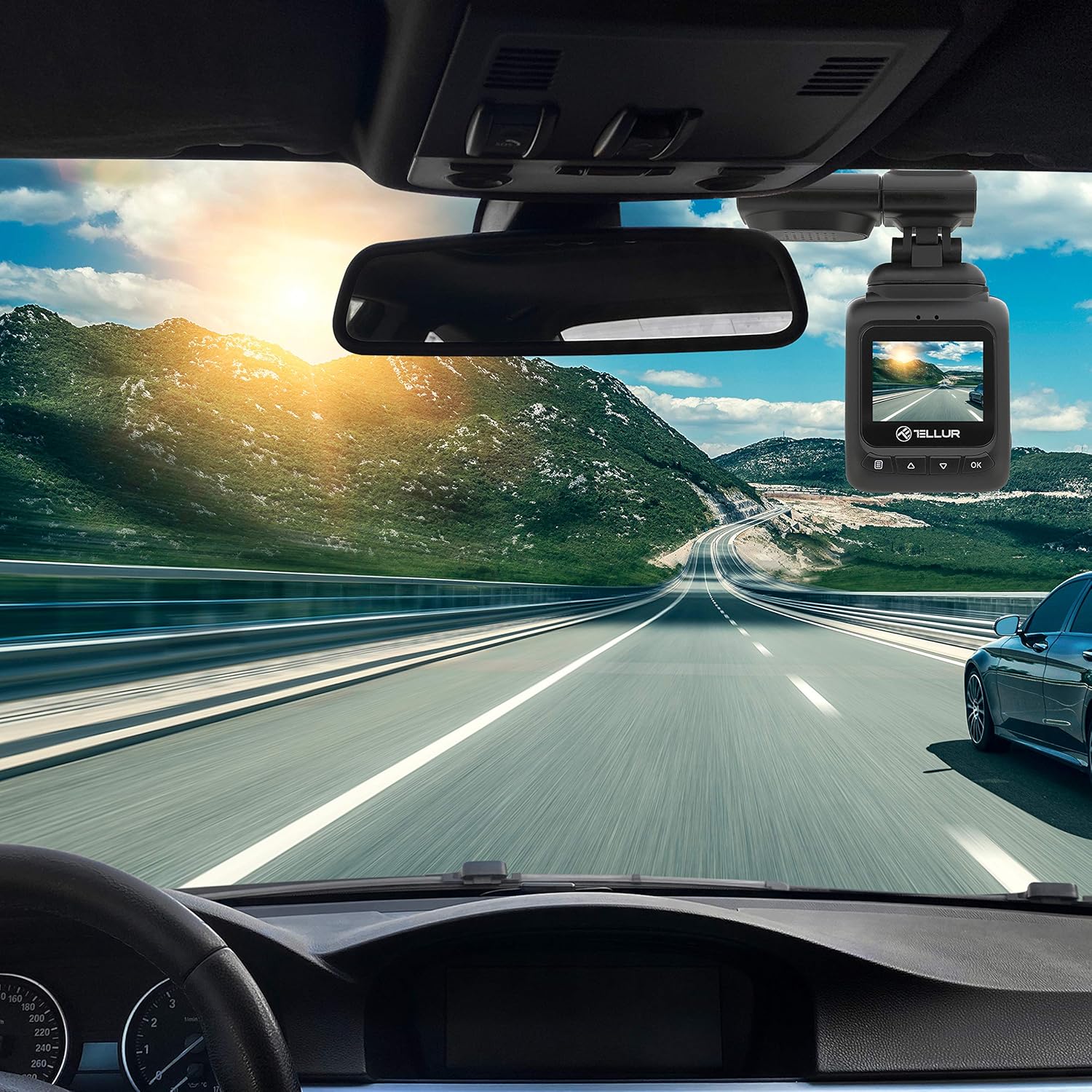
Image: The Dash Patrol DC2 camera mounted on a car windshield, showing its position relative to the rearview mirror for optimal road visibility.
4.3 Te Whakakaha i te Kāmera
- Connect the car charger to your vehicle's 12V power outlet (cigarette lighter socket).
- Connect the other end of the USB cable to the camera's USB port.
- The camera will automatically power on and begin recording when your vehicle starts. It will power off shortly after the vehicle is turned off.
4.4 Tautuhinga Tuatahi
Upon first use, or after a reset, you may need to set the date and time. Navigate through the menu using the Up/Down buttons and confirm with the OK button.
5. Nga Tohutohu Whakahaere
5.1 Tuhi Tuhituhi
The camera automatically starts loop recording when powered on. Older files are overwritten when the memory card is full, except for locked files.
5.2 G-Sensor (Automatic Incident Detection)
The built-in G-sensor detects sudden impacts or collisions. When an event is detected, the current video segment is automatically locked to prevent it from being overwritten during loop recording.

Image: Illustration of the G-sensor function, showing the camera recording and a lock icon appearing when a collision is detected, indicating the video is protected.
5.3 Parking Monitor Function
When enabled, the parking monitor function allows the camera to automatically record when motion or impact is detected while the vehicle is parked and the engine is off. This provides surveillance even when you are away from your vehicle.

Image: Diagram illustrating the parking monitor function, where the dashcam automatically records when motion is detected around a parked car.
5.4 GPS Mahi
The integrated GPS module records your vehicle's speed and location data alongside the video footage. Ka taea e enei korero viewed during playback using compatible software on a computer.
5.5 Wi-Fi Connectivity and App
The Dash Patrol DC2 features Wi-Fi connectivity, allowing you to connect to a smartphone app for live view, video playback, and settings adjustment. The compatible app is typically named GoPlus Cam.
- Tikiake te GoPlus Cam taupānga mai i te toa taupānga o to waea atamai.
- Turn on the Dashcam.
- Press and hold the 'Down' button on the camera until the Wi-Fi symbol appears on the screen.
- On your smartphone, go to Wi-Fi settings and connect to the camera's Wi-Fi network (SSID usually starts with 'TELLUR' or similar).
- Open the GoPlus Cam app to manage your camera.

Image: Icon for the GoPlus Cam mobile application, used for connecting to the dashcam via Wi-Fi.
6. Tiaki
6.1 Whakahaere Kāri MicroSD
- Regularly format the MicroSD card (at least once a month) to ensure optimal performance and prevent data corruption. This can usually be done through the camera's menu settings.
- Replace the MicroSD card if you notice frequent errors or degraded performance.
6.2 Te horoi
- Use a soft, dry cloth to clean the camera lens and screen. Avoid abrasive materials or chemical cleaners.
- Puritia te kamera kia kore he puehu me te para.
7. Te Raru
If you encounter issues with your Dash Patrol DC2, refer to the following common solutions:
| Raruraru | Rongoa pea |
|---|---|
| Karekau te kamera i te hiko. |
|
| Camera turns on but screen is white/blank. |
|
| Camera stops recording or records intermittently. |
|
| Nga take hononga Wi-Fi. |
|
| GPS data not showing speed on screen. |
|
8. Whakatakotoranga
| Āhuahira | Taipitopito |
|---|---|
| Waitohu | TELLUR |
| Tauira | TLL711002 |
| Whakataunga Hopu Ataata | 1080p (FullHD) |
| Rahi Whakaatu Mata Tu | 2.7 Inihi |
| Tuturu Viewing Koki | 140 Waeine |
| Momo Mahara Kohiko | MicroSD (up to 64GB, Class 10 or higher recommended) |
| Nga waahanga motuhake | Automatic Incident Detection (G-Sensor), Parking Monitor Function, Built-in GPS, Wi-Fi Connectivity |
| Momo Whakaeke | Dashboard Mount (Magnetic Car Mount) |
| Hunga Hua | 50 x 50 x 28 cm |
| Taumaha Tūemi | 270 g |
9. Pūtāhui me te Tautoko
For warranty information or technical support, please refer to the documentation provided with your purchase or visit the official TELLUR webpae. Puritia to tohu hoko mo etahi kereme whakamana.


