
Wellue BP2A
Pukapuka Kaiwhakamahi mō te Aroturuki Pēhanga Toto Nihokikorangi a Wellue BP2A
Model: BP2A | Brand: Wellue
1. Kupu Whakataki
This manual provides essential instructions for the safe and effective use of your Wellue Bluetooth Blood Pressure Monitor BP2A. This device is designed for home use to measure systolic blood pressure (SYS), diastolic blood pressure (DIA), mean arterial pressure (MAP), pulse rate, and pulse pressure. It also features an ECG function for additional heart health monitoring. Please read this manual thoroughly before first use and retain it for future reference.
2. Nga Korero Haumaru Nui
- Consult your physician before using this device for any medical condition. Self-diagnosis and treatment based on measurements can be dangerous.
- This device is intended for adult home use only. It is not intended for use on infants, children, or pregnant women.
- Do not use this device in conjunction with high-frequency surgical equipment.
- Tiakina te taputapu kia kore e taea e nga tamariki me nga kararehe.
- Kaua e wetewete, ka ngana ranei ki te whakatika i te taputapu. Tukuna atu nga ratonga katoa ki nga kaimahi whai tohu.
- Avoid strong electromagnetic fields during use, as they may interfere with the device's operation.
- Ko nga korero e pa ana ki nga taapiringa kai kaore ano kia arotakehia e te FDA, kaore i te whakaaro ki te tirotiro, ki te rongoa, ki te rongoa, ki te aukati ranei i nga mate, i nga ahuatanga hauora ranei.
3. Ihirangi mokete
Manatokona kei reira nga mea katoa i te whakatuwheratanga o te kete:
- Wellue Bluetooth Blood Pressure Monitor BP2A (integrated with cuff)
- Tauira Whakatau USB
- Pukapuka Kaiwhakamahi
4. Pūrere Neke Atuview
The Wellue BP2A monitor features a compact, one-piece design for ease of use and portability. It includes an integrated arm cuff, a digital display, and control buttons.

Figure 4.1: Wellue BP2A Blood Pressure Monitor and ViHealth App Interface.

Figure 4.2: Key features of the Wellue BP2A monitor, including Bluetooth connectivity, FDA clearance, rechargeable battery, and built-in memory for 50 readings.
5. Tatūnga
5.1 Te Whakataki i te Pūrere
Before initial use, fully charge the device using the provided USB cable. Connect the cable to the monitor's charging port and a standard USB power adapter (not included). A full charge can provide power for up to 300 measurements.
5.2 Installing the ViHealth App
The Wellue BP2A works with the free ViHealth app, available for iOS and Android devices. Rapua "ViHealth" in your device's app store and install it.

Figure 5.1: The ViHealth app for Android and iOS, used to track blood pressure and heart measurements.
5.3 Takirua Nihokikorangi
Ensure Bluetooth is enabled on your smartphone. Open the ViHealth app. Turn on the Wellue BP2A monitor. The device should automatically connect to the app. Follow any on-screen prompts within the app to complete the pairing process.
6. Nga Tohutohu Whakahaere
6.1 Te Whakanoho tika i te Cuff
Accurate measurement depends on correct cuff placement. Ensure the cuff is placed directly on your bare upper arm, 1-2 cm above the elbow joint. The air tube (if applicable, though this is a one-piece design, the sensor area should be aligned) should be positioned over the brachial artery. The cuff should fit snugly but not too tightly. Refer to the diagram below for guidance.

Figure 6.1: Correct cuff placement for accurate blood pressure measurement.
6.2 Te Inenga Toto
- Noho pai me te tautoko o to tuara me nga waewae i runga i te papa. Whakanohia to ringa ki runga tepu kia noho te ringa ki te taumata o te ngakau.
- Ensure the device is powered on and, if desired, connected to the ViHealth app.
- Pehia te Tīmata/Kati button on the device. The cuff will begin to inflate.
- Me noho puku me te wahangu i te wa e ine ana.
- Once complete, your blood pressure readings (SYS, DIA, MAP, Pulse Rate, Pulse Pressure) will be displayed on the device screen and automatically uploaded to the ViHealth app if connected.

Figure 6.2: User taking a blood pressure measurement with the Wellue BP2A monitor.
6.3 Taking an ECG Measurement
The device also supports ECG measurements. To take an ECG:
- Ensure the device is powered on and connected to the ViHealth app.
- Hold the device with both hands, placing your thumbs on the designated electrodes (usually the metal strips on the sides or top of the device).
- Remain still and relaxed for the duration of the measurement (typically 30 seconds).
- The ECG waveform and heart rate will be displayed on the device and recorded in the app.
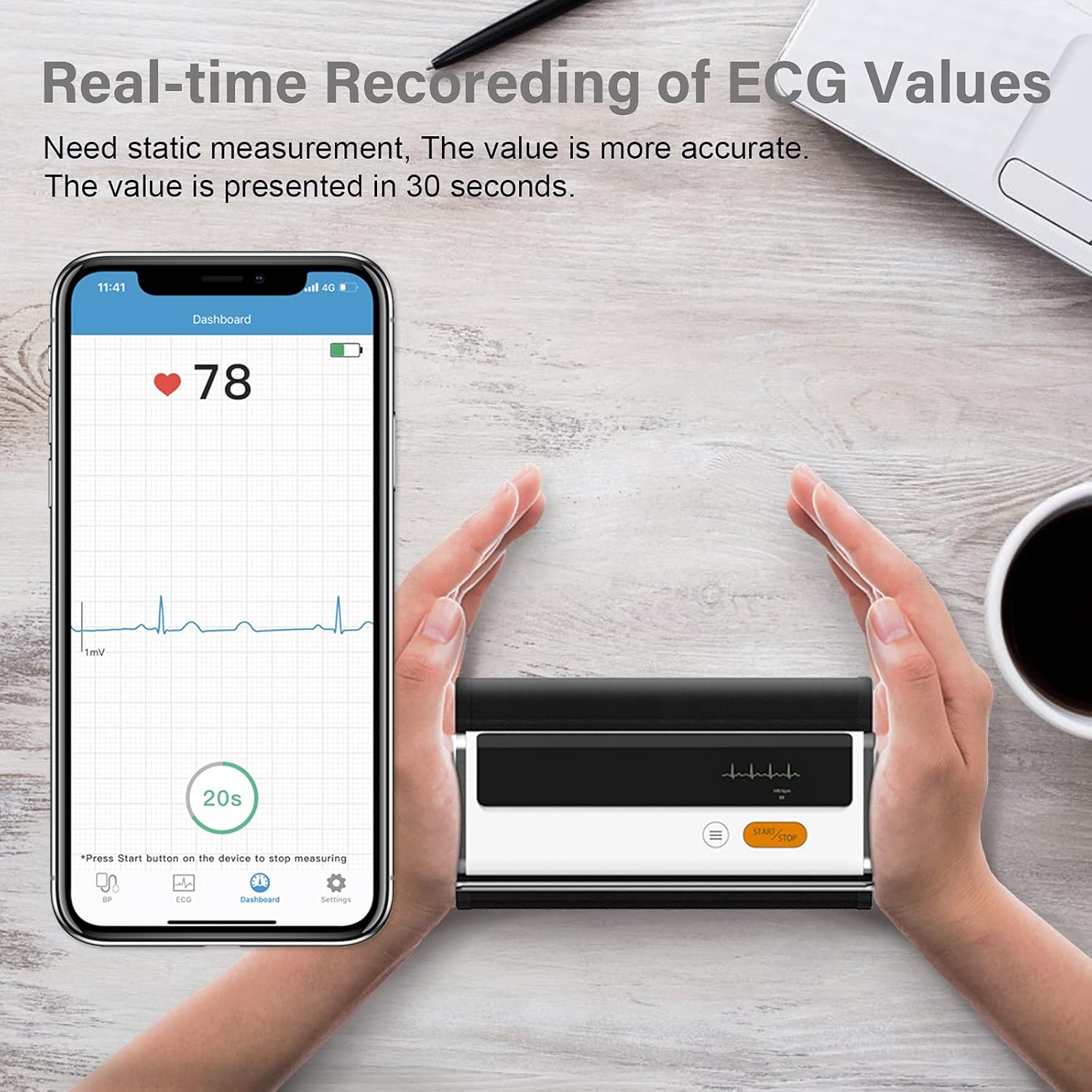
Figure 6.3: Real-time recording of ECG values using the Wellue BP2A monitor.
6.4 Using the ViHealth App for Data Management
The ViHealth app allows you to:
- View real-time readings during measurement.
- Access historical data and trends for multiple users.
- Generate and share PDF/CSV reports with healthcare providers.
- Track both blood pressure and ECG data in one place.
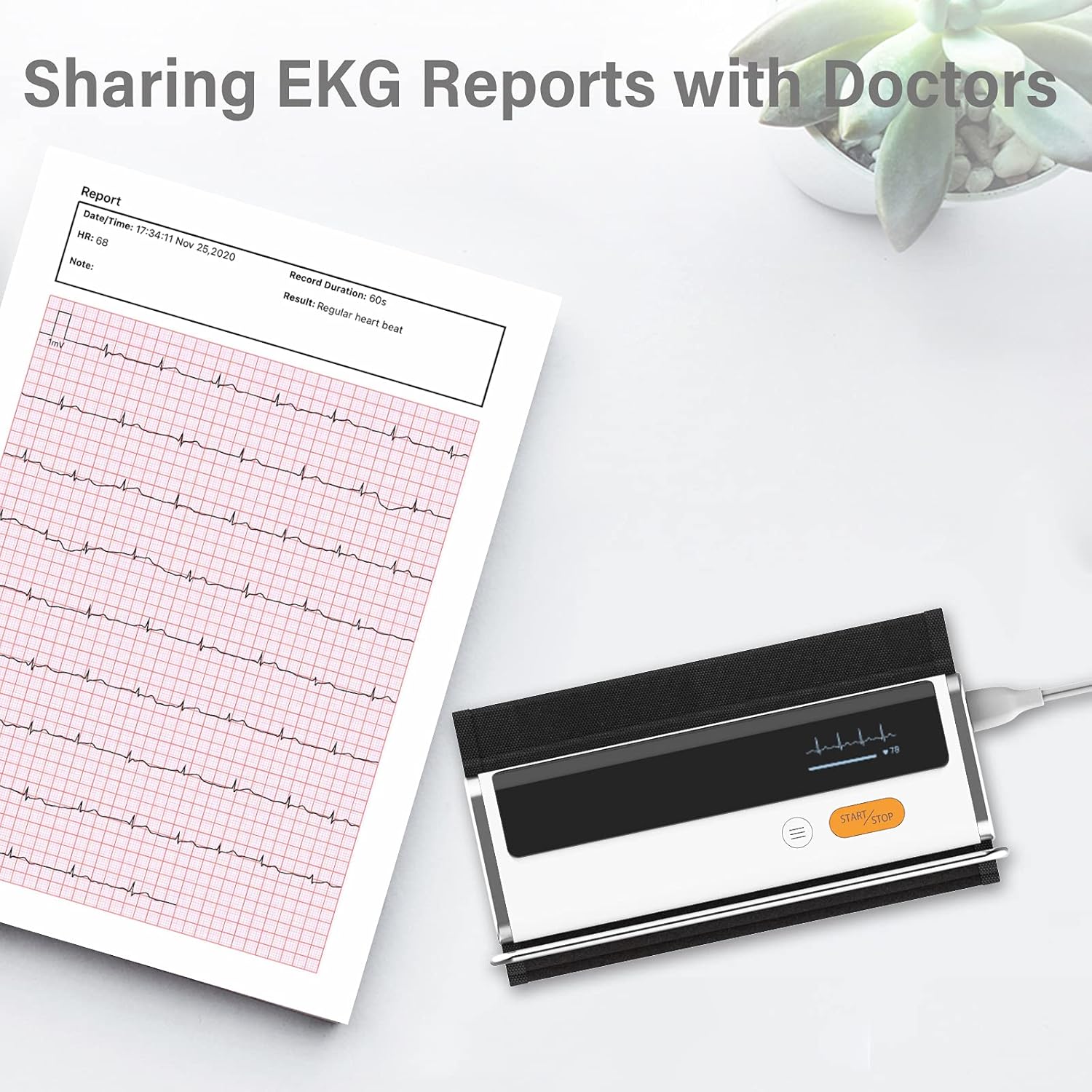
Figure 6.4: Sharing EKG reports generated by the ViHealth app.
Video 6.1: Demonstration of the Wellue blood pressure monitor's features and its integration with the ViHealth app for real-time readings and data sharing.
7. Tiaki
7.1 Te horoi
Horoia te taputapu me te poroporo ki te kakahu ngohengohe, maroke. Ki te tika, whakamahia he kakahu mārie.ampened with water or a mild disinfectant. Do not immerse the device in water or use abrasive cleaners.
7.2 Rokiroki
Store the device in a cool, dry place, away from direct sunlight and extreme temperatures. Keep it in its original packaging or a protective case when not in use.
7.3 Tiaki Pūhiko
Hei whakaroa i te ora o te pākahiko, utua te taputapu i ia wā, ahakoa kāore e whakamahia pinepinetia. Kaua e whakaweto katoatia te pākahiko mō ngā wā roa.
8. Te Raru
| Raruraru | Take pea | Rongoā |
|---|---|---|
| Kaore te taputapu e ka ana | He iti te pākahiko | Whakautuhia te pūrere mā te whakamahi i te taura USB. |
| Kāore e taea te hono atu ki te taupānga | Bluetooth off, app not open, device not in pairing mode | Ensure Bluetooth is on, open ViHealth app, restart device. |
| Nga korero tika | Incorrect cuff placement, movement during measurement, speaking during measurement | Re-position cuff correctly, remain still and silent during measurement. |
| Cuff does not inflate | Cuff not properly attached, air leak | Check cuff connection, ensure no leaks. |
9. Whakatakotoranga
- Ingoa Tauira: Armfit Plus
- Tauira Tūemi: BP2A
- Waitohu: Wellue
- Rahinga Cuff: 8.7-16.5 inihi (22-42 cm)
- Puna Hiko: Ma te Puhiko (1 te pākahiko Lithium Ion, kei roto)
- Momo Whakaatu: Mamati
- Rahi Hua: 5.9"L x 1.9"W x 1.18"Th
- Taumaha: Tata ki te 15.84 hekere
- Hononga: Nihokikorangi
- Pūmahara: Built-in memory for 50 sets of readings
10. Pūtāhui me te Tautoko
For warranty information and technical support, please refer to the official Wellue webpaetukutuku, whakapā atu ranei ki ta raatau ratonga kaihoko. Puritia to riirii hoko hei tohu mo te hoko mo nga kereme whakamana.