
1. Kupu Whakataki
This manual provides instructions for the proper setup, operation, and maintenance of your IPD IPH-160 Monaural Wired Headset. The IPH-160 is designed for clear communication in various environments, featuring a noise-cancelling microphone and a 3.5mm jack for broad compatibility.
2. Ihirangi mokete
Tena koa tirohia kei roto katoa nga taonga kei roto i to kete:
- IPD IPH-160 Monaural Headset
- Quick Disconnect (QD) to 3.5mm Jack Cable (4-pole)
- Urunga Taringa (kua tāutahia i mua, kua tāpirihia rānei)
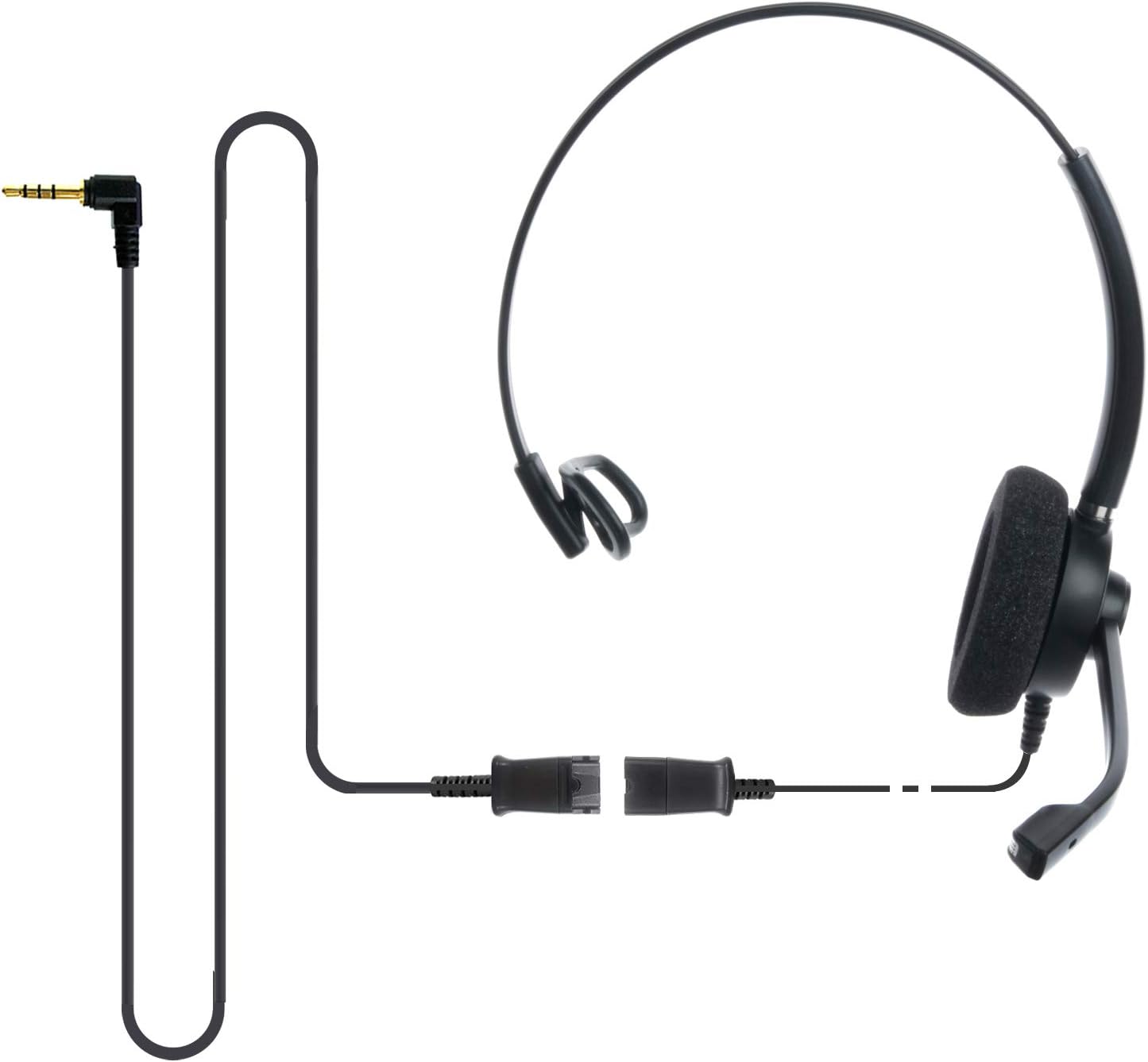
Image: The IPD IPH-160 headset with its detachable Quick Disconnect cable and 3.5mm jack connector.
3. Tatūnga
3.1 Te Hononga i te Paneoro
- Connect the Quick Disconnect (QD) cable to the headset. Ensure a secure connection.
- Insert the 3.5mm jack of the cable into the corresponding port on your device (Android cell phone, laptop, tablet, Apple MacBook, or other smart device).

Whakaahua: He tata view of the 3.5mm jack connector, illustrating its connection to a mobile device and laptop.
3.2 Hototahi Pūrere
The 3.5mm jack (4 poles) is compatible with a wide range of devices including:
- Android cell phones (e.g., Samsung, Huawei, HTC, ZTE)
- Rorohiko
- Nga papa
- Apple MacBooks with a single 3.5mm headset port
Tuhipoka:
- iPhone 7/7S and later models may require an additional Lightning to 3.5mm adapter (not included).
- If your specific phone model is not listed or you encounter compatibility issues, please contact IPD support for assistance.

Image: The IPD headset shown with various connection options for desk phones, PCs/softphones, and mobile phones, highlighting the versatility of Quick Disconnect cables.
4. Te whakahaere i te Paneoro
4.1 Wearing and Adjusting
The IPH-160 headset is designed for all-day comfort. Adjust the headband for a secure yet comfortable fit. The microphone boom is flexible; position it approximately 1-2 inches from your mouth for optimal voice pickup.
4.2 Haruru Whakakore hopuoro
The headset features a passive noise-cancelling microphone to reduce background noise, ensuring clearer conversations. Proper microphone positioning is crucial for effective noise cancellation.

Image: A user wearing the headset, demonstrating the microphone's position and illustrating the effect of noise cancellation on audio waveforms.
4.3 Acoustic Shock Protection (ASP)
The headset incorporates an Acoustic Shock Protection (ASP) circuit on the speaker. This feature protects your hearing from sudden, unwanted loud noises by cutting sounds over 105dB and maintaining levels below 105dB.
4.4 Wideband Audio
The HD Wideband speaker delivers clear sound, enhancing the quality of your calls and audio monitoring.

Image: A close-up of the headset's ear cushion, visually representing the distinction between acoustic noise and clear sound for high-quality voice communication.
5. Tiaki
5.1 Te horoi
To maintain hygiene and performance, regularly clean the ear cushions and other surfaces of the headset with a soft, dry cloth. Avoid using harsh chemicals or abrasive materials.
5.2 Rokiroki
Mena kāore e whakamahia ana, rongoatia te pane whakarongo ki tētahi wāhi ma, maroke, kia matara atu i te rā tika me te pāmahana tino kino. Kaua e whakararuraru i te taura kia kore ai e pakaru.
6. Te Raru
6.1 Karekau he oro, he iti ranei te reo
- Me mohio kua whakaurua te Jack 3.5mm ki to taputapu.
- Tirohia ngā tautuhinga oro o tō pūrere.
- Verify that the headset is selected as the audio output device in your computer's sound settings.
- Confirm the Quick Disconnect (QD) cable is securely connected to the headset.
6.2 Kaore i te Mahi te hopuoro
- Me whakarite kia tika te tuunga o te pupuhi hopuoro ki te taha o to waha.
- Check your device's microphone input settings and ensure the headset is selected as the input device.
- Test the headset with another compatible device to rule out a device-specific issue.
6.3 Nga Take Hototahi
If you experience compatibility problems with your device, especially if it's not explicitly listed as compatible, please contact IPD customer support for guidance.
7. Whakatakotoranga
| Āhuahira | Whakatakotoranga |
|---|---|
| Ingoa Tauira | IPH-160-35 |
| Hangarau Hononga | Waea |
| Pooro Jack | 3.5 mm Jack (4-pole) |
| Mana Haruru | Whakakahoretanga Noise Haangai |
| Whakautu auau | 10 KHz |
| Te tairongo | 58 dB |
| Te aukati | 150 Ohm |
| Taumaha Tūemi | 198 Karamu (7 hekere) |
| Rauemi | Kirihou |
| Te Whakanoho Taringa | Ki runga Taringa |
| Āhuahira Motuhake | Whakakore Haruru |
| Nga Waahanga kei roto | Unga-taringa |
8. Nga Korero Whakaputanga
The IPD IPH-160 Headset comes with a 3-tau pūtāhui mai i te ra o te hokonga. Ka kapi tenei whakamana i nga hapa hangahanga i raro i te whakamahinga noa. Tena koa pupurihia to tohu mo te hoko mo nga kereme whakamana.
9. Tautoko
For technical assistance, warranty claims, or any questions regarding your IPD IPH-160 Headset, please contact IPD customer support. You can find contact information on the official IPD webpae, ma to kaihokohoko ranei.
Tirohia te IPD Store mo etahi atu korero me nga hua.