
Kupu Whakataki
This manual provides comprehensive instructions for the Mengshen AR04 Remote Control, designed for use with compatible Mengshen security alarm systems, including models Z08, Z07, M64, M641, M642, M70, M701, and M702. Please read these instructions carefully before use to ensure proper functionality and to maximize the lifespan of your remote control.
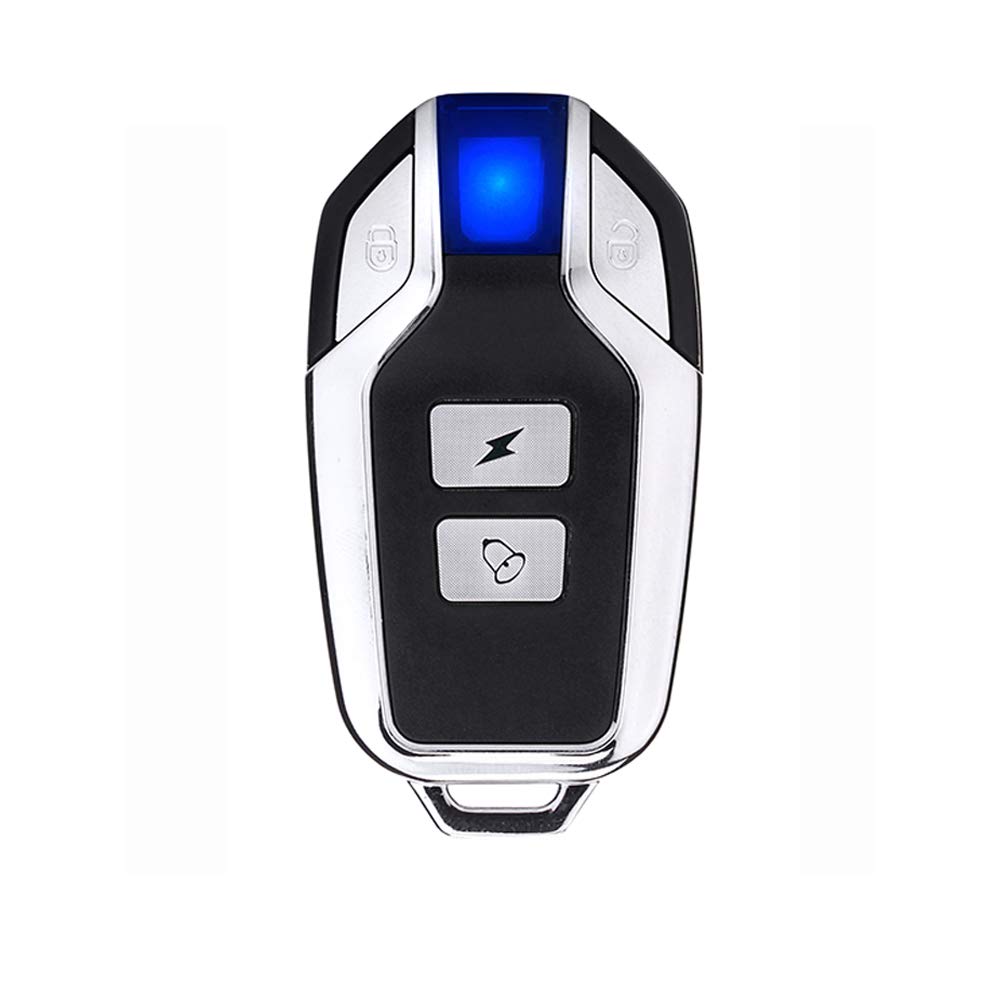
Image: The Mengshen AR04 Remote Control, showcasing its compact design with four buttons: Arm, Disarm, Panic/Flash, and Doorbell/Learn.
Nga waahanga hua
- Durable and Compact Design: Engineered for longevity and ease of portability.
- 433 MHz Auautanga: Operates on a reliable 433 MHz radio frequency for stable communication with alarm systems.
- Built-in CR2032 Button Battery: Comes with a pre-installed CR2032 battery.
- Wā Tūtatari Roa: Capable of continuous standby operation for over one year.
- Hototahi Whānui: Suitable for use with Mengshen home security alarm models Z08, Z07, M64, M65, and M70.
Setup: Pairing Additional Remote Controls
The original remote control is typically pre-paired with your alarm system. If you have purchased an additional AR04 remote control, it must be paired with your alarm system before use. Follow the instructions below based on your alarm model.
For Door/Window Alarm Models M64, M641, M642, M70, M701, M702:
- Initiate Learn Mode: Press and hold the learn button (which also functions as the doorbell button) on the alarm unit. Do not release this button.
- Power On Alarm: While still holding the learn button, load the battery into the alarm unit. You will hear a "bi" sound. Continue to hold the learn button.
- Confirm Learn Mode: Within 10 seconds, you will hear another "bi" sound, indicating the alarm is now in learn mode.
- Takirua Mamao: Release the learn button on the alarm unit. Then, press any one of the other three buttons on the AR04 remote control once. You will hear a "bi bi" sound, confirming successful pairing.
For Bicycle Alarm Model Z08:
- Whakahohehia te Aratau Takirua: Long press the fourth key (typically the doorbell/learn button) on your taketake remote control until you hear a "Bi" sound from the Z08 alarm.
- Pair New Remote: Immediately after, press either the arm or disarm key on the taapiri AR04 remote control. The Z08 alarm will ring "BI...Bi" to confirm successful pairing.
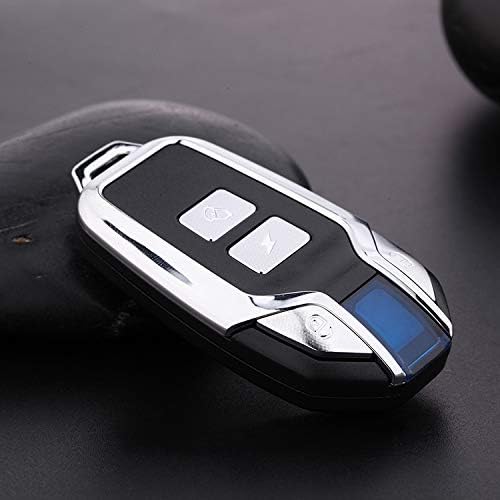
Whakaahua: He koki view of the Mengshen AR04 Remote Control, highlighting its metallic and black finish. This remote is used for pairing with compatible alarm systems.
Nga Tohutohu Whakahaere
The Mengshen AR04 remote control features four distinct buttons for controlling your alarm system:
- Lock Button (Arm): Press this button once to arm your security alarm system. The alarm will typically emit a confirmation sound.
- Unlock Button (Disarm): Press this button once to disarm your security alarm system. The alarm will typically emit a confirmation sound.
- Lightning Bolt Button (Panic/Flash): Press this button to activate a panic alarm or to trigger a flash function on compatible alarm systems.
- Bell Button (Doorbell/Learn): This button serves a dual purpose. When pressed, it can act as a doorbell trigger for compatible alarm systems. It is also used in the pairing process as the "learn" button for certain alarm models.
Te tiaki
Whakakapinga Pūhiko
The AR04 remote control is powered by a single CR2032 button battery, which provides over one year of standby time. If the remote control's range decreases significantly or it stops responding, the battery may need replacement.
- Whakatuwherahia te Casing: Whakatuwheratia marietia te mana mamao casing. This may require a small screwdriver or a prying tool, depending on the design.
- Tango Pūhiko Tawhito: Locate the CR2032 battery and gently remove it from its compartment.
- Kōkuhu Pūhiko Hōu: Insert a new CR2032 battery, ensuring the positive (+) side faces upwards (or as indicated by the compartment).
- Katia Casing: Katia marietia te mana mamao casing.
Tuhipoka: Makahia nga pākahiko tawhito kia rite ki nga ture o te rohe.
Tiaki me te Rokiroki
- Avoid exposing the remote control to extreme temperatures, direct sunlight, or high humidity.
- Kaua e whakataka te mana mamao, kaua hoki e tukua kia pāngia e ngā pānga kaha.
- Clean the remote control with a soft, dry cloth. Do not use harsh chemicals or abrasive cleaners.
Raparongoā
- Mana Mamao Kaore i te Whakautu:
- Ensure the remote control is within the operating range (up to 10 meters) of the alarm system.
- Check the battery. Replace the CR2032 battery if it is depleted.
- If it's an additional remote, confirm it has been successfully paired with the alarm system following the "Setup" instructions.
- Alarm System Not Responding to Remote:
- Verify that the alarm system itself is powered on and functioning correctly.
- Ngāna anō te tukanga honohono e ai ki te whakaahuatanga i te wāhanga "Tatūnga".
- Ensure there are no strong radio interference sources nearby.
Whakatakotoranga
| Āhuahira | Taipitopito |
|---|---|
| Waitohu | Ko Mengshen |
| Ingoa Tauira | MS-AR04 |
| Tau tauira | MS-AR04 |
| Tae | Pango |
| Hangarau Hononga | Auautanga Irirangi (RF) |
| Auautanga | 433 MHz |
| Rahi Pātene | 4 |
| Momo Kaiwhakahaere | Mana Patene |
| Momo Pūhiko | 1 x CR2032 (whakauruhia) |
| Awhe Morahi | 10 Mita |
| Pūrere Hototahi | Mengshen Alarms (Z08, Z07, M64, M65, M70 series) |
| Āhuahira Motuhake | Maamaa |
Pūtāhui me te Tautoko
For warranty information or technical support regarding your Mengshen AR04 Remote Control or compatible alarm system, please refer to the documentation provided with your main alarm unit or visit the official Mengshen website. You may also contact Mengshen customer service directly for assistance.
Mengshen Store Link: Visit the Mengshen Store on Amazon