
1. Nga Tohutohu Haumaru Nui
To reduce the risk of fire, electric shock, or injury, always follow these basic safety precautions when using your Arctic-Pro Portable Digital Ice Maker Machine:
- Panuihia nga tohutohu katoa i mua i te whakamahi.
- Kaua e pa ki nga waahi wera. Whakamahia he kakau, he puku ranei.
- To protect against electrical hazards, do not immerse cord, plug, or any part of the appliance in water or other liquids.
- Me kati te tirotiro ina whakamahia e nga tamariki tetahi taputapu e tata ana ranei.
- Wewetehia mai i te putanga ka kore e whakamahia ana i mua i te horoi. Tukua kia whakamatao i mua i te whakakakahu, te tango ranei i nga waahanga, i mua i te horoi i te taputapu.
- Kaua e whakahaere i tetahi taputapu me te taura pakaru, te mono ranei, i muri ranei i te kino o te taputapu, kua pakaru ranei i tetahi ahua. Whakapa atu ki te ratonga kiritaki mo te whakamatautau, te whakatika, te whakatikatika ranei.
- Ko te whakamahi i nga taputapu taapiri kaore i te taunakihia e te kaihanga taputapu ka raru pea.
- Kaua e whakamahi i waho.
- Kaua e tukua te taura kia whakairi ki runga i te taha o te teepu, te porotiti ranei, ka pa ranei ki nga papa wera.
- Kaua e tuu ki runga, ki te tata ranei ki te hau wera, ki te mura hiko ranei, ki roto ranei i te oumu kua wera.
- I nga wa katoa, whakapiri i te mono ki te taputapu i te tuatahi, katahi ka honoa te taura ki te putanga o te pakitara. Hei momotu, huri i tetahi mana ki te "whakaweto", ka tango i te mono mai i te putanga o te pakitara.
- Kaua e whakamahia nga taputapu mo etahi atu mea i tua atu i te tikanga mo te kainga.
- Ko tenei taputapu mo te kainga anake.
- Kaua e whakamahia nga matū pirau me nga kohu i roto i tenei taputapu.
- This ice maker must be grounded.
- Kaua e werohia te ngongo o te pouaka hukapapa.
2. Hua Neke Atuview
The Arctic-Pro Portable Digital Ice Maker Machine is designed to produce ice quickly and efficiently. It features a compact design suitable for various settings.
2.1 Waehanga
- Waehanga Hukapapa
- Kete Tio Tio Tango
- Te hukapapa kikorangi
- Power Cord (3-prong plug)
2.2 Nga waahanga
- Mata Mamati: An easy-to-read LCD control panel for selecting ice size, setting timers, and controlling cleaning functions.
- Maamaa View Window Lid: Ka taea te mataki i te mahi hanga tio.
- Fill Sensor: Detects water level to ensure proper operation.
- Pūoko Maramarama: Prevents the ice basket from overfilling.
- E rua ngā rahi o te poraka hukapapa: Choose between small (0.75 x 0.75 inches) and large (1 x 0.75 inches) ice cubes.
- Te Hanga Hukapapa Tere: Produces first batch of ice in 6-8 minutes.
- Raukaha o ia ra: Ka taea te whakaputa i te 26 pauna o te hukapapa ia rā.
- Enhanced Cooling System: Features a fan for efficient heat dissipation.

Figure 1: Key features and components of the ice maker.
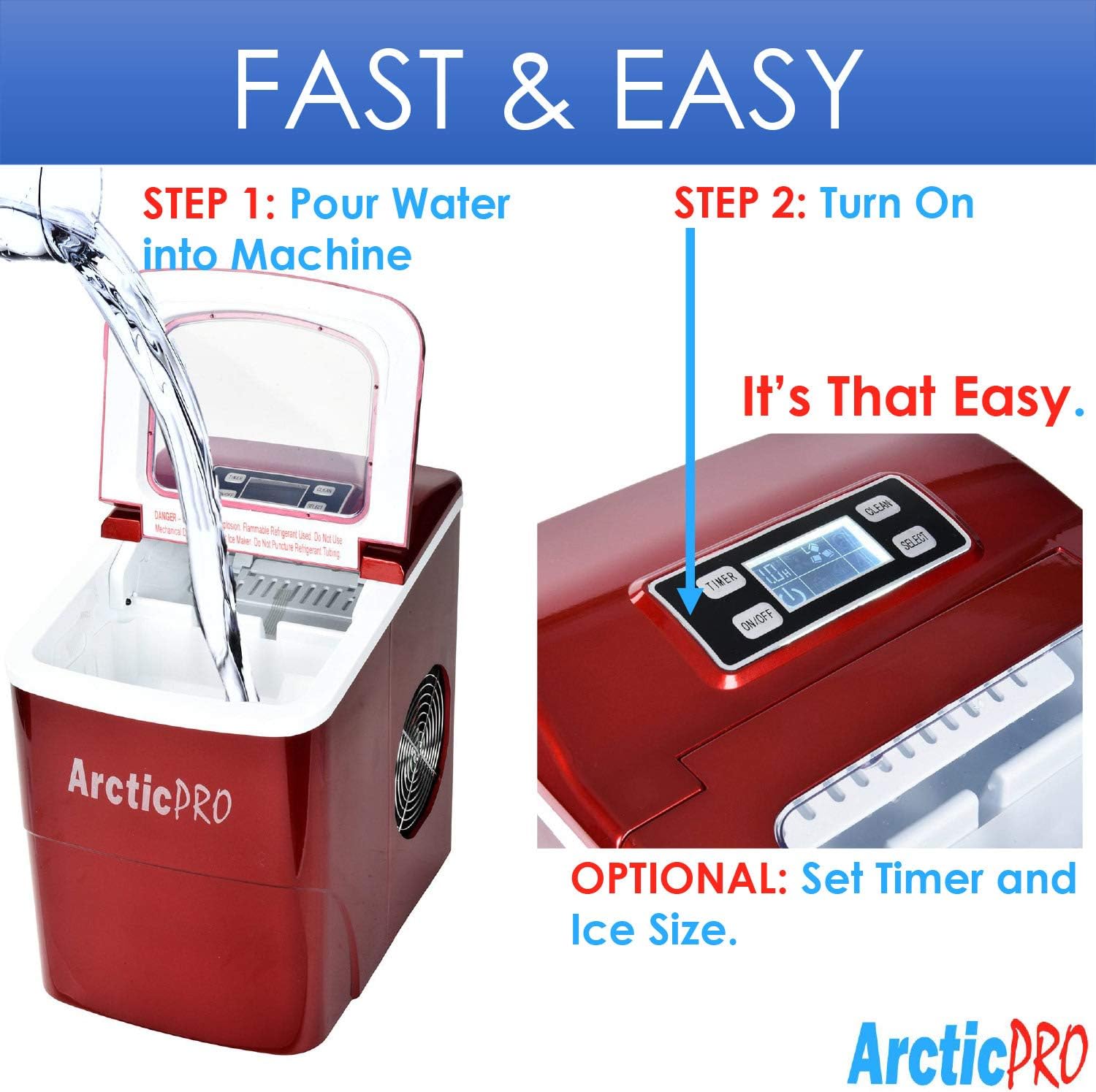
Figure 2: Ice production capabilities.
3. Tohutohu Tatūnga
3.1 Te Wetewete
- Tango i nga taonga takai katoa mai i te waahanga.
- Tirohia te mīhini tio mō tetahi pakaru. Mēnā kua pakaru, kaua e whakahaere, engari whakapā atu ki te ratonga kiritaki.
- Remove the ice basket and ice scoop from inside the unit.
3.2 Te horoi tuatahi
Before first use, clean the interior of the ice maker:
- Wash the ice basket and ice scoop with warm water and mild detergent. Rinse thoroughly.
- Horoia a roto o te hanga tio ki te kakahu ngohengohe dampened with warm water and a small amount of vinegar or mild detergent. Rinse with clean water and drain.
- Me whakarite kia maroke nga waahanga katoa i mua i te whakahiato.
3.3 Whakanoho
- Place the ice maker on a stable, level surface away from direct sunlight and heat sources.
- Ensure there is adequate ventilation around the unit, especially at the back and sides where the cooling fan is located.
- Tukua kia 4 inihi te iti rawa o te mokowā huri noa i te waeine kia pai te rere o te hau.
3.4 Hononga Hiko
- Plug the 3-prong power cord into a grounded electrical outlet (115V, 60Hz).
- Allow the unit to rest for at least one hour before adding water and operating, especially if it was tilted during transport.
4. Nga Tohutohu Whakahaere
Operating your Arctic-Pro ice maker is a simple two-step process:

Figure 3: Simple operating steps.
4.1 Te taapiri wai
- Open the lid of the ice maker.
- Pour potable water into the water reservoir. Do not exceed the 'MAX FILL LINE' indicated inside the reservoir.
- Katia te taupoki.

Video 1: Demonstrates adding water to the ice maker. Note: This video is a customer-generated preview and may not represent official instructions.
4.2 Te Tīmatanga o te Hanga Hukapapa
- Pehia te ON/OFF button on the digital control panel to turn on the unit.
- Whakamahia te KORERO button to choose your desired ice cube size: Small (S) or Large (L). The selected size will be indicated on the digital screen.
- The ice maker will begin its cycle. The first batch of ice cubes will typically be ready in 6-8 minutes.
4.3 Tohu
- Kī te tio: An indicator light or message on the digital screen will illuminate when the ice basket is full. The unit will automatically pause ice production. Remove ice from the basket to resume production.
- Tāpiri wai: An indicator light or message will illuminate when the water reservoir is low. Add water to the reservoir to resume ice production.
4.4 Timer Function (Optional)
The digital screen allows you to set a timer for operation. Refer to the specific instructions in your product packaging for detailed timer setup.
5. Tiaki me te Whakapai
Regular cleaning and maintenance ensure optimal performance and longevity of your ice maker.
5.1 Whakapai ia ra
- After each use, unplug the unit.
- Remove the ice basket and empty any remaining ice.
- Drain any remaining water from the reservoir using the drain plug located at the bottom of the unit.
- Horoia te roto ki te kakahu ngohengohe.
5.2 Whakapai ia wiki
- Perform the daily cleaning steps.
- Prepare a solution of warm water and a small amount of white vinegar or a food-grade ice maker cleaner.
- Pour the solution into the water reservoir and allow it to sit for 10-15 minutes.
- Horoia rawatia te otinga.
- Rinse the reservoir thoroughly with clean water multiple times to remove any residue.
- Horoia te taha o waho ki te ngohengohe, damp kakahu.
5.3 Rokiroki
If storing the ice maker for an extended period:
- Ensure the unit is thoroughly cleaned and completely dry.
- Leave the lid slightly ajar to prevent mold and mildew growth.
- Whakaorangia ki te waahi makariri, maroke.
6. Te Raru
Review the following common issues and solutions before contacting customer service.
| Raruraru | Take pea | Rongoā |
|---|---|---|
| Ko te hanga tio kaore e huri | Karekau he hiko | Check if the power cord is securely plugged into a grounded outlet. Test the outlet with another appliance. |
| Karekau he mahi tio | Lack of water in reservoir | Add water to the reservoir up to the MAX FILL LINE. |
| Tino teitei te pāmahana o te taiao | Ensure the ice maker is in a cool environment and not exposed to direct sunlight or heat sources. | |
| Air circulation blocked | Ensure adequate space around the unit for ventilation. Clean any dust from the fan vents. | |
| Ice cubes are too small or cloudy | Nui rawa te pāmahana o te wai | Use colder water when filling the reservoir. |
| Te hanga kohuke | Perform a thorough cleaning and descaling as per maintenance instructions. Use filtered water. | |
| Kei te ka te tohu "TIO FULL", engari kaore te kete i ki tonu | Ice blocking sensor | Rearrange ice in the basket or remove some ice to clear the sensor path. |
| Haruru rereke i te wa e mahi ana | Ka tangi te mahi noa | Some gurgling or fan noise is normal. If the noise is excessive or unusual, contact customer service. |
7. Whakatakotoranga
| Āhuahira | Whakatakotoranga |
|---|---|
| Ingoa Tauira | Miihini Hanga Tio Tio Kawe |
| Tau tauira | 21738 |
| Nga Ahinga (D x W x H) | 11.5" x 8.75" x 12.5" |
| Te kaha whakaputa hukapapa o ia rā | Tae atu ki te 26 Pauna |
| Wā Hanga Tio Tuatahi | 6-8 meneti |
| Te Rahi Tio Tio | Small (0.75"x0.75"), Large (1"x0.75") |
| Wattage | 100 watts |
| Voltage | 115 Volts |
| Taumata Haruru | 45 Decibels |
| Rauemi | Kirihou |
| Nga Waahanga kei roto | Ice Maker, Ice Basket, Small Ice Scoop |

Whakaatu 4: Te rahi o te hua.
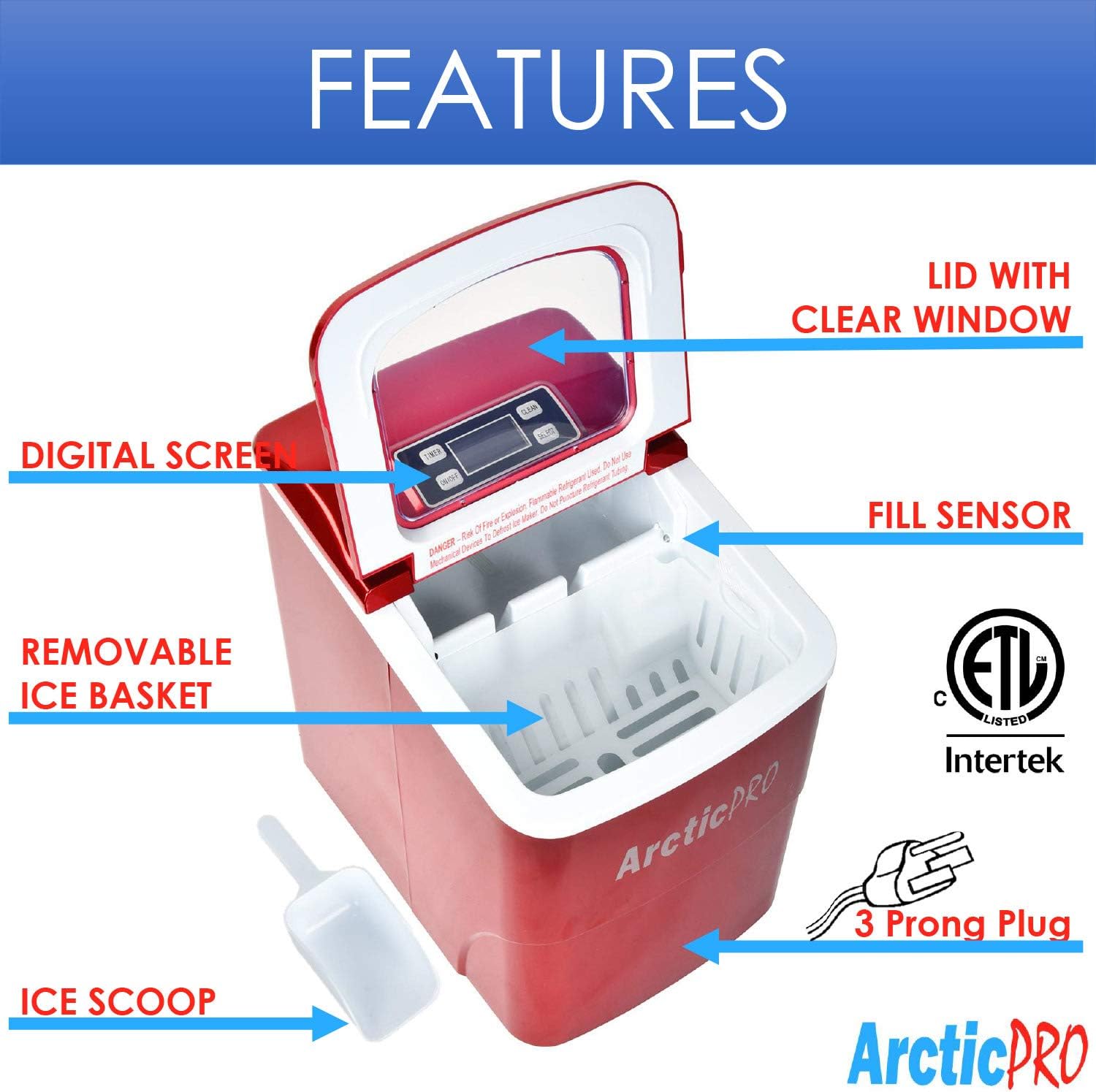
Figure 5: Ice cube size comparison.
8. Pūtāhui me te Tautoko Kiritaki
Arctic-Pro products are manufactured to high-quality standards. For warranty information, product registration, or technical assistance, please refer to the warranty card included with your purchase or visit the official Arctic-Pro webpae.
If you encounter any issues not covered in this manual, please contact Arctic-Pro customer support for further assistance.