
Snakebyte SB911194
Snakebyte Gamepad S Pro Wireless Controller User Manual
Tauira: SB911194
1. Kupu Whakataki
The Snakebyte Gamepad S Pro is a wireless controller designed for use with Nintendo Switch, Switch Lite, and Switch OLED consoles. It offers a console-style gaming experience with features such as dual precision analog sticks, dual rumble motors for immersive feedback, and a dedicated Capture button for recording gameplay moments. The controller connects via Bluetooth 3.0, aiming to provide a low-latency gaming experience. It also includes an assignable turbo feature and charges via an included USB-C cable.

Whakaahua 1: Mua view of the Snakebyte Gamepad S Pro Controller.
2. Tatūnga
2.1 Te Whakataki i te Kaiwhakahaere
Before initial use, fully charge the controller. Connect the included 5.9 ft (1.8 m) USB-C cable to the controller's charging port and the other end to a USB power source (e.g., Nintendo Switch dock, USB wall adapter, or computer USB port). The charging indicator lights on the controller will provide status feedback.
2.2 Whakahoahoa me Nintendo Whakawhiti
To pair the Snakebyte Gamepad S Pro with your Nintendo Switch console:
- Me whakarite kei te whakakāhia tō papatohu Nintendo Switch, ā, kei te whakahoutia hoki ki te pūmanawa pūnaha hou.
- Mai i te Tahua KĀINGA, tīpako "Ngā Kaiwhakahaere", katahi "Hurihia te Pupuri/Te Tono".
- On the Snakebyte Gamepad S Pro, press and hold the Pātene Kāinga (house icon) and the Pātene Y simultaneously for approximately 5 seconds. The indicator lights on the controller will begin to flash rapidly.
- Once the controller is successfully paired, the player indicator light(s) on the bottom of the controller will illuminate solid.
The controller is compatible with Nintendo Switch, Switch OLED, and Switch Lite models.

Figure 2: The Gamepad S Pro is compatible with Nintendo Switch, Switch OLED, and Switch Lite.
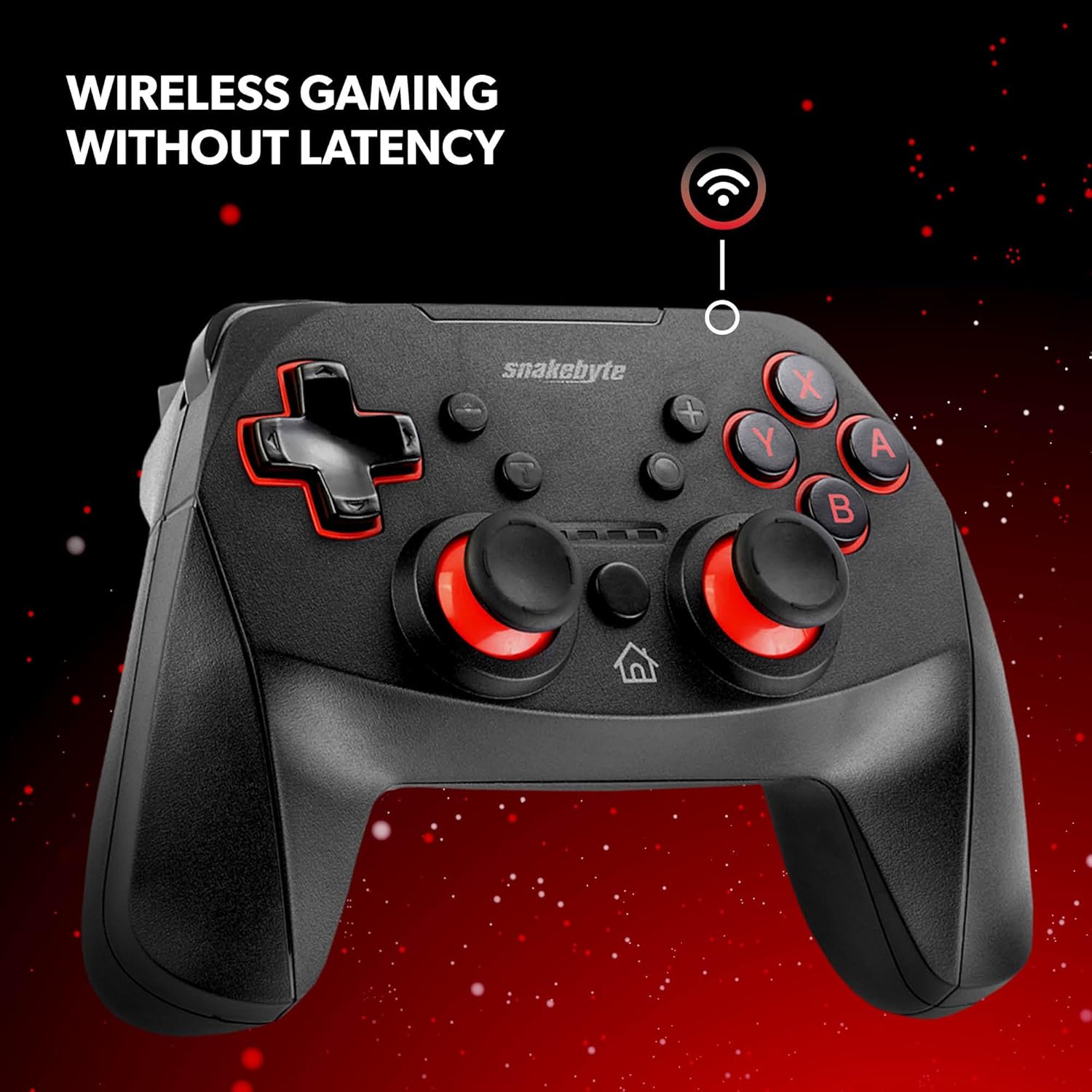
Figure 3: The controller offers wireless connectivity for gaming without latency.
3. Whakahaere i te Kaiwhakahaere
3.1 Patene Tahora me nga Mahi
- Patene A/B/X/Y: Patene mahi paerewa.
- Papa-D: Tāuru aronga.
- Rakau Analogi Mauī/Matau: Mō te nekehanga tika me te whakahaere kāmera.
- Ngā Pātene L/R: Pātene pakihiwi.
- Ngā Pātene ZL/ZR: Ngā pātene whakaoho.
- Pātene Kāinga: Returns to the HOME Menu.
- Patene Hopu: Saves screenshots or video clips of gameplay.
- Tāpiri (+) / Minus (-) Pātene: Equivalent to Start/Select or Menu buttons.
3.2 Dual Rumble Vibration
The controller features dual rumble motors that provide haptic feedback, enhancing immersion during gameplay. The intensity of the vibration is determined by the game.
3.3 Assignable Turbo Feature
The assignable turbo feature allows a button to be pressed repeatedly with a single hold. Consult the controller's specific instructions (often included in the packaging or on the manufacturer's website) for details on how to assign and activate the turbo function for desired buttons.
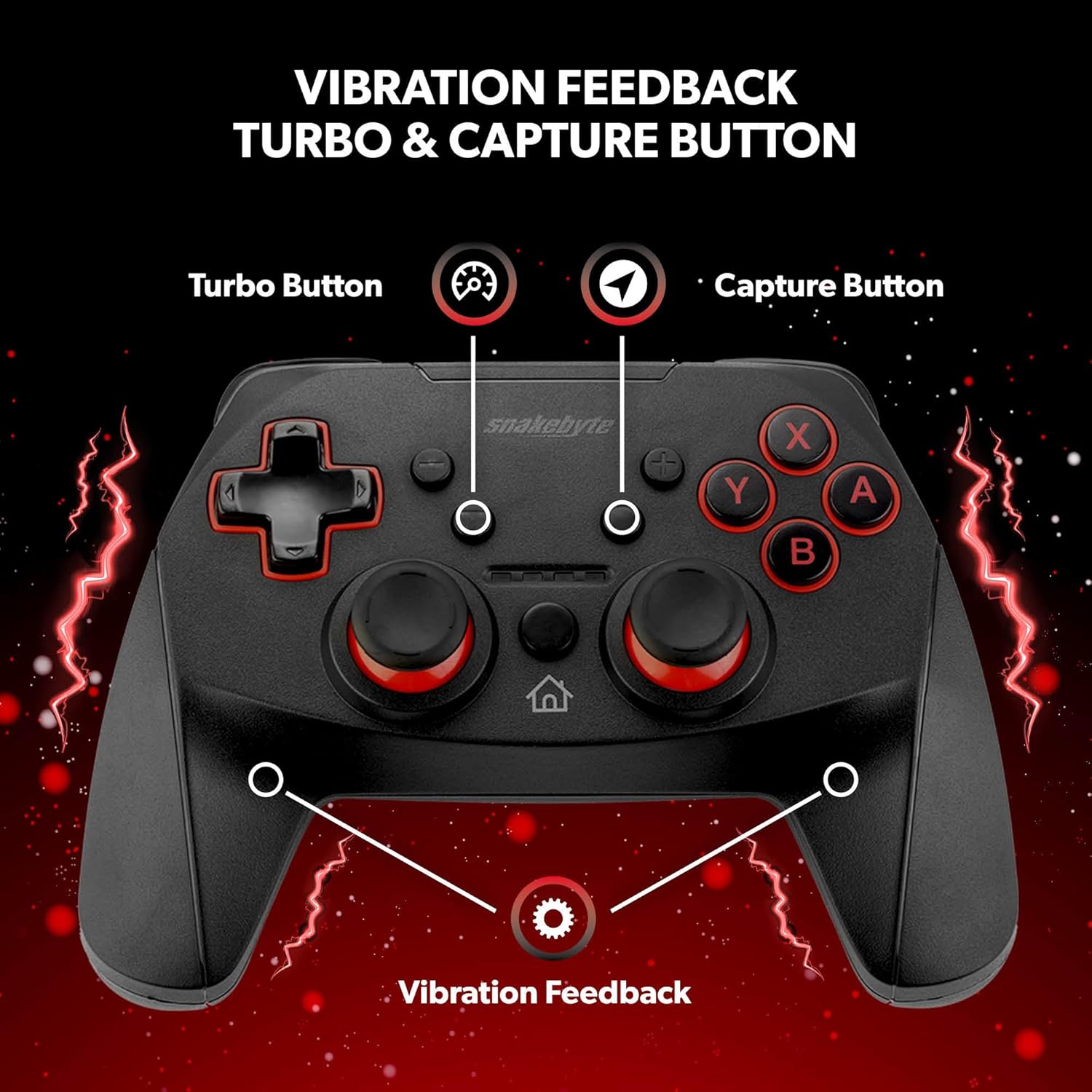
Figure 4: Key features including Turbo Button, Capture Button, and Vibration Feedback.
3.4 Haki Ororongo
The controller is equipped with an audio jack, allowing you to connect a compatible headset for in-game audio and communication (if supported by the game and console settings).

Figure 5: Detail of the controller's audio jack.
4. Tiaki
4.1 Te horoi
Hei horoi i te pūmana, whakamahia he kakahu ngohengohe, maroke. Mō te paru uaua, whakamahia he kakahu pakupaku.ampen the cloth with water. Avoid using harsh chemicals, abrasive cleaners, or solvents, as these can damage the controller's surface and internal components.
4.2 Tiaki Pūhiko
The controller contains a rechargeable Lithium Metal battery. To prolong battery life:
- A ape i te tino tuku i te pākahiko i nga wa katoa.
- Whakaorangia te kaiwhakahaere ki te waahi makariri, maroke ki te kore e whakamahia mo te wa roa.
- Kaua e whakaatuhia te kaiwhakahaere ki ngā pāmahana tino kino.
5. Te Raru
- Controller not pairing or disconnecting frequently:
- Me mohio kei te whakakiia te kaiwhakahaere.
- Verify the pairing steps (Home + Y buttons) are followed correctly.
- Move closer to the Nintendo Switch console to ensure a strong Bluetooth connection.
- Check for any firmware updates for the controller on the official Snakebyte website, as updates can resolve connectivity issues.
- Restart both the Nintendo Switch console and the controller.
- Buttons or joysticks are unresponsive or sticking:
- Power off the controller and then power it back on.
- Ensure no debris is lodged around the buttons or joysticks. Clean as per maintenance instructions.
- Controller does not wake the Nintendo Switch from standby:
- This controller may not support waking the console from standby mode. Power on the console manually using the power button on the console itself.
- No Gyro Sensor:
- Please note that this controller does not include a gyro sensor. Games requiring motion controls or fine aiming adjustments via tilting will not function as intended with this controller.
6. Whakatakotoranga
| Tau tauira | SB911194 |
| Waitohu | Snakebyte |
| Hononga | Nihokikorangi 3.0 |
| Hototahi | Nintendo Switch, Switch Lite, Switch OLED |
| Ahu (L x W x H) | 3.94 x 2.36 x 5.51 inihi |
| Taumaha Tūemi | 8.47 hekere (240 karamu) |
| Momo Pūhiko | 1 pūhiko Lithium Metal (kei roto) |
| Te Roa Uera Whakatau | 5.9 ft (1.8 m) |
| Nga waahanga motuhake | Dual Motor Vibration, Assignable Turbo, Capture Button, Audio Jack |

Figure 6: The controller is designed for absolute durability.
7. Pūtāhui me te Tautoko
For detailed warranty information, please refer to the warranty card included with your product packaging or visit the official Snakebyte website. For technical support, product registration, or further inquiries, please contact Snakebyte customer service through their official channels.
Official Snakebyte Webpae: www.snakebyte.com
Tuhinga e pa ana - SB911194
 |
CJ1124 Gamepad Product Manual Official product manual for the CJ1124 Gamepad, detailing product information, manufacturer details, compliance, safety warnings, and instructions for use. Includes model CJ1724. |
 |
snakebyte GAME:PAD S PRO WIRELESS™ for Nintendo Switch™ - User Manual and Instructions Official user manual and instructions for the snakebyte GAME:PAD S PRO WIRELESS™ controller for Nintendo Switch™. Learn about setup, features, safety, and specifications. |
 |
Pukapuka Kaiwhakamahi mō te Kaiwhakahaere Ahokore EasySMX ESM-9124 Kei roto i tēnei pukapuka ngā tohutohu taipitopito mō te EasySMX ESM-9124 Wireless Switch Pro Controller, e kapi ana i te whakaahuatanga hua, te hoahoa, ngā tikanga hononga mō te Android, iOS, PC, me te Switch, te whakahaere rama, ngā tautuhinga mahi turbo, te whakatikatika wiri rua, te hōtaka kī, te tautuhi anō i te kaiwhakahaere, ngā tohu utu, me te rārangi tākai. |
 |
Nintendo Switch/OLED Controller User Manual (SW-21002) User manual for the SWITCH/OLED controller (Product No. SW-21002) by Shenzhen Chengyuxin Intelligent Technology Co., Ltd. Details product features, installation, function chart, TURBO settings, custom key programming, charging, and ambient conditions for Nintendo Switch consoles. |
 |
Pukapuka Kaiwhakamahi mō te Kaiwhakahaere Kēmu Ahokore HD-7200 - Hototahi ki ngā Pūhara Maha He pukapuka kaiwhakamahi whānui mō te Kaiwhakahaere Kēmu Ahokore HD-7200, e whakaatu ana i te hototahitanga ki ngā taputapu Nintendo Switch, Windows, Android, me Apple, ngā tikanga hononga (Nihokikorangi, USB Momo-C), ngā pātene ka taea te whakarite, ngā mahi turbo, te whakatikatika wiri, me te rapurongoā. |
 |
Snakebyte SB924163 GAMEPAD RGB S2™ Quick Start Guide Quick start guide for the Snakebyte SB924163 GAMEPAD RGB S2™. Learn how to recharge, connect to Switch, use dongle connection, customize trigger stops, manage back buttons, control RGB lighting, adjust turbo speed and vibration, check battery status, and reset the gamepad. |
Ask a question about this manual
Ask about setup, troubleshooting, compatibility, parts, safety, or missing instructions. Manuals+ will review the question and use this page’s manual context to help answer it.