
Kupu Whakataki
The TFA-Dostmann Bingo Radio-Controlled Alarm Clock (Model 60.2528.02) is designed for intuitive and easy use. It features a clear display, silent operation, and an automatic LED backlight for visibility at night. The alarm function offers a gentle wake-up with a gradual increase in intensity. Two distinct alarm times can be set simultaneously using dedicated side switches, with a color indicator showing activation status. This alarm clock also displays the day of the week, date, and ambient room temperature, helping to maintain an optimal sleeping environment (ideally between 16°C and 18°C).

Whakaahua 1: Mua view of the alarm clock showing the display and control buttons.
Tatūnga
1. Tāuta Pūhiko
The alarm clock requires 2 AA batteries (included). To install or replace batteries:
- Kimihia te uhi o te wahanga pākahiko kei muri o te waeine.
- Kiriata te uhi kia tuwhera.
- Whakauruhia nga pākahiko AA e 2, kia tika te polarity (+/-).
- Katia kia mau te uhi o te wahanga pākahiko.

Whakaahua 2: Whakamuri view with battery compartment and controls.
2. Initial Power-On and Radio Control Synchronization
Upon battery installation, the clock will automatically attempt to synchronize with the radio-controlled time signal. This process may take several minutes. Ensure the clock is placed away from electronic interference for optimal reception.
- The radio signal icon on the display will flash during synchronization.
- Once synchronized, the icon will become solid, and the correct time, date, and day of the week will be displayed.
- If synchronization fails, the clock will operate as a standard quartz clock. You can manually set the time (see 'Setting Time Manually').
Nga Tohutohu Whakahaere
1. Setting Time Manually (if radio control is unavailable)
If the radio-controlled time signal is not received, you can set the time manually:
- Patohia me te pupuri i te SET button on the back of the clock until the hour digits flash.
- Whakamahia te + or - buttons on the front to adjust the hour.
- Perehi SET hei whakaū anō i te hāora, ka neke ki ngā meneti.
- Whakamahia te + or - nga paatene hei whakatika i nga meneti.
- Me pehi tonu SET to cycle through and adjust year, month, day, and 12/24-hour format as needed.
- Perehi SET one last time or wait a few seconds for the settings to save.
2. Tautuhinga Whakaoho (Whakaoho 1 me te Whakaoho 2)
The clock features two independent alarms.
- Pehia te SET 1 button (for Alarm 1) or SET 2 button (for Alarm 2) on the front. The alarm time will appear on the display.
- While the alarm time is displayed, press and hold the respective SET patene tae noa ki nga mati o te haora.
- Whakamahia te + or - nga paatene hei whakatika i te haora whakaoho.
- Pēhia te tēnā SET pēhi anō i te pātene hei whakaū i te hāora, ka neke ki ngā meneti.
- Whakamahia te + or - nga paatene hei whakatika i nga meneti whakaoho.
- Pēhia te tēnā SET button one last time or wait a few seconds to save the alarm time.
3. Activating/Deactivating Alarms
Use the slider switches on the side of the clock to activate or deactivate each alarm.
- Slide the switch for Alarm 1 (bell icon with '1') to ON to activate. A color indicator will show it's active.
- Slide the switch for Alarm 2 (bell icon with '2') to ON to activate. A color indicator will show it's active.
- Kiriata te pana ki WATE ki te whakakore i te whakaoho.

Whakaahua 3: Taha view showing alarm activation switch.
4. Mahi whakamoe
Ka tangi te whakaoho, pehia te rahi SNOOZE & LIGHT button on top of the clock to activate the snooze function. The alarm will pause for approximately 5 minutes and then sound again. This can be repeated multiple times.
5. Automatic Backlight
The clock features an automatic LED backlight for easy viewing i roto i nga waahi marama iti.
- Kimihia te MAMA MAHI switch on the back of the clock.
- Kiriata te pana ki ON to enable the automatic backlight. A light sensor will detect ambient light levels and illuminate the display discreetly in the dark.
- Kiriata te pana ki WATE to disable the automatic backlight.
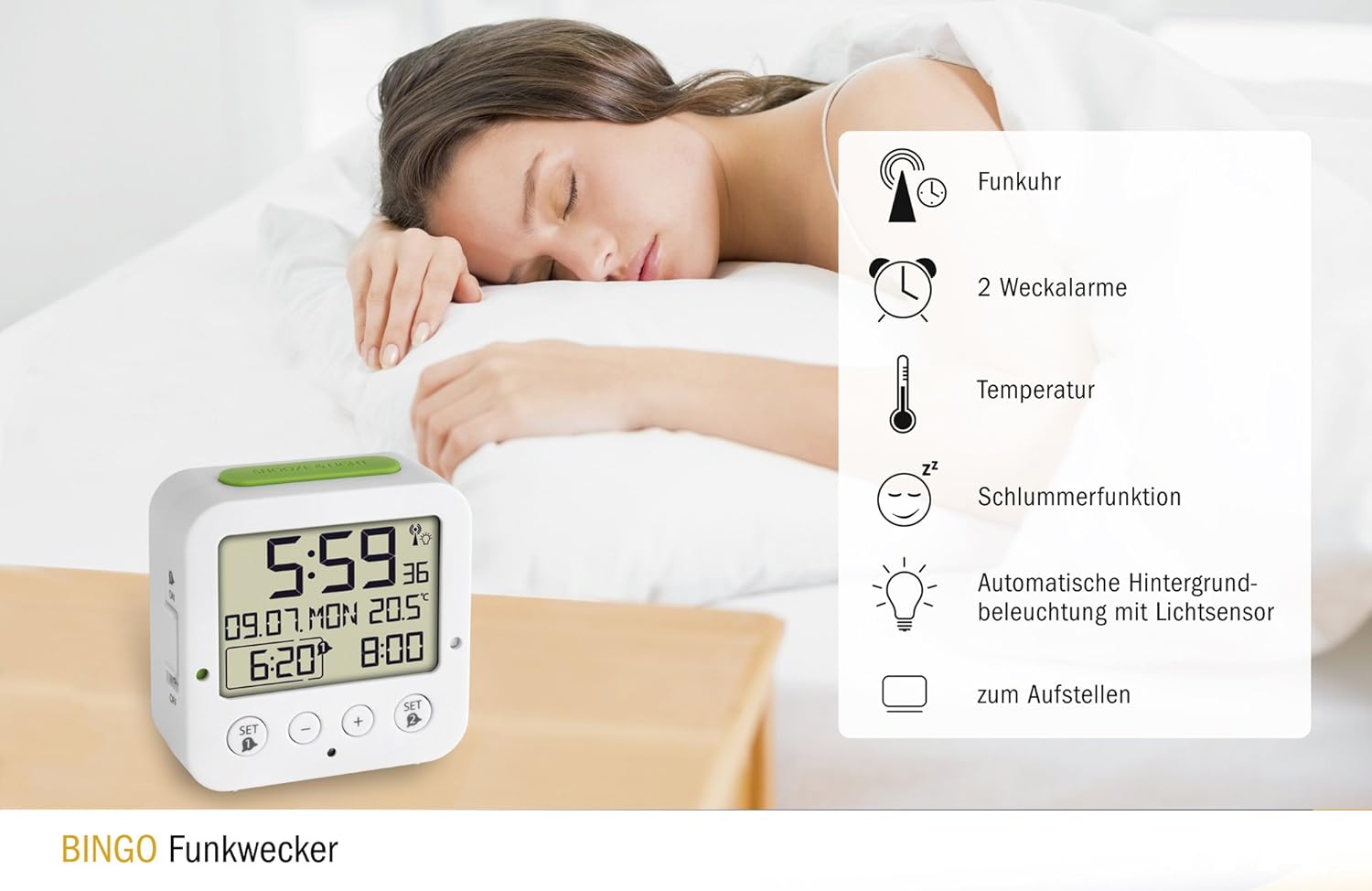
Figure 4: Display with automatic backlight in a dark environment.
6. Whakaaturanga Mahana
The integrated thermometer continuously measures and displays the ambient room temperature. No special settings are required for this function.
Ataata 1: Ka mutuview of the alarm clock's features and basic operation.
Te tiaki
1. Te horoi
To clean the alarm clock, use a soft, dry cloth. Do not use abrasive cleaners, solvents, or chemical agents, as these may damage the display or casing.
2. Whakakapinga Pūhiko
Replace batteries when the display becomes dim or functions become erratic. Always replace both batteries at the same time with new AA batteries. Dispose of used batteries responsibly according to local regulations.
Raparongoā
- Kāore he whakaaturanga, kāore hoki he whakaaturanga pōuri: Check battery polarity. Replace batteries if they are low.
- Radio control not synchronizing: Move the clock to a different location, away from electronic devices that may cause interference. Ensure it is not near metal objects. Manual time setting is an alternative.
- Karekau te oro oro: Ensure the alarm switch on the side is set to ON. Verify the alarm time is correctly set.
- Automatic backlight not working: Me whakarite te MAMA MAHI switch on the back is set to ON. The backlight only activates in dark conditions.
Whakatakotoranga
| Āhuahira | Taipitopito |
|---|---|
| Tau tauira | 60.2528.02 |
| Ahu (L x W x H) | 8.4 x 3.81 x 8.1 cm |
| Taumaha | 116 Karamu |
| Puna Mana | 2 x Pūhiko AA (kei roto) |
| Momo Whakaatu | Mamati |
| Momo Nekehanga | Quartz, Radio-Controlled |
| Nga waahanga motuhake | Dual Alarm, Snooze, Automatic Backlight, Date Display, Day of Week, Temperature Display |
| Rauemi | Acrylonitrile Butadiene Styrene (Kirohiko) |
| Tae | Ma/Kakariki |
Pūtāhui me te Tautoko
TFA-Dostmann products are manufactured with quality and precision. For warranty information, please refer to the documentation included with your purchase or visit the official TFA-Dostmann website. For technical support or inquiries, please contact TFA-Dostmann customer service.
Te wātea o ngā wāhanga e manawapa ana: 1 Tau.