
Kupu Whakataki
This manual provides essential information for the safe and effective operation of your Laserliner SoundTest-Master 082.070A Noise Level Meter. Please read these instructions carefully before using the device and keep them for future reference. The SoundTest-Master 082.070A is designed for precise measurement of noise levels, featuring integrated long-term memory and PC connectivity for comprehensive documentation.
Nga Tohutohu Haumaru
- Always operate the device within its specified environmental conditions.
- Kaua e tukuna te taputapu ki te wera nui, te makuku, te ra tika ranei.
- A ape i te tuku i te taputapu, te tuku ranei ki nga paanga kaha.
- Do not attempt to open or modify the device. Repairs should only be performed by authorized personnel.
- Tiakina te taputapu mai i nga papa autō kaha.
- Ensure the microphone is clean and free from obstructions for accurate measurements.
Ka mutu te huaview
The Laserliner SoundTest-Master 082.070A is a handheld noise level meter equipped with a sensitive electret condenser microphone and a clear, illuminated display. It features various controls for measurement settings and data management.

Whakaahua 1: Mua view of the SoundTest-Master 082.070A, showing the display, microphone with windshield, and control buttons.
Wae matua:
- Electret Condenser Microphone: For capturing sound. Includes a removable windshield.
- Whakaaturanga Whakamarama: Shows measurement values, settings, and status.
- Patene Mana: Power, Setup, Max, Record, A/C weighting, Fast/Slow time weighting, Level adjustment, Data send.
- Putanga tairitenga: DC and AC outputs for external connections.
- RS232 Atanga: Optoisolated port for PC connection and data transfer.
Tatūnga
1. Tāuta Pūhiko
The device requires batteries for operation. Ensure correct polarity when inserting batteries into the compartment, typically located on the rear of the unit.
2. Te Hia-Ai Tuatahi
Pehia te Mana button to turn on the device. The display will illuminate and show initial readings.
3. Āpitihanga Matapihi Matapihi
Attach the removable windshield to the microphone to minimize wind noise interference during outdoor measurements.
Nga Tohutohu Whakahaere
1. Te Ine Taketake
- Whakakāhia te taputapu mā te whakamahi i te Mana pātene.
- Point the microphone towards the sound source.
- The current noise level will be displayed in decibels (dB).
2. Frequency Weighting (dB(A), dB(C))
Whakamahia te A/C button to switch between frequency weighting curves:
- dB (A): Simulates the human ear's response to sound, commonly used for environmental noise measurements.
- dB(C): Provides a flatter response, suitable for measuring peak sound pressure levels or low-frequency noise.
3. Time Weighting (Fast/Slow)
Pehia te KAUPAPA/POHO button to select the desired time weighting:
- FAST (125 ms): For measuring rapidly changing noise levels.
- SLOW (1 second): For measuring average noise levels over a longer period, suitable for stable noise sources.
4. Data Logging and PC Connection
The device features a long-term recording function with 16,000 memory points and real-time logging capabilities when connected to a PC.
- Internal Data Logging: Pehia te REKOTI button to start/stop internal data recording. The device can store up to 16,000 measurement points.
- Hononga PC: Connect the device to a computer using the provided RS232 cable.
- Pūmanawa: Install the provided software on your PC. This software allows for real-time data display, analysis, and download of recorded data.
- Tuku Raraunga: Whakamahia te TUKU RARAUNGA button to initiate data transfer to the connected PC.
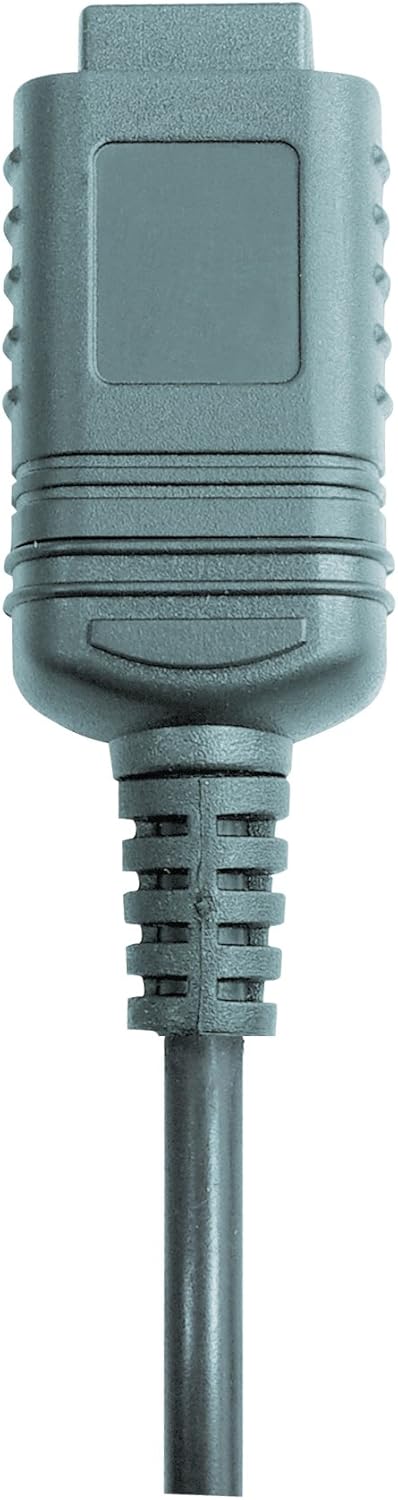

Whakaahua 2: RS232 cable connectors used for connecting the SoundTest-Master to a PC.
5. Whakatau
The device can be calibrated and adjusted using a standard noise level calibrator (94 dB / 1 kHz). Refer to the calibrator's instructions for the specific calibration procedure.
Te tiaki
1. Te horoi
- Horoia te pūrere casing me te kakahu ngohengohe, maroke.
- Kaua e whakamahi i nga kai horoi me nga whakarewa.
- Ensure the microphone is kept clean and free of dust or debris.
2. Rokiroki
When not in use, store the SoundTest-Master in its protective case in a cool, dry place, away from direct sunlight and extreme temperatures. Remove batteries if storing for extended periods.
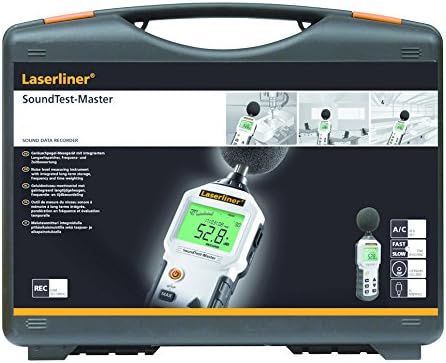
Whakaahua 3: The SoundTest-Master 082.070A stored in its protective carrying case.
Raparongoā
| Raruraru | Take pea | Rongoā |
|---|---|---|
| Kaore te taputapu i te hiko. | Nga pākahiko kua mate, kua he ranei te whakaurunga. | Whakakapihia nga pākahiko, kia tika te polarity. |
| Ko nga panui kore tika. | Microphone obstructed or dirty; device needs calibration. | Clean microphone; perform calibration with a standard calibrator. |
| No data transfer to PC. | Incorrect cable connection; software not installed or configured. | Check RS232 cable connection; ensure PC software is correctly installed and running. |
| He atarua, he kore panui ranei te whakaaturanga. | Low battery power; display backlight off. | Replace batteries; check device settings for backlight control. |
Whakatakotoranga
| Āhuahira | Taipitopito |
|---|---|
| Ingoa Tauira | SoundTest-Master |
| Nama Wahi | 082.070A |
| Kaihanga | Umarex |
| Waitohu | Kaituku |
| Taumaha Taumaha | dB(A), dB(C) |
| Te Waa Taumaha | FAST (125 ms), SLOW (1 second) |
| Mahara Raraunga | 16,000 ine ine |
| Atanga | Optoisolated RS232 |
| Putanga tairitenga | DC me AC |
| Te whakatikatika | Adjustable with 94 dB / 1 kHz standard calibrator |
| hopuoro | Sensitive electret condenser with removable windshield |
| Whakaatu | Illuminated, clear display |
| Taumaha Tūemi | 1.18 Kirokaramu (2.6 pauna) |
| Hunga Hua | 10.33 x 5.51 x 13.78 inihi |
| Rauemi | Metal (Frame, Barrel) |
| Tae | Pango me Kerei |
| Nga Pikohiko e hiahiatia ana | Yes (not included, type not specified in data) |
Pūtāhui me te Tautoko
For warranty information and technical support, please refer to the documentation included with your purchase or visit the official Laserliner webpae.