
Kupu Whakataki
The Melnor 3060 Digital Water Timer Plus is designed to automate your watering schedule, providing convenience and efficient water management for your lawn or garden. This timer allows you to set precise watering times and durations, ensuring your plants receive the right amount of water without constant manual intervention. It features an easy-to-read LCD menu for programming and supports multiple independent watering cycles.
This manual provides detailed instructions for setting up, operating, and maintaining your Melnor 3060 Digital Water Timer Plus. Please read it thoroughly before use to ensure optimal performance and longevity of your device.
Nga waahanga matua
- Automated Watering: Set and forget, program to automatically start and shut off.
- Papatono ngawari: Features an intuitive LCD menu for straightforward setup.
- Hototahi maha: Works effectively with low-pressure drip systems and soaker hoses.
- Whakaritenga Ngāwari: Program up to 6 independently programmable cycles, allowing watering while away or at night.
- Mahi ā-ringa: Includes an on/off function to use like a standard faucet.
- Additional Outlet: Equipped with a second manual outlet for convenient watering.
Nga korero haumaru
WHAKATŪPATO: Ma tenei hua e whakaatu koe ki nga matū tae atu ki te styrene, e mohiotia ana e te Kawanatanga o California kia pa mai te mate pukupuku. Mo etahi atu korero, haere ki www.P65Warnings.ca.gov.
For outdoor use only. Do not use this timer indoors or for purposes other than watering.
Tatūnga
1. Whakauruhia nga Patahiko
The Melnor 3060 Digital Water Timer Plus requires two (2) AA batteries (not included) for operation. Ensure batteries are inserted with correct polarity.
- Kimihia te wahanga pākahiko kei muri o te matawā.
- Whakatuwheratia te uhi o te wahanga pākahiko.
- Insert two fresh AA alkaline batteries, matching the (+) and (-) terminals correctly.
- Securely close the battery compartment cover to prevent water intrusion.
2. Tāpirihia ki te Taputapu
Connect the timer to a standard outdoor hose faucet.
- Me mohio kua weto te korere.
- Thread the timer's inlet connector onto the faucet. Hand-tighten only to prevent damage.
- Attach your garden hose or watering system to the timer's outlet.
- Slowly turn on the faucet completely. The timer is designed to operate with full water pressure.
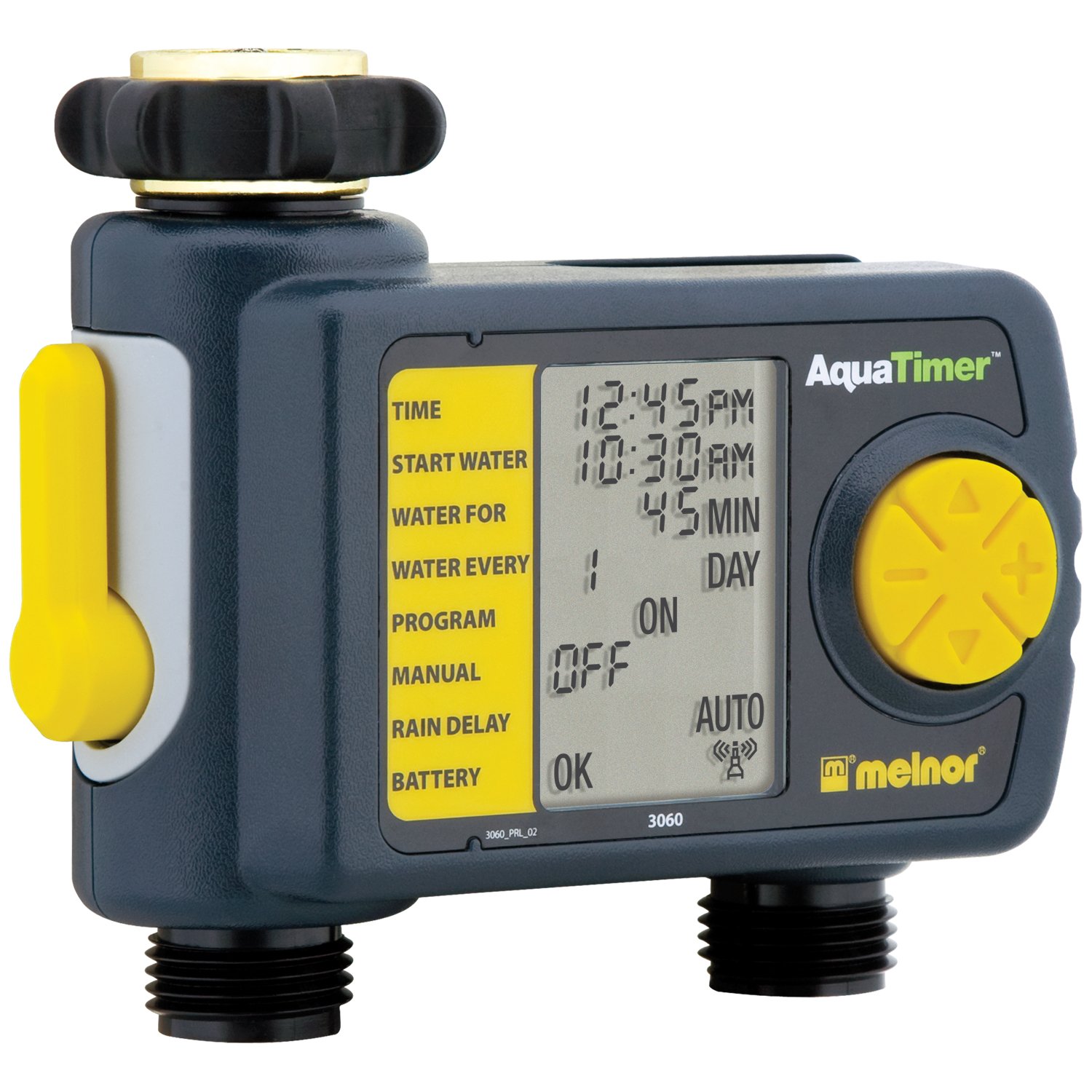
Image: The Melnor 3060 Digital Water Timer Plus, showing its connection points for a faucet and a garden hose.
Nga Tohutohu Whakahaere
The Melnor 3060 features an LCD display and several buttons for programming. Refer to the on-screen prompts for guidance.
1. Tautuhia te Wa o Naianei
- Pehia te WHAKATAHI KAraka pātene.
- Whakamahia te + a - ngā pātene hei whakarite i te hāora me te meneti.
- Perehi OK or WHAKATAHI KAraka ano ki te whakau.
2. Program Watering Schedule
The timer allows for up to six independent watering cycles per day. You can also choose from five preset programs.
- Pehia te KAUPAPA pātene ki te tomo aratau hōtaka.
- Whakamahia te + a - buttons to select a program number (1-6) or a preset option.
- Perehi OK hei whakaū i to whiringa.
- Follow the on-screen prompts to set the:
- Wā Tīmata: When watering begins.
- Roa: How long watering will last.
- Auautanga: How often watering occurs (e.g., every day, every other day, specific days of the week).
- Repeat for additional watering cycles as needed.
- Once all programs are set, ensure the timer is in AUTO mode for automatic operation.
3. Whakamakuku a-ringa
To water manually without affecting your programmed schedule:
- Pehia te ON/OFF pātene.
- The water will begin to flow.
- Hei whakamutu i te whakamakuku ā-ringa, pēhia te pātene ON/OFF button again. The timer will return to its programmed schedule.
4. Using the Second Manual Outlet
The timer includes a second, un-timed manual outlet. This outlet functions like a standard faucet and is not controlled by the timer's programming. Simply attach a hose and open the valve on the timer to use it.
Te tiaki
- Whakakapinga Pūhiko: Replace batteries annually or when the low battery indicator appears on the LCD. Always use fresh AA alkaline batteries.
- Te takurua: To prevent damage from freezing, remove the timer from the faucet before the first frost. Store it indoors in a dry, protected area.
- Te horoi: Periodically check the inlet screen for debris and clean if necessary to maintain proper water flow.
Raparongoā
| Raruraru | Take pea | Rongoā |
|---|---|---|
| Karekau te taima i whakamakuku. |
|
|
| Ka turuturu te wai mai i nga hononga. |
|
|
| He putea, he atarua ranei te whakaaturanga. |
|
|
Whakatakotoranga
- Tau tauira: 3060 (also referred to as 3100 in some documentation)
- Puna Hiko: 2 x Pūhiko AA Alkaline (kāore i roto)
- Rahi Hua: 4.5 x 5.2 x 4.5 inihi
- Taumaha Tūemi: 12.8 hekere
- Kaihanga: Melnor
- Watering Cycles: Up to 6 independently programmable cycles
- Papatono Tatūkē: 5
Nga korero Whakaputanga
The Melnor 3060 Digital Water Timer Plus comes with a E rua Tau Rarangi Rarangi. This warranty covers defects in materials and workmanship under normal use. For specific terms and conditions, or to make a warranty claim, please refer to the warranty card included with your product or contact Melnor customer service.
Tautoko Kiritaki
If you have any questions, require assistance with setup or programming, or encounter any issues not covered in this manual, please contact Melnor Customer Service. Contact information can typically be found on the product packaging or on the official Melnor webpae.