
Sava lalana
This manual provides comprehensive instructions for the safe and efficient use of your MSI PRO MP273 E14A 27-inch IPS monitor. Please read this manual thoroughly before operating the device and retain it for future reference.
1. Fametrahana
1.1 Unpacking and Package Contents
Carefully remove all components from the packaging. Ensure all items listed in the package contents are present and undamaged. Keep the packaging materials for future transport or service needs.
1.2 Fanangonana ny Stand
Araho ireto dingana ireto mba hametahana ny fijoroana amin'ny monitor-nao:
- Apetraho midina eo amin'ny toerana malefaka sy madio ny fanaraha-maso mba hisorohana ny fingotra.
- Align the stand base with the stand neck and secure it with the provided screw.
- Attach the assembled stand to the back of the monitor until it clicks into place or is secured with screws, depending on the model's design.
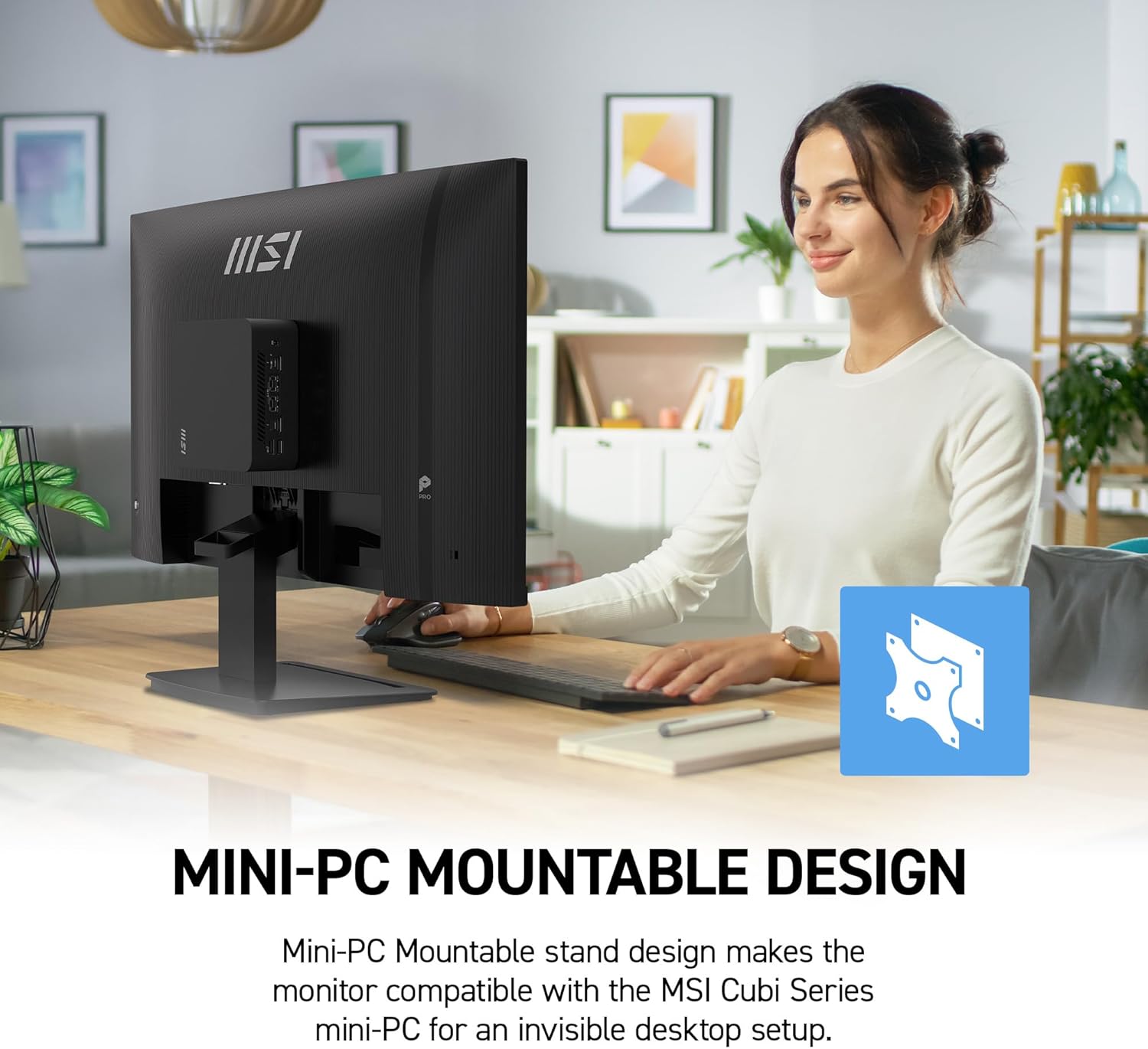
Image: The MSI PRO MP273 E14A monitor with its stand fully assembled, ready for use.
1.3 VESA Mounting
The monitor supports VESA mounting for wall mounts or monitor arms. Remove the stand if attached, then secure the VESA mount (not included) to the monitor's back panel using the appropriate screws.

Image: The MSI PRO MP273 E14A monitor demonstrating its VESA mountable design, shown with a mini-PC attached to the back for a compact setup.
1.4 Fifandraisana amin'ny solosaina
Connect the monitor to your computer using one of the following cables:
- Cable HDMI: Ho an'ny horonan-tsary sy feo avo lenta.
- Cable DisplayPort: For high-resolution video and audio, supporting 144Hz refresh rate.
- Cable VGA: For standard video connection.
Ensure the cable is securely connected to both the monitor and your computer's graphics card.

Image: A close-up of the rear panel of the MSI PRO MP273 E14A monitor, highlighting the available input ports including HDMI, DisplayPort, and VGA.
1.5 Fampifandraisana herinaratra
Connect the power adapter to the monitor's power input, then plug the power cord into an electrical outlet.
2. Torolàlana miasa
2.1 Mamelona/Mamono
Tsindrio ny bokotra herinaratra eo amin'ny efijery mba hampandeha na hamonoana azy. Hirehitra ny jiro famantarana ny herinaratra rehefa miasa ny efijery.
2.2 Menu amin'ny efijery (OSD).
Use the joystick or buttons on the monitor's rear or bottom to navigate the OSD menu. The OSD allows you to adjust various display settings.

Image: The MSI PRO MP273 E14A monitor showing its OSD menu, which provides options for adjusting display settings.
2.3 Fanitsiana ny firafitry ny fampisehoana
Ireto avy ireo fikirana OSD mahazatra:
- Famirapiratana/mifanohitra: Amboary ny famirapiratana ankapobeny sy ny fahasamihafana misy eo amin'ny faritra mazava sy maizina.
- Fikirana loko: Ovay ny mari-pana loko, ny gamma, ary ny haavon'ny RGB tsirairay.
- Loharano fidirana: Manually select between HDMI, DisplayPort, or VGA inputs.
- Fomba sary: Choose from preset modes (e.g., Standard, Game, Movie).
2.4 144Hz Refresh Rate and AMD FreeSync
The monitor supports a 144Hz refresh rate for smoother visuals. Ensure your graphics card and connection cable (DisplayPort recommended) support this refresh rate. AMD FreeSync technology synchronizes the monitor's refresh rate with your GPU's frame rate to eliminate screen tearing and stuttering. Enable FreeSync in the OSD menu and your graphics card's control panel.

Image: The MSI PRO MP273 E14A monitor showcasing its 144Hz refresh rate capability during a fast-paced game scene, labeled "144Hz Game Ready".

Image: A visual representation of AMD FreeSync technology, demonstrating how it eliminates screen tearing for a smoother visual experience.
2.5 Fanamafisam-peo tafiditra ao anatiny
The monitor features built-in speakers. Audio will be output through these speakers when connected via HDMI or DisplayPort. Adjust volume through your computer's operating system or the monitor's OSD menu.

Image: The MSI PRO MP273 E14A monitor displaying a video conference, with visual cues indicating the use of its built-in speakers.
2.6 Eye Care Features (MSI EyesErgo, Anti-Flicker, Eye-Q Check)
The monitor incorporates several features designed to reduce eye strain:
- MSI EyesErgo with Anti-Flicker: Reduces invisible flickering that can cause eye fatigue.
- Less Blue Light: Filters out harmful blue light emissions.
- MSI Eye-Q Check: Provides reminders to take breaks and self-check eye health during prolonged use.

Image: The MSI PRO MP273 E14A monitor displaying image editing software, with icons representing its premium eye comfort features like Less Blue Light and Anti-Flicker.
3. Fikojakojana
3.1 Fanadiovana ny Monitor
Hanadiovana ny efijerin'ny monitor sy ny casing:
- Vonoy foana ny fanaraha-maso ary esory ny tadin-jiro alohan'ny hanadiovana.
- Mampiasà lamba malefaka sady tsy misy sosotra moramora dampasiana rano na mpanadio écran manokana.
- Do not use abrasive cleaners, solvents, or ammonia-based liquids.
- Fadio ny mamafa ranoka mivantana eo amin'ny efijery na amin'ny lavaka rehetra.
4. Famahana olana
If you encounter issues with your monitor, refer to the following common solutions:
- Tsy misy fampisehoana:
- Hamarino tsara fa mifandray tsara ny tariby herinaratra ary mandeha ny efijery.
- Verify the video cable (HDMI, DisplayPort, VGA) is properly connected to both the monitor and the computer.
- Hamarino raha voafantina ao amin'ny menio OSD ny loharano fampidirana marina.
- Andramo amin'ny tariby na seranana video hafa raha misy.
- Ecran mitsilopilopy:
- Hamarino tsara fa mifandray tsara ny tariby video.
- Check the refresh rate setting in your computer's display settings; ensure it matches the monitor's capabilities.
- Enable Anti-Flicker in the OSD menu.
- Tsy misy feo avy amin'ny mpandahateny:
- Ensure the monitor is connected via HDMI or DisplayPort.
- Check the volume settings on both your computer and the monitor's OSD menu.
- Verify the monitor is selected as the default audio output device in your computer's sound settings.
For further assistance, please contact MSI customer support or visit the official MSI website.
5. Famaritana
| endri-javatra | antsipirihany |
|---|---|
| Anarana modely | PRO MP273 E14A |
| Haben'ny efijery | 27 santimetatra |
| vahaolana | 1920 x 1080 (FHD) |
| Karazana tontonana | IPS |
| Ny tahan'ny fanavaozana | 144 Hz |
| Fotoam-pamaliana | 1 Miliseconds |
| Aspect ratio | 16:9 |
| fifandraisana | 1x HDMI, 1x DisplayPort, 1x VGA |
| Adaptive Sync | AMD FreeSync |
| Viewamin'ny Angle | 178 degre |
| mpandahateny | Naorina-in |
| Tendrombohitra VESA | Tohanana |
| Refy (D x W x H) | 7.91" D x 24.15" W x 18.53" H |
| loko | Mainty |
6. Fampahalalana momba ny fiantohana
This MSI PRO MP273 E14A monitor comes with a Garantie mpanamboatra 3 taona. For detailed terms and conditions, please refer to the warranty card included in your product packaging or visit the official MSI website.
7. Fanohanana ny mpanjifa
For technical support, service inquiries, or to download the latest drivers and firmware, please visit the official MSI support webtranokala:
Please have your monitor's model name (PRO MP273 E14A) and serial number ready when contacting support.