
Sava lalana
Thank you for choosing the GOBOULT Mustang Torq Wireless Earbuds. These earbuds combine iconic design with advanced audio technology, offering an exhilarating sound experience with features like 60 hours of playtime, Quad Mic ENC for clear calls, 45ms ultra-low latency for gaming, and comprehensive app support. This manual provides detailed instructions to help you get the most out of your device.

Brand Update: Please note that Boult is now GOBOULT. The product you receive may feature either logo on its packaging, but the product itself remains the same high quality.
Inona no ao anaty boaty
Your GOBOULT Mustang Torq Wireless Earbuds package includes the following items:
- Mustang Torq Charging Case
- Mustang Silver Earbuds (Left and Right)
- Extra Pair of Eartips (various sizes for optimal fit)
- Tariby famandrihana haingana Type-C
- User Manual (ity antontan-taratasy ity)
- Karatra fiantohana
- Exclusive Mustang Collectibles (5 stickers, Mustang artwork, Founders note)

Fonosana: All items included in the GOBOULT Mustang Torq Earbuds retail box.
Hametraka
Fametrahana voalohany
Before first use, fully charge your GOBOULT Mustang Torq Earbuds and their charging case. Connect the provided Type-C Fast Charging Cable to the charging port on the case and a compatible USB power source. The LED indicators on the case will show the charging status. A full charge takes approximately 100 minutes.
Pairing with Your Device (Blink & Pair)
- Sokafy ny vata fampangatsiahana. Ny sofina dia hiditra ho azy amin'ny fomba fampiarahana.
- Amin'ny findainao, tablette, na fitaovana hafa afaka Bluetooth, mandehana any amin'ny kiran'ny Bluetooth.
- Hitady ny available devices and select "GOBOULT Mustang Torq" (or similar name like "Airbass Earbuds") from the list.
- Rehefa voafantina dia hifandray ho azy ireo écouteur. Hisy feo hampahafantatra anao fa nahomby ny fampifandraisana.
Thanks to Bluetooth 5.4 with Blink & Pair technology, subsequent connections will be instant and stable.

Blink & Pair: Enjoy instant and stable connectivity with Bluetooth 5.4.
Amp Fifandraisana amin'ny fampiharana
For enhanced control and customization, download the dedicated Amp App. The app allows you to:
- Customize EQ modes to tailor your audio experience.
- Adjust gesture controls for personalized interaction.
- Access Quick Cleanup for optimized performance.
- Rename your earbuds.
- Utilize widget support for your home screen.

Amp Endri-javatra fampiharana: Customize your listening experience with the dedicated mobile application.
Torolàlana miasa
Touch Controls
The GOBOULT Mustang Torq Earbuds feature intuitive touch controls for various functions. Specific gestures can be customized via the Amp App.
- Famerenana mozika: Tsindrio raha hilalao/hiato, kitiho indroa ho an'ny lalana manaraka, kitiho intelo ho an'ny lalana teo aloha.
- Fitantanana antso: Tsindrio raha hamaly/amarana ny antso, tsindrio lava raha handa ny antso.
- Fanaraha-maso ny feo: Specific gestures for volume adjustment can be set in the Amp App.
- Mpanampy amin'ny feo: Long press to activate your device's AI Voice Assistant (Siri, Google Assistant, Amazon Alexa).
Fomba filalaovana lalao (Faharetan'ny lalao ambany dia ambany 45ms)
Activate Gaming Mode for a competitive edge with ultra-low latency of 45ms, ensuring real-time audio synchronization for gaming and seamless media playback. This mode can typically be activated via the Amp App or a specific touch gesture.
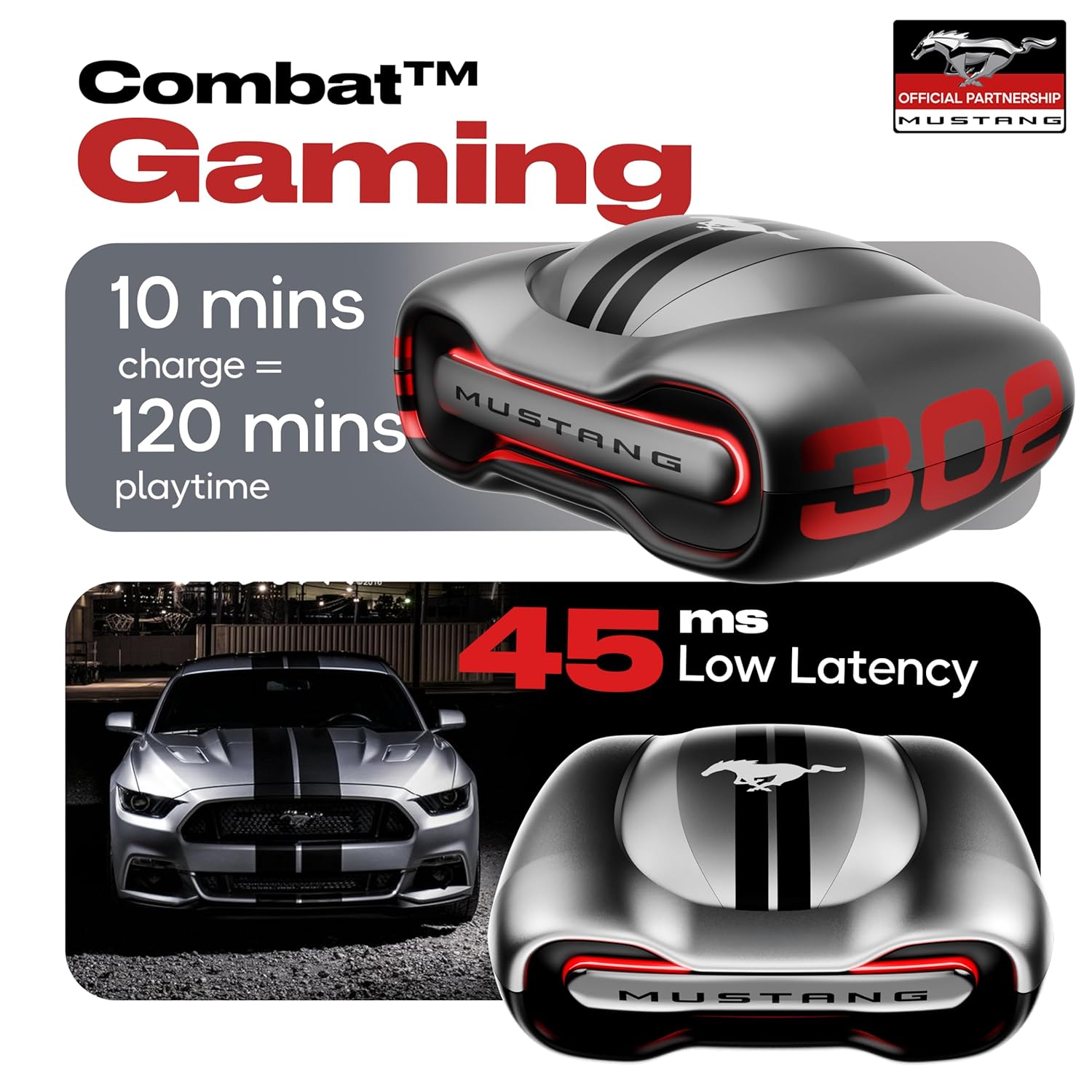
Combat Gaming: Experience audio with minimal delay for an immersive gaming experience.
Zen Quad Mic ENC (Environmental Noise Cancellation)
The earbuds are equipped with four precision microphones and Environmental Noise Cancellation (ENC) technology. This ensures ultra-clear calls by isolating your voice and reducing ambient noise, making your conversations crisp and clear in any environment.

Fifandraisana mazava: Zen Quad Mic ENC ensures superior voice isolation for calls.
fikarakarana
Ny fanoherana ny rano (IPX5)
The GOBOULT Mustang Torq Earbuds are IPX5 water resistant, meaning they can withstand splashes of water from any direction. This makes them suitable for workouts and light rain. However, they are not designed for submersion in water. Avoid exposing them to strong jets of water or prolonged immersion.
Fanadiovana sy fitahirizana
- Diovy tsy tapaka amin'ny lamba malefaka sy maina ary tsy misy loko ny fonon-tsofina sy ny vata fampangatsiahana.
- Remove eartips and clean them separately with mild soap and water if necessary, ensuring they are completely dry before reattaching.
- Fadio ny mampiasa fitaovana fanadiovana na solvents.
- Tehirizo ao anaty vata fampangatsiahana ny sofina rehefa tsy ampiasaina mba hiarovana azy sy hitazonana azy ho voaloa.
- Arovy ny fitaovana amin'ny hafanana tafahoatra sy ny tara-masoandro mivantana.
Fanamboarana
If you encounter any issues with your GOBOULT Mustang Torq Earbuds, please refer to the following common solutions:
- Tsy misy feo/Voaka ambany: Ensure earbuds are charged, connected properly, and volume is turned up on both the earbuds and your connected device. Check for debris in the earbud nozzles.
- Olana mampiaraka: Make sure Bluetooth is enabled on your device. Place earbuds back in the case, close it, then open it again to re-enter pairing mode. Forget the device from your phone's Bluetooth list and try pairing again.
- Earbud iray tsy mandeha: Ensure both earbuds are charged. Try resetting the earbuds (refer to the Amp App or online support for specific reset instructions).
- Olana momba ny kalitaon'ny antso: Ensure the microphones are not obstructed. The Zen Quad Mic ENC should provide clear calls, but strong background noise might still affect clarity.
- Touch Controls tsy mamaly: Ataovy azo antoka fa madio sy maina ny rantsan-tananao. Andramo averina apetraka indray ny écouteur amin'ny alàlan'ny fametrahana azy ireo ao anaty fonony ary esory.
- Olana mifandray amin'ny fampiharana: Ataovy azo antoka ny Amp App is updated to the latest version. Check your device's internet connection.
For further assistance, please contact GOBOULT customer support.
fepetra arahana
| endri-javatra | famaritana |
|---|---|
| Anarana modely | Airbass Earbuds |
| Teknolojia fifandraisana | Bluetooth 5.4, Tsy misy tariby |
| Wireless Communication Technology | Bluetooth, WiFi |
| Fanaraha-maso ny tabataba | Fanafoanana ny tabataban'ny tontolo iainana (ENC) |
| Haben'ny mpamily Audio | 13 milimetatra |
| Karazana mpamily Audio | Driver Dinamika |
| Famaliana matetika | 20 Hz |
| fahatsapana | 115 dB |
| Impedance | 32 ohm |
| Audio Latency | 45 Miliseconds |
| Fahaveloman'ny bateria (Earbuds) | Up to 48 Hours (with case) |
| Fitondrana batterie antonony ny fiainana | 60 Hours (total playtime with case) |
| Time Charging | 100 minitra |
| Headphone Jack | Jack famandrihana haingana Type-C |
| Karazana fanaraha-maso | Call Control, Touch Control, Volume Control |
| Karazana Controller | Amazon Alexa, Google Assistant, Siri, Touch Controls |
| Ny haavon'ny fanoherana ny rano | IPX5 (mahatohitra rano) |
| Lanja entana | 61g ny |
| Ny refin'ny vokatra | 56.3 x 29 x 50.4 cm |
| Fitaovana mifanentana | Cellphones, Desktops, Gaming Consoles, Laptops, Tablets |
| KEVITRA | fingotra |
| Firenena nihaviana | INDE |
Warranty & Support
Warranty avy amin'ny mpanamboatra
Your GOBOULT Mustang Torq Wireless Earbuds come with a Warranty 1 taona ny mpanamboatra from the date of purchase. This warranty covers manufacturing defects and ensures peace of mind regarding the quality and performance of your product.
Please retain your purchase receipt or proof of purchase for warranty claims.
Fanohanana ny mpanjifa
For any technical assistance, warranty claims, or product-related inquiries, please visit the official Boult (now GOBOULT) website or contact their customer support channels. Refer to the warranty card included in your package for specific contact details.