
Vita ny vokatraview
The OSHPRO 22-inch HD Small TV is a versatile entertainment solution designed for various environments such as homes, kitchens, RVs, and offices. It features a 1080P HD screen for crisp visuals, a built-in digital ATSC tuner for free local channels, and multiple input ports for broad connectivity. Its compact design and adjustable stand make it highly adaptable.

Figure 1: OSHPRO 22 Inch HD Small TV with included remote control. The TV features a sleek design with a foldable stand for easy placement.
Setup Guide
1. Famoahana sy fisafoana voalohany
Carefully remove all components from the packaging. Verify that all items listed in the packing list are present and undamaged. Retain the packaging for future transport or storage.
2. Mametraka ny fahitalavitra
The TV is equipped with a built-in stand that can be adjusted up to 180 degrees. Place the TV on a stable, flat surface such as a countertop, desk, or table. Adjust the stand to achieve your desired viewing zoro.

Figure 2: The OSHPRO TV offers flexible mounting options, including its integrated adjustable stand and compatibility with VESA mounts (mount not included). The stand allows for up to 180-degree adjustment.
3. Hery mampifandray
Connect the provided AC adapter to the DC 12V input port on the TV. Plug the other end of the adapter into a standard electrical outlet.
4. Connecting the TV Antenna
For receiving free local channels, connect the included TV antenna to the "TV Antenna" input port on the television. Position the antenna for optimal signal reception.

Figure 3: The TV comes with a built-in digital tuner and antenna, enabling access to free local channels without a separate set-top box.
5. Mampifandray fitaovana ivelany
Ny fahitalavitra dia manana seranana fampidirana maro hampifandraisana fitaovana isan-karazany:
- Fampidirana HDMI: Connect devices such as laptops, gaming consoles (Xbox, PlayStation, Switch), TV sticks (Fire Stick), or Raspberry Pi using an HDMI cable (not included). This port supports up to 1080P video input.
- AV Composite Audio/Video (3.5mm): Connect older devices using the provided AV cable.
- Port USB: Ho an'ny haino aman-jery avy amin'ny kapila USB.
- Seranan-tsofina (3.5mm): Ho fihainoana manokana.

Sary 4: antsipirihany view of the TV's input/output interface, including Headphone Port, USB, HDMI 1.4, DC 12V, TV Antenna, and AV Composite audio/video ports.
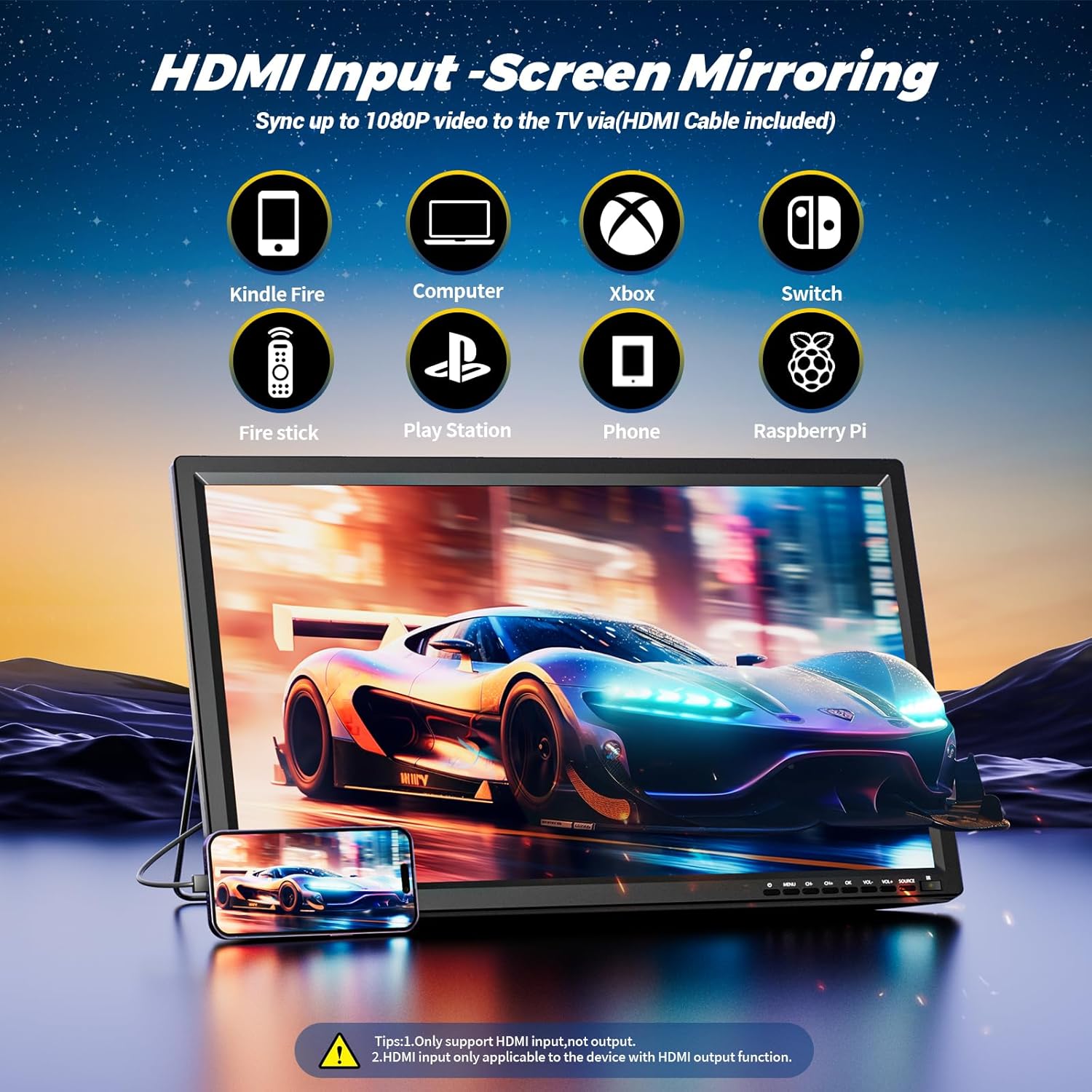
Figure 5: The HDMI input allows screen mirroring from devices like Kindle Fire, computers, Xbox, Switch, Fire Stick, PlayStation, phones, and Raspberry Pi. Note: Only supports HDMI input, not output.
Torolàlana miasa
1. Power On/off
Press the Power button on the TV or the remote control to turn the TV on or off.
2. Initial Channel Scan (for Antenna TV)
After connecting the antenna, navigate to the TV's menu settings. Select "Channel Scan" or "Auto Tune" to search for available digital channels. This process may take several minutes.
3. Misafidiana Loharano fampidirana
Press the "Source" or "Input" button on the remote control to cycle through available input sources (TV, HDMI, AV, USB). Select the desired input for your connected device.
4. USB Media Playback
Insert a USB flash drive into the USB port. The TV will typically prompt you to access the media browser. You can play various media formats:
- Sarimihetsika: AVI, MPG, MOV, MKV, MP4, TS, VOB, DAT
- Mozika: MP3, WMA, M4A, AAC
- Sary: JPG, JPEG, BMP, PNG
The TV can also function as an electronic photo frame.

Figure 6: The USB port supports a wide range of media formats for movies, music, and photos, allowing the TV to serve as a versatile media player or digital photo frame.
5. Audio and Volume Control
Use the Volume Up/Down buttons on the remote control or the TV to adjust the sound level. The TV features built-in dual speakers for clear audio output.

Figure 7: The OSHPRO 22-inch TV is equipped with dual speakers, providing clear audio for an enhanced viewamin'ny traikefa.
fikarakarana
Manadio ny fahitalavitra
- Esory foana ny TV alohan'ny hanadiovana.
- Mampiasà lamba malefaka sy maina hamafa ny efijery sy ny kabinetra.
- Ho an'ny marika mafy loha, moramora dampen the cloth with water or a mild, non-abrasive screen cleaner. Do not spray liquid directly onto the screen.
- Fadio ny mampiasa mpanadio, savoka, na solvents, fa mety hanimba ny famaranana.
fitahirizana
If storing the TV for an extended period, disconnect all cables and store it in its original packaging in a cool, dry place away from direct sunlight and extreme temperatures.
Fanamboarana
| OLANA | Antony mety hitranga | vahaolana |
|---|---|---|
| Tsisy Hery | tariby herinaratra tsy mifandray; Famoahana herinaratra tsy mandeha. | Ataovy azo antoka fa mifandray tsara ny tariby herinaratra. Andramo amin'ny fitaovana hafa ny fivoahana. |
| No Signal / "No Input" message | Incorrect input source selected; Device not powered on; Cable loose or damaged. | Press "Source" button to select correct input. Power on connected device. Check cable connections. |
| Poor Picture Quality (Antenna TV) | Weak antenna signal; Antenna position. | Adjust antenna position. Perform a new channel scan. |
| Tsy misy feo | Volume too low or muted; External device audio settings. | Increase volume. Check if TV is muted. Check audio output settings on connected device. |
| Remote Control Tsy mandeha | Batterie maty; Sakantsakana eo anelanelan'ny lavitra sy ny fahitalavitra. | Replace batteries. Remove any obstructions. Ensure remote is pointed at the TV's sensor. |
fepetra arahana
| endri-javatra | antsipirihany |
|---|---|
| Marika | OSHPRO |
| MODELY | B0DHCQJF42 |
| Haben'ny efijery | 22 santimetatra |
| Display Technology | LCD |
| vahaolana | 1080p |
| Ny tahan'ny fanavaozana | 90 Hz |
| Aspect ratio | 16:9 |
| Endri-javatra manokana | Built-in Speaker, ATSC Tuner |
| Teknolojia fifandraisana | Wired (HDMI, AV, USB) |
| Lanja entana | 5.24 kg |
| Ny refin'ny vokatra | 1"D x 1"W x 1"H (approximate, based on input) |
Warranty sy fanohanana
For product support, technical assistance, or warranty inquiries, please contact the seller or manufacturer directly. Refer to your purchase documentation for specific warranty terms and contact information.
While optional protection plans are available for purchase, any inherent manufacturer's warranty details should be confirmed with the point of sale or the OSHPRO brand directly.