
LEMNOI SG7
LEMNOI SG7 Educational Day/Night Alarm Clock - User Manual
Model: SG7 (Rabbit)
Sava lalana
Thank you for choosing the LEMNOI SG7 Educational Day/Night Alarm Clock. This device is designed to assist children in developing healthy sleep habits through visual cues, gentle alarms, and a comforting night light. Please read this manual carefully to ensure proper use and maintenance of your new alarm clock.

Sary: Front view of the LEMNOI SG7 Educational Day/Night Alarm Clock, Rabbit Model, displaying time and temperature.
Endri-javatra fototra
- Day/Night Educational Function: Visual cues (sun/moon icons, green/blue light) to indicate wake-up and sleep times.
- Musical Alarm: 7 musical alarm options for a gentle wake-up.
- Digital Display & Temperature Monitor: 12/24-hour format, F/C temperature conversion. Screen activates with sound or touch.
- Dual Alarm & Snooze Function: Two customizable alarms with a 9-minute snooze, repeatable up to 3 times.
- Jiro alina 5 loko: Functions as a wake-up light, multi-color night light, or room clock.
- USB-C Rechargeable: Built-in 2000 mAh lithium battery.
Hametraka
1. Fametrahana voalohany
Before first use, fully charge the alarm clock using the provided USB-C cable. Connect the cable to the device and a compatible USB power adapter (not included). The charging indicator will show status. A full charge typically takes approximately 3 hours.

Image: The alarm clock connected to a power source via a USB-C cable for charging.
2. Button Overview
Familiarize yourself with the buttons located on the back of the device:
- FANAMBARANA 1 / FANAMBARANA 2: Set and activate individual alarms.
- FOTOANA: Adjust current time and date.
- SUN/MOON: Configure day/night educational settings.
- VOLUME +/-: Adjust alarm and sound volume.
- °C/°F: Switch temperature display unit.
- SOUND & LIGHT: Select alarm sounds and light colors.
- ON/OFF/JY: Power on/off, activate/deactivate screen light.
Video: A demonstration of the buttons on the back of the LEMNOI SG7 alarm clock and their functions.
Torolàlana miasa
1. Fametrahana ny fotoana
- Tsindrio ary hazòny ny Time button for 3 seconds. The hour display will flash.
- Ampiasao ny VOLUME +/- bokotra hanitsy ny ora.
- mpanao gazety Time again to switch to minute adjustment. Use VOLUME +/- hametraka minitra.
- mpanao gazety Time hanamarina sy hivoaka.
2. Setting Alarms (ALARM 1 / ALARM 2)
- Tsindrio ary hazòny Fanairana 1 or Fanairana 2 button for 3 seconds. The hour display will flash.
- Ampiasao VOLUME +/- hametraka ny ora fanairana tiana.
- Tsindrio ny bokotra mifanaraka amin'izany fanairana button again to switch to minute adjustment. Use VOLUME +/- hametraka minitra.
- Tsindrio ny fanairana button to select the alarm sound (7 options available).
- Tsindrio ny fanairana button to select the alarm days (e.g., Mon-Fri, Sat-Sun, or all days).
- Tsindrio ny fanairana button to confirm and activate the alarm. An alarm icon will appear on the display.
To activate the snooze function when an alarm sounds, press the SNOOZE button on top of the clock. The alarm will pause for 9 minutes and sound again. This can be repeated up to 3 times.

Image: A child sleeping with the alarm clock on a bedside table, illustrating the snooze function.
3. Day/Night Educational Settings
This feature uses visual cues to help children understand when it's time to wake up or sleep.
- Tsindrio ary hazòny ny MASO/VOLANA button for 3 seconds. The wake-up time hour will flash.
- Ampiasao VOLUME +/- to set the desired wake-up hour.
- mpanao gazety MASO/VOLANA again to set wake-up minutes.
- mpanao gazety MASO/VOLANA again to set the sleep time hour.
- mpanao gazety MASO/VOLANA again to set sleep minutes.
- mpanao gazety MASO/VOLANA hanamafy.
When the set wake-up time approaches, the clock will display a green light and sun icon. For sleep time, a blue light and moon icon will appear.
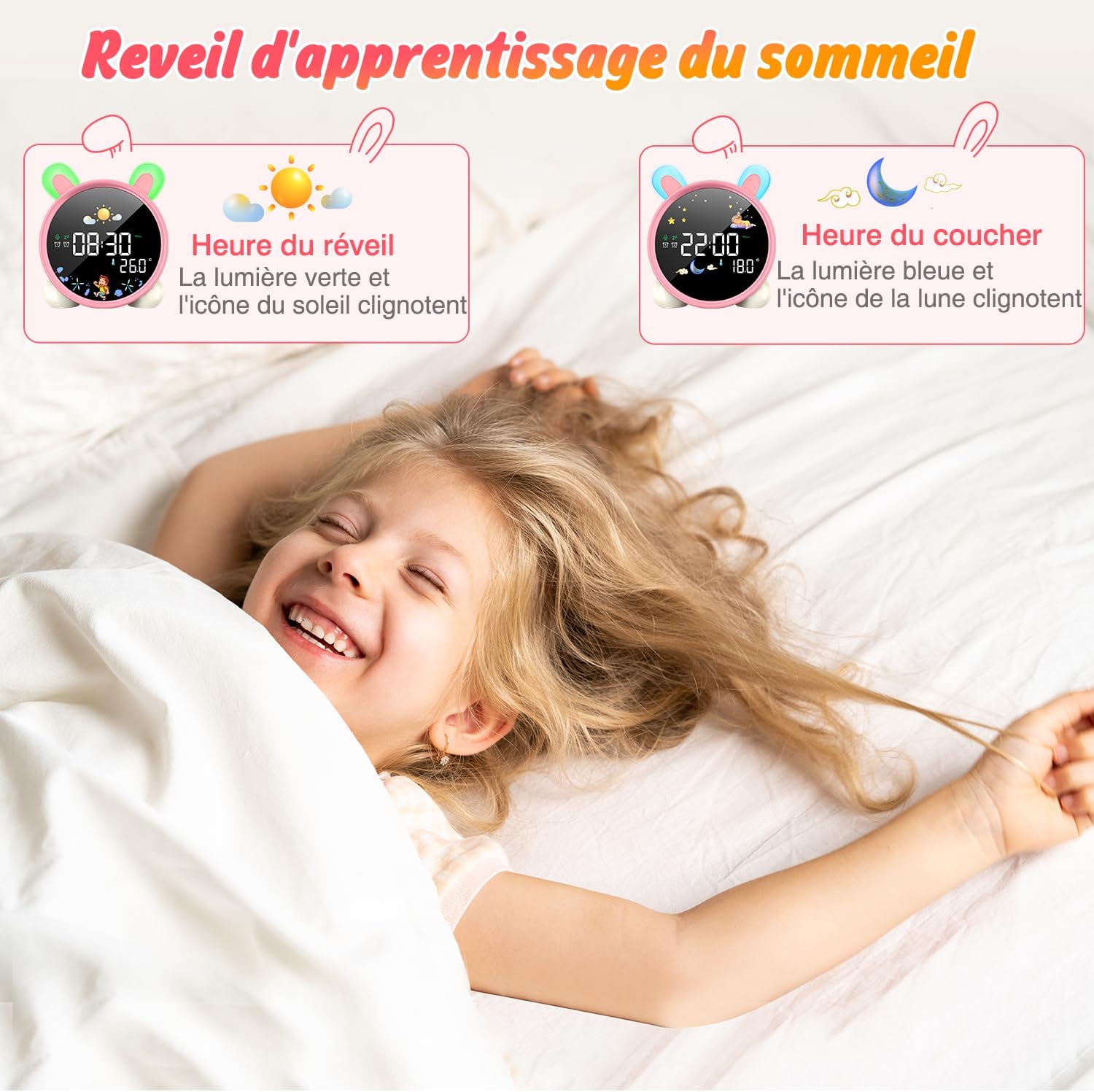
Image: The alarm clock displaying green light and sun icon for wake-up time, and blue light with moon icon for sleep time.
4. Night Light Function
The alarm clock features a 5-color night light. To adjust:
- Tsindrio ny ON/OFF/ZAVA button to cycle through the 5 colors.
- Tsindrio ary hazòny ON/OFF/ZAVA hanitsy ny haavon'ny famirapiratana.

Image: The alarm clock displaying various night light colors (yellow, blue, purple, white, gradient).
5. Seho amin'ny mari-pana
The clock displays ambient temperature. Press the ° C / ° F bokotra hifindra eo anelanelan'ny Celsius sy Fahrenheit.
Video: A demonstration of switching between Celsius and Fahrenheit temperature display on the alarm clock.
6. Sound-Activated Screen
The screen can be activated by sound or touch. When the screen is off, a light tap or sound will illuminate it for 20 seconds.
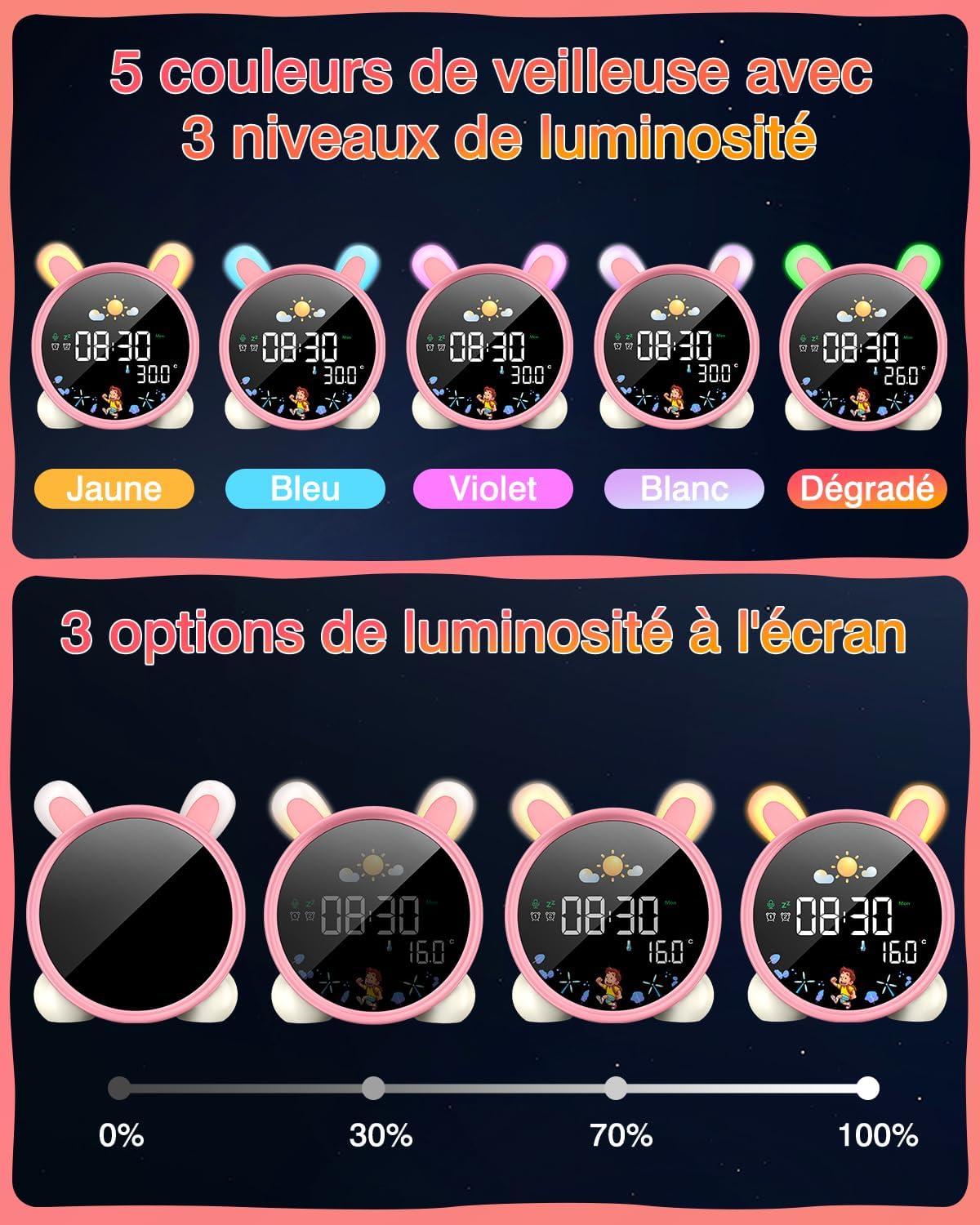
Image: A hand touching the alarm clock to activate its display.
7. Fanisana fotoana
The alarm clock includes a countdown timer for various activities.
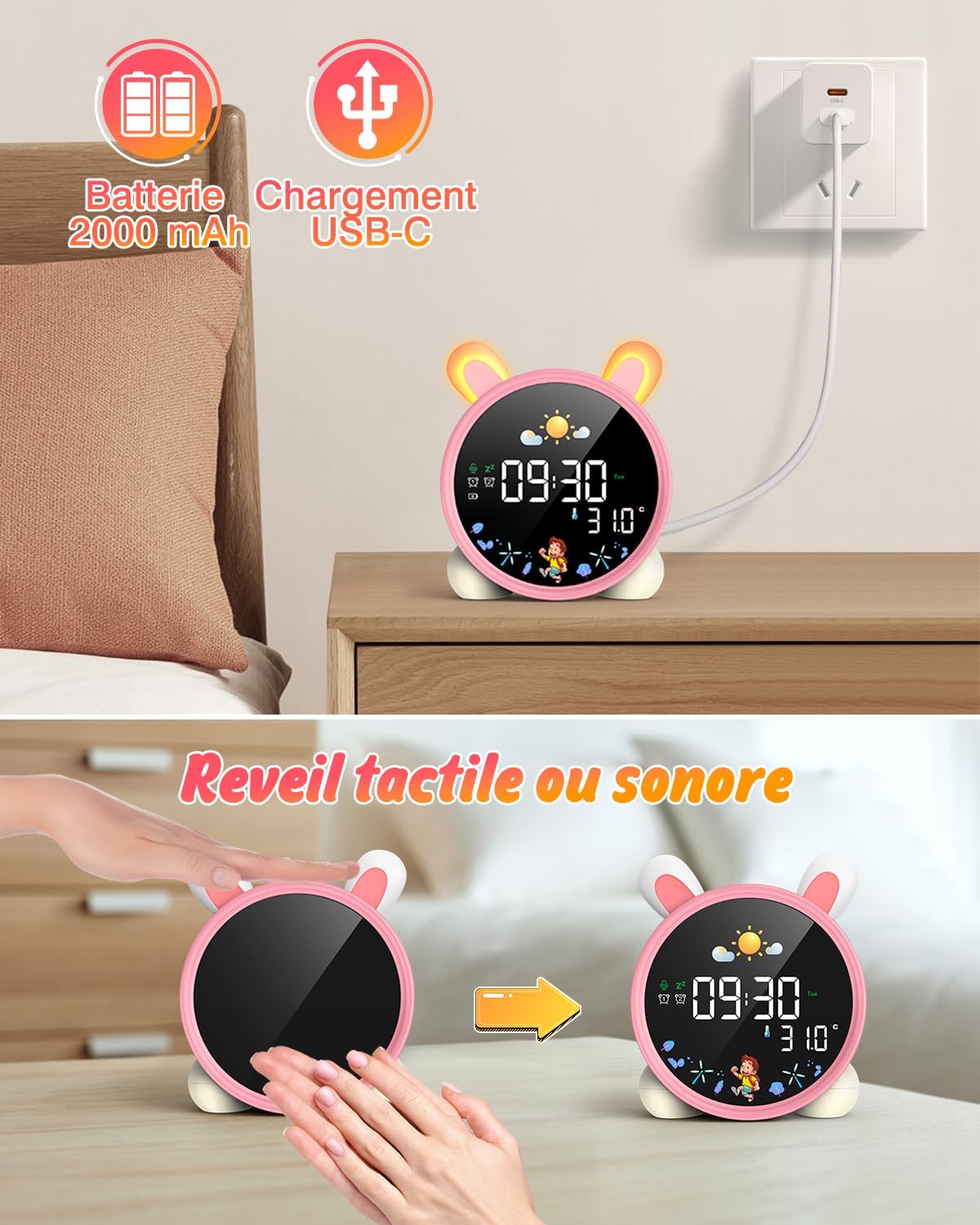
Image: The alarm clock displaying a countdown timer, useful for activities like reading or cooking.
fikarakarana
- Diovy amin'ny lamba malefaka sy maina ilay fitaovana. Aza mampiasa mpanadio abrasive na solvents.
- Keep the alarm clock away from water and excessive moisture.
- Fadio ny fandatsahana ilay fitaovana na iharan'ny fiantraikany mahery vaika.
- Tehirizo ao amin'ny toerana mangatsiatsiaka sy maina rehefa tsy ampiasaina mandritra ny fotoana maharitra.
Fanamboarana
| OLANA | Antony mety hitranga | vahaolana |
|---|---|---|
| Tsy mandeha ny fitaovana. | Batery ambany na tsy voaloa. | Charge the device fully using the USB-C cable. |
| Tsy maneno ny fanairana. | Tsy napetraka ny fanairana na ambany loatra ny feo. | Verify alarm settings and adjust volume. |
| Screen does not light up. | Screen light is off or battery is low. | Tap the device or make a sound to activate. Check battery level. |
| Day/Night function not working. | Settings not configured correctly. | Review and adjust the SUN/MOON settings. |
fepetra arahana
- marika: LEMNOI
- Laharana modely: SG7
- loko: Pink (Rabbit)
- refy (L x W x H): 10 x 3.81 x 10 cm
- Lanja: 265 grama
- Fitaovana: plastika
- Loharano herinaratra: Battery Powered (2000 mAh Lithium Battery)
- Karazana fampisehoana: Hafanàm-po
- Endri-javatra manokana: Display, Alarm, Snooze, Temperature, Night Light
Warranty Information
This product comes with a standard manufacturer's warranty. Please refer to the product packaging or contact your retailer for specific warranty terms and conditions. Keep your proof of purchase for any warranty claims.
MANAMPY
For further assistance, technical support, or inquiries regarding your LEMNOI SG7 Educational Day/Night Alarm Clock, please contact the seller directly through the platform where the purchase was made. You may also visit the official LEMNOI brand store for additional resources.
LEMNOI Brand Store: Tsidiho ny fivarotana
Ask a question about this manual
Ask about setup, troubleshooting, compatibility, parts, safety, or missing instructions. Manuals+ will review the question and use this page’s manual context to help answer it.