
Mitombo R100
Apowking R100 Portable Solar Powered Generator with 40W Solar Panel User Manual
Modely: R100
1. Fampidirana
This manual provides essential information for the safe and efficient operation of your Apowking R100 Portable Solar Powered Generator and accompanying 40W Solar Panel. Please read this manual thoroughly before use and retain it for future reference.
2. Inona no tafiditra
Your Apowking R100 package includes the following components:
- 1 x Apowking 146Wh Solar Generator Power Station
- 1 x 40W Panel Solar azo aforitra
- 1 x AC Power Adapter
- 1 x Car Charging Cable
- 1 x Carport Cable (for output only)
- 2 x User Manual (1 for solar generator, 1 for solar panel)
- 10 x DC Connectors (for solar panel compatibility)

Figure 2.1: Apowking R100 Portable Power Station, 40W Solar Panel, and various charging cables and adapters.
3. Toetran'ny vokatra
- High Capacity & Portability: 146Wh/39600mAh capacity, weighing only 3.3 lbs, designed for easy transport.
- Output maro samihafa:
- 2 x 110V AC outlets (100W rated, 200W peak)
- 2 x USB-A (5V/3.1A)
- 1 x USB-A Quick Charge 3.0 (5V/3A, 9V/2A)
- 1 x USB-C Quick Charge 3.0 (5V/3A, 9V/2A)
- 1 x DC 12V output (9-12.6V/10A Max)
- Takelaka masoandro mitambatra: 40W monocrystalline solar panel with 20.5% conversion efficiency.
- Safidy famandrihana maromaro: Can be recharged via solar panel, AC wall adapter, or 12V car outlet.
- Bright Dual LED Flashlight: Features three modes: flashlight, strobe, and SOS for emergency situations.
- Fiarovana avo lenta: Battery Management System (BMS) for voltage and temperature control, ensuring safe operation.

Figure 3.1: The Apowking R100 Power Station with its various output ports and 146Wh capacity.
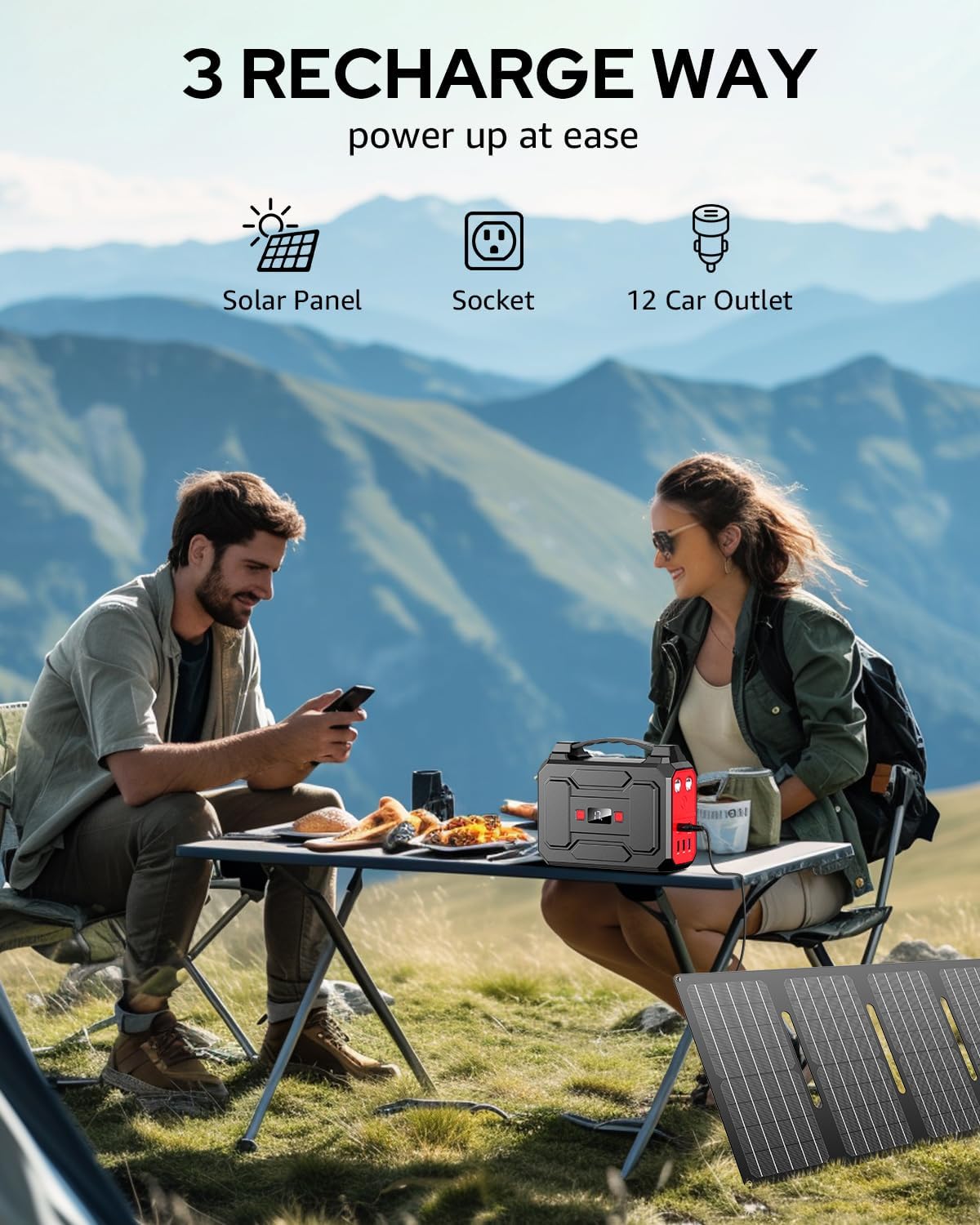
Figure 3.2: Three methods for recharging the Apowking R100: solar panel, standard wall socket, and 12V car outlet.
4. Fametrahana
4.1 Fametrahana voalohany
Before first use, fully charge the Apowking R100 Power Station using the provided AC power adapter. Plug the adapter into a standard wall outlet and connect it to the "INPUT" port on the power station. The digital display will show the charging progress.
4.2 Solar Panel Setup
- Unfold the 40W solar panel completely.
- Locate the integrated kickstand on the back of the solar panel and use it to prop the panel up.
- Position the solar panel in direct sunlight for optimal charging. Adjust the angle periodically to follow the sun's path.
- Connect the solar panel to the "INPUT" port on the Apowking R100 Power Station using the appropriate DC connector cable.

Figure 4.1: The Apowking R100 Power Station and its 40W foldable solar panel in an unfolded state, ready for use.
5. Torolàlana miasa
5.1 Mamelona/Mamono
Press and hold the main power button on the front of the unit to turn the power station on or off. The digital display will illuminate when the unit is active.
5.2 Fampiasana ny fivoahan'ny herinaratra
To use the 110V AC outlets, press the "AC" button on the front panel. The AC indicator on the display will light up. Plug your devices (up to 100W continuous, 200W peak) into the AC outlets. Remember to turn off the AC output when not in use to conserve battery.
5.3 Using USB and DC Outputs
The USB-A, USB-C, and 12V DC outputs are typically active once the unit is powered on. Simply plug your compatible devices into the respective ports. The Quick Charge ports provide faster charging for supported devices.
5.4 LED Flashlight Operation
The Apowking R100 features dual LED flashlights on the side and a larger LED panel on the front. To activate the side flashlights, press the dedicated flashlight button. Press again to cycle through modes (flashlight, strobe, SOS). To activate the front LED panel, press its dedicated button. Press again to cycle through its modes.
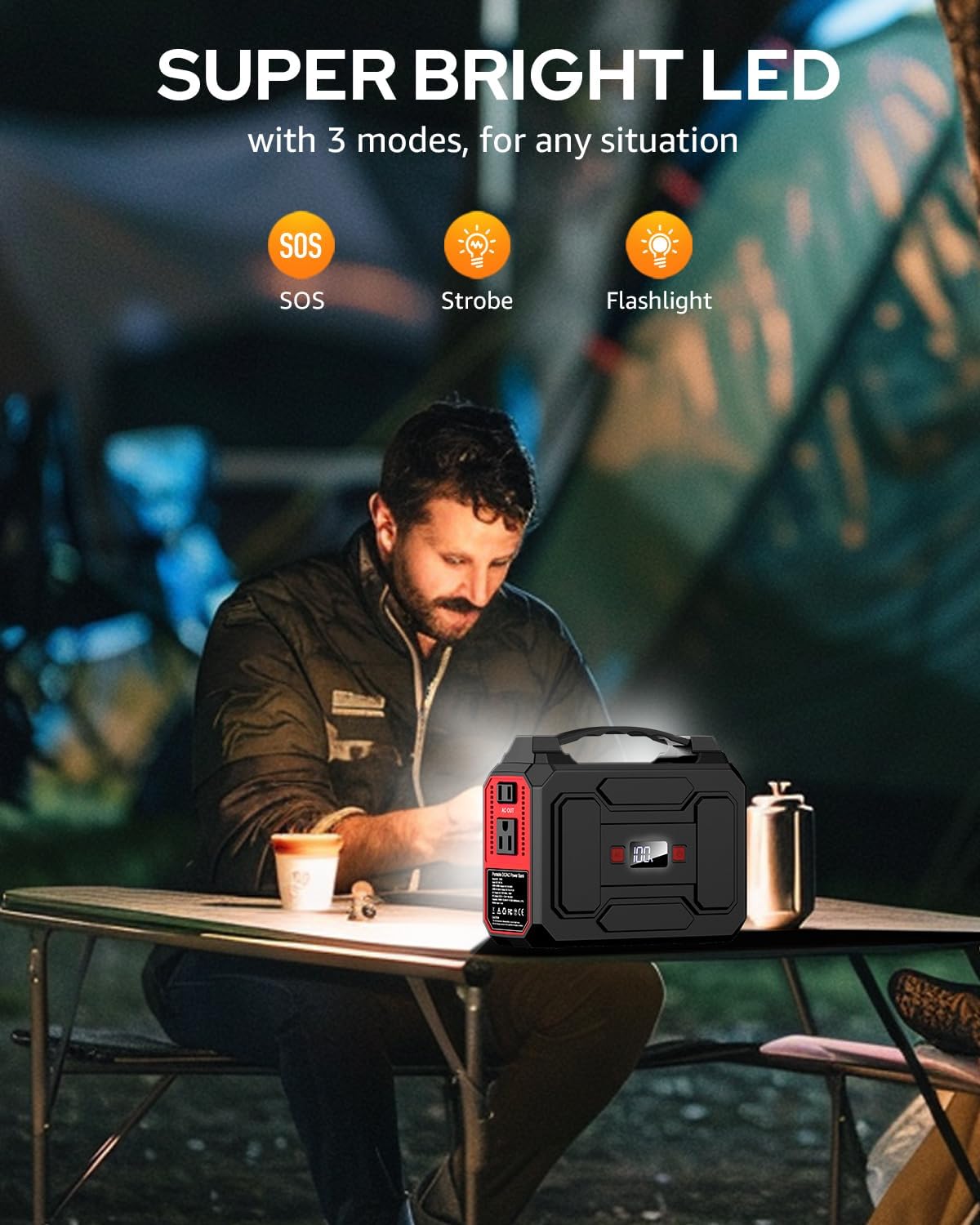
Figure 5.1: The Apowking R100 Power Station demonstrating its bright dual LED flashlight feature.
5.5 Charging Devices with Solar Panel (Standalone)
The 40W solar panel can also charge smaller USB devices directly. Unzip the pouch on the solar panel to reveal USB-A and USB-C ports. Connect your devices directly to these ports while the solar panel is exposed to sunlight.
6. Fikojakojana
- fitahirizana: Store the power station and solar panel in a cool, dry place away from direct sunlight when not in use.
- Fanadiovana: Wipe the unit and solar panel with a dry, soft cloth. Do not use abrasive cleaners or immerse in water.
- Fikarakarana bateria: For optimal battery life, fully charge the unit every 3-6 months, even if not in regular use. Avoid completely draining the battery for extended periods.
- Temperature: Do not expose the unit to extreme temperatures (hot or cold) for prolonged periods. The internal cooling vents help maintain optimal operating temperature.
7. Famahana olana
| OLANA | Antony mety hitranga | vahaolana |
|---|---|---|
| Unit tsy mandeha | Famandrihana bateria ambany | Charge the power station using the AC adapter, car charger, or solar panel. |
| AC Output tsy miasa | AC output not activated; device exceeds 100W rated power; low battery | Press the "AC" button to activate. Check device wattage. Recharge the power station. |
| Paneau solaire tsy mi-charge | Insufficient sunlight; incorrect connection; panel obstructed | Ensure direct sunlight exposure. Verify cable connections. Remove any obstructions. |
| Tsy mandeha ny output USB/DC | Unit not powered on; low battery | Ensure the power station is turned on. Recharge the power station. |
8. Famaritana
- Modely: R100
- Fahaizana bateria: 146Wh / 39600mAh
- Output AC: 2 x 110V, 100W Rated (200W Peak)
- DC Output: 1 x 12V/10A (Max)
- USB-A Output: 2 x 5V/3.1A, 1 x QC3.0 (5V/3A, 9V/2A)
- USB-C Output: 1 x QC3.0 (5V/3A, 9V/2A)
- Herin'ny panneau solaire: 40W
- Fahombiazan'ny Panel Solar: 20.5% (monocrystalline)
- Lanja: 3.3 kg
- refy: 7.6 x 3.7 x 6.1 santimetatra
- Karazana bateria: Lithium Ion
- Endri-javatra manokana: Automatic Shut Down, Automatic Voltage Regulation, Digital Display, Dual LED Flashlight (Flashlight, Strobe, SOS modes), Portable.
9. Warranty sy fanohanana
The Apowking R100 Solar Powered Generator and 40W Solar Panel are covered by a Garantie 12 volana from the date of purchase. For any questions, technical support, or warranty claims, please contact Apowking Customer Service.
- Quality Service: 1 taona
- Miverina: 30 Days Worry-Free Return
- Serivisy ho an'ny mpanjifa: 7*24 ora
- Tohana ara-teknika: Androm-piainana

Figure 9.1: Apowking Customer Service is available to assist with any product inquiries.