
Sava lalana
This manual provides essential information for setting up, operating, maintaining, and troubleshooting your Lenovo LOQ 15.6-inch Gaming Laptop. Please read this guide thoroughly to ensure optimal performance and longevity of your device.

Image: The Lenovo LOQ Gaming Laptop, highlighting its 15.6-inch Full HD display and core components like the Intel Core i5-13420H processor and NVIDIA GeForce RTX 3050 graphics.
Hanomboka
Inona no ao anaty boaty
Upon unboxing your Lenovo LOQ Gaming Laptop, verify that the following items are included:
- Lenovo LOQ Gaming Laptop
- Power Adapter
- Torolàlana ho an'ny mpampiasa (ity antontan-taratasy ity)
Fametrahana voalohany
Follow these steps to prepare your laptop for first use:
- Mampifandray ny Power Adapter: Ampidiro ao amin'ny seranana fidirana herinaratra amin'ny solosaina finday ny adaptatera herinaratra ary avy eo amin'ny faladia eo amin'ny rindrina.
- Herim-batana: Sokafy ny sarony amin'ny solosaina finday ary tsindrio ny bokotra herinaratra, izay matetika hita eo amin'ny tokotanin'ny fitendry.
- Fametrahana voalohany ny Windows: Follow the on-screen instructions to complete the Windows 11 operating system setup, including language selection, network connection, and user account creation.
- Mametraka bateria: Allow the laptop to charge fully before its first unplugged use.

Sary: ambony midina view of the Lenovo LOQ Gaming Laptop, showcasing its display and keyboard layout during operation.
Lafo ny Hardwareview
Ports sy Connectors
Familiarize yourself with the various ports on your laptop for connecting external devices:

Image: A detailed diagram illustrating the location and type of ports on the Lenovo LOQ Gaming Laptop, including USB-A, USB-C, HDMI, Ethernet, and audio jacks.
- USB-A 3.2 Gen 2 (10Gbps): High-speed data transfer ports.
- USB-C 3.2 Gen 2 (10Gbps) with DisplayPort 1.4 and 140W Power Delivery: Seranana azo ampiasaina amin'ny zavatra maro samihafa ho an'ny angona, famoahana horonan-tsary ary famandrihana.
- HDMI 2.1: Ho an'ny fampifandraisana amin'ny efijery ivelany na fahitalavitra.
- Ethernet (RJ45): Ho an'ny fifandraisana tariby.
- Power-in: Ampifandraiso eto ny adaptatera herinaratra.
- Electronic E-shutter switch: For privacy control of the webVoasary.
- Headphone/Mic Combo Jack: Ho an'ny fampidirana sy famoahana feo.
Display sy Keyboard
- Aseho: The 15.6-inch Full HD (1920 x 1080) IPS display features a 144Hz refresh rate for smooth visuals, especially beneficial for gaming. It has an anti-glare finish and 350 nits brightness.
- Kitendry: The laptop is equipped with a backlit keyboard, allowing for comfortable typing in various lighting conditions.
Fampiasana ny solosainao finday
Fitantanana herinaratra
- Herim-batana / maty: Press the power button to turn the laptop on. To turn off, use the Windows Start menu options (Shut down, Restart).
- Mode torimaso: Close the lid or select 'Sleep' from the Windows Start menu to put the laptop into a low-power state.
Fampifandraisana Periferika
Utilize the available USB ports to connect external devices such as mice, keyboards, and external storage. The HDMI port allows connection to an external monitor for extended display options.
Network Connectivity
- Wifi: Connect to wireless networks using the integrated Wi-Fi 6E module. Access Wi-Fi settings via the Windows taskbar network icon.
- Bluetooth: Pair Bluetooth-enabled devices like headphones or game controllers through Windows Bluetooth settings.
Fikirana Audio
Adjust audio output and input settings through the Windows Sound settings. The headphone/mic combo jack supports standard 3.5mm audio devices.
Fikojakojana sy fikarakarana
FANADIOVANA
- Ecran: Mampiasà lamba malefaka sady tsy misy sosotra moramora dampSasao amin'ny rano na mpanadio efijery. Fadio ny akora simika mahery vaika.
- Kitendry sy Chassis: Use a soft cloth to wipe surfaces. Compressed air can be used to clear debris from between keys and vents.

Image: The underside of the Lenovo LOQ Gaming Laptop, displaying the extensive ventilation grilles designed for efficient heat dissipation. Regular cleaning of these vents is recommended for optimal performance.
Fikarakarana bateria
To prolong battery life, avoid consistently draining the battery completely or keeping it at 100% charge for extended periods. Periodically allow the battery to discharge and recharge.
Software Updates
Regularly update your Windows operating system and device drivers to ensure system stability, security, and optimal performance. Check the Lenovo support website for the latest driver updates specific to your model.
Fanamboarana
Olana iraisana sy vahaolana
- Tsy mandeha ny solosaina finday: Ataovy azo antoka fa mifandray tsara ny adaptatera herinaratra ary miasa tsara ny faladiany. Andramo mampiasa faladia hafa.
- Display issues (no image, flickering): Check external monitor connections if applicable. Restart the laptop. Update graphics drivers.
- Olana amin'ny fifandraisana Wi-Fi na Bluetooth: Ensure wireless features are enabled in Windows settings. Restart your router/modem. Update network drivers.
- System crashes or freezes: Ensure all drivers are up to date. Check for Windows updates. Perform a system scan for malware. If issues persist, consider a system restore or contacting support.
- Fahombiazana miadana: Close unnecessary applications. Check for background processes consuming resources. Ensure sufficient free storage space.
For more complex issues or persistent problems, refer to the Lenovo support webtranokala na mifandray amin'ny fanohanana ara-teknika.
Famaritana ara-teknika
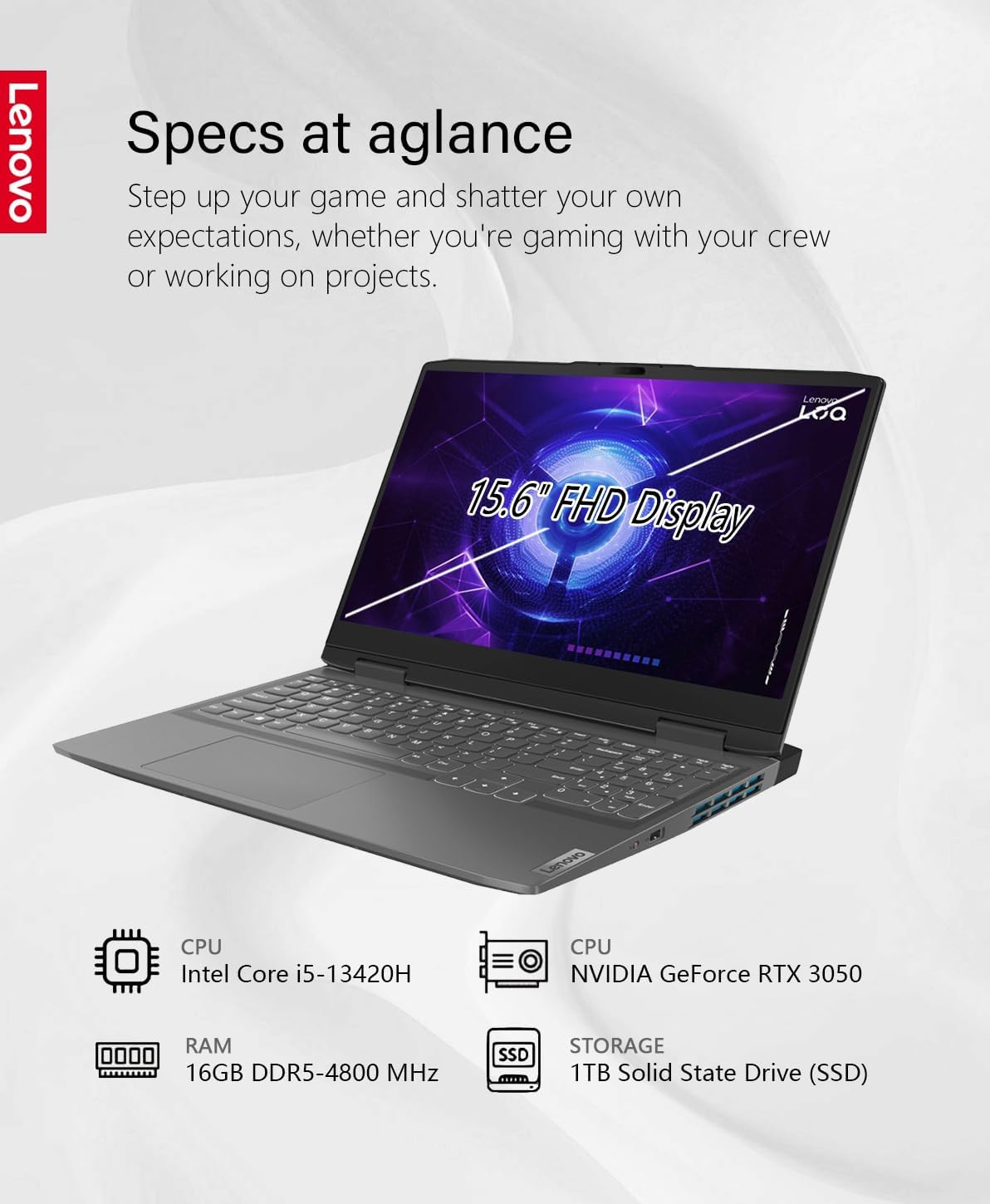
Image: An infographic providing a quick overview of the Lenovo LOQ Gaming Laptop's specifications, including CPU, GPU, RAM, and storage.
| endri-javatra | famaritana |
|---|---|
| Anarana modely | LOQ 15.6 Gaming |
| Rafitra fikirakirana | Windows 11 |
| processeur | Intel 13th Generation Core i5-13420H (8-core, 3.4GHz up to 4.6 GHz) |
| Saripika | NVIDIA GeForce RTX 3050 miaraka amin'ny GDDR6 6GB |
| ram | 16GB DDR5-4800 MHz (Expandable to 32GB) |
| fitahirizana | Kapila mafy orina 1TB (SSD) |
| miseho | 15.6" FHD (1920 x 1080) IPS, Anti-Glare, 45%NTSC, 350 nits, 144Hz |
| Wireless fifandraisana | Wi-Fi 6E (802.11ax), Bluetooth |
| seranana | 1x HDMI 2.1, 1x USB-A 3.2 Gen 1, 2x USB-C 3.2 Gen 2 (with DisplayPort 1.4, 140W PD), Ethernet (RJ45), Headphone/Mic Combo Jack |
| Fiainana bateria | Up to 7 hours (Lithium-polymer, 4-cell) |
| refy (WxDxH) | 14.16 x 10.43 x 0.99 santimetatra |
| lanja | 5.29 kg |
| loko | Storm Gray |
Warranty sy fanohanana
Garantie vokatra
Your Lenovo LOQ Gaming Laptop is covered by Lenovo's standard limited warranty. For detailed terms and conditions, including warranty duration and coverage, please refer to the warranty information provided with your product or visit the official Lenovo support website.
Tohana ara-teknika
Raha mila fanampiana ara-teknika, fampidinana mpamily, na fangatahana serivisy, tsidiho azafady ny Fanohanana ofisialin'ny Lenovo. website at support.lenovo.com. You may also contact Lenovo customer service directly for personalized support.
Additionally, one month of GaLiMu support is included with your purchase for initial setup and troubleshooting assistance.