
Odyssey Toys 91055
Boky Torolalana ho an'ny Mpampiasa Drôna Fakan-tsary Ultralight
marika: Odyssey Toys | Modely: 91055
Sava lalana
Misaotra anao nividyasing the Odyssey Toys Ultralight Camera Drone. This manual provides essential information for the safe operation, setup, maintenance, and troubleshooting of your new drone. Please read this manual thoroughly before operating the device to ensure proper function and to avoid damage or injury.
Fampahalalana manan-danja momba ny fiarovana
- Soso-kevitra taona: Ity vokatra ity dia natao ho an'ny mpampiasa 14 taona no ho miakatra. Amporisihina ny fanaraha-mason'ny olon-dehibe ho an'ireo mpampiasa tanora kokoa.
- Sidina tontolo iainana: Ampandehano amin'ny faritra malalaka sy mazava ny drone, lavitry ny olona, ny biby, ny tranobe ary ny tariby herinaratra. Fadio ny manidina amin'ny rivotra mahery na ny toetr'andro ratsy.
- Fiarovana ny bateria: Use only the specified batteries and charging methods. Do not overcharge or short-circuit batteries. Dispose of batteries responsibly.
- Propeller Safety: Keep hands, face, and loose clothing away from rotating propellers. Always turn off the drone before handling propellers.
- Fipoahana rano: Do not expose the drone or its components to water or moisture.
- Fanovana: Do not attempt to modify or disassemble the drone. Unauthorized modifications may void the warranty and compromise safety.
Inona no ao anaty boaty
Hamarino tsara fa eo daholo ireo singa rehetra alohan'ny hanohizana ny fametrahana.
- 1 x Ultralight Camera Drone
- 2 x Propellers
- 4 x Landing Gear
- 1 x Remote Controller
- 1 x USB Charging Cable
- 1 x Instruction Manual (ity antontan-taratasy ity)
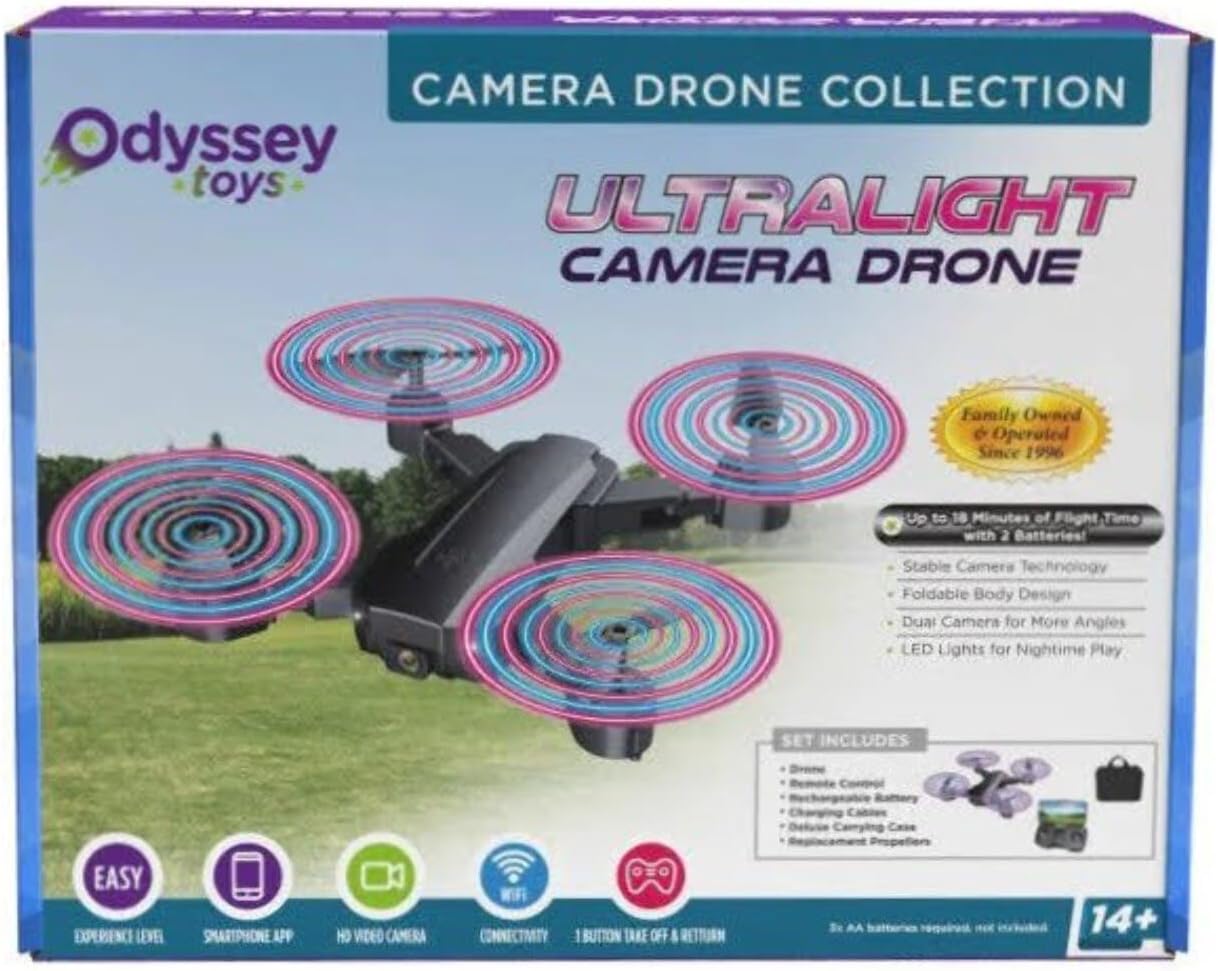
Image: The retail packaging for the Odyssey Toys Ultralight Camera Drone, illustrating the drone, remote controller, and other included accessories.
Setup Guide
1. Famandrihana ny bateria drone
- Locate the drone's battery compartment and carefully remove the battery.
- Ampifandraiso amin'ny tariby famandrihana USB omena ny bateria drone.
- Plug the USB cable into a standard USB power adapter (not included) or a computer USB port.
- The indicator light on the USB cable will illuminate during charging and turn off when fully charged. Charging typically takes 60-90 minutes.
- Once charged, reinsert the battery into the drone, ensuring it is securely connected.
2. Fametrahana bateria fanaraha-maso
- Sokafy ny efitranon'ny bateria ao ambadiky ny fanaraha-maso lavitra.
- Ampidiro bateria AAA 3 (tsy tafiditra), ary ataovy izay hahazoana antoka fa marina ny polarity (+/-).
- Akatona tsara ny efitranon'ny bateria.

Image: The drone's remote controller, designed to hold a smartphone for live video feed and advanced controls.
3. Attaching Landing Gear (if applicable)
If your drone model requires assembly of landing gear:
- Identify the four landing gear pieces.
- Align each landing gear piece with the corresponding slot on the drone's underside.
- Gently push until it clicks into place. Ensure all four are securely attached.
4. Fampiarahana ny Drone sy ny Controller
- Apetraho eo amin'ny toerana fisaka ny drone.
- Turn on the drone by pressing the power button. The drone's indicator lights will flash.
- Alefaso ny fanaraha-maso lavitra. Hirehitra ihany koa ny jiro famantarana ny fanaraha-maso.
- Atosika miakatra tanteraka ny joystick (throttle) havia, dia midina tanteraka avy eo.
- Both the drone and controller lights will become solid, indicating successful pairing.
Torolàlana miasa
Fanaraha-maso sidina fototra
- Joystick havia (Throttle/Yaw):
- Push up: Increase altitude (Ascend)
- Push down: Decrease altitude (Descend)
- Push left/right: Rotate drone left/right (Yaw)
- Joystick havanana (Pitch/Roll):
- Push up/down: Move drone forward/backward (Pitch)
- Push left/right: Move drone left/right (Roll)

Image: The Ultralight Camera Drone in its unfolded state, ready for flight, showcasing its four propellers and central camera.
Fandehanana sy fipetrahana
- Fiaingana amin'ny lakile tokana: After pairing, press the One-Key Take-off button (usually marked with an arrow pointing up). The drone will automatically ascend to a stable hovering altitude.
- Fialana amin'ny tanana: After pairing, push both joysticks simultaneously to the bottom-outward corners to unlock the motors. Then, slowly push the left joystick (throttle) up to ascend.
- Fipetrahana tokana: Press the One-Key Landing button (usually marked with an arrow pointing down). The drone will automatically descend and land gently.
- Fipetrahana tanana: Slowly pull the left joystick (throttle) down until the drone lands. Once landed, hold the left joystick down for a few seconds to stop the motors.
Fampiasana fakan-tsary
The drone is equipped with an integrated camera. To utilize its full features, download the companion app (refer to the app store for "Odyssey Drone" or similar). Once connected via Wi-Fi:
- fakana sary: Tap the camera icon on the app interface or press the dedicated photo button on the controller (if available).
- Fandraketana horonantsary: Tap the video icon on the app interface or press the dedicated video button on the controller (if available) to start/stop recording.
- velona View: The app provides a real-time video feed from the drone's camera to your smartphone.
fikarakarana
FANADIOVANA
- Use a soft, dry cloth to wipe down the drone's body after each flight.
- Remove any dust or debris from the motors and propellers using a small brush or compressed air.
- Do not use water or chemical cleaners, as they may damage electronic components.
Fanoloana Propeller
If a propeller is damaged, replace it immediately to ensure stable flight.
- Identify the damaged propeller. Note that propellers are marked 'A' or 'B' and must be replaced with the corresponding type.
- Sintomy moramora miakatra mahitsy avy amin'ny tahony motera ny ehelin-drivotra simba.
- Align the new propeller (A or B) with the motor shaft and push it down firmly until it is seated.
fitahirizana
- Store the drone and controller in a cool, dry place, away from direct sunlight and extreme temperatures.
- Remove batteries from both the drone and controller if storing for extended periods to prevent leakage.
Fanamboarana
Jereo ny tabilao etsy ambany ho an'ny olana mahazatra sy ny vahaolana.
| OLANA | Antony mety hitranga | vahaolana |
|---|---|---|
| Tsy mamaly ny baikon'ny mpanara-maso ny drone. | Tsy mifandray; bateria ambany; ivelan'ny faritra azo ampiasaina. | Re-pair drone and controller; charge drone/controller batteries; ensure drone is within operating range. |
| Ny drone dia mihodina mandritra ny sidina. | Not calibrated; uneven surface at take-off; strong wind. | Perform gyroscope calibration (refer to controller instructions); take off from a level surface; avoid flying in windy conditions. |
| Tsy mihodina ny elatra (propeller). | Motors not unlocked; damaged propellers; motor malfunction. | Unlock motors (push joysticks to bottom-outward); replace damaged propellers; contact support if motors are faulty. |
| Tapaka na tsy mifandray ny fakan-tsary. | Weak Wi-Fi signal; too far from drone; app issue. | Ensure strong Wi-Fi connection; stay within optimal range; restart app and drone. |
fepetra arahana
| endri-javatra | antsipirihany |
|---|---|
| Ny refin'ny vokatra | 10 x 1.2 x 4 santimetatra (mivelatra) |
| Lanja entana | 1.2 kg |
| Laharana modely | 91055 |
| ASIN | B0C69TP5HC |
| mpanamboatra | Kilalao Odyssey |
| Fotoana sidina | Up to 10 minutes (approx.) |
| Time Charging | 60-90 minitra (eo ho eo) |
| Fanaraha-maso | Hatramin'ny 50 metatra (eo ho eo) |
Warranty sy fanohanana
Garantie voafetra
Odyssey Toys warrants this product against defects in materials and workmanship for a period of 90 days from the original date of purchase. This warranty does not cover damage caused by accident, misuse, abuse, improper operation, or unauthorized modification. Proof of purchase is required for all warranty claims.
Fanohanana ny mpanjifa
For technical assistance, troubleshooting, or warranty inquiries, please contact Odyssey Toys customer support:
- Webtranokala: www.odysseytoys.com
- mailaka: support@odysseytoys.com
- Telefaonina: Refer to the Odyssey Toys webtranonkala hahazoana ireo nomeraon-telefaona ankehitriny.
Azafady mba ataovy vonona ny laharan'ny modely (91055) sy ny porofon'ny fividiananao rehefa mifandray amin'ny fanohanana.
Ask a question about this manual
Ask about setup, troubleshooting, compatibility, parts, safety, or missing instructions. Manuals+ will review the question and use this page’s manual context to help answer it.