
1. Fampidirana
Thank you for choosing the Hricane 61-Key Electronic Keyboard. This manual provides essential information for the safe and effective use of your new instrument. Please read it thoroughly before operation and retain it for future reference. This electronic keyboard is designed for beginners and features various functions to support learning and musical exploration.
2. Ny votoatin'ny fonosana
Hamarino azafady fa ny entana rehetra voatanisa etsy ambany dia tafiditra ao anatin'ny fonosanao:
- Hricane 61-Key Electronic Keyboard (x1)
- Cable USB (x1)
- Audio Line (x1)
- Mikrofona (x1)
- Music Sheet Stand (x1)
- Keyboard Note Sticker (x1)
- Product Instructions (x1)
3. Vokatra mihoatraview
Familiarize yourself with the components of your Hricane electronic keyboard.

Sary 3.1: The Hricane 61-key electronic keyboard shown with its accessories, including the music stand, microphone, USB cable, and audio line.

Sary 3.2: A antsipirihany view of the keyboard's control panel, featuring the digital display, function buttons, and volume controls.

Sary 3.3: An annotated diagram highlighting various control functions such as Pitch Bend, Sustain, Dual Keyboard, Record, Metronome, and Chord.
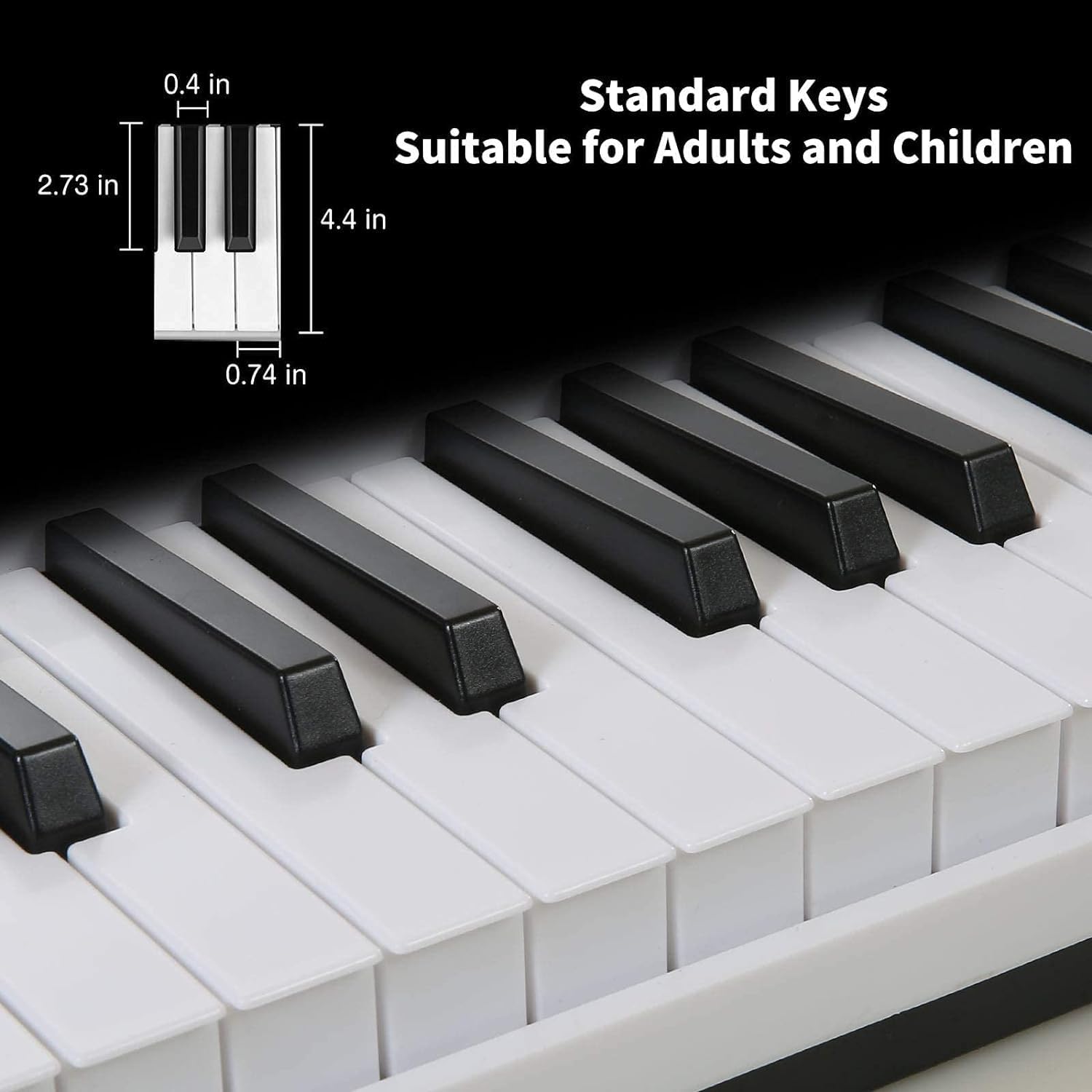
Sary 3.4: This image displays the dimensions of the standard keys, indicating suitability for both adults and children.
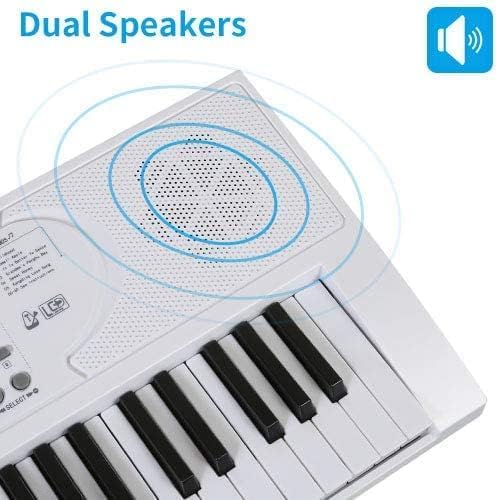
Sary 3.5: The keyboard features dual speakers for clear audio output, as indicated by the sound wave graphic.
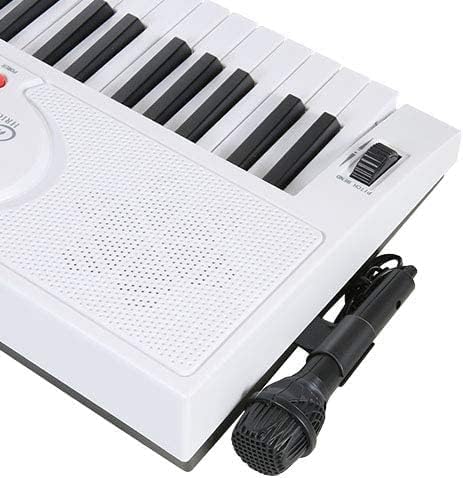
Sary 3.6: The included microphone connected to the side input of the electronic keyboard.
4. Fametrahana
- Fametrahana fitoeran-kira mozika: Insert the music sheet stand into the designated slot at the top rear of the keyboard. Ensure it is securely seated.
- Keyboard Note Sticker Application: Carefully apply the provided note stickers to the keys as indicated on the sticker sheet. This can assist beginners in identifying notes.
- Fifandraisana mikrofona: Connect the microphone cable to the microphone input jack, typically located on the side or rear of the keyboard.
5. Herin'aratra
The Hricane 61-Key Electronic Keyboard offers two power supply methods:
- USB famatsiana herinaratra: Connect the provided USB cable to the keyboard's power input and to a compatible USB power adapter (power supply included) or a USB port on a computer.
- Herin'ny bateria: For portable use, the keyboard can be powered by batteries (not included). Refer to the battery compartment for the correct battery type and insertion instructions. Ensure proper polarity.
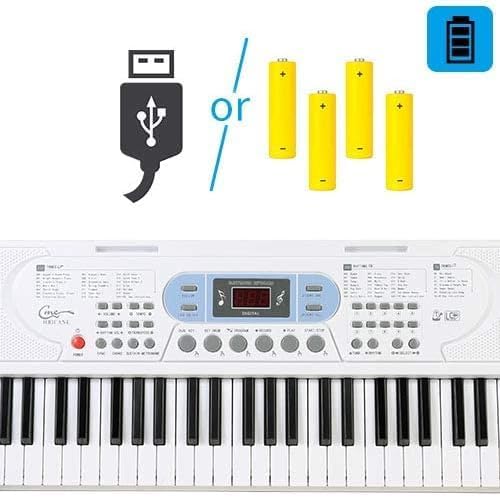
Sary 5.1: Illustration of the two power supply methods: USB connection or batteries.
6. Fampandehanana fototra
- Herim-batana / maty: Tsindrio ny fahefana bokotra hamelomana na hamonoana ny klavier.
- Fanaraha-maso ny feo: Ampiasao ny VOLUME +/- buttons or knob to adjust the overall sound level.
- Fanaraha-maso Tempo: Adjust the speed of rhythms and demo songs using the TEMPO +/- bokotra.
- Transposing: Ampiasao ny TRANSPOSE +/- buttons to shift the pitch of the keyboard up or down in semitone steps.
7. Endri-javatra mandroso
7.1 Tones (Sounds)
The keyboard features 100 different instrument sounds. To select a tone:
- Tsindrio ny fihetseham-po bokotra.
- Use the number pad or +/- buttons to enter the desired tone number (e.g., 001 for Acoustic Grand Piano). The selected tone number will appear on the digital display.
7.2 Rhythms
Explore 100 built-in rhythms. To select and play a rhythm:
- Tsindrio ny RHYTHM bokotra.
- Use the number pad or +/- buttons to select a rhythm number.
- mpanao gazety START/STOP hanombohana na hampitsaharana ny gadona.
- Adjust the rhythm volume with the RHYTHM VOL +/- bokotra.
7.3 Hira Demo
The keyboard includes 10 demo songs. To play:
- mpanao gazety DEMO ONE to play the current demo song.
- mpanao gazety DEMO REHETRA to cycle through all demo songs.
- mpanao gazety START/STOP hampitsahatra ny playback.
7.4 Firaketana sy Playback
Record your performances and play them back:
- Tsindrio ny FIRAKETANA AN-TSORATRA button to start recording. The record indicator will light up.
- Alefaso ny feon-kira tianao.
- mpanao gazety MILAY hihaino ny fampisehoanao voarakitra.
7.5 Teaching Mode (Follow Mode)
This mode assists beginners by lighting up the keys to guide your playing.
- Tsindrio ny Araho button to activate teaching mode.
- The keys will light up, indicating which notes to play. Follow the lights to learn songs.
- mpanao gazety LED ON/OFF to toggle the key lights.

Sary 7.5.1: The keyboard displaying lighted keys in teaching mode, guiding the user on which notes to play.

Sary 7.5.2: A user's hands positioned over the lighted keys, demonstrating interaction with the teaching mode.
7.6 Asa hafa
- Dual Key: Divides the keyboard into two sections, allowing two players to play simultaneously or for different instrument sounds in each section.
- Key Drum: Assigns drum sounds to individual keys.
- Chord: Enables single-finger or multi-finger chord playing, automatically generating chords based on root notes.
- Sustain/Vibrato: Adds sustain (prolonged sound) or vibrato (pitch modulation) effects to notes.
- Metronome: Provides a steady beat for practice. Press the METRONOME button to activate/deactivate.
- Pitch fiondrika: Use the pitch bend wheel (typically on the left side) to smoothly vary the pitch of notes.
8. Fikojakojana
- Fanadiovana: Fafao amin'ny lamba malefaka sy maina ny fitendry. Ho an'ny loto mafy loha dia ampiasao d kelyamp lamba ary avy eo maina tsara. Halaviro ny mpanadio na solvents.
- fitahirizana: Tehirizo ao amin'ny toerana mangatsiatsiaka sy maina ny fitendry lavitry ny tara-masoandro mivantana, ny hafanana tafahoatra ary ny hamandoana be.
- Fikarakarana: Handle the instrument with care to prevent damage. Avoid dropping or subjecting it to strong impacts.
9. Famahana olana
If you encounter issues with your Hricane electronic keyboard, refer to the following common problems and solutions:
- Tsy misy feo:
- Ataovy azo antoka fa mandeha ny klavier.
- Jereo ny haavon'ny feo ary ampio raha ilaina.
- Raha mampiasa écouteur ianao dia ataovy izay hahazoana antoka fa tafiditra tsara ao anaty écouteur izy ireo ary tsy misy olana.
- If using battery power, check if batteries are correctly inserted and have sufficient charge.
- Fanalahidy tsy mamaly:
- Ataovy azo antoka fa mandeha ny klavier.
- Avereno indray ny fitendry amin'ny famonoana sy famelomana azy indray.
- Feo diso:
- Ampidino ny feo.
- Check the audio line connection if external speakers are used.
Raha mbola mitohy ny olana dia mifandraisa amin'ny serivisy mpanjifa.
10. Famaritana
| Anarana modely | HEP-669W |
| Marika | Hricane |
| Isan'ny fanalahidy | 61 |
| Karazana fitaovana | Piano |
| Teknolojia fifandraisana | mpanampy |
| Loharanon-kery | Battery Powered, USB |
| Headphone Jack | 3.5mm Jack |
| Karazana fitaovana | Acrylonitrile Butadiene Styrene (ABS) |
| Ny refin'ny vokatra | 80 x 26.47 x 7.6 cm |
| Lanja entana | 2.74 kg |
| Ambaratonga fahaiza-manao | mpanao voalohany |
| Vanim-potoana (Famaritana) | 3 taona no ho miakatra |
| Endri-javatra manokana | 2 power supply methods, Easy to use and portable, Multifunctional, With microphone, note sticker, music stand |
11. Warranty sy fanohanana
Hricane offers a Politika famerenam-bola feno 30 andro ary a Garantie 12 volana with friendly customer service for this product. For any inquiries, technical support, or warranty claims, please contact Hricane customer service through your purchase platform or the official Hricane website.