
Sava lalana
Thank you for choosing the ZecRek Bluetooth Beanie. This product combines a comfortable winter beanie with integrated wireless headphones, allowing you to enjoy music and hands-free calls while staying warm. This manual provides essential information for the safe and effective use of your new device, including setup, operation, maintenance, and troubleshooting.
Information momba ny fiarovana
- Vakio tsara ny toromarika rehetra alohan'ny hampiasana ny vokatra.
- Do not expose the electronic components to water or moisture. While the beanie fabric is water-resistant, the electronic module should be removed before washing.
- Avoid using the product at excessively high volumes for extended periods to prevent hearing damage.
- Do not attempt to disassemble, repair, or modify the device. Contact customer support for assistance.
- Ampiasao fotsiny ny tariby famandrihana nomena na ny mitovy aminy voamarina.
- Arovy ny fitaovana amin'ny hafanana tafahoatra, ny tara-masoandro mivantana ary ny lelafo misokatra.
Fonosana fonosana
Azafady, jereo ny fonosana ho an'ireto zavatra manaraka ireto:
- 1 x ZecRek Bluetooth Beanie
- 1 x USB Charging Cable
- 1 x User Manual (ity antontan-taratasy ity)
- 1 x Polar Fleece Neck Warmer
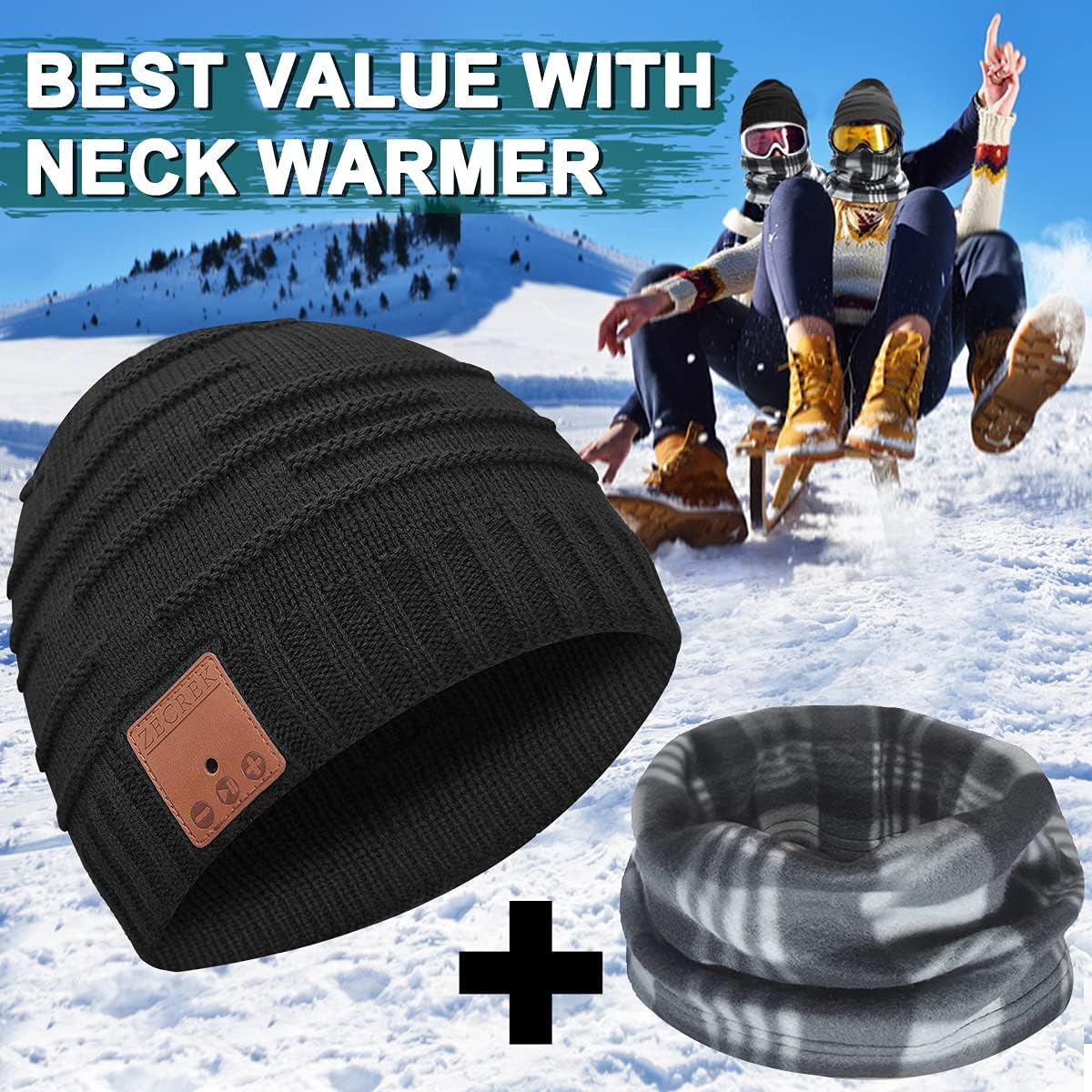
Image: The ZecRek Bluetooth Beanie and accompanying polar fleece neck warmer, as included in the package.
Vita ny vokatraview
The ZecRek Bluetooth Beanie features a comfortable knitted design (70% Acrylic, 30% Polyester) with an integrated Bluetooth module. This module houses the speakers, microphone, and control panel, which is conveniently located on the right side of the beanie for easy access.

Image: A person wearing the ZecRek Bluetooth Beanie, highlighting the location of the control panel on the right side.
Hametraka
1. Charging the Beanie
Before first use, fully charge the Bluetooth beanie. The beanie is equipped with a 250mAh battery, providing up to 20 hours of music playback on a single charge.
- Locate the charging port on the Bluetooth module, typically found on the side of the control panel.
- Connect the provided USB charging cable to the beanie's charging port.
- Plug the other end of the USB cable into a USB power source (e.g., computer USB port, wall adapter).
- An indicator light will typically show red during charging and turn blue or off when fully charged.
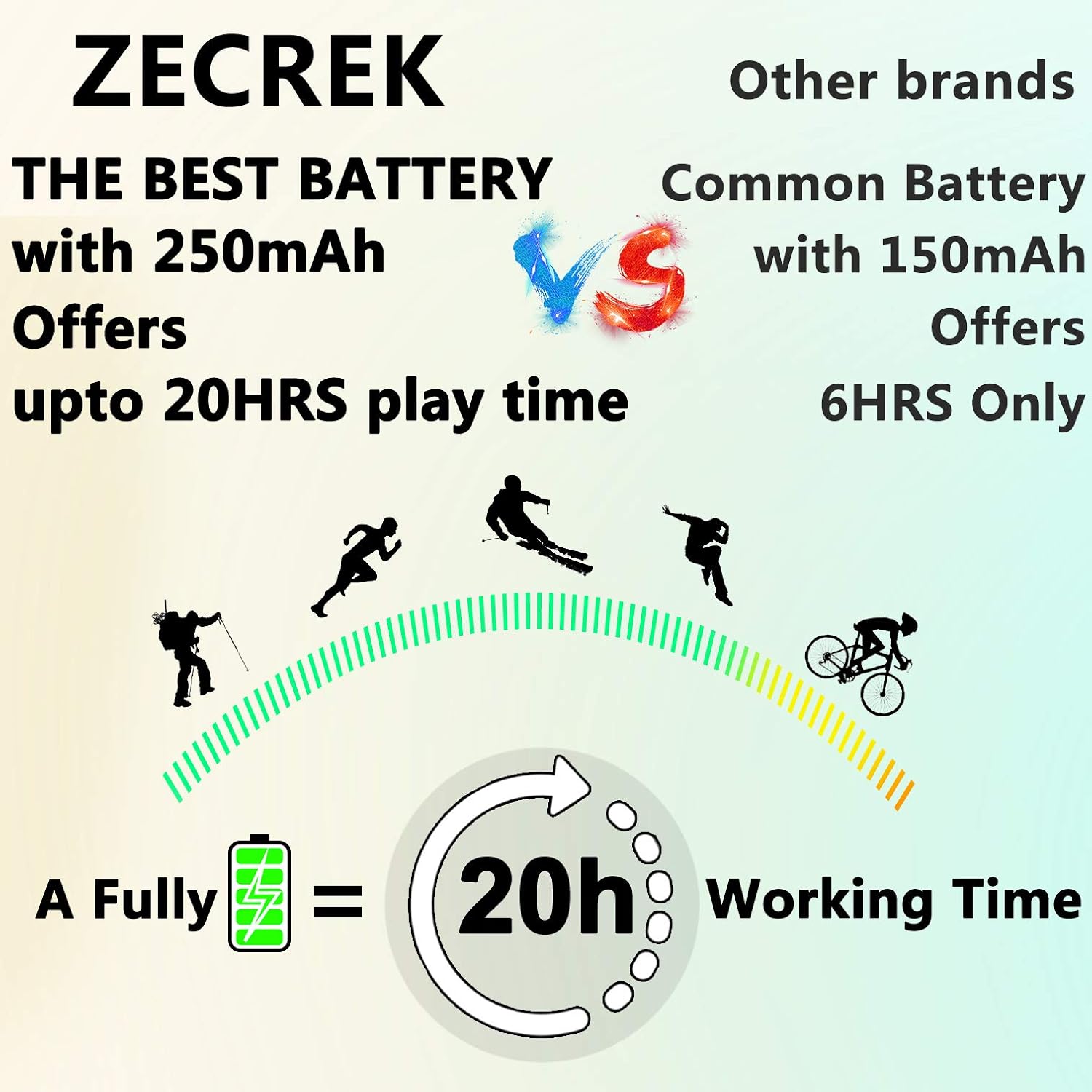
Image: A graphic demonstrating the ZecRek Bluetooth Beanie's extended battery life, offering up to 20 hours of continuous use.
2. Pairing Bluetooth
Pair your ZecRek Bluetooth Beanie with your smartphone or other Bluetooth-enabled device.
- Ensure the beanie is charged and turned off.
- Press and hold the power button on the control panel until the indicator light flashes red and blue, indicating it is in pairing mode.
- Ao amin'ny fitaovanao, mandehana any amin'ny fikandrana Bluetooth ary ataovy azo antoka fa mandeha ny Bluetooth.
- Hitady ny available devices. You should see "ZecRek Beanie" or a similar name appear in the list.
- Select the beanie to connect. Once connected, the indicator light will typically turn solid blue or flash slowly.
- The beanie offers stable connectivity up to 33 feet (10 meters).
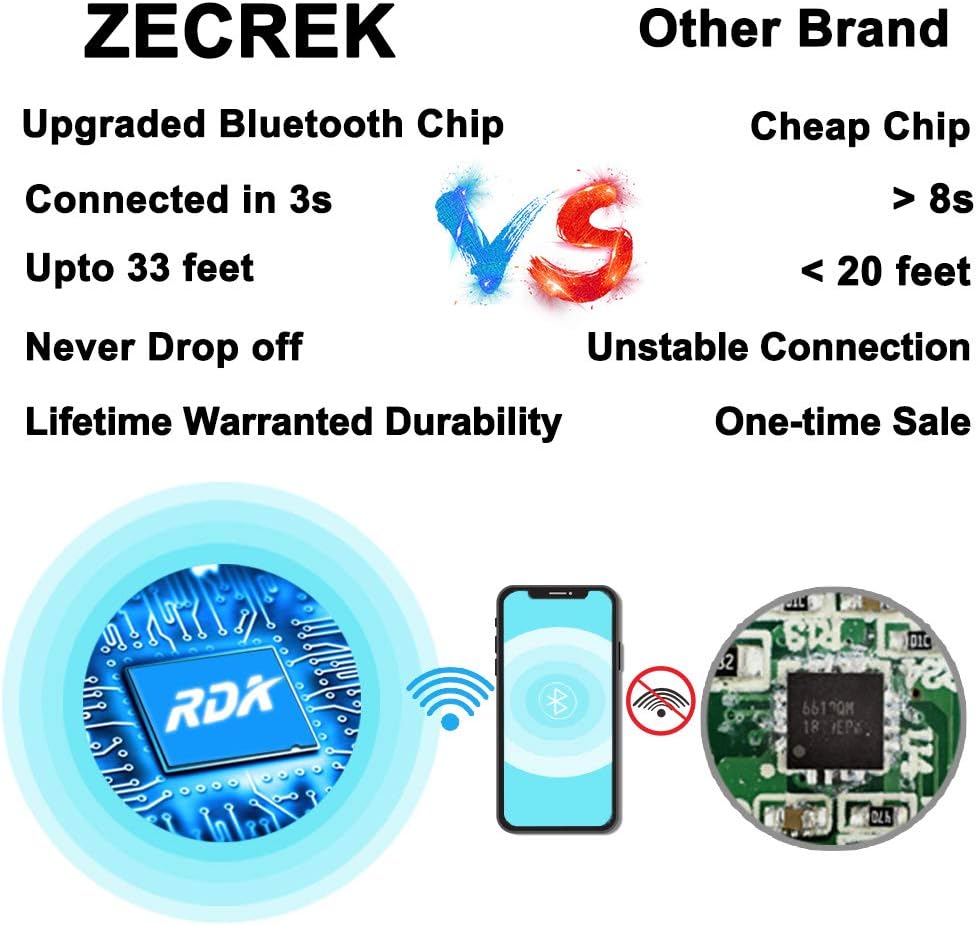
Image: A visual comparison highlighting the ZecRek Bluetooth Beanie's upgraded Bluetooth chip for stable and fast connections.
Torolàlana miasa
The control panel on the right side of the beanie allows for easy management of music and calls.
- Herim-batana / maty: Tsindrio ary hazòny ny bokotra herinaratra mandritra ny 3 segondra eo ho eo.
- Alefaso/Atsaharo ny mozika: Tsindrio fohy ny bokotra herinaratra.
- Track manaraka: Tsindrio fohy ny bokotra '+'.
- Làlana teo aloha: Tsindrio fohy ny bokotra '-'.
- Fiakaram-peo: Tsindrio lava ny bokotra '+'.
- Mihena ny feo: Tsindrio lava ny bokotra '-'.
- Valio/Atsaharo ny antso: Short press the power button during an incoming call or active call.
- Mandà ny antso: Long press the power button during an incoming call.
- Avereno antsoy ny isa farany: Tsindrio indroa ny bokotra herinaratra.
fikarakarana
Manasa ny Beanie
The beanie is washable, but the electronic module must be removed first.
- Carefully locate the openings inside the beanie and remove the Bluetooth module (speakers and control panel).
- Hand wash the beanie fabric in cold water with a mild detergent.
- Rinse thoroughly and air dry completely before reinserting the electronic module.
- Do not machine wash or tumble dry the beanie with the electronics inside.

Sary: akaiky view showing how to remove the speaker module from the beanie, with a washing machine in the background, indicating the beanie is washable once electronics are removed.
Electronic Module Care
- Keep the module dry and clean.
- Wipe with a soft, dry cloth if necessary.
- Tehirizo ao amin'ny toerana mangatsiatsiaka sy maina rehefa tsy ampiasaina.
Fanamboarana
| OLANA | vahaolana |
|---|---|
| Beanie does not turn on. | Ataovy azo antoka fa voaloa ny bateria. Mifandraisa amin'ny loharanon-jiro ary andramo indray. |
| Tsy afaka mifandray amin'ny fitaovana. | Ensure the beanie is in pairing mode (flashing red/blue light). Turn off and on your device's Bluetooth. Make sure the beanie is within 33 feet of your device. |
| Tsy misy feo na ratsy kalitao. | Check the volume levels on both the beanie and your connected device. Ensure the beanie is properly connected. Move closer to your device to avoid interference. |
| Batterie tsy mi-charge. | Check if the charging cable is securely connected to both the beanie and the power source. Try a different USB port or cable. |
fepetra arahana
| endri-javatra | antsipirihany |
|---|---|
| Marika | ZecRek |
| Laharana modely (ASIN) | B07T2D2DWH |
| UPC | 753215874682 |
| Karazana lamba | 70% Acrylic, 30% Polyester |
| Batterie | 1 Lithium Ion (250mAh) |
| Time Playback | Hatramin'ny 20 ora |
| Bluetooth Range | Hatramin'ny 33 feet (10 metatra) |
| Feo Output | Mahatratra hatramin'ny 120 decibels |
| Torolàlana momba ny fikarakarana | Hand Wash Only (remove electronics first) |
| Water Resistance | Waterproof (beanie fabric) |
| Ny haben'ny fonosana | 10.24 x 5.47 x 2.76 santimetatra |
| Lanja entana | 5.61 oz |
| Endri-javatra fanampiny | Microphone, Wireless |
Warranty sy fanohanana
No specific warranty information is provided in the product details. For any product inquiries, technical support, or warranty claims, please contact ZecRek customer service through your original point of purchase or refer to the contact information provided on the product packaging.