
Sava lalana
This manual provides essential instructions for the safe operation, setup, and maintenance of your Protocol Director HD Foldable Drone. Please read this manual thoroughly before operating the drone to ensure proper function and to prevent damage or injury.
The Protocol Director HD is a foldable drone equipped with a live streaming HD camera, designed for capturing aerial video and photos. It features an intuitive 2.4 GHz remote control, an altitude sensor for stable flight, and a free downloadable app for enhanced camera control and flight path drawing.
Fiarovana fiarovana
- Ampiasao amin'ny toerana malalaka sy tsy misy sakana foana ny drôna, lavitry ny olona, ny biby ary ny sakana.
- Do not operate near airports, restricted airspace, or sensitive facilities.
- Maintain a safe distance from power lines, trees, and water bodies.
- Ensure all propellers are securely attached and undamaged before each flight.
- Aza manidina amin'ny rivotra mahery na amin'ny toetr'andro ratsy.
- Arovy amin'ny elatra mihodina ny rantsantanana sy ny volo.
- Adult supervision is recommended for users under 18 years of age. Recommended age for operation is 14 years and up.
- Only use original Protocol replacement parts and accessories.
- Do not attempt to modify the drone or its components.
- Vonoy ny drone sy ny fanaraha-maso lavitra rehefa tsy ampiasaina.
Fonosana fonosana
Hamarino fa misy ny entana rehetra ao anaty fonosana:
- Protocol Director HD Foldable Drone with Camera
- Remote Control with Phone Mount
- USB Charging Cable
- 2 x Drone Batteries
- Travel Bag
- Boky torolàlana (torolàlana ity)
- Spare Parts: Blades, Screwdriver

Image: The Protocol Director HD Foldable Drone, showcasing its compact design with propellers extended and camera visible at the front.
Hametraka
1. Famandrihana ny bateria drone
- Insert one of the drone batteries into the USB charging cable.
- Ampifandraiso amin'ny loharanon-kery USB ny tariby famandrihana USB (oh: seranana USB ho an'ny solosaina, adaptatera USB eo amin'ny rindrina).
- Hirehitra ny jiro famantarana ny famandrihana eo amin'ny tariby USB mandritra ny famandrihana ary ho faty rehefa feno ny famandrihana.
- Maharitra 60-90 minitra eo ho eo ny famandrihana. Aza ampitomboina be loatra.
2. Fametrahana Batterie Remote Control
- Sokafy ny efitranon'ny bateria ao ambadiky ny fanaraha-maso lavitra.
- Ampidiro bateria AA 4 (tsy tafiditra), ary ataovy izay hahazoana antoka fa marina ny polarity (+/-).
- Akatona tsara ny efitranon'ny bateria.

Image: The drone's remote control with a smartphone securely mounted, displaying a live feed from the drone's camera.
3. Famelabelarana ny Drone
- Gently unfold each of the four rotor arms until they click into place.
- Hamarino tsara fa mivelatra sy mihidy tsara ny sandry rehetra alohan'ny hanidinana.
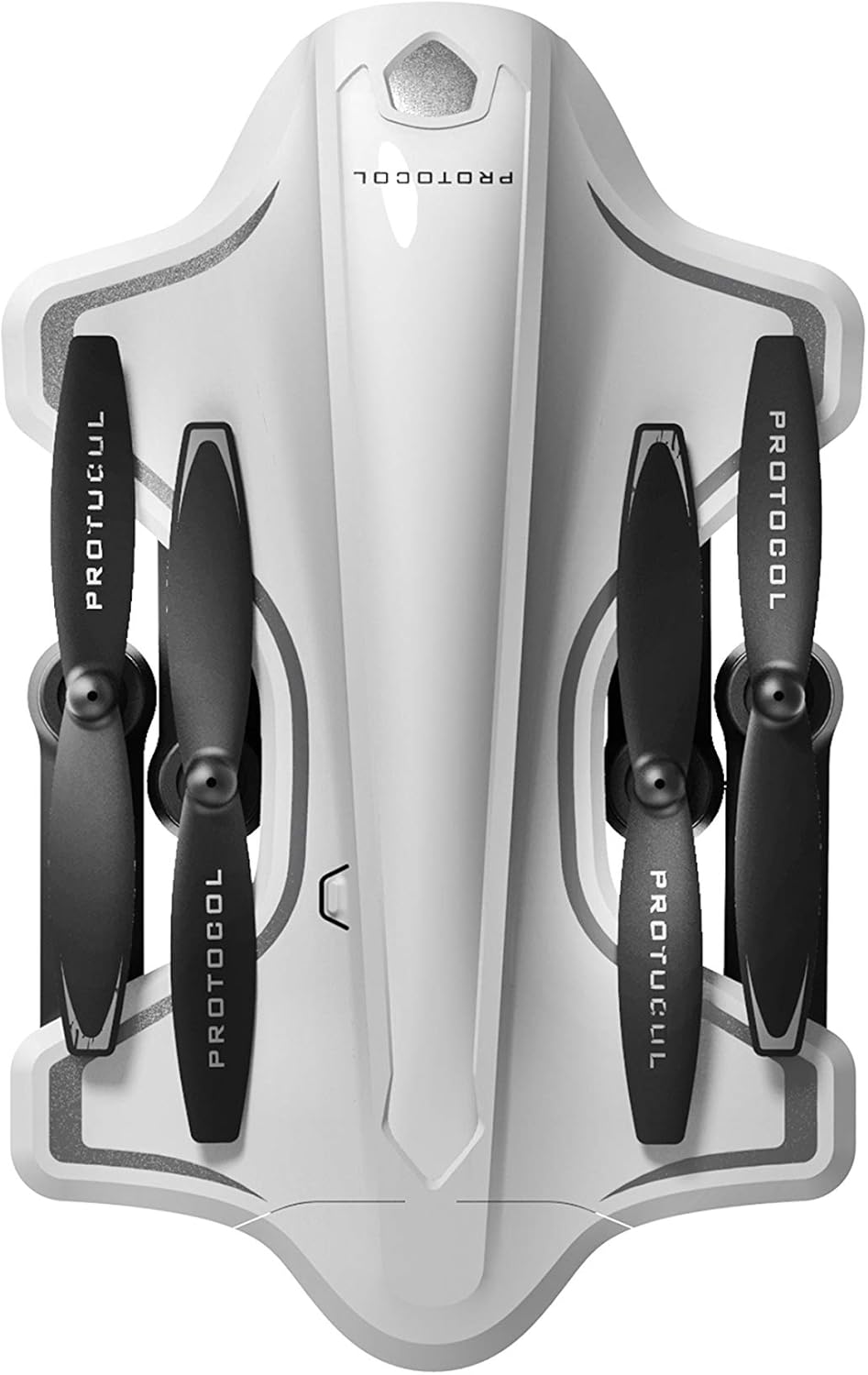
Image: The Protocol Director HD Foldable Drone in its compact, folded configuration, ready for transport.
4. Installing the Drone Battery
- Tadiavo ny toerana misy ny bateria eo amin'ny drone.
- Insert the fully charged drone battery, ensuring it is securely seated.
- Akatona ny fonon'ny efitrefitra bateria.
5. Downloading the App (Optional for Camera Features)
- Hitady ny the "Protocol Director HD" app in your smartphone's app store (iOS or Android).
- Download and install the free application.
- Mount your smartphone onto the remote control's phone mount.
Torolàlana miasa
1. Mamelona sy mampiaraka
- Apetraho eo amin'ny toerana fisaka ny drone.
- Alefaso ny drôna amin'ny fanindriana ny bokotra herinaratra. Hirehitra ny jiron'ny drôna.
- Alefaso ny fanaraha-maso lavitra.
- Push the left joystick (throttle) all the way up, then all the way down. The drone's lights will become solid, indicating successful pairing.
2. Calibrating the Gyroscope
After pairing, it is recommended to calibrate the gyroscope for stable flight:
- With the drone on a flat surface, push both joysticks down and to the right simultaneously for a few seconds.
- The drone's lights will flash rapidly and then become solid, indicating calibration is complete.
3. Fanaraha-maso ny sidina fototra
The Protocol Director HD features auto launch, hover, and land functions due to its altitude sensor.
- Auto Launch: Press the dedicated auto launch button on the remote. The drone will ascend to a stable hovering altitude.
- Throttle (Left Joystick):
- Push up: Increase altitude
- Push down: Decrease altitude
- Push left/right: Rotate drone left/right (yaw)
- Directional Control (Right Joystick):
- Push up: Fly forward
- Push down: Fly backward
- Push left: Fly left (strafe)
- Push right: Fly right (strafe)
- Fiara Tany: Press the dedicated auto land button. The drone will slowly descend and land.
- Safidy hafainganam-pandeha: Use the speed button on the remote to cycle through three selectable speeds (low, medium, high).
4. Camera and App Features
Connect your smartphone to the drone's Wi-Fi network (usually named "Protocol_Drone_XXXXXX") to access live streaming and advanced camera functions via the app.
- mivantana mivantana: View the drone's camera feed in real-time on your smartphone.
- Fandraketana horonantsary: Initiate and stop video recording (480p resolution) through the app.
- fakana sary: Take still images through the app.
- Multiple Camera Angles: The app supports three different camera angles (Aerial, POV, Selfie) for varied content creation.
- Fandraketam-peo: The app allows for audio recording alongside video.
- Draw Your Own Flight Path: Utilize the app's feature to draw a flight path on your screen, and the drone will follow it.
- VR Capability: The app is VR capable; VR goggles are sold separately.
fikarakarana
- Fanaraha-maso Propeller: Regularly check propellers for cracks, bends, or damage. Replace any damaged propellers using the provided spare parts and screwdriver.
- Fanadiovana: Mampiasà lamba malefaka sy maina hanadiovana ny drôna sy ny fanaraha-maso lavitra. Fadio ny mampiasa ranon-javatra na zavatra simika mahery vaika.
- Fikarakarana bateria:
- Aza manondraka be loatra ny bateria.
- Tehirizo ao amin'ny toerana mangatsiatsiaka sy maina ny bateria.
- Remove batteries from the drone and remote control during long periods of non-use.
- fitahirizana: Fold the drone arms for compact storage in the provided travel bag when not in use. Store in a cool, dry environment.
Fanamboarana
| OLANA | Antony mety hitranga | vahaolana |
|---|---|---|
| Tsy mandeha ny drone. | Batterie tsy voaloa na diso napetraka. | Ataovy azo antoka fa feno ny bateria ary ampidirina tsara. |
| Remote control does not power on. | AA batteries are dead or incorrectly installed. | Replace AA batteries, checking polarity. |
| Drone and remote do not pair. | Pairing sequence not followed correctly. | Ensure drone is on, then remote. Push left joystick up then down completely. |
| Ny drone dia mihodina mandritra ny sidina. | Gyroscope needs calibration; uneven surface at launch. | Land the drone, place on a flat surface, and recalibrate the gyroscope (both joysticks down and right). |
| One propeller does not spin. | Propeller damaged or motor issue. | Check for obstructions. Replace damaged propeller. If issue persists, contact support. |
| No live video feed on smartphone. | Not connected to drone's Wi-Fi; app not open. | Ensure smartphone is connected to the drone's Wi-Fi network and the app is running. |
fepetra arahana
| Marika | fifanarahana |
| Anarana modely | Director HD |
| Laharana modely | 6182-7RCHA |
| Dimy (aforeto) | Approximately 4.75 inches (length) |
| refy (lava) | Approximately 9 inches (length, including blades) |
| lanja | 0.94 kilao (940g) |
| Fakan-tsary | 480p (Video Capture) |
| fifandraisana | Wi-Fi (for app control and live streaming), 2.4 GHz (for remote control) |
| stabilization | 6-axis motion-sensitive auto stabilizers, Altitude sensor |
| Modely haingam-pandeha | Three selectable speeds |
| Drôna Battery | Azo averina ampiasaina (2 tafiditra) |
| Bateria Remote Control | 4 x AA bateria (tsy tafiditra) |
| KEVITRA | Plastic (Crash-resistant) |
| Taona soso-kevitra | 14 taona no ho miakatra |
Warranty sy fanohanana
For warranty information, technical support, or to purchase replacement parts, please visit the official Protocol webtranokala na mifandray amin'ny departemantan'ny serivisy mpanjifany. Tehirizo ny tapakila fividiananao ho porofon'ny fividianana.
Webtranokala: www.protocolny.com (Eksample rohy, ny tena rohy mety miovaova)
Fifandraisana: Refer to the Protocol website for contact details, including phone numbers or email support.