
Sava lalana
The Greenworks PRO 80V 2Ah Lithium Ion Battery GBA80200 is designed to provide reliable and consistent power for your Greenworks 80V outdoor power equipment. This battery is engineered for high performance, offering fade-free power and quick charging capabilities to maximize your productivity.
Lafin-javatra fototra:
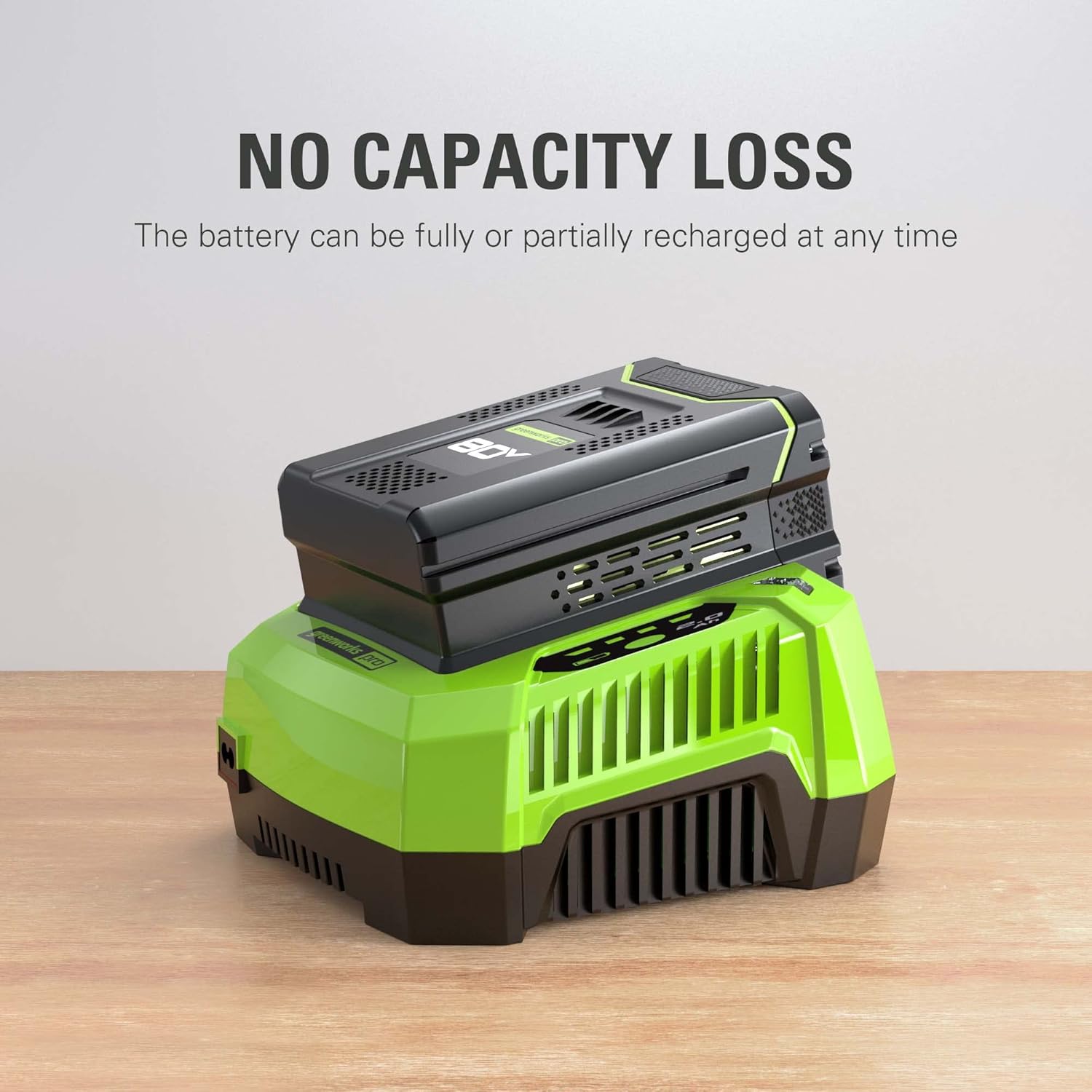
- fiampangana haingana: Achieves full capacity in approximately 30 minutes when used with a compatible charger.
- Multiple Tool Compatibility: Designed to work seamlessly with a wide range of Greenworks 80V tools.
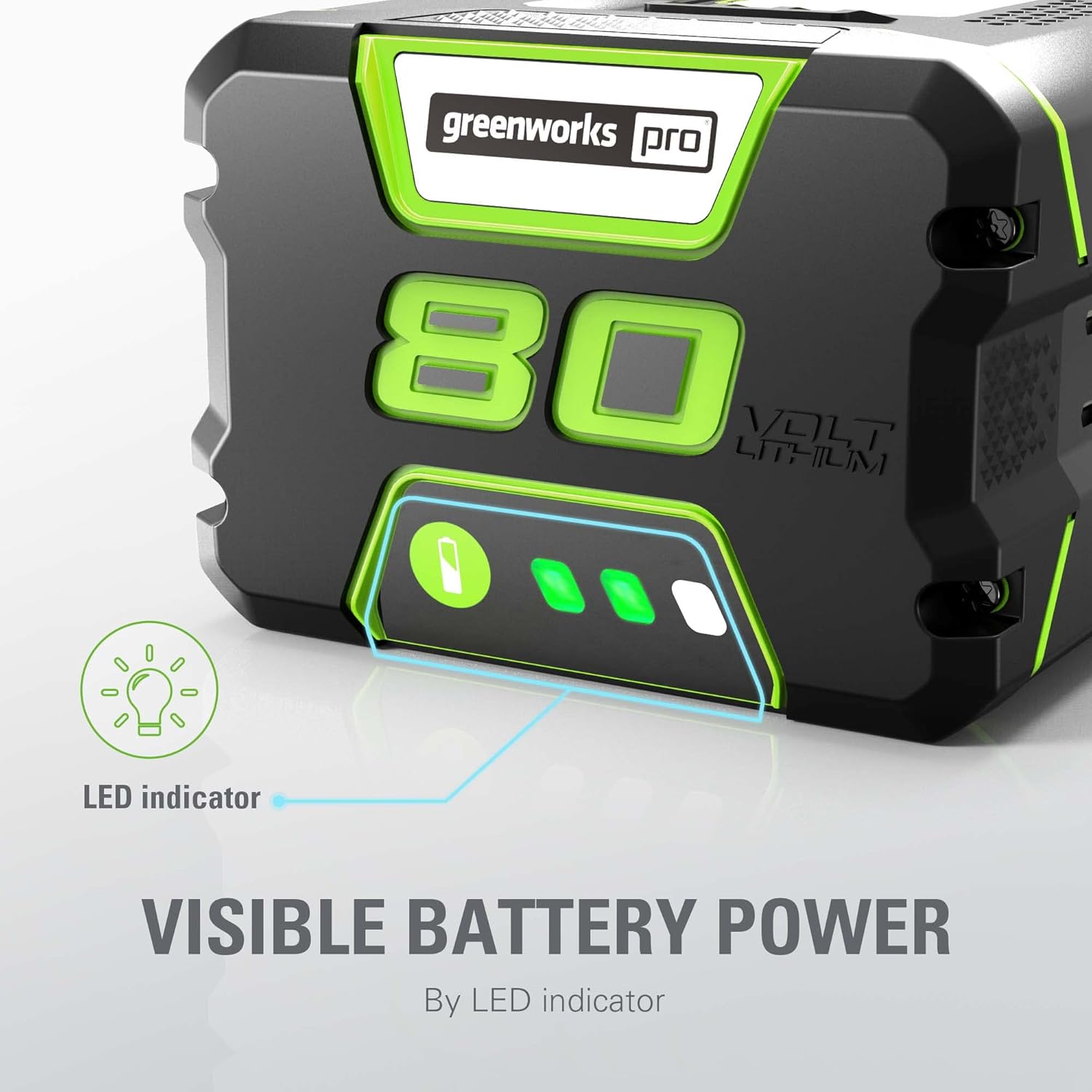
- On-Board LED Fuel Indicator: Provides real-time feedback on the remaining power level.
- Teknolojia Lithium-Ion: Delivers maximum performance and consistent, fade-free power throughout its discharge cycle.
- Charger mifanentana: Specifically designed for use with the Greenworks 80V charger model GCH8040.
Hametraka
Before first use, ensure the battery is fully charged. Always refer to your specific Greenworks tool's manual for detailed battery installation and removal instructions.
Fametrahana bateria:
- Align the battery with the battery port on your Greenworks 80V tool.
- Slide the battery firmly into the port until it clicks securely into place. Ensure it is fully seated and does not wobble.
Fanalana batterie:
- Locate the battery release latch or button on your tool.
- Press and hold the latch/button while sliding the battery out of the tool.
- Tehirizo ao amin'ny toerana mangatsiatsiaka sy maina ny bateria lavitry ny tara-masoandro mivantana sy ny hamandoana.
fandidiana
The Greenworks PRO 80V battery is designed for ease of use. Its integrated LED indicator provides essential information about its charge status.
Checking Battery Charge Level:
Press the battery indicator button located on the battery pack. The LED lights will illuminate to show the current charge level:
- Three solid green lights: Fepetra feno.
- Two solid green lights: Salanisa antonony.
- One solid green light: Charging ambany.
- Jiro mitselatra: Battery needs charging or indicates an issue.
Fametrahana ny bateria:
Use only the compatible Greenworks 80V charger model GCH8040. Plug the charger into a standard electrical outlet. Slide the battery onto the charger until it clicks into place. The charger's indicator lights will show the charging status. A full charge typically takes about 30 minutes.
fikarakarana
Proper maintenance ensures the longevity and optimal performance of your Greenworks PRO 80V battery.
fitahirizana:
- Store the battery in a cool, dry place, ideally between 50°F (10°C) and 70°F (21°C).
- Avoid storing the battery in direct sunlight, near heat sources, or in extreme temperatures (below 0°F / -18°C or above 120°F / 49°C).
- For long-term storage, charge the battery to approximately 50% capacity. Fully discharging or fully charging for extended periods can reduce battery life.
Fanadiovana:
- Keep the battery contacts clean. Use a clean, dry cloth to wipe away any dust or debris.
- Do not use water or chemical cleaners on the battery.
Fikarakarana ankapobeny:
- Do not drop the battery or expose it to severe impacts.
- Aza manandrana mamongotra na manova ny fonosana bateria.
- Protect the battery from moisture and rain.
Fanamboarana
If you encounter issues with your Greenworks PRO 80V battery, consider the following common solutions:
Tsy mi-charge ny bateria:
- Ensure the charger is properly plugged into a working electrical outlet.
- Verify that the battery is correctly seated on the charger.
- Check the charger's indicator lights for error codes or unusual patterns. Refer to the charger's manual for specific light interpretations.
- Hamarino tsara fa ao anatin'ny mari-pana tokony hampiasaina ny bateria sy ny charger.
Battery Not Holding Charge / Short Runtime:
- Confirm the battery is fully charged before use.
- Operating tools in high-power modes (e.g., turbo mode on leaf blowers) will naturally reduce runtime.
- Extreme temperatures during operation or storage can affect battery performance.
- Over time, all batteries experience degradation. If the battery is old and consistently provides significantly reduced runtime, it may need replacement.
For more detailed troubleshooting or persistent issues, please refer to the official Greenworks User Manual or contact Greenworks customer support.
fepetra arahana
| Ny refin'ny vokatra | 6.25 x 4.63 x 3.38 santimetatra |
| Lanja entana | 2.8 kg |
| mpanamboatra | Greenworks |
| ASIN | B00SSBL0NE |
| Laharana modely | 2901302 |
| vatoaratra | 1 Lithium Ion bateria ilaina. (tafiditra) |
| Isan'ny Batterie | 1 Lithium Ion bateria ilaina. (tafiditra) |
| Marika | Greenworks |
| Famoronana sela bateria | Lithium Ion |
| Fahaizana bateria | 2 Amp ORA |
| Fampiasana atolotra ho an'ny vokatra | Fitaovana hery |
Vidin'ny vokatra


Lahatsary vokatra ofisialy
This video demonstrates the powerful capabilities of Greenworks 80V tools, highlighting their performance in various outdoor tasks. It showcases the battery's role in providing robust power for demanding applications.
Warranty sy fanohanana
Greenworks provides a comprehensive warranty for its products. The Greenworks PRO 80V 2Ah Lithium Ion Battery GBA80200 typically comes with a 4-year warranty, ensuring long-term reliability and peace of mind.
Boky ofisialy mpampiasa:
For detailed safety information, operation procedures, and troubleshooting guides, please refer to the official PDF user manual:
Greenworks Store and Support:
For additional products, accessories, or direct customer support, visit the official Greenworks Store: