
1. Produkts beidziesview
The Philips 55MLED610/94 is a 55-inch 4K Ultra HD QLED Smart QD-Mini LED Google TV. It features advanced display technology, smart connectivity, and integrated audio solutions for an enhanced viewpieredzi.

Priekšpuse view of the Philips 55MLED610/94 55-inch 4K QD-Mini LED Google TV.
Galvenās funkcijas:
- Displejs: 4K QD-Mini LED Panel, Philips Halo Control Technology, Dolby Vision, Local Dimming, 120 Hz Motion Clarity HSR, HDR 10+, 178 Degree Wide Viewing Angle, MEMC, ALLM.
- Smart TV: Google TV operating system, 2GB RAM, 32GB ROM, Quad Core Processor, Dual band WIFI 5, Hands-Free Voice Control, Screen Mirroring, Google Assistant compatibility.
- Audio: 36 Watts Output, Dolby Atmos, Dolby Audio.
- Savienojamība: 3 HDMI Ports (including HDMI 2.1), 2 USB Ports, 1 LAN Port, 1 Antenna Input, 1 Satellite Input, 1 Digital Audio Out (Optical), 1 AV-IN, 1 Earphone port.
2. Iestatīšana un instalēšana
2.1 Izpakošana un saturs
Carefully unpack the television and ensure all components are present.
- 1N TV Unit
- 2N Stand Bases
- 1N īsā lietošanas pamācība
- 1N garantijas karte
- 1N tālvadības pults
- 2N AAA baterijas (tālvadības pultij)
- 1N strāvas vads
- 4N Screws (for stand/mount)
- 1N AV Converting Cable

Illustration showing the TV unit and its included accessories for setup.
2.2 Statīva uzstādīšana vai stiprinājums pie sienas
The television supports both table-top stand installation and wall mounting.
- Galda stiprinājums: Attach the provided stand bases to the bottom of the TV unit using the included screws. Ensure the stand is stable on a flat surface.
- Sienas stiprinājums: For wall mounting, use a compatible VESA wall mount (not included) and follow the instructions provided with the wall mount. Refer to the TV's back panel for mounting points.

Aizmugure view of the television, highlighting the mounting points and various input/output ports.
2.3 Perifērijas ierīču pievienošana
Connect your external devices such as set-top boxes, gaming consoles, and audio systems to the TV using the appropriate ports.
- HDMI: Use HDMI ports for high-definition video and audio from devices like Blu-ray players or gaming consoles. HDMI 2.1 supports advanced features.
- USB: Connect USB drives for media playback or external storage.
- LAN: Lai nodrošinātu stabilu vadu interneta savienojumu.
- Antena/Satelīts: Pievienojiet antenu vai satelītantenu televīzijas apraidei.
- Digitālā audio izeja (optiskā): Pieslēgšanai ārējām skaņas sistēmām.
- AV-IN: Vecākām ierīcēm, kas izmanto kompozītvideo un stereo audio.
- Austiņas: Privātai klausīšanai.

Detalizēti view of the television's input and output ports, including HDMI, USB, LAN, and audio connections.
3. Lietošanas instrukcijas
3.1 Sākotnējā ieslēgšana un Google TV iestatīšana
After connecting the power cord, press the power button on the remote control or TV. Follow the on-screen instructions to complete the initial setup, including language selection, network connection (Wi-Fi or LAN), and Google account sign-in.

The Google TV interface, showing various streaming applications and content recommendations.
3.2 Tālvadības pults funkcijas
The provided remote control uses both IR and Bluetooth technology. Insert the two AAA batteries as indicated.

The remote control for the Philips 55MLED610/94 TV, featuring dedicated buttons for streaming services and Google Assistant.
- Barošanas poga: Ieslēdz vai izslēdz televizoru.
- Navigācijas bloks: Izvēlnes navigācijai un atlasei.
- Google palīga poga: Aktivizē balss vadību komandām un meklēšanai.
- Skaļuma/kanālu pogas: Regulē skaļumu un pārslēdz kanālus.
- Lietotnes īsinājumtaustiņi: Direct access to popular streaming services like Netflix and Prime Video.
3.3 Viedtelevizora funkcijas un lietojumprogrammas
The Google TV platform provides access to a wide range of applications and services.
- Iepriekš instalētās lietotnes: Access popular streaming services such as Prime Video, Netflix, Hotstar, Zee5, YouTube, Eros Now, Hungama, JioCinema, and SonyLiv.
- Google palīgs: Izmantojiet brīvroku balss vadību, lai meklētu saturu, vadītu viedierīces mājās un iegūtu informāciju.
- Ekrāna spoguļošana (Miracast): Apraidiet saturu no saderīgām mobilajām ierīcēm uz televizora ekrānu.
- Web Pārlūkprogramma: Pārlūkojiet internetu tieši savā televizorā.
3.4 Displeja un audio iestatījumi
Pielāgojiet attēla un skaņas iestatījumus, lai optimizētu viewklausīšanās un klausīšanās pieredze.
- Attēlu režīmi: Select from various picture modes (e.g., Standard, Vivid, Movie, Game) or customize settings like brightness, contrast, color, and sharpness.
- Dolby Vision un HDR10+: The TV automatically detects and optimizes content for Dolby Vision and HDR10+ for enhanced dynamic range and color.
- Skaņas režīmi: Choose sound modes (e.g., Standard, Music, Movie) or adjust equalizer settings. Dolby Atmos provides immersive audio.
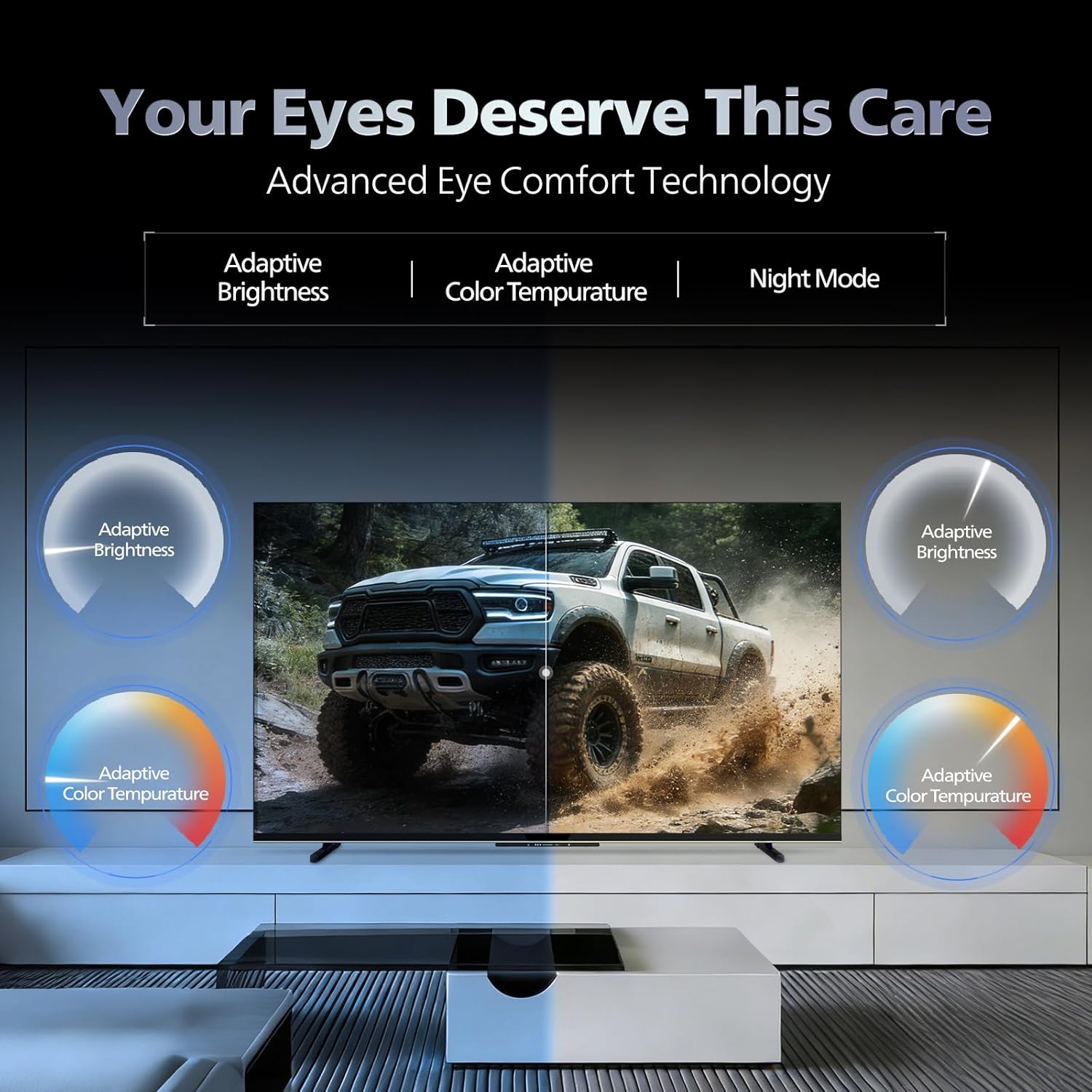
- Acu komforta tehnoloģija: Features like Adaptive Brightness, Adaptive Color Temperature, and Night Mode are available to reduce eye strain.

Visual representation of the TV's advanced eye comfort technology, including adaptive brightness and color temperature.

A visual demonstrating the immersive multi-dimensional audio experience provided by Dolby Atmos on the television.
4. Apkope
4.1 Televizora tīrīšana
To clean the screen and cabinet, first unplug the power cord. Use a soft, lint-free cloth. For stubborn marks, lightly dampNoslaukiet drānu ar ūdeni vai maigu, neabrazīvu ekrāna tīrīšanas līdzekli. Nekad nesmidziniet tīrīšanas līdzekli tieši uz ekrāna.
Svarīgi: The television is nav ūdensizturīgs. Avoid exposing it to liquids.
4.2. Programmatūras atjauninājumi
Ensure your TV's software is up to date for optimal performance and security. The TV will typically prompt you for available updates. You can also manually check for updates in the settings menu.
5. Traucējummeklēšana
If you encounter issues with your television, try the following basic troubleshooting steps before contacting support.
- Nav jaudas: Ensure the power cord is securely plugged into both the TV and a working power outlet. Try a different outlet.
- Nav attēla/skaņas: Check all cable connections (HDMI, AV, Antenna). Ensure the correct input source is selected on the TV.
- Tālvadības pults nedarbojas: Nomainiet tālvadības pults baterijas. Pārliecinieties, vai starp tālvadības pulti un televizora infrasarkano staru sensoru nav nekādu šķēršļu.
- Interneta savienojamības problēmas: Restart your Wi-Fi router. Check the TV's network settings and ensure it's connected to the correct network. Try a wired LAN connection if possible.
- Attēla kvalitātes problēmas: Pielāgojiet attēla iestatījumus (spilgtumu, kontrastu, asumu). Pārliecinieties, vai satura avots ir augstas kvalitātes.
The television displaying a fast-paced gaming scene, highlighting its 120Hz refresh rate and gaming optimization features.
6. Specifikācijas
| Funkcija | Detaļas |
|---|---|
| Modeļa numurs | 55MLED610/94 |
| Ekrāna izmērs | 55 collas (138 cm) |
| Displeja tehnoloģija | QD-Mini LED |
| Izšķirtspēja | 4K Ultra HD (3840 x 2160) |
| Atsvaidzināšanas biežums | 120 Hz HSR |
| Atbalstīts HDR formāts | HDR10+, Dolby Vision |
| Viewleņķis | 178 grādi |
| Skaņas izvade | 36 vati |
| Audio kodējums | Dolby Atmos, Dolby Audio |
| Operētājsistēma | Google TV |
| RAM | 2GB |
| ROM | 32GB |
| Savienojamība | Wi-Fi (Dual band WIFI 5), Bluetooth 5.1, 3 HDMI (1x HDMI 2.1 eARC), 2 USB, 1 LAN, 1 Antenna, 1 Satellite, 1 Digital Audio Out (Optical), 1 AV-IN, 1 Earphone |
| Produkta izmēri (D x P x A) | 8 cm Dziļums x 144.5 cm Platums x 84 cm Augstums |
| Item Weight Without Stand | 9.4 kilogrami |
| Enerģijas patēriņš | 130 vati |
| Enerģijas vērtējums | 3 zvaigzne |
| Ikgadējais enerģijas patēriņš | 182 kWh / gadā |
| Iekļautie komponenti | TV Unit, Stand Bases, Quick Start Guide, Warranty Card, Remote, Batteries, Power cord, Screws, AV Converting Cable |

Dimensional drawing of the Philips 55MLED610/94 TV, showing height, width, and depth measurements.
7. Garantija un atbalsts
7.1 Informācija par garantiju
A 1-year warranty is provided by the manufacturer from the date of purchase. Warranty claims can be processed using your Amazon e-invoice.
The warranty covers manufacturing defects but does not cover spares.
7.2 Klientu atbalsts
For assistance, contact the brand's toll-free number: 18004256396. Please provide the product's model name (55MLED610/94) and seller's details from your invoice. The service center will schedule a convenient service slot.
Ražotājs: Radiant Appliances And Electronics Private Limited
Survey No. 111, 112, S-2 A 1, Ecity, Fabcity, Maheshwaram Mandal Raviryala Village, Ranga Reddy, Telangana- 501141
Importētājs: TPV Technology India Private Limited
Unit No. 307-308 3rd Floor, SEWA Corporate Park MG Road Gurugram Haryana 122002