
1. Ievads
This manual provides detailed instructions for the setup, operation, maintenance, and troubleshooting of your GMKtec Nucbox G10 Mini PC. The Nucbox G10 is a compact and powerful desktop computer designed for various applications, from office tasks to multimedia entertainment, featuring an AMD Ryzen 5 3500U processor, 16GB DDR4 RAM, and a 1TB NVMe SSD.
2. Iepakojuma saturs
Pārliecinieties, vai jūsu iepakojumā ir visi tālāk norādītie priekšmeti:
- GMKtec Nucbox G10 AMD Ryzen 5 3500U Mini PC Computer
- Power Supply & Cable
- HDMI kabelis
- VESA Mount and Screws
- Lietotāja rokasgrāmata (šis dokuments)

Image: Retail Boxed Packaging. This image displays the GMKtec Nucbox G10 Mini PC, power supply, HDMI cable, VESA mount, screws, and user manual, illustrating the complete contents of the product package.
3. Produkts beidziesview
3.1 Galvenās funkcijas
- Procesors: AMD Ryzen 5 3500U (4 Cores, 8 Threads, up to 3.70GHz Turbo Boost)
- Grafika: Integrated AMD Radeon Vega 8 Graphics (1200 MHz)
- Atmiņa: 16GB Dual Channel DDR4 RAM (expandable up to 64GB)
- Uzglabāšana: 1TB M.2 2280 NVMe SSD (expandable up to 16TB via dual M.2 2280 PCIe 3.0 slots)
- Tīkls: 2.5GbE Ethernet, WiFi 5, Bluetooth 5.0
- Displeja izvade: Triple 4K display support via HDMI 2.1, DisplayPort 1.4, and Full Function USB-C
- Dzesēšana: Silent Turbo Cooling Fan system

Image: Nucbox G10 Feature Overview. This image provides a visual summary of the mini PC's core components including the AMD Ryzen 5 3500U CPU, Radeon Vega 8 Graphics, DDR4 RAM, M.2 SSD, 2.5GbE LAN, WiFi 5, Bluetooth 5.0, triple display support, and cooling system.
3.2. Porti un savienotāji
The Nucbox G10 features a comprehensive set of ports for connectivity:
- Priekšpuse: 1x CTIA Audio Jack, 2x USB 3.2 (5Gbps), 1x Power Button
- Aizmugure: 1x Type-C (PD Only), 1x USB 2.0, 1x 2.5G Giga LAN, 1x HDMI 2.1 (4K@60Hz), 1x DP 1.4 (4K@60Hz), 1x Full Function USB-C (PD/DP/Data), 1x Kensington Lock slot

Image: Front Panel Ports. This image shows the front of the Nucbox G10, highlighting the power button, two USB 3.2 ports, and the CTIA audio jack.

Image: Rear Panel Ports. This image illustrates the rear of the Nucbox G10, detailing the USB-C (PD Only), USB 2.0, 2.5G LAN, HDMI 2.1, DisplayPort 1.4, Full Function USB-C, and Kensington Lock slot.
4. Iestatīšanas rokasgrāmata
4.1 Perifērijas ierīču pievienošana
- Monitors: Connect your monitor(s) to the Mini PC using the HDMI, DisplayPort, or USB-C ports. The Nucbox G10 supports up to three 4K displays simultaneously.
- Tastatūra un pele: Pievienojiet USB tastatūru un peli pieejamajām USB pieslēgvietām.
- Tīkls: For a wired connection, connect an Ethernet cable from your router/modem to the 2.5GbE LAN port. For wireless, ensure your WiFi network is available.
- Audio: Connect speakers or headphones to the 3.5mm audio jack on the front panel if needed.
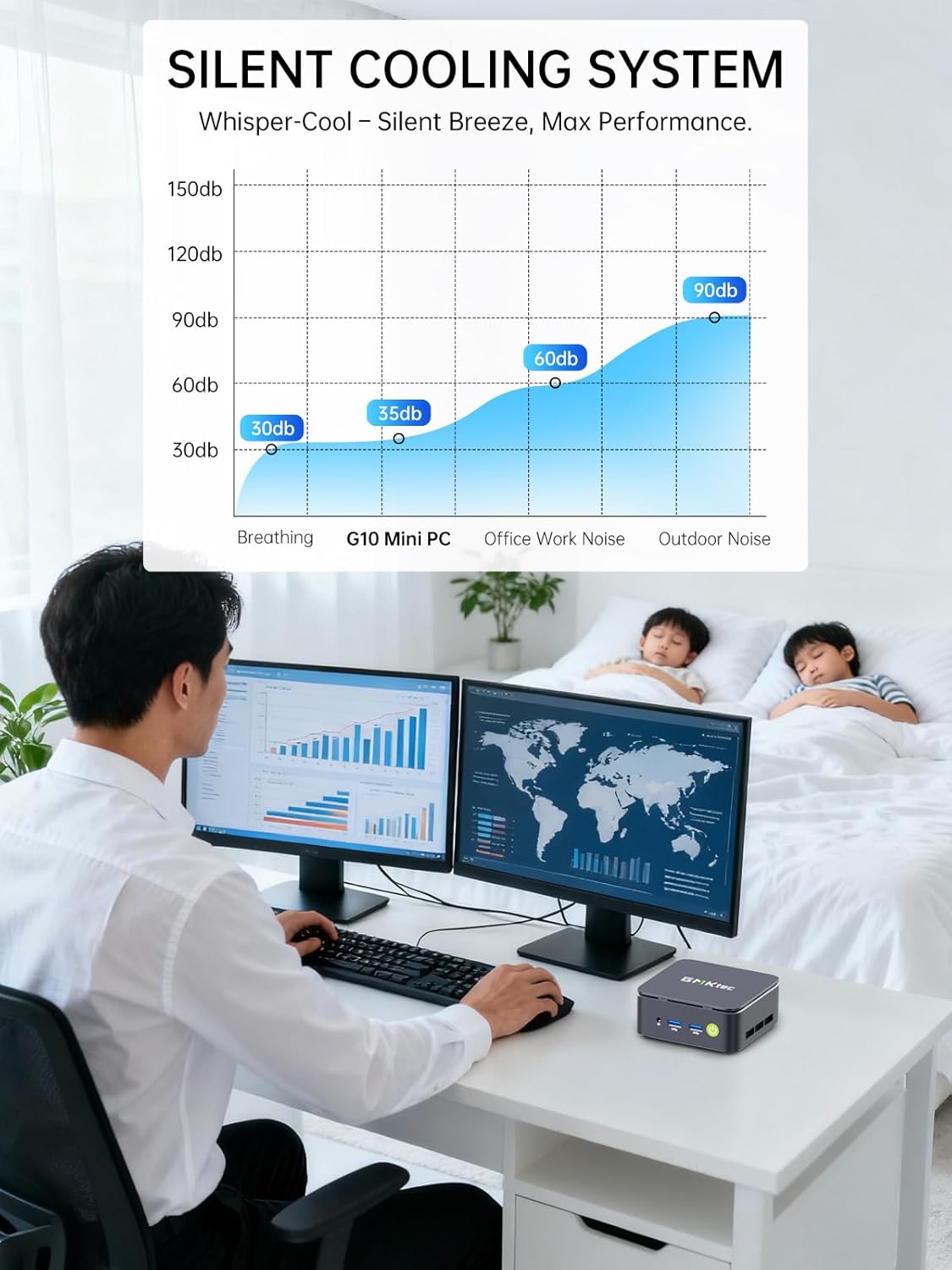
Image: Triple Display Setup. This image demonstrates the Nucbox G10 connected to two vertical monitors and a tablet, showcasing its triple display capability for enhanced productivity.
4.2 Strāvas pieslēgums
Connect the provided power adapter to the DC-in port on the Mini PC, then plug the power cable into a wall outlet. The Mini PC is designed for low power consumption.
4.3. Sākotnējā sāknēšana
Press the power button on the front panel. The Mini PC will boot into the pre-installed Windows 11 Pro operating system. Follow the on-screen instructions for initial Windows setup.
5. Lietošanas instrukcijas
5.1 Ieslēgšana/izslēgšana
- Ieslēgšana: Vienreiz nospiediet barošanas pogu.
- Izslēgt: Operētājsistēmā Windows dodieties uz Sākt > Barošana > Izslēgt. Varat arī nospiest un 5 sekundes turēt ieslēgšanas/izslēgšanas pogu, lai piespiedu kārtā izslēgtu datoru (izmantojiet to tikai nepieciešamības gadījumā).
5.2 Operētājsistēma
Your Nucbox G10 comes with Windows 11 Pro pre-installed. Ensure you keep your operating system updated for optimal performance and security.
5.3 Tīkla savienojamība
- Vadu (Ethernet): Kad Ethernet kabelis ir pievienots, sistēmai vajadzētu automātiski noteikt tīklu.
- Bezvadu (Wi-Fi): In Windows, click the Wi-Fi icon in the taskbar, select your network, enter the password, and connect.
- Bluetooth: To connect Bluetooth devices, go to Windows Settings > Bluetooth & devices, and pair your device.
6. Apkope
6.1. Tīrīšana
Regularly clean the exterior of the Mini PC with a soft, dry cloth. Ensure ventilation openings are free from dust to maintain optimal cooling performance. Do not use liquid cleaners directly on the device.

Image: Ultra Efficient Cooling System. This image provides an internal view of the Nucbox G10, highlighting the silent turbo cooling fan designed for efficient heat dissipation.
6.2. Programmatūras atjauninājumi
Lai nodrošinātu sistēmas stabilitāti, drošību un veiktspēju, regulāri atjauniniet operētājsistēmu Windows un draiverus. Windows Update var piekļūt, izmantojot Iestatījumi > Windows Update.
6.3 Krātuve un atmiņas paplašināšana
The Nucbox G10 supports memory expansion up to 64GB DDR4 RAM and storage expansion up to 16TB via its dual M.2 2280 PCIe 3.0 slots. Consult a qualified technician for hardware upgrades to avoid voiding your warranty or damaging the device.
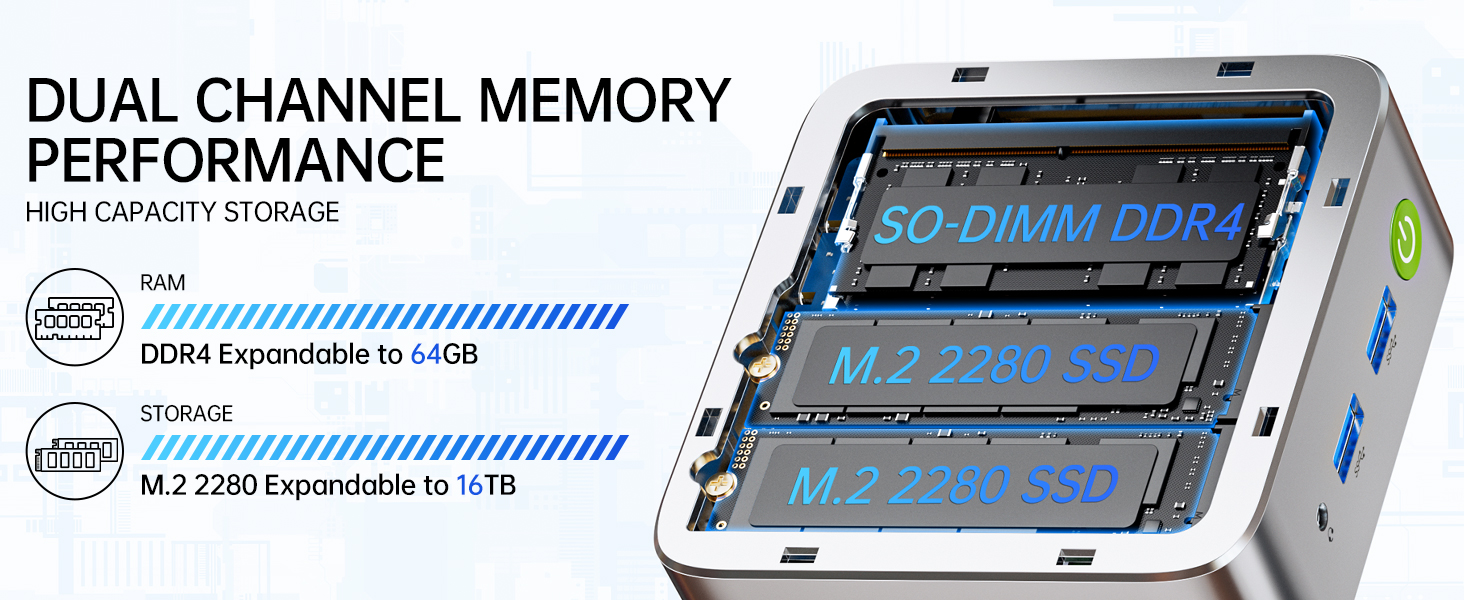
Image: Dual Channel Memory Performance and High Capacity Storage. This diagram illustrates the internal layout for SO-DIMM DDR4 RAM and M.2 2280 SSDs, indicating their expandability.
7. Traucējummeklēšana
Ja rodas problēmas ar Mini PC, skatiet tālāk norādītās bieži sastopamās problēmas un risinājumus.
- Nav jaudas:
- Pārliecinieties, vai strāvas adapteris ir droši pievienots gan Mini PC, gan darbojošai strāvas kontaktligzdai.
- Pārliecinieties, vai strāvas kontaktligzda darbojas, pievienojot tai citu ierīci.
- Nav displeja:
- Pārbaudiet, vai HDMI, DisplayPort vai USB-C kabelis ir stingri pievienots gan Mini PC, gan monitoram.
- Pārliecinieties, vai monitors ir ieslēgts un iestatīts pareizais ievades avots.
- Mēģiniet izveidot savienojumu ar citu displeju vai izmantot citu kabeli.
- Tīkla savienojamības problēmas:
- Vadu: Pārbaudiet Ethernet kabeļa savienojumu. Restartējiet maršrutētāju/modemu.
- Bezvadu: Ensure Wi-Fi is enabled in Windows settings. Verify your Wi-Fi password. Restart your router.
- Lēna veiktspēja:
- Aizveriet nevajadzīgās lietojumprogrammas, kas darbojas fonā.
- Ensure the system has adequate ventilation and is not overheating.
- Pārbaudiet un instalējiet visus gaidāmos Windows atjauninājumus vai draiveru atjauninājumus.
- Palaidiet diska tīrīšanu, lai atbrīvotu vietu krātuvē.
8. Specifikācijas
| Funkcija | Specifikācija |
|---|---|
| Zīmols | GMKtec |
| Modeļa nosaukums | G10 |
| Operētājsistēma | Windows 11 Pro |
| CPU modelis | AMD Ryzen 5 3500U |
| CPU ātrums | 3.7 GHz (Boost) |
| Procesora skaits | 4 |
| Grafikas kopprocesors | AMD Radeon Vega 8 Graphics 1200 MHz |
| Instalētā RAM atmiņa | 16 GB DDR4 |
| RAM atmiņas maksimālais izmērs | 64 GB |
| Atmiņas ātrums | 2400 MT/s |
| Atmiņas krātuves ietilpība | 1 TB NVMe SSD disks |
| Cietā diska apraksts | Dual Slot M.2 2280 PCIE Max. 16TB |
| Savienojamības tehnoloģija | HDMI 2.1, RJ45 2.5GbE LAN, USB 3.2, USB-C (DP/DATA/PD), WIFI5/ BT 5.0 |
| Bezvadu saderība | 802.11a/b/g/n/ac (WiFi 5), Bluetooth 5.0 |
| Video izvade | HDMI 2.1, DisplayPort, Type-C (Triple Display) |
| Maksimālā displeja izšķirtspēja | 4096 × 2160 Pixels (4K) |
| Kopējais USB portu skaits | 4 (2x USB 3.2, 1x USB 2.0, 1x USB-C Full Function) |
| Enerģijas patēriņš | 25 Watts (Typical) |
| Preces izmēri | 4.1 x 3.8 x 1.7 collas |
| Preces svars | 0.95 kilogrami |
| Dzesēšanas metode | Dual Cooling Fan |
| Papildu funkcijas | RTC Wake, Auto Power On, Wake On LAN, PXE Boot |
9. Garantija un atbalsts
9.1 Informācija par garantiju
GMKtec offers a 1 gads ierobežota garantija for each Mini PC, starting from the date of purchase. This warranty covers defects due to design and workmanship. Please retain your proof of purchase for warranty claims.
9.2 Klientu atbalsts
For technical assistance, warranty claims, or any questions regarding your GMKtec Nucbox G10 Mini PC, please contact GMKtec customer support. You can typically find contact information on the official GMKtec website or through the seller's contact page where you purchased the product (e.g., GMKtec-Direct on Amazon).