
Įvadas
This manual provides instructions for the Zebronics CSH501 2.5" SSD/HDD Enclosure. This device allows you to connect a 2.5-inch SATA Solid State Drive (SSD) or Hard Disk Drive (HDD) to your computer via a USB Type-C 3.1 Gen 1 interface, enabling high-speed data transfer and portable storage solutions. It supports up to 6TB of storage capacity and features a tool-free slide design for easy installation.
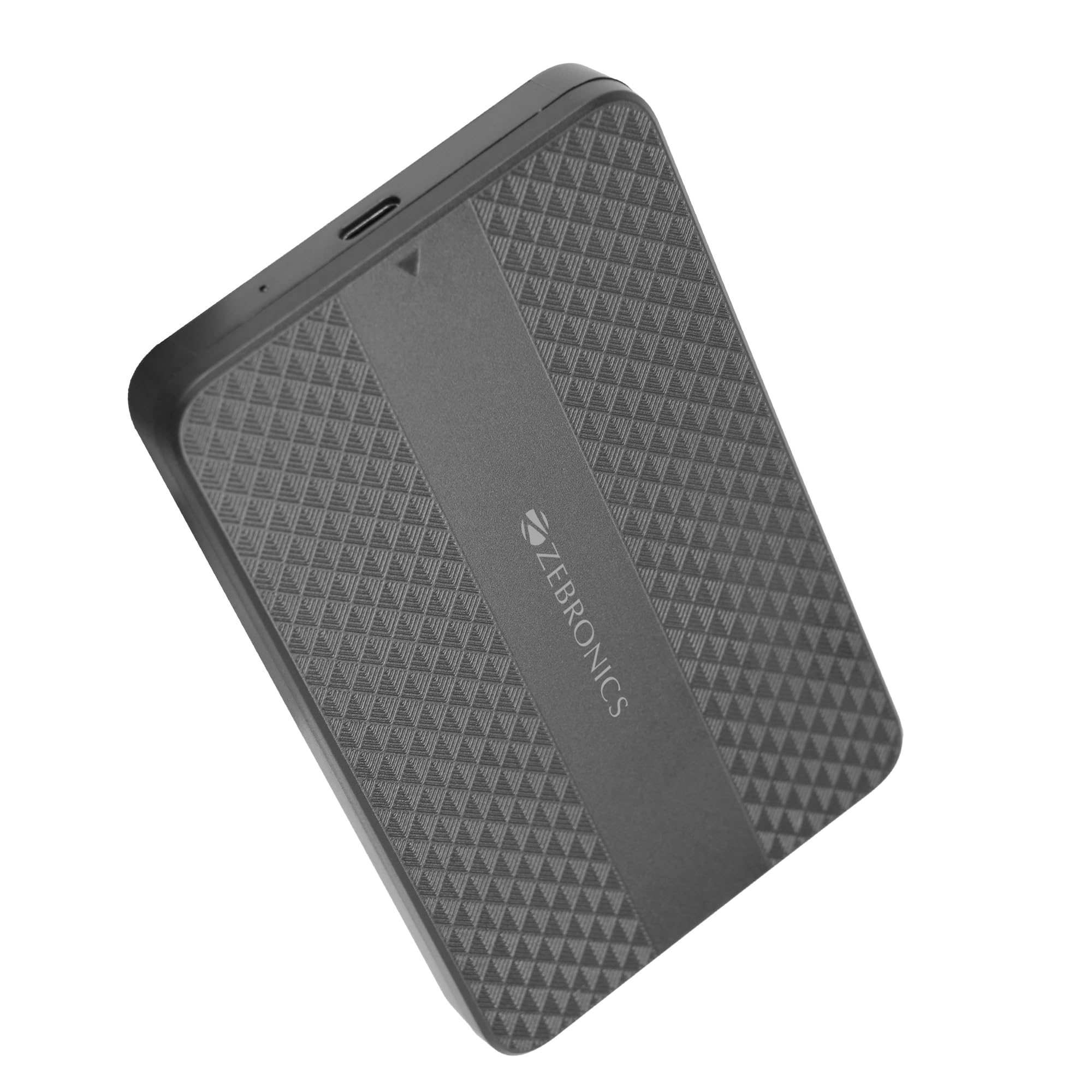
Image: The Zebronics CSH501 2.5 inch SSD/HDD Enclosure, a compact black device with a textured surface and Zebronics branding.
Pakuotės turinys
Patikrinkite, ar pakuotėje yra visi reikalingi daiktai:
- 1 x 2.5" SATA SSD Enclosure (CSH501)
- 1 x putplasčio padas
- 1 x USB to Micro B Cable
Specifikacijos
| Funkcija | Aprašymas |
|---|---|
| Modelis | CSH501 |
| Suderinami diskai | 2.5-inch SATA SSD/HDD |
| Maksimali saugojimo talpa | 6 TB |
| Sąsaja | USB Type-C 3.1 Gen 1 |
| Duomenų perdavimo sparta | Iki 5 Gbps |
| Medžiaga | Plastikiniai |
| Matmenys (I x P x A) | 13L x 8W x 1.3H centimetrai |
| Svoris | 60 gramų |
| OS palaikymas | Windows, Mac, Linux |
Sąranka ir diegimas
The CSH501 enclosure features a tool-free slide design for quick and easy installation of your 2.5-inch SATA SSD or HDD.
- Step 1: Open the Enclosure
Gently slide the back cover of the enclosure to open it. - Step 2: Insert the Drive
Carefully insert your 2.5-inch SATA SSD or HDD into the enclosure, ensuring it connects securely to the internal SATA connector. You may use the provided foam pad to secure thinner drives. Close the cover by sliding it back until it clicks into place. - 3 veiksmas: prisijunkite prie kompiuterio
Connect the enclosure to your computer using the provided USB to Micro B cable. The enclosure is plug-and-play, requiring no additional drivers for most operating systems.

Image: A three-step visual guide demonstrating the tool-free slide setup: 1. Slide back to open the cover. 2. Insert the drive and close the cover. 3. Connect to the computer for plug & play operation.
Naudojimo instrukcijos
Once connected, the enclosure will be recognized by your operating system as an external storage device. You can then access, transfer, and manage filekaip ir su bet kuriuo kitu išoriniu disku.
- Duomenų perdavimas: The USB 3.1 Gen 1 interface supports data transfer speeds up to 5 Gbps. Actual speeds may vary based on the connected drive, computer's USB port, and file tipai.
- Operacinės sistemos suderinamumas: The enclosure is compatible with Windows, Mac, and Linux operating systems.
- Galia: The enclosure is bus-powered via the USB connection, eliminating the need for an external power adapter.

Image: The Zebronics CSH501 enclosure connected to a laptop via its USB cable, illustrating its capability for data transfer speeds up to 5Gbps.

Image: The Zebronics CSH501 enclosure connected to a laptop, with text highlighting its compatibility across Windows, Mac, and Linux operating systems.
Priežiūra
To ensure the longevity and optimal performance of your Zebronics CSH501 enclosure:
- Laikykite įrenginį švarų ir be dulkių. Valymui naudokite minkštą, sausą šluostę.
- Saugokite korpusą nuo ekstremalių temperatūrų, drėgmės ar tiesioginių saulės spindulių.
- Nemeskite prietaiso ir nepalikite jo stipriam smūgiui.
- Prieš atjungdami korpusą, visada saugiai išimkite diską iš operacinės sistemos, kad išvengtumėte duomenų sugadinimo.
Trikčių šalinimas
If you encounter issues with your enclosure, refer to the following common solutions:
- Diskas neaptiktas:
- Ensure the drive is properly seated within the enclosure and the cover is closed securely.
- Pabandykite prijungti korpusą prie kito kompiuterio USB prievado.
- Išbandykite su kitu USB kabeliu.
- Patikrinkite, ar pats diskas veikia, išbandydami jį kitame korpuse arba, jei įmanoma, tiesiogiai prijungdami prie kompiuterio.
- For new drives, ensure they are initialized and formatted in your operating system's Disk Management (Windows) or Disk Utility (Mac).
- Mažas perdavimo greitis:
- Ensure the enclosure is connected to a USB 3.0/3.1 port on your computer. Connecting to a USB 2.0 port will result in slower speeds.
- The performance of the installed SSD/HDD also affects transfer speeds.
- Didelis file transfers are generally faster than many small file pervedimai.
- Korpusas įkaista:
It is normal for the enclosure to become warm during extended use, especially during large data transfers, as heat is dissipated from the internal drive. Ensure adequate airflow around the device.
Garantija ir palaikymas
The Zebronics CSH501 enclosure comes with a 1 Year Carry-In Warranty to the service center. For warranty claims or technical support, please contact Zebronics customer service.
Gamintojo kontaktinė informacija:
Zebronics India Private Limited
Nr. 13/7, Smith Road, Royapettah, Čenajus – 600 002
For further assistance, visit the official Zebronics websvetainėje arba susisiekite su jų palaikymo kanalais.