
Dytole DY107 Black
„Dytole“ belaidės ausinės DY107 naudotojo vadovas
Modelis: DY107 Black
Prekinis ženklas: Dytole
Įvadas
Thank you for choosing the Dytole Wireless Headset DY107. This manual provides detailed instructions to help you get started and make the most of your new headset. Designed for professionals, this headset offers crystal-clear calls, long battery life, and versatile connectivity options for various devices and platforms.
Kas yra dėžutėje
- Dytole Wireless Headset (Black)
- USB raktas
- Smart Dock with Digital Display
- Vartotojo vadovas
- C tipo kabelis
Sąrankos vadovas
Ausinių įkrovimas
Before first use, fully charge your headset. The Smart Dock provides a convenient charging solution.
- Connect the Type-C cable to the Smart Dock and a power source.
- Place the Dytole Wireless Headset onto the Smart Dock. Ensure the charging contacts align.
- The digital display on the dock will show the charging status. A full charge provides up to 65 hours of use. A 10-minute quick charge provides 2 hours of talk time.
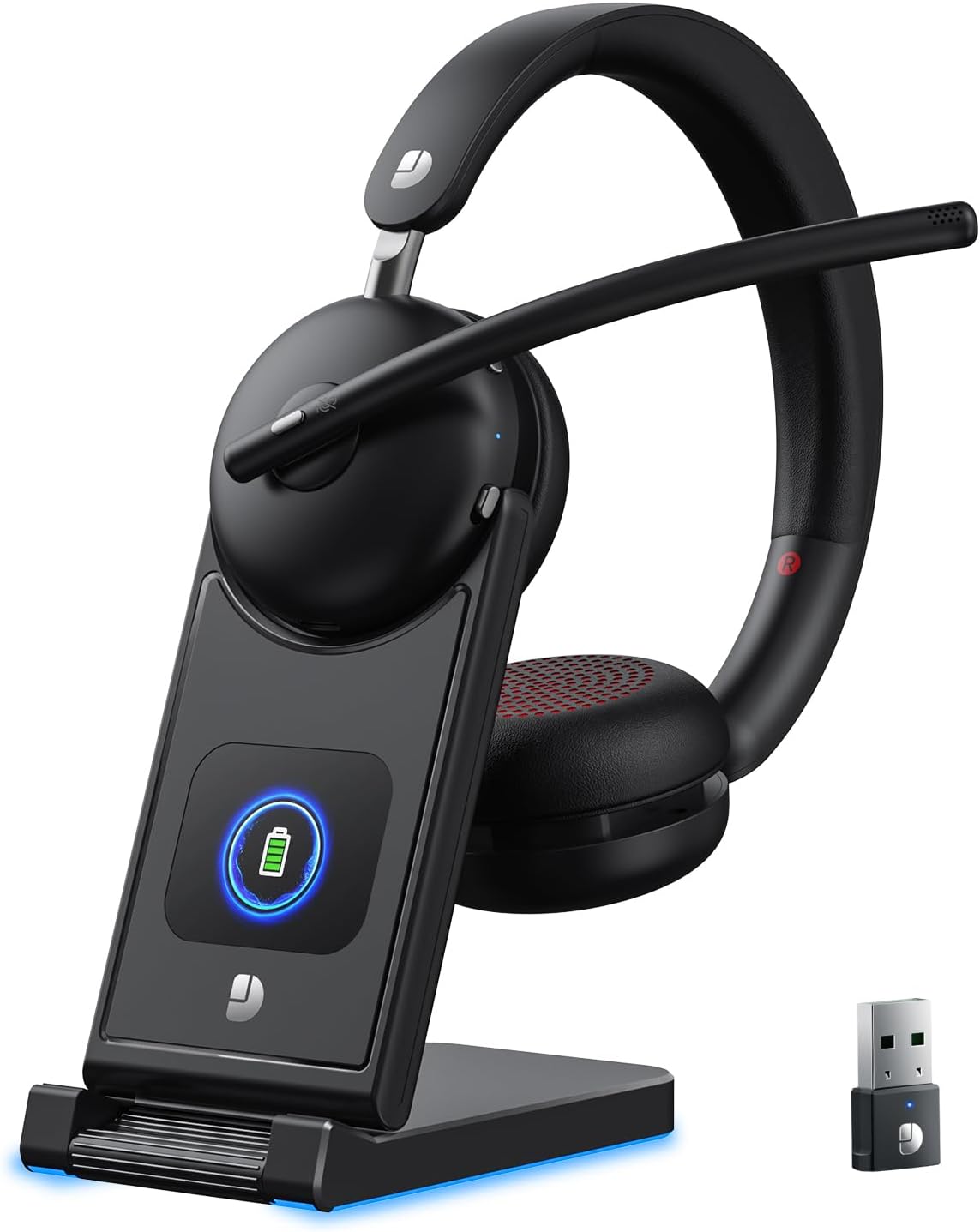
The Dytole Wireless Headset DY107 charging on its Smart Dock, which also features a digital display for battery status and a convenient storage slot for the USB dongle.
Prisijungimas prie įrenginių
The Dytole Wireless Headset offers two primary connection methods: Bluetooth 5.3 and a 2.4G USB Dongle.
Bluetooth ryšys
- Įsitikinkite, kad laisvų rankų įranga įjungta.
- On your device (PC, laptop, tablet, mobile phone), navigate to Bluetooth settings.
- Ieškokite available devices and select "DY107" from the list.
- Prijungus ausines, bus rodomas sėkmingo susiejimo indikatorius.
USB Dongle Connection (Plug and Play)
- Insert the 2.4G USB Dongle into an available USB port on your computer.
- The dongle will automatically connect to the headset. The indicator light on the dongle will turn solid blue when paired.
- On your computer's sound settings, ensure "DY107" is selected as both the input (microphone) and output (speaker) device.

The Dytole Wireless Headset DY107 seamlessly connects to laptops, PCs, tablets, and mobile phones, supporting popular communication platforms like Zoom, Microsoft Teams, and Google Meet.
Naudojimo instrukcijos
Pagrindiniai valdikliai
- Maitinimo įjungimas/išjungimas: Use the dedicated power button on the headset.
- Garsumo valdymas: Adjust volume using the +/- buttons on the earcup.
- MFB mygtukas (daugiafunkcis mygtukas): Press to answer/end calls, play/pause audio.
- Nutildymo funkcija: Press the mute button on the microphone boom to mute/unmute your microphone.
Mikrofono reguliavimas
The microphone boom is 270° adjustable, allowing you to position it for optimal voice pickup or to switch between left and right ear wearing preferences. Rotate the earcups for a comfortable fit.

The advanced noise-canceling microphone ensures crystal-clear communication by filtering out background noise, making it ideal for professional calls.
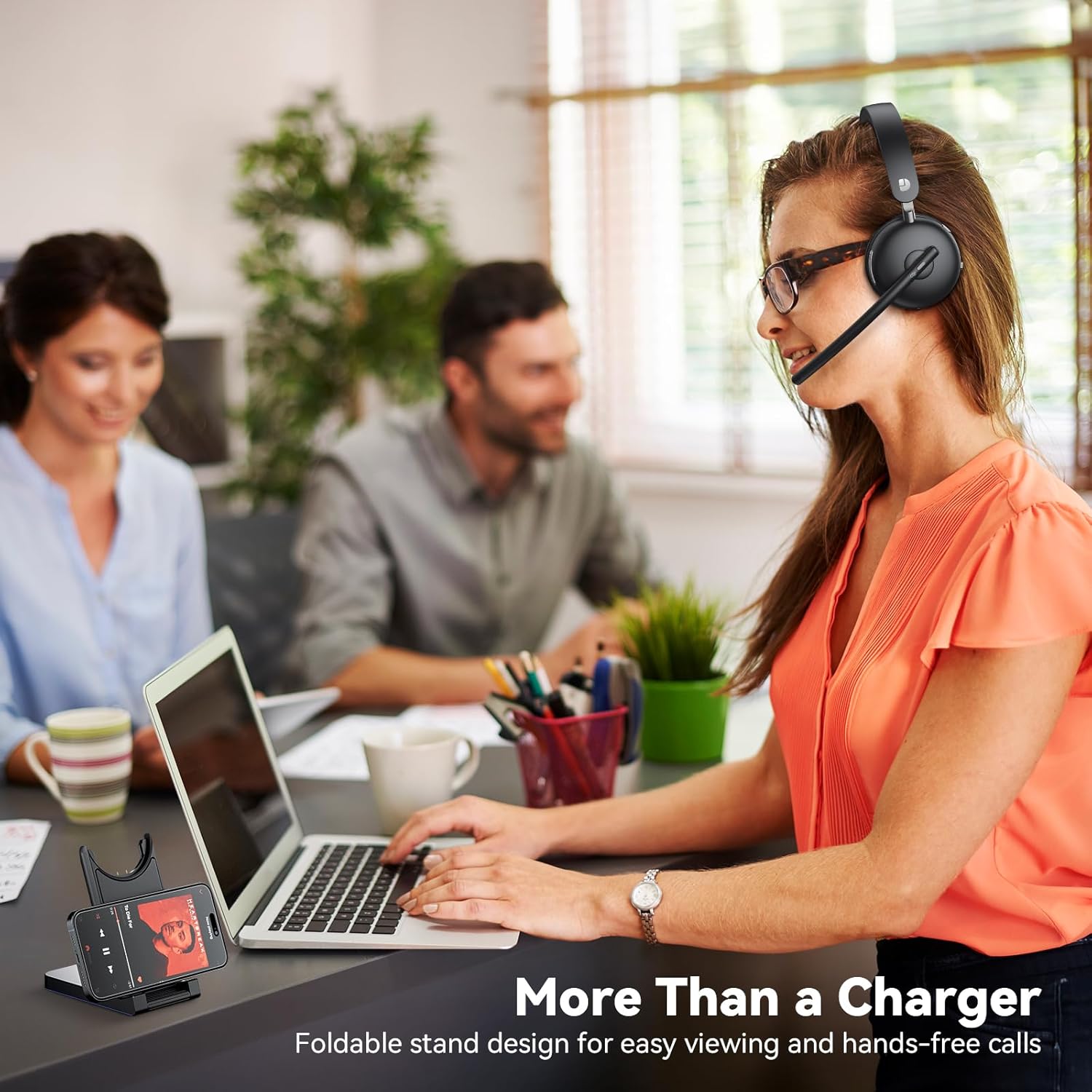
The multifunctional charging dock not only charges the headset but also serves as a convenient stand for your mobile phone or tablet, enhancing your workspace efficiency.
Official product video demonstrating the Dytole Wireless Headset's features, including AI Noise Cancelling for clear communication.
Priežiūra
Akumuliatoriaus valdymas
The headset features a long-lasting battery providing up to 65 hours of usage. For optimal battery life, charge the headset regularly using the provided Smart Dock.
The digital display on the Smart Dock provides real-time battery status, allowing you to monitor charge levels easily.

Benefit from rapid charging: a mere 10 minutes on the dock provides 2 hours of talk time, ensuring you're always ready for your next call.
Valymas
- Wipe the headset and charging dock with a soft, dry cloth.
- Nenaudokite abrazyvinių valiklių ar tirpiklių.
- Keep the charging contacts on the headset and dock clean and free of debris.
Trikčių šalinimas
Bendros problemos ir sprendimai
| problema | Galima priežastis | Sprendimas |
|---|---|---|
| No Sound / Cannot Hear Audio | Headset not connected or selected as output device. | Ensure the headset is paired via Bluetooth or the USB dongle is properly inserted. Check your device's sound settings to confirm "DY107" is selected as the output device. |
| Mikrofonas neveikia | Mikrofonas nutildytas arba nepasirinktas kaip įvesties įrenginys. | Press the mute button on the microphone boom to unmute. Verify "DY107" is selected as the input device in your computer's sound settings. |
| Nepavyksta susieti per „Bluetooth“ | Headset not in pairing mode or too far from device. | Ensure the headset is powered on and in pairing mode (refer to device's Bluetooth settings for instructions). Move the headset closer to your device. Clear previous Bluetooth connections if necessary. |
| Trumpas baterijos veikimo laikas | Headset not fully charged or aging battery. | Ensure the headset is fully charged before use. If battery life significantly degrades, contact customer support. |
| Pertraukiamas ryšys | Trikdžiai arba už diapazono ribų. | Move closer to your connected device. Avoid obstacles between the headset and device. Reduce interference from other wireless devices. |
Specifikacijos
| Funkcija | Detalė |
|---|---|
| Modelio pavadinimas | DY107 Black |
| Ryšio technologija | Wireless, Bluetooth 5.3, 2.4GHz USB Dongle |
| Triukšmo valdymas | Aplinkos triukšmo panaikinimas |
| Garso tvarkyklės dydis | 40 milimetrų |
| Baterijos veikimo laikas | Up to 65 hours (talk time) |
| Įkrovimo laikas | 2 Hours (full charge); 10 minutes for 2 hours talk time |
| Bluetooth diapazonas | 15 metrai |
| Suderinami įrenginiai | MacBook, PC, Cellphones, Computer, Laptops |
| Įtraukti komponentai | Dytole Wireless Headset (Black), USB Dongle, Smart Dock with Digital Display, User Manual, Type-C Cable |
| Medžiaga | Faux Leather, Stainless Steel |
| Valdymo tipas | Mygtukų valdymas |
Garantija ir palaikymas
Dytole products are designed for durability and performance. For warranty information or technical support, please refer to the contact details provided in your product packaging or visit the official Dytole websvetainę.
If you have any issues with your order or need assistance with setup or usage, please contact us via email at: DY_Bussiness@outlook.com