
Įvadas
The BL R69 Plus Android 14.0 TV Box is a high-performance multimedia device designed to enhance your home entertainment experience. Equipped with the latest Android 14.0 OS and an Allwinner H728 octa-core processor, it offers smooth performance for streaming, gaming, and various applications. This manual provides essential information for setting up, operating, and maintaining your device.
Kas yra dėžutėje
Atidžiai patikrinkite pakuotės turinį. Jei trūksta kokių nors daiktų arba jie pažeisti, susisiekite su klientų aptarnavimo tarnyba.
- Android 14.0 TV Box (R69 Plus)
- US/CA Power Adapter
- HD kabelis
- „Bluetooth“ balso nuotolinio valdymo pultas
- Vartotojo vadovas
- Mini belaidė klaviatūra
Produktas baigtasview ir Savybės
The R69 Plus Android TV Box offers a range of advanced features for a superior viewing and interactive experience.
Pagrindinės funkcijos:
- Android 14.0 & H728 Processor: Latest Android 14.0 OS with Allwinner H728 octa-core high-speed processor for enhanced multitasking and responsiveness.
- Ample Capacity & USB 3.0: 4GB RAM and 64GB ROM for daily applications and data storage. Features a USB 3.0 interface for 5Gbps high-speed data transfer, supporting 128GB SD card expansion and 1TB hard drive expansion.
- 4K 8K TV Box: Supports 4K display with HDR10 3D technology, and a decoder up to 4K@60fps or 8K@24fps. Includes H.265 decoding technology for improved compression efficiency.
- 1000M Ethernet & Wi-Fi 6: Supports 2.4G/5.8G Wi-Fi 6 and Gigabit Ethernet (1000Mbps) for stable, high-speed internet. Bluetooth 5.0 for wireless connectivity with headphones, speakers, and other smart devices.
- Lengva naudoti: Equipped with a Bluetooth voice remote control and supports seamless casting from mobile phones and tablets. Includes a backlit mini wireless keyboard.
Įrenginio sąsajos:

- DC/5V Power Input
- Optinė garso išvestis
- Atkūrimo mygtukas
- HD (HDMI) Output
- Ethernet (1000M) Port
- USB 3.0 prievadas
- USB 2.0 prievadas
- SD kortelės lizdas
Sąrankos vadovas
Follow these steps for initial setup of your BL R69 Plus Android TV Box.
- Prisijunkite prie televizoriaus: Connect one end of the provided HD cable (HDMI) to the HDMI port on your TV Box and the other end to an available HDMI input on your television.
- Prijunkite maitinimą: Plug the US/CA power adapter into the DC/5V port on the TV Box, then plug the adapter into a power outlet.
- Prisijunkite prie tinklo: For optimal performance, connect an Ethernet cable from your router to the Ethernet port on the TV Box. Alternatively, you can connect via Wi-Fi during the initial setup process.
- Maitinimas: Turn on your television and select the correct HDMI input source. The TV Box should power on automatically.
- Nuotolinio valdymo pulto sąranka: Insert two AAA batteries (not included) into the Bluetooth Voice Remote Control. Follow the on-screen instructions to pair the remote with your TV Box.
- Pradinė konfigūracija: Follow the on-screen prompts to complete the initial setup, including language selection, Wi-Fi connection (if not using Ethernet), Google account login, and app installations.

Naudojimo instrukcijos
Naršymas sąsajoje
The BL R69 Plus runs on Android 14.0 TV OS, providing a user-friendly interface.
- Norėdami naršyti meniu ir pasirinkti elementus, naudokite nuotolinio valdymo pulto krypties klaviatūrą.
- The "Home" button returns you to the main screen.
- The "Back" button returns to the previous screen.
- The "Voice" button activates the voice assistant for searching content or controlling the device.
Using the Mini Wireless Keyboard
The included mini wireless keyboard provides an alternative for text input and navigation.
- Connect the USB receiver of the keyboard to one of the USB ports on the TV Box.
- Use the QWERTY keyboard for typing and the touchpad for mouse-like navigation.
- To change the 7-color backlight, hold the "Fn" key and scroll left/right at the touchpad bottom.

Ekrano veidrodis
The device supports AirScreen and Miracast for casting content from your mobile phone or tablet to the TV.

Ryšys
„Wi-Fi“ ir „Ethernet“.
The R69 Plus supports dual-band Wi-Fi 6 (2.4G/5.8G) and Gigabit Ethernet (1000Mbps) for fast and stable internet access.
- To connect via Wi-Fi, navigate to
Settings > Network & Internet, select your Wi-Fi network, and enter the password. - For Ethernet, simply plug an Ethernet cable into the device and your router.
Bluetooth 5.0
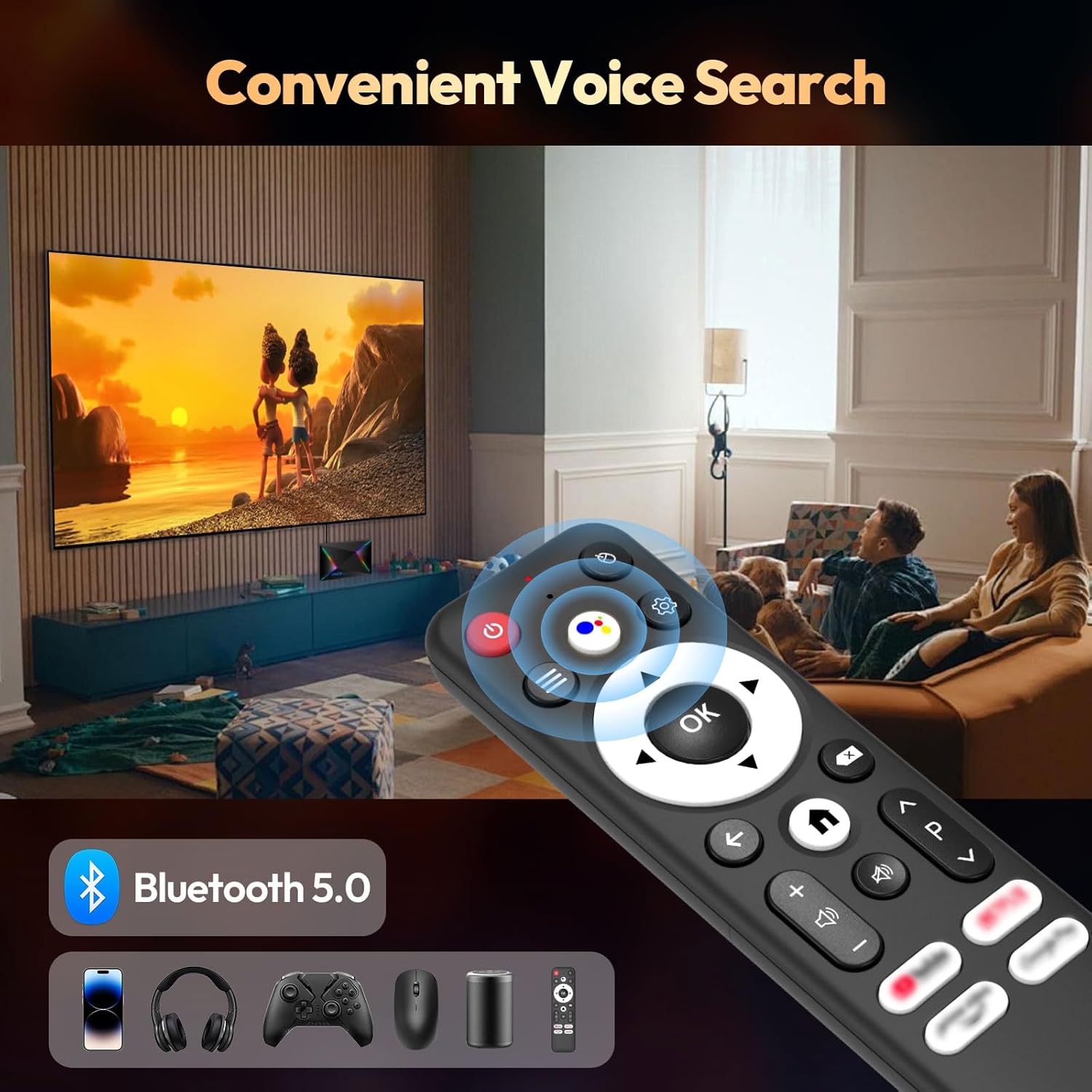
Connect Bluetooth-enabled devices such as headphones, speakers, game controllers, and mice.
- Eikite į
Settings > Remotes & Accessories > Add accessoryto pair new Bluetooth devices.
Ekrano ir garso nustatymai
Resolution and HDR
The device supports up to 8K resolution and HDR10+ for vivid visuals.
- Eikite į
Settings > Display & Sound > Resolutionto adjust the display resolution. - For HDR content, ensure your TV supports HDR10 or HDR10+ and enable it in
Settings > Display & Sound > Dynamic range & Color format.

Garso nustatymai
The R69 Plus supports advanced audio formats for an immersive sound experience.
- Adjust audio output settings in
Settings > Display & Sound > Advanced sound settings. - Ensure your audio receiver or soundbar supports Dolby Atmos or DTSX for the best experience.
Sandėliavimo valdymas
Your device comes with 4GB RAM and 64GB ROM. You can expand storage using an SD card or external hard drive.
- Norėdami patikrinti saugyklos naudojimą, eikite į
Settings > System > Storage. - Insert an SD card into the designated slot for additional storage.
- Connect a USB hard drive to the USB 3.0 port for high-speed data transfer and storage expansion.
Trikčių šalinimas
Nėra galios
- Įsitikinkite, kad maitinimo adapteris yra tvirtai prijungtas prie televizoriaus priedėlio ir veikiančio maitinimo lizdo.
- Patikrinkite, ar maitinimo lizdas veikia, prijungdami prie jo kitą įrenginį.
Nėra paveikslėlio
- Verify the HDMI cable is correctly connected to both the TV Box and the TV.
- Įsitikinkite, kad jūsų televizorius nustatytas į tinkamą HDMI įvesties šaltinį.
- Išbandykite kitą HDMI kabelį arba HDMI prievadą savo televizoriuje.
Nuotolinio valdymo pultas nereaguoja
- Patikrinkite ir pakeiskite nuotolinio valdymo pulto baterijas.
- Įsitikinkite, kad tarp nuotolinio valdymo pulto ir televizoriaus priedėlio nėra jokių kliūčių.
- Re-pair the Bluetooth remote control via
Settings > Remotes & Accessories.
Tinklo ryšio problemos
- For Wi-Fi, check your router and ensure it's broadcasting a signal. Re-enter the Wi-Fi password if necessary.
- For Ethernet, ensure the cable is securely connected and your router's Ethernet port is active.
- Iš naujo paleiskite maršrutizatorių ir televizoriaus priedėlį.
Apps Freezing or Crashing
- Uždarykite ir paleiskite probleminę programą iš naujo.
- Išvalykite programėlės talpyklą:
Settings > Apps > [Select App] > Clear cache. - Ensure the TV Box firmware and apps are updated to the latest versions.
Specifikacijos
| Funkcija | Detalė |
|---|---|
| Modelis | R69PLUS |
| Operacinė sistema | Android 14.0 |
| Procesorius | Allwinner H728 Octa-core CPU |
| RAM | 4 GB |
| Vidinė saugykla | 64 GB |
| Maksimali skiriamoji geba | 8K |
| HDR palaikymas | HDR10, HDR10+, Dolby Vision |
| Wi-Fi | Wi-Fi 6 (2.4G/5.8G) |
| Ethernet | 1000 Mbps gigabito eternetas |
| Bluetooth | Bluetooth 5.0 |
| USB prievadai | 1x USB 3.0, 1x USB 2.0 |
| Vaizdo įrašų dekodavimas | H.265 |
| Matmenys | 22.8 x 19.4 x 9.9 cm |
| Svoris | 640 g |
Priežiūra
- Laikykite švarų: Regularly wipe the device with a soft, dry cloth. Avoid using liquid cleaners.
- Vėdinimas: Ensure the TV Box is placed in a well-ventilated area to prevent overheating. Do not cover ventilation openings.
- Programinės įrangos atnaujinimai: Periodically check for system updates in
Settings > System > About > System updatesiekiant užtikrinti optimalų našumą ir saugumą. - Venkite ekstremalių sąlygų: Do not expose the device to extreme temperatures, humidity, or direct sunlight.
Garantija ir palaikymas
Your BL R69 Plus Android 14.0 TV Box comes with a standard manufacturer's warranty. Please refer to the warranty card included in your package for specific terms and conditions.
For technical support, product inquiries, or warranty claims, please contact the seller or manufacturer directly.
Manufacturer: Shenzhen Xing he shi xun Co., Ltd
Norėdami gauti daugiau pagalbos, apsilankykite BL Store on Amazon.
Oficialūs produktų vaizdo įrašai
Šiame vaizdo įraše pateikiama trumpa apžvalgaview of the Android Box 2025, highlighting its 4GB RAM, 64GB ROM, and the included mini keyboard.
Trumpas vaizdo įrašo demonstravimasasing the Android TV Box 13.0, featuring 4GB RAM, 64GB ROM, 8K support, and the mini keyboard.
This video demonstrates the Xiaomi Android TV Box S 3.0 4K UHD, highlighting its features and capabilities.