
1. Įvadas
The XiaoR Geek Jetson Nano AI Vision Robot Kit, model ROS2 NANO Tank, is an advanced educational robot designed for learning and application in robotics, artificial intelligence, and programming. This kit is developed based on ROS (Robot Operating System) and is adapted to the ROS2 system, featuring a Jetson Nano main control board and an STM32 sub-control board for efficient task distribution.
Equipped with a Lidar sensor, a 2DOF 3D depth camera, and a 7-inch foldable touch screen, the robot supports various functionalities including SLAM mapping, navigation, path planning, dynamic obstacle avoidance, and AI visual recognition. Its robust aluminum alloy tank crawler chassis provides excellent adaptability and stability across diverse terrains.
2. Kas yra dėžutėje
The following components are included in your Jetson Nano AI Vision Robot Kit:
- Jetson Nano main control board
- 3D depth camera
- Lidaro jutiklis
- 7-inch touch screen (foldable)
- High-torque coding reduction motor
- Aluminum alloy tank crawler chassis
- Įkroviklis
- Control handle (wireless)
- Memory card (TF card)
- Detailed paper and electronic files (manuals)
- Source code and auxiliary tutorials for ROS development

2.1 pav. Baigtaview rinkinio komponentų.
3. Sąranka
3.1 Chassis Assembly
The robot features a high-quality aluminum alloy tank crawler chassis, designed for stability and adaptability. Detailed assembly instructions are provided in the included paper and electronic manuals.
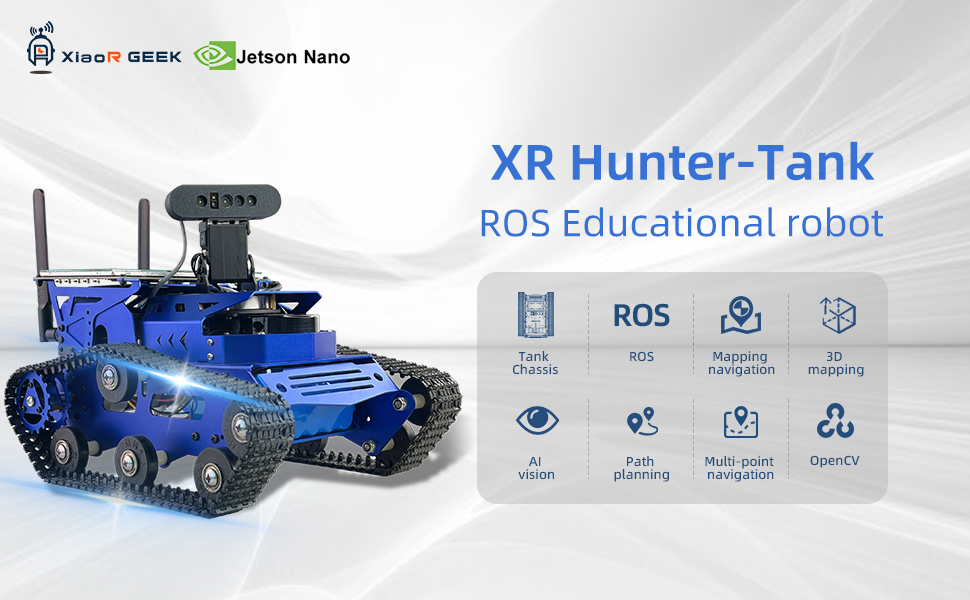
Figure 3.1: The robot's tank chassis.
3.2 Komponentų diegimas
Install the Jetson Nano, Lidar, 3D depth camera, and 7-inch touch screen onto the chassis according to the provided diagrams in the manual. Ensure all connections are secure.
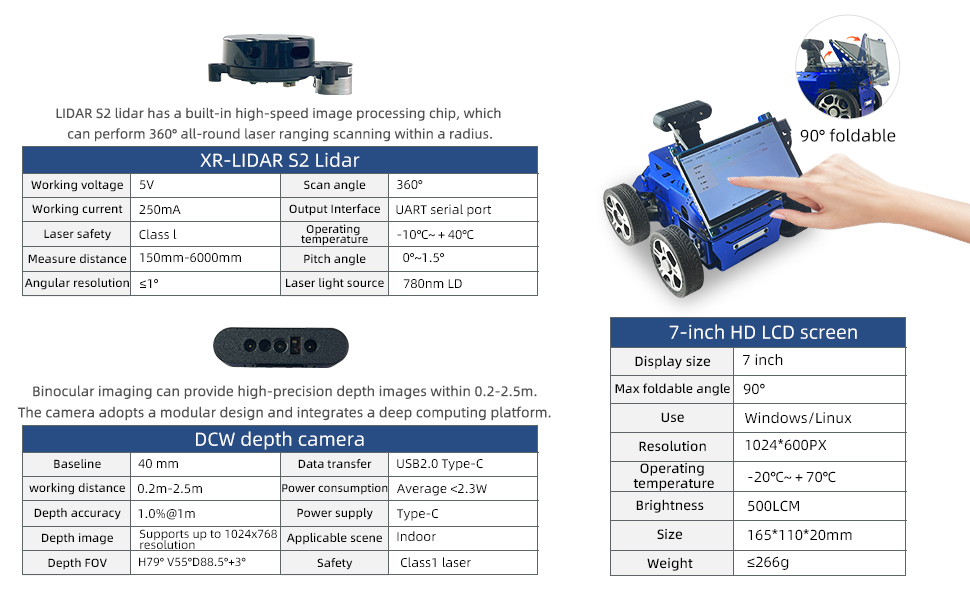
Figure 3.2: Key components: Lidar, Depth Camera, and 7-inch screen.
3.3 Įjungimas
Connect the included 12V battery (pre-installed) and ensure all power connections are correct before powering on the robot. Refer to the detailed manual for specific power-up sequences.
4. Naudojimo instrukcijos
4.1 Valdymo metodai
The robot supports multiple control methods:
- Android Mobile Application: Control the robot via a dedicated mobile app on your Android device.
- Wireless Handle: Use the provided wireless gamepad for intuitive control.
- PC Virtual Machine RVIZ: Advanced control and monitoring through a PC-based RVIZ interface.
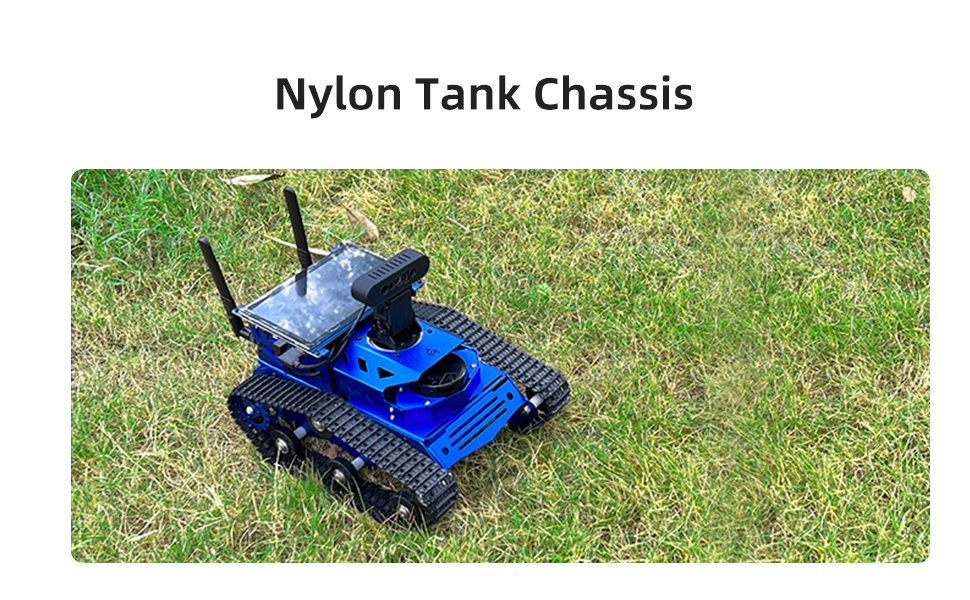
Figure 4.1: Robot control options: Mobile App, PC, and Wireless Handle.
4.2 SLAM Mapping and Navigation
The robot utilizes its Lidar and 3D depth camera for simultaneous localization and mapping (SLAM), enabling it to build maps of its environment and navigate autonomously.
- Lidar Function: The Lidar S2 sensor performs 360-degree laser ranging for dynamic obstacle avoidance and generating 2D maps for navigation.
- 3D Depth Camera: Captures point cloud images for RTAB 3D mapping and navigation, providing a richer environmental understanding.

Figure 4.2: Robot functions including Lidar mapping and 3D mapping.
4.3 AI Visual Recognition
Leveraging the Mediapipe development framework, the robot can perform various AI visual recognition tasks:
- Veido atpažinimas
- Kraštų aptikimas
- Augmented reality (AR)
- Color recognition
4.4 Dual-Brain Architecture
The robot operates on a dual-brain architecture:
- Jetson Nano: Handles ROS algorithms and visual processing.
- STM32: Manages motion control and sensor data processing.
Video 4.1: Official product video demonstrating the Jetson Nano AI Vision Robot Kit's features, including assembly, control methods, SLAM mapping, obstacle avoidance, target tracking, gesture control, face recognition, line tracking, deep learning, 3D vision, and open-source code.
5. Priežiūra
To ensure the longevity and optimal performance of your robot kit, follow these general maintenance guidelines:
- Keep the robot clean and free from dust and debris.
- Reguliariai tikrinkite visas elektros jungtis, ar jos nėra atsilaisvinusios ar pažeistos.
- Inspect the tank tracks and motors for wear and tear.
- Store the robot in a dry, cool environment when not in use.
- Ensure the battery is charged regularly and stored properly to maintain its health.
6. Problemų sprendimas
If you encounter issues with your robot kit, consider the following basic troubleshooting steps:
- Robot not powering on: Check battery charge and all power connections.
- Control issues: Ensure the control device (app, handle, PC) is properly connected and configured. Verify wireless signals.
- Navigacijos klaidos: Recalibrate Lidar and camera sensors. Ensure the environment is suitable for mapping.
- Programinės įrangos problemos: Refer to the provided source code and tutorials for debugging. Ensure all software dependencies are met.
- Physical obstructions: Clear any debris from tracks or sensors.
For more complex issues, consult the detailed electronic manuals and source code documentation, or contact XiaoR Geek customer support.
7. Specifikacijos
| Funkcija | Detalė |
|---|---|
| Gaminio matmenys | 12.83 x 9.21 x 9.02 colio |
| Prekės svoris | 6.39 svaro |
| Gamintojo rekomenduojamas amžius | 0 - 10 years (Note: Advanced robotics kit, recommended for users with basic or more knowledge about robots) |
| Baterijos | 1x12V baterija (pridedama) |
| Gamintojas | XiaoR GEEK |
| ROS Master Control | Jetson Nano 128-core Maxwell(TM) architecture GPU |
| Secondary Control Board | XR-PNL-4RL-32 (STM32) |
| Lidaras | XR-LIDAR S2 |
| Fotoaparatas | DCW depth camera |
| Variklis | XR520 permanent magnet DC encoder reduction motor |
| Operacinė sistema | Ubuntu 20.04 LTS + ROS Melodic |
| Bendravimo metodas | USB/WiFi/Ethernet |
| Programavimo įrankiai | Python / C / C++ / JavaScript |
| RAM | 64GB TF kortelė |
| Medžiaga | Aliuminio lydinys |
| Vairo pavara | S075M 15KG metal shaft steering gear (Ackerman version) |
| Automobilių žibintai | 8 RGB lamp karoliukai |
8. Garantija ir palaikymas
XiaoR Geek provides detailed paper and electronic files, source code auxiliary tutorials, and professional, reliable, and timely pre-sales and after-sales services. The robot supports secondary development, and it is recommended that users have basic or more knowledge about robots before proceeding. If you have any questions or issues about the product or program learning, please feel free to contact us.
For specific warranty information, please refer to the documentation included with your product or contact XiaoR Geek directly.